Anker Computer Accessories on Noon UAE: account eligibility — bank offer versus coupon
Choosing between a bank discount and a coupon when shopping for computer accessories on Noon UAE can feel like pulling off an intricate engineering feat.
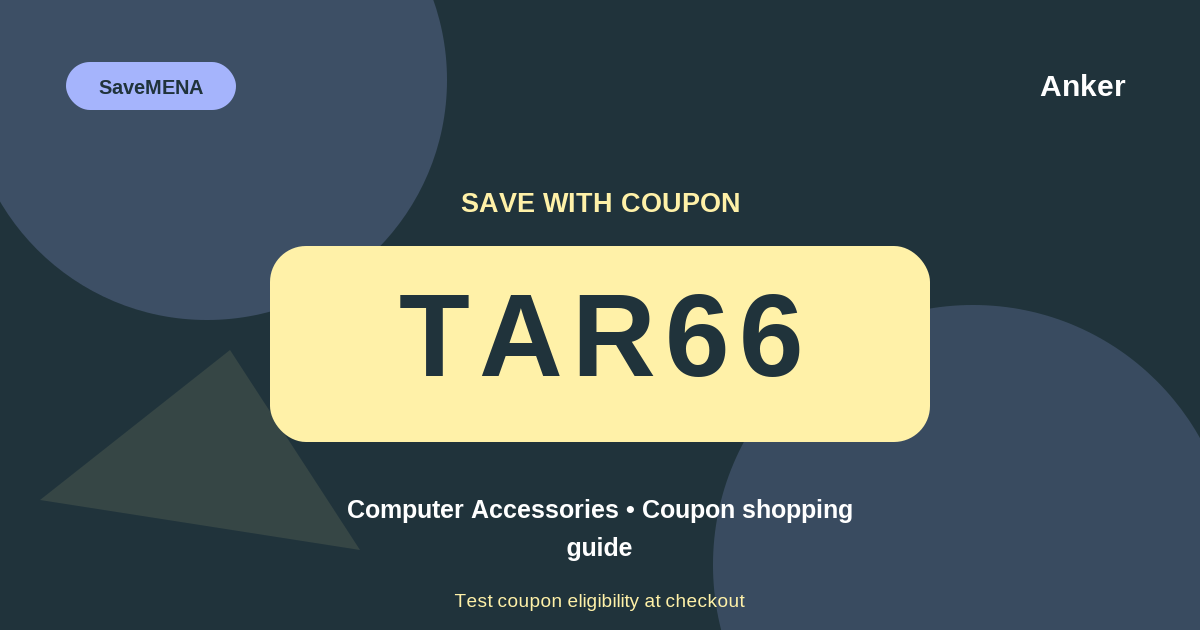
Codes available to try while comparing
These codes are not guaranteed for the article topic or listed brands; test them at checkout and use the live result.
Understanding the Core Difference: Coupon vs Bank Discount
At the heart of the comparison lies the nature of the discount itself. A coupon is a discrete code that you manually enter, typically optional, and its applicability relies on the vendor’s listed criteria such as order value or product category. A bank discount, conversely, is an automatically applied reduction linked to a specific bank card or account type, often contingent on a partnership highlighted by Noon UAE yet defined only at checkout. Both mechanisms offer savings, but the path to unlocking them diverges: one requires active input, the other is passive—yet both demand verification of terms you must confirm personally.
These foundational distinctions influence the timing and reliability of each discount. A coupon might be accepted or rejected based on unseen variables like minimal spend thresholds or eligibility windows; a bank discount is only active when the correct card type is presented, and it may be limited by merchant-defined limits. Recognizing which process is more forgiving—or more rigid—for your purchasing style sets the stage for deeper exploration of the account context that will dictate the result of each method.
Account Context: Why Eligibility Checks Matter
Account context refers to the set of conditions tied to your Noon account—card type, user status, and the actions you take during ordering. The bank discount is too sensitive to the exact card presented; if the bank name on the merchant screen changes, the discount may not appear. Coupons, however, are tied to the code itself, independent of payment method, though they may still reject the order if the item is not eligible. Verifying the card on record before entering the checkout page gives freedom to see which discount is eligible at any given moment.
Because nothing posted about how the discount applies and what the system will do at checkout, you will see the best practice: confirm your bank card is listed in your account and ensure you have no ongoing block on your card. Follow the same for coupon eligibility: ensure your account is active, as some coupons require a logged‑in shopper. By doing these preliminary steps you reduce the risk of a discount mystery at the final screen.
Bank Discount Mechanics on Noon UAE
Noon UAE’s bank discount often appears as a sliding figure beside the total cost when you select a partnered card on the payment screen. The discount only materialises once the card’s details are processed, meaning you’ll see it only after adding the payment method and moving to the final review. The vendor can set how many items or a purchase amount triggers the discount, but these parameters are not disclosed publicly. It’s therefore safest to confirm the discount at the exact moment it appears before proceeding.
When the discount appears, it sits in the same column as shipping and taxes, and it subtracts directly from your cart subtotal. You can check the line items to verify the total after deduction and ensure that no other mandatory costs offset your savings. Since no percentage is revealed, you simply confirm the visual difference on the screen, then confirm that the total you pay is lower than the pre‑discount amount.
Coupon Application: Using TAR66 on Computer Accessories
Applying the coupon code TAR66 is a two‑step process, starting with scrolling to the code entry field on the payment or shipping overview page. Enter the exact all‑caps code and hit the “Apply” button. Noon will refresh the breakdown, displaying a drop‑in discount line. If the system accepts the code, it will recalculate the total; if not, a pop‑up or error message will indicate why. The outcome relies on the vendor’s criteria, which are not specifically provided for this coupon, so the result may vary.
Because the code is NOT tied to a particular brand or product type, it will apply wherever it meets general conditions. However, many vendors reserve coupons for higher‑value budgets or specific categories, such as Computer & Office. You should review the item list in your cart to confirm that the accessories are on the coupon’s scope, otherwise the discount may be denied.
Assessing Real-World Savings: How to Verify at Checkout
At checkout the real test is the visual subtraction of the discount from your total. A bank discount will simply reduce the number in the “Subtotal” column, while a coupon will add a “Code Discount” line below the subtotal. A quick cross‑check is to note the original price displayed next to each cart item, add them manually if needed, then confirm the shown total matches your expected post‑discount value.
Because the discount amount itself is not disclosed or limited in the instructions provided, your only reliable metric is to compare the pre‑discount and post‑discount totals. If the discount isn’t reflected at the screen or if an error appears after you press “Apply,” the coupon has failed. In that case, the bank discount remains available if the card you used triggers it. You therefore decide which path offers you the lowest final payable amount.
Computer Accessories and Anker: Brand Specifics
For tech shoppers focusing on computer accessories such as Anker USB‑C hubs, power banks, or external drives, the discount mechanics function the same as on any other product. The only nuance is whether the coupon or bank discount applies to these brand items. Since the coupon is generic, it is safe to assume it could apply to Anker products if the vendor lists them under the eligible category. However the bank discount is not brand‑restricted and will apply automatically wherever the card is recognized.
When shopping for Anker accessories, you’ll want to keep an eye on the line items during checkout, ensuring that each item is displayed with brand tags. This confirmation helps you verify that the discount was applied to the correct items. If purchase prices vary by size or model within the same brand, the discount may still apply, but the total still reflects a global subtraction.
Practical Tips to Maximize Savings
Start by confirming your chosen bank card is active and that the merchant partnership is still valid. If you have more than one card, test both to see which one triggers the bank discount. When you add the coupon code, do it after the card is selected. Some vendors automatically apply the discount before the code is entered; others require the code first. Try following the reverse order to see which gives the higher deduction.
Additionally, keep an eye on the shipping fee line. Many discounts are applied only to the product subtotal, not shipping. In that case, you could reduce shipping by selecting a free‑shipping threshold or using a separate coupon for freight. Always review the final payment screen to ensure all reductions synchronize into the final amount you’ll pay.
Final Verdict: Which Path Wins for Computer Accessories?
After checking the eligibility at each step, you’ll see which method produces the lower final amount. If the bank discount appears automatically and remains visible even after adding the coupon, you may end up with a double discount; but if the coupon only applies when the bank discount is absent, you’ll choose the route that gives the biggest absolute difference. The most reliable outcome, however, is to pick the path that shows a clear reduction on the final screen without error.
Remember the key point: the discount will only be applied if it passes the checkout validation. Wherever you find the final figure divided by what you’d pay without any discount, you’ve reached the optimal strategy for your bank card or coupon code. Use this knowledge to shop confidently across all computer accessory categories, knowing you’ve tested and verified every angle of savings.
Related SaveMENA pages
Related articles
Official sources to check
Frequently asked questions
What happens if the coupon code TAR66 does not apply?
If the code is rejected, it may be due to restrictions such as product category exclusions or minimum spend which are not publicly disclosed. In that case, the system will keep the cart total unchanged. You can then rely on the bank discount if your card is linked, or try a different coupon within your account’s access.
Do I need to be logged into my Noon account for a bank discount?
Yes, bank discounts generally depend on a bank‑card pairing recorded in your Noon account. Ensure you’re signed in and your card details are up‑to‑date before proceeding to checkout to verify the discount appears.
Will shipping fees increase if I use a bank discount?
Shipping fees are calculated separately from product discounts. The bank discount usually does not reduce shipping. If free shipping is offered when you meet a spending threshold, it will be applied after the discount calculation.
Can I combine the TAR66 coupon with a bank discount?
Combination depends on vendor rules. Some vendors allow both, showing two separate deduction lines. If not, the system will only accept the discount that most reduces the final total, as indicated on the confirmation screen.