Computer Accessories on Noon UAE: account eligibility — bank offer versus coupon
Bank discounts offered through Noon in the UAE are usually partnered with a limited selection of banks.
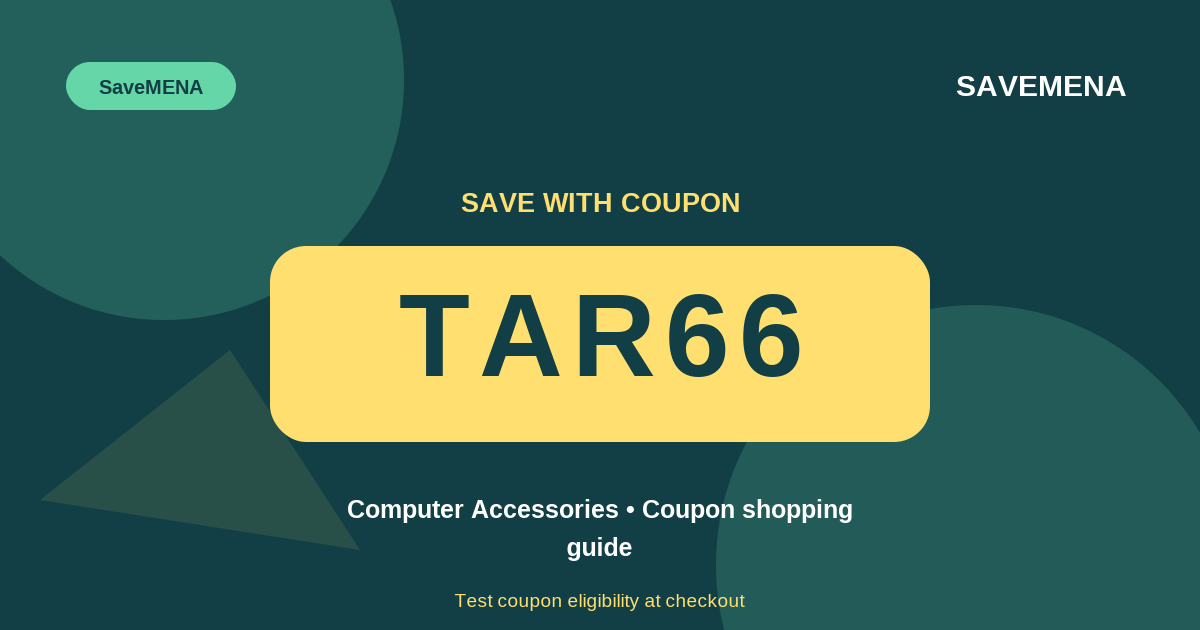
Codes available to try while comparing
These codes are not guaranteed for the article topic or listed brands; test them at checkout and use the live result.
Bank Discounts at Noon UAE: How They Work
<P><P>...
Bank Discounts at Noon UAE: How They Work
Bank discounts offered through Noon in the UAE are usually partnered with a limited selection of banks. When a customer links an eligible card in their account settings or selects a bank payment option at checkout, the discount may apply automatically to the cart subtotal. The discount level is generally indicated next to the bank logo during the selection process, allowing the shopper to see how much is being deducted before proceeding to payment. The process is designed to be simple, but it requires a valid bank account linked to Noon and that the bank is still participating with the current promotion.
From an account perspective, the discount is tied directly to the shopper’s Noon Profile. If the bank account connection has been inactive for a period or is linked to an account that has been suspended, the benefit will not trigger. Additionally, the discount may trigger only when the shopper’s total meets a certain threshold, which can be viewed as a minimum spend lesson for the Noon wallet.A coupon is not guaranteed; verify its result at the retailer checkout.
Coupon Code Strategy: Using TAR66 on Computer Accessories
The TAR66 coupon is a digital voucher code that customers can enter in the checkout field labelled ‘Coupon Code’. It is designed to be user‑managed and can typically apply to a wide range of computer accessories such as keyboards, mice, and cables. To activate the coupon, simply type TAR66 into the field and hit the ‘Apply’ button; the system will validate its usability against the item’s eligibility rules. If the coupon is valid, the cart’s subtotal will reflect the deducted amount immediately, allowing a clear view of the new total before proceeding to payment.
In the context of a Noon account, the coupon’s activation depends on the buyer being signed into their profile. If the shopper is logged in, the coupon can interact with any applicable loyalty or voucher balance stored in the account. However, the coupon cannot be combined with the bank discount; Noon will prioritize one or the other once the final price has been calculated. Because the system picks the discount that yields the lowest payable amount, users should see the net difference instantly after the code is applied.
Comparing Savings: Bank Discount vs Coupon
When evaluating which option delivers the greatest value, the financial shift depends on two factors: the discount value and the total cart worth. A bank discount typically reduces the raw price per item by a fixed percentage or a set amount determined by the bank’s promotion. In contrast, the coupon may deduct a fixed value irrespective of the product price. If the cart sits at a high total, a percentage‑based bank discount could potentially be more lucrative, yet a straight‑away coupon might offer a more predictable saving. The shopper’s Noon account holds the necessary data to compare the two in real time at checkout.
Beyond the headline amount, each form of discount brings its own constraints that interact with account features. For example, a bank discount might be blocked for late‑stage purchases if the card stops being billed, while a coupon can expire after a set date unrelated to account status. Moreover, if the shopper has accumulated loyalty points or a Noon wallet credit, the bank discount may combine with those existing balances in a way that the coupon does not. Decision‑makers should verify how eligibility and stacking rules align with their account profile.
Practical Application: Step‑by‑Step for Computer Accessories
Begin by selecting the preferred computer accessory—this may be a mechanical keyboard, USB hub or gaming mouse—then review its price and any listed store promotions. During the cart review stage, scroll to the payment section where the shopper can choose a bank payment option; if the linked bank offers a discount, a small banner will appear indicating the amount subtraction. This step should happen before the coupon code field is addressed to preserve the correct calculation of the subtotal.
If the user still wishes to try the TAR66 coupon, they should proceed to the coupon field located just below the payment options, type the code and press ‘Apply’. Noon will re‑calculate the total and present a new cart subtotal. Because the platform forbids combining the bank discount with a coupon, the system will automatically choose whichever option results in a lower payable figure. The shopper should then confirm the final amount, proceed with the selected payment method, and finish the purchase.
Account Account Security and Management
Maintaining a secure Noon account is essential for both discount eligibility and overall shopping safety. Regularly update your profile email, phone number and password; especially if you have shifted credit accounts between banks. When changing a bank, remove any old card imprint from the payment settings—this ensures that inactive cards do not trigger accidental discount application. An up‑to‑date security profile also prevents unauthorized access that could misuse valid bank discount or coupon vouchers.
The account’s discount history remains visible in the order details. By reviewing past orders, shoppers can confirm which method was applied each time. If a bank discount was used, the link to the specific bank will be present; if the coupon was applied, the code TAR66 will be listed in the discount section. Tracking this data could help the user understand which option offers the greatest recurring benefit and adjust payment habits accordingly.
Customer Support and Troubleshooting
Should the TAR66 coupon refuse validation or not affect the cart total, first verify that the shopper is logged into their Noon profile and that the product is still eligible. Double‑check that the code is copied accurately, including capital letters and hyphens if present. If the issue persists, open the support chat from the home page and describe the problem. The representative will review the account context and can confirm whether the bank was still associated or if the coupon has already been utilized.
When a bank discount does not trigger, the shopper can navigate to the account settings and confirm that the linked bank card is active and listed in the payment options. If a card is not visible, adding a fresh card under the ‘Payment Methods’ tab may resolve the silence. If after both checks the discount remains absent, the support team will recommend re‑refreshing the cart or clearing the browser cache, as there may be a temporary sync issue between the account profile and the checkout engine.
Choosing the Best Option for Your Needs
When deciding between a bank discount and a coupon you must weigh both financial and behavioral elements. A frequent buyer with a long‑standing relationship with a partner bank often benefits most from the percentage‑based bank discount, as their account has automatic eligibility and no need for manual code entry. Conversely, someone who prefers a one‑time fixed saving or wishes to avoid manual steps might lean toward the TAR66 coupon, which simply applies when typed. The account’s loyalty level and spending status can tip the decision toward the offering that aligns best with user habits.
A practical approach is to test both methods on small, less costly accessories at first. Observe the final payable total in each scenario, then decide which remains lower across a range of purchases. Keep in mind that if the bank discount works automatically, you save the time spent entering coupon text in every checkout. By evaluating the outcomes within your account and choosing the consistent option, you reach a scalable and reliable discount strategy.
Related SaveMENA pages
Related articles
Official sources to check
Frequently asked questions
How do I apply the TAR66 coupon during checkout?
During the cart review stage, locate the coupon field just below the payment options. Enter TAR66, press apply, and the cart total will refresh to reflect the deduction.A coupon is not guaranteed; verify its result at the retailer checkout.
Can I use a bank discount and a coupon together?
No. Noon’s system automatically selects whichever discount yields the lowest final price. If you try to apply both, only the more advantageous option will remain applied; the other will be removed from the cart prior to the final total.
What happens if my bank discount doesn't work at checkout?
First check that the linked bank card is active and listed in your account payment methods. If the card is missing or inactive the discount will not apply. In that case, you can either add a new eligible card or rely on a coupon like TAR66 for the savings.
Do I need to link my bank to my Noon account to get a discount?
Yes. A bank discount in Noon is tied to the specific card you have added to your account’s payment methods section. Linking the card allows the system to recognize it during checkout and automatically apply the discount if the bank’s promotion is still active.