Logitech Computer Accessories on Noon UAE: account eligibility — bank offer · TAR64
Getting the best deal on a Logitech keyboard or mouse in the UAE depends on understanding the difference between a Noon UAE bank discount and a coupon.
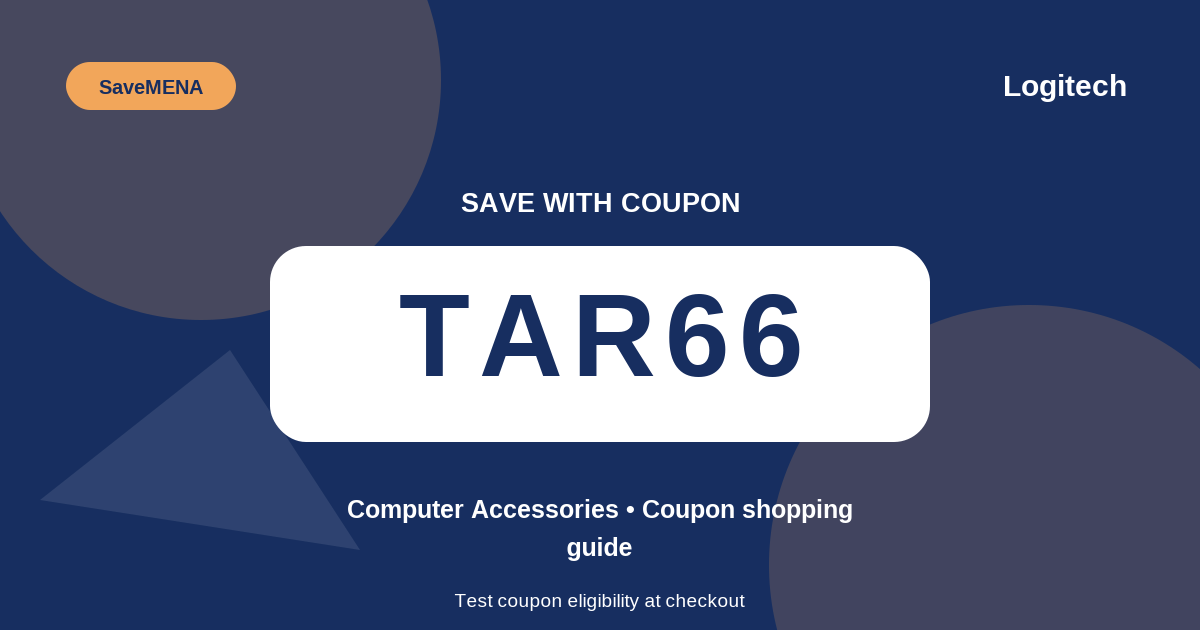
Codes available to try while comparing
These codes are not guaranteed for the article topic or listed brands; test them at checkout and use the live result.
Understanding Noon UAE Bank Discounts for Computer Accessories
Noon’s bank discount operates as a direct reduction applied when you select a qualifying bank card at payment. Unlike a coupon that you manually enter, the discount is automatically reflected in the total after you choose your card. The reduction is applied only to the line items in the cart, and it typically does not affect shipping or handling fees. The amount of the discount is predetermined by Noon’s partnership with the bank and is therefore consistent for all eligible shoppers each day.
Because the discount appears in the pre‑payment summary, you can verify it before you confirm the purchase. Look for a line item labelled “Bank Discount” or a similar tag. If the discount does not reflect as expected, double‑check that the card you selected is listed among Noon’s partnered banks. If you still notice an issue, contacting Noon support or the bank’s customer service may clarify whether the discount is available for the specific Logitech product you wish to buy.
How to Apply the TAR64 Coupon on Logitech Accessories
The TAR64 coupon is a promotional code that you can enter during the checkout on Noon. While it’s not exclusive to computer accessories, it can apply to Logitech items if the coupon is still active when you place your order. Before you finalize the cart, locate the “Coupon” field, usually near the payment method selector, and type TAR64 exactly as shown. The discount should appear as a line item in your order summary, allowing you to confirm the amount deducted before you click “Place Order.”
If TAR64 does not apply, verify that the coupon is still listed as active on Noon’s help center or in the coupon journal. Coupons can expire or be limited to certain categories, so the absence of an active status does not guarantee it won't work. Always check the checkout page for a confirmation message or a visible reduction in the total; if it’s missing, you should retry or try contacting Noon support for clarification.
Comparing Bank Discount Benefits with Coupon Value
When weighing a bank discount against the TAR64 coupon, look first at the absolute numbers shown at checkout. A bank discount will reduce the cart total by a fixed figure, whereas a coupon can offer either a fixed amount or a percentage based on Noon’s promotion. Because the discount is applied automatically, there is a lower chance of mis‑application, but the final amount still depends on the specific Logitech model’s price and any shipping fees.
The coupon, on the other hand, depends on successful code entry and can be more flexible, sometimes allowing you to combine it with other discounts, or might be constrained by minimum spend or limited to repeat purchases. As a shopper who is monitoring both options, you’ll want to compare the final payable amount after each deduction to decide which route offers the higher savings for your particular Logitech accessory.
Verify Your Logitech Account for Maximum Savings
Logitech offers user accounts that grant access to exclusive promotions, warranties and support. Because some Noon discounts are tied to account status, you should ensure you are logged into an active Logitech account before checking out. An active account may make you eligible for a bank discount or a coupon be applied more reliably. On Noon, account verification usually displays in the top navigation bar; if not, you can log in from the site or the Noon app.
Once your Logitech account is confirmed, double‑check the panel that lists your savings options. If the bank discount appears in the “Payment Methods” section without any account prerequisites, you can use it immediately. But if the the coupon code for TAR64 is visible only after you log in, that indicates a direct relationship between account status and coupon validity, something you should keep in mind when planning your purchase.
Real‑World Savings: Checkout Confirmation and Eligibility
A key moment for any shopper is the final checkout confirmation. The sum shown just before you hit “Place Order” is the definitive figure. Here, a bank discount will have already deducted its amount, and any valid coupon will show as a separate line. Confirm that the total reflects both your payment method’s benefits and any coupon deduction. Any discrepancy at that point is usually resolved by Noon’s automated systems, but if the final amount conflicts with earlier estimations, it’s worth pause and double‑check all items.
Eligibility also depends on selling restrictions. Some Logitech models may only be discounted through a bank partnership, while others might be perpetually eligible for coupon codes. Checking the product listing for a note on “Discount Eligibility” or “Special Offers” can guard against surprises. If the retailer or Noon updates their policies, that could affect whether the bank discount or the TAR64 coupon is valid for a given Logitech item at the time of purchase.
Factors Influencing Which Option Is Better in an Account Context
Beyond the raw savings, consider how your Logitech account status might influence your experience. For instance, if you frequently purchase Logitech accessories, a logged‑in account may unlock loyalty points that multiply your discount. Bank discounts tend to be static, but some banks offer extra perks like extended warranties or return allowances when using their cards on Noon. These secondary benefits can tip the balance in favor of a discount, especially for high‑value devices.
Conversely, a coupon like TAR64 may be more flexible, allowing you to apply it to a wider range of products, or it might be usable across different payment methods. If you’re employing a bank discount but your account is inactive, you may lose out on bonus savings tied to the account. Therefore, assessing whether the account is fully activated and how it aligns with both discount types can help you decide which to select for your Logitech purchase.
Common Pitfalls When Using Coupons vs Bank Discounts
The main pitfall with a bank discount is that its visibility depends on the accounting system reflecting the reduction before you finalize payment. A mismatch can occur if the discount is linked to a specific card that is no longer recognized by Noon’s database, or if you switch cards mid‑checkout. In such cases, the discount may disappear from the order total, and you’ll end up paying full price.
With coupons, the most frequent error is mistyping the code or forgetting to enter it before applying the discount. Since Noon applies coupons after the payment methods are chosen, an improperly entered or expired code can be quietly ignored, leaving you with no savings.A coupon is not guaranteed; verify its result at the retailer checkout.
Making an Informed Decision for Your Logitech Purchase
After reviewing each method’s application steps, eligibility criteria and final checkout confirmation, you should weigh the ease of use and potential extra benefits linked to your Logitech account. If you’re comfortable with a bank discount and have a seamlessly linked card, that option reduces manual steps and risk of coupon failure. However, if you prefer a code that can apply to a broader array of items, try TAR64 and confirm its activation before checkout.
Ultimately, the right choice depends on which discount offers the higher final cost reduction for your specific Logitech accessory and how secure you feel in the payment flow. Keep your account active, double‑check the discount line items at checkout, and you’ll secure the best possible deal for your computer accessory without surprises.
Related SaveMENA pages
Related articles
Official sources to check
Frequently asked questions
Can I combine the Noon UAE bank discount and the TAR64 coupon on the same Logitech order?
No, each discount is applied independently. If the bank discount is selected, an available coupon will not be added to the same order.A coupon is not guaranteed; verify its result at the retailer checkout.
Will the Noon bank discount affect the shipping fee for my Logitech device?
Noon’s bank discount typically applies only to the product price. Shipping fees are usually deducted separately and remain unaffected unless specified by Noon’s shipping policy.
What should I do if the TAR64 code does not apply during checkout?
Verify the code’s active status in Noon’s help center, ensure you’re using a supported product, and double‑check any minimum spend or account conditions before attempting to reapply.
Do I need a Logitech account to receive the Noon bank discount?
Generally, the bank discount does not require a Logitech account. However, some promotions might be linked to account status, so logging in can help confirm eligibility.