Apple Laptops on Noon UAE: account eligibility — bank offer versus coupon
For UAE shoppers juggling noon’s bank partnership offers and a generic coupon, the decision can feel like navigating a maze.
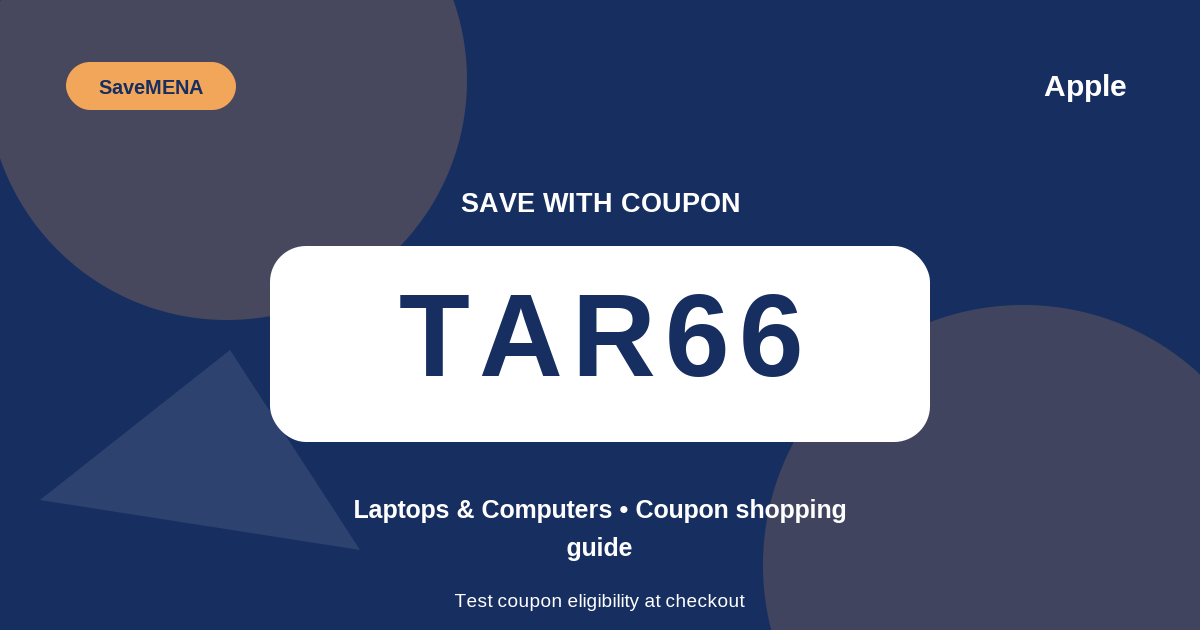
Codes available to try while comparing
These codes are not guaranteed for the article topic or listed brands; test them at checkout and use the live result.
1. Checking Eligibility: Noon Bank Discount vs Apple Loyalty
When you log into Noon, the bank discount applies automatically if you’re a holder of the partner bank’s credit or debit card. The discount is part of your account settings, meaning you don’t need to enter any code—just ensure your card is linked to your profile before adding a laptop to the cart. If you’re also an Apple account holder, that status does not trigger a separate discount at Noon. Instead, Apple loyalty is relevant if you later use your Apple device’s balance or app store credits for future purchases, but it won’t influence the Noon discount.
To confirm eligibility, visit your Noon profile, navigate to “Payment Methods,” and check that your bank card is active. For the Airtag or any other Apple content you may want to purchase after the laptop, ensure your Apple ID is verified and your app balance is updated. This double‑check ensures you won’t be surprised by missing discounts when you reach the checkout page.
2. Comparing the Discount Values on Laptops
The bank discount on Noon is designed to reduce the base price of the laptop by a fixed percentage or amount, which accumulates automatically during checkout. This reduction is recorded in the order summary prior to finalizing the payment. The TAR66 code, on the other hand, will appear as an additional line item after you manually type it into the coupon field. Since the actual monetary value of each is uncertain, the comparison hinges on what each option reflects in the final payable total.
When you reach the “Review Order” screen, you’ll see a line called “Bank Discount” that subtracts from the subtotal. Right beside it, if you apply TAR66, another line called “Coupon Discount” will appear. The order in which these are applied can vary—some systems apply bank discounts first, followed by coupons. Therefore, careful observation of the checkout adds clarity about which option truly saves more money for your specific laptop.
3. How to Apply the TAR66 Coupon with Your Noon Account
Begin by selecting your desired laptop and proceed to the cart. In the cart view, you’ll spot a textbox labeled “Enter Coupon Code.” Input “TAR66” exactly as shown; the system will validate whether the code is applicable to the product chosen. If the code is valid, a new discount line will appear, summarizing the reduction. Note that applying TAR66 does not remove the bank discount; instead, it stacks alongside it, reducing the total further.
After you enter the code, check the updated total. The discount applied will already be reflected before you hit the final payment button. If the discount line does not appear, it likely means either the code is expired or ineligible for that laptop model, and you should re‑evaluate whether the bank discount is your only savings source.
4. Account Conditions: Assumptions and Constraints
Your Noon account must be fully verified with a valid email address and phone number. For the bank discount to engage, your card must be registered, linked, and active without pending verification. Also, ensure that no automatic promotional offers are concurrent, as these can affect the visibility of the discount in the order summary.
The TAR66 code applies universally across Noon’s product lines, but it does not automatically claim priority over your bank discount. The system manages this by adding the discounts together, but the order of appearance can differ between checkouts. If you see no discount applied, verify that your cart does not exceed any hidden limit or that the laptop is not subject to geometric price thresholds that exclude coupon usage.
5. Real‑World Savings in Practice: A Step‑by‑Step Checkout
Once you’ve confirmed the availability of your bank discount and entered TAR66, wait until the cart summary refreshes. You should notice two distinct discount lines: one labeled “Bank Discount” and another instructed by your promo code. Both figures will subtract from the subtotal, bringing the final amount under the “Total Due” heading. If the discount values appear side‑by‑side, keep a simple calculator ready to confirm that the sum matches the online deduction.
After verifying the total, proceed to payment by selecting your preferred method—credit card, debit card, or Noon wallet. On the final payment screen, a final confirmation of “Bank Discount” and “Coupon Discount” remains, confirming that the discounts have been applied before any transaction processing occurs. This final check guarantees that the reductions are indeed part of the charge the merchant will receive.
6. Timing Considerations: When to Use Bank or Coupon
Bank discounts are applied automatically at any time you purchase, provided your card remains linked. They do not expire or have promotional windows, making them a consistent source of savings. Coupons like TAR66 may have inferred time constraints; if the discount does not appear when you first enter the code, you may want to try again later or test on a different laptop model if it was a test coupon.
Effective strategy depends on your purchase endpoint. If you plan to buy multiple laptops or high‑value items at once, the cumulative bank discount may outweigh the single‑use coupon. Conversely, for a single, high‑price laptop, the additional reduction from TAR66 might tip the balance in your favor, assuming the coupon is valid at checkout.
7. Tiered Perks: PCI and Apple Account Benefits
In the United Arab Emirates, some banks offer PCI‑compliant offers that automatically reduce the cost of digital products. These perks are handled through Noon and are reflected as part of the bank discount line in the checkout. The decision lens here is that you want to maximize the cumulative reduction across all available sources.
As an Apple account holder, you might also have Apple Pay credit or store credit on the device itself. While these funds do not directly reduce the Noon price, once the laptop is purchased you can use the Apple credit for future software purchases or accessories. Understanding this downstream benefit can influence whether you prioritize a larger immediate discount on Noon or saving your Apple credit for later.
8. Final Verdict: Which Path Yields More Value?
Because the actual monetary value of the bank discount versus the TAR66 coupon isn’t disclosed until the checkout summary, the practical advice is to compare the two at the moment you finalize your order. Some shoppers find that the automatic bank discount is slightly higher, especially for flagship models, while for budget laptops the coupon can provide a neat, visible extra cut. The decision lens—account context—reminds you to verify while logged in, as your Noon profile status and Apple account information can shape the final outcome.
On the whole, leaning on the bank discount is a safe bet, given its automatic nature. If you enter TAR66 and see an additional benefit, that’s a sweet spot; if it shows none, don’t be surprised. The combined usage does not conflict, so feel free to stack them safely, secure in the knowledge that the checkout will reveal the true after‑discount total.
Related SaveMENA pages
Related articles
Official sources to check
Frequently asked questions
Can I use the TAR66 coupon code more than once on my Noon account?
You may attempt to apply the TAR66 code to multiple orders, but its effectiveness depends on Noon’s current approval status for each order. If the code works once, it may be disabled for subsequent orders if the system detects prior use or limits.
Will my Apple account offer any discount on the laptop purchased through Noon?
Your Apple ID provides benefits such as Apple Pay credit and Apple Store discounts, but these do not translate directly into a price reduction on Noon’s laptop listings. However, after purchase you can use Apple credit for future Apple-related purchases.
Does the bank discount apply to all laptops on Noon?
Bank discounts are broadly applied across Noon’s catalog for registered cardholders, but certain high‑value or special‑edition models might exclude automatic discounts. Verify the discount line at checkout to be sure your chosen laptop qualifies.
If TAR66 shows no discount at checkout, can I still claim a coupon elsewhere?
If TAR66 fails to apply, it likely isn’t valid for that particular product or order. You may search Noon’s current promotional offers for other available coupons that are confirmed to work on laptops.