ASUS Laptops on Noon UAE: account eligibility — bank offer versus coupon
This article compares the use of a coupon code versus a bank discount when purchasing ASUS laptops on Noon UAE, providing guidance tailored to shoppers who manage
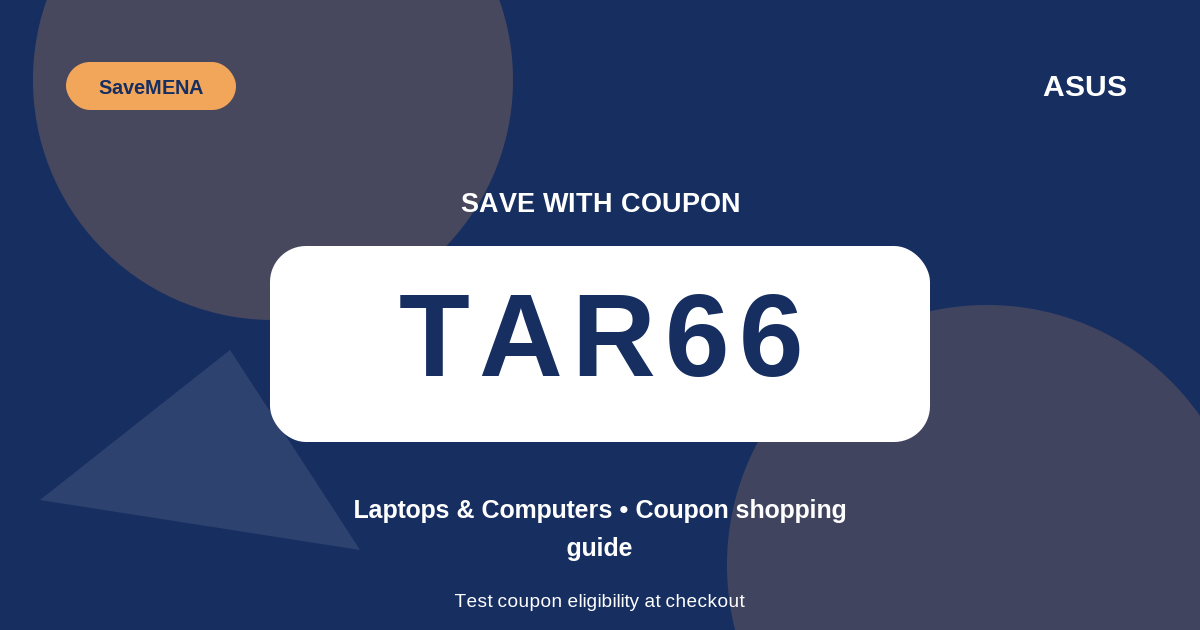
Codes available to try while comparing
These codes are not guaranteed for the article topic or listed brands; test them at checkout and use the live result.
1. How Noon UAE Bank Discounts Work for ASUS Laptops
Bank discounts on Noon are typically tied to the payment instrument you use, often offering a reduced price when you pay with a specific bank’s credit or debit card. The discount is applied automatically during checkout, contingent on your account settings and the eligibility of the chosen card for the category and brand in consideration.A coupon is not guaranteed; verify its result at the retailer checkout.
Because the discount comes directly from the bank’s partnership with Noon, it is not visible until you reach the payment step. The final payable total will reflect the deduction if the card qualifies.A coupon is not guaranteed; verify its result at the retailer checkout. If you cancel or switch cards before the final confirmation, the bank discount will not apply.
2. Decoding the TAR66 Coupon Code for ASUS Laptops
The TAR66 coupon code is a promotional offer that can be entered in Noon’s coupon section during checkout. This code is available for shoppers to try and may or may not yield a discount, as acceptance depends on Noon’s current promotional rules and the specific product. For ASUS laptops, the coupon may be accepted if the promotional terms allow the brand, but this is not guaranteed.
To explore the coupon’s effect, enter TAR66 in the coupon field before proceeding to payment. If the discount applies, you will see a reduction shown in the order summary. Because coupon validity can vary, it is wise to confirm the discount amount or the offer’s terms at the final price display. If the coupon is rejected, Noon will simply indicate that the code is invalid or expired, and you will then need to proceed with bank discount or without any discount.
3. Account Context: When Bank Discounts Apply
Bank discounts are highly dependent on the Noon account you log into. The discount is tied to the account’s primary payment method, and some banks may require the account owner to be the person who is actively making the purchase. If you are logged into a shared or business account, the bank discount may still apply, provided the linked card still verifies as eligible during the checkout process.
The account settings you use—such as the default payment card and your saved address—can influence whether the bank discount is automatically applied. It is a good practice to verify your saved payment methods before placing an order, especially if you intend to rely exclusively on a bank discount for your ASUS laptop purchase. If your account does not have an eligible card listed, the bank discount will not process, and the final price will reflect the standard retail rate.
4. Account Context: When Coupon Codes Apply
The applicability of a coupon code likes TAR66 does not usually depend on the account type, but it still requires an active login to apply the offer within the correct session. In Noon, the coupon field is only available after you add the ASUS laptop to your cart and proceed to the checkout page. The code entry is tied to the user session, so you must be logged into the correct account before trying the coupon.
If your account’s purchase history or region restricts the coupon, Noon will inform you during the coupon entry screen. Some coupons are limited to certain user categories or geographies; when that is the case, the code will not be accepted even if it is a valid promotion. Because the coupon’s acceptance is determined at checkout, verifying account status and eligibility is essential right before you confirm the order.
5. Can You Combine a Bank Discount with the TAR66 Coupon?
In practice, Noon’s discount logic typically allows only one discount to apply to a single order. If you have an active bank discount through your linked card, attempting to use the TAR66 coupon usually results in the coupon being ignored, as the bank discount takes precedence. This behavior is common on many e-commerce platforms to prevent stacking of promotional offers.
If a seller explicitly supports combined discounts, which is rare, the checkout page may display two separate discount lines. In such a scenario, you would confirm the combined effect before completing payment. Otherwise, to maximize your savings, choose the method—bank discount or coupon—that offers the greater benefit based on the final total shown at checkout.
6. How to Verify Bank Discount Eligibility at Noon Checkout
At the checkout stage, Noon presents a summary screen where you can see your chosen payment method and any automatically applied discounts. If a bank discount is applicable, it will appear as a line item beside the subtotal. Should there be no discount line, double-check that you are using the correct card and that it is active in your account's payment section.
If you do not see a discount but expect one, you can contact Noon’s customer support or consult the help center. They can confirm whether the card you selected qualifies for a bank discount on the ASUS laptop. Otherwise, the price you see will be the final amount you will pay, and you can proceed to payment.
7. How to Verify Coupon Code Acceptance at Noon Checkout
To confirm if the TAR66 coupon applies, type it into the coupon code field on the order summary page before proceeding to payment. Noon will immediately validate the code; a successful application will leave an updated total and typically a note of the discount. If the coupon is invalid, expired, or not applicable to the product, Noon will display an error message and keep the original price.
After the error message, you can either enter a different coupon (if available) or continue with the standard price. Always review the final amount displayed before confirming your purchase, as this figure reflects any discount that the coupon code actually accepted during the checkout process.
Related SaveMENA pages
Related articles
Official sources to check
Frequently asked questions
How do I know if my bank discount will work on Noon for an ASUS laptop?
I can verify by checking the payment method selected during checkout. If the bank discount applies, it will appear as a discount line next to the subtotal. If not, confirm that my card is listed as active in my Noon account before placing the order.
Will applying the TAR66 coupon remove any existing bank discount?
Usually, only one discount is applied to a single order. If a bank discount is active, entering a coupon code often results in the coupon being ignored. Check the final price after each step to see which discount is applied.
Can I use a different bank card after applying the TAR66 coupon?
Noon processes discounts at the payment step. If you switch the card after applying a coupon, the coupon may no longer be valid and the bank discount, if applicable, could be applied instead. Confirm the final totals before confirming payment.