Samsung Tablets on Noon UAE: account eligibility — bank offer versus coupon · TAR64
For tablet shoppers, the Noon UAE bank discount is an invisible line item that appears once the purchase is confirmed to be tied to a supported banking household.
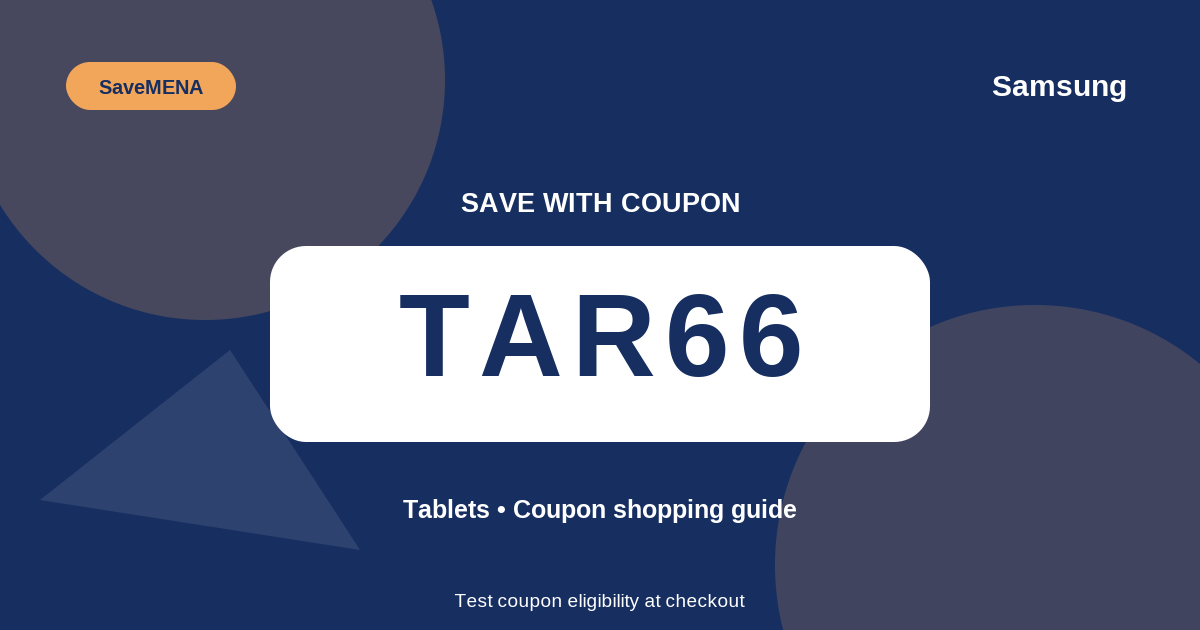
Codes available to try while comparing
These codes are not guaranteed for the article topic or listed brands; test them at checkout and use the live result.
Noon UAE Bank Discount: Mechanics for Tablet Purchases
For tablet shoppers, the Noon UAE bank discount is an invisible line item that appears once the purchase is confirmed to be tied to a supported banking household. The discount is unlocked when you sign in with a retail‑banking partner’s verified card, ensuring the benefit is applied without any manual code entry. Because it functions at the account level, you do not need to remember a separate coupon or sift through offers; it simply sits behind the product price as soon as the cart is closed.
However, the exact scope of the discount—whether it applies to all tablets or only select models—depends on your bank’s agreement with Noon. Since the discount is processed right after checkout, any restrictions related to the brand, variant, or seller are handled automatically. Users should still verify that their account remains linked to the correct bank card, and that the discount shows up as an explicit line item next to the price before they finalize payment.
The TAR64 Coupon: Using a Code Within Your Account
Unlike the pre‑applied bank discount, the TAR64 coupon requires manual action: you must type it in the dedicated field during the payment process. This action is visible in the cart summary, allowing you to instantly see if the coupon was recognized and how much it reduced the total. The code is universal for all tablet categories, but whether it truly applies can vary by seller stock or promotional restrictions.
The key variable with TAR64 is its host basket. Because the coupon is tied to the cart at checkout, the system evaluates the product’s eligibility in real time, referencing any current promotional rules that may prevent its application. If the coupon is accepted, you will see a separate discount line; otherwise, it will not.A coupon is not guaranteed; verify its result at the retailer checkout.
Account Context: Navigating Noon’s Dual Discount Pathways
Both the bank discount and the TAR64 coupon rely heavily on the integrity of your Noon account. If you’re logged out or use a guest checkout, the bank discount will not trigger, and your eligibility for coupon redemption may also be limited.A coupon is not guaranteed; verify its result at the retailer checkout.
Moreover, the account’s geography clause can affect eligibility. Tablet models shipped to certain regions may carry different discount policies. Checking the account settings just before placing an order can reveal whether any regional restrictions apply, ensuring you don’t face a surprise omission of either discount at the last moment.
Comparing the Final Payable Total: A Practical Test
The true measure of whichever discount is most advantageous for you is the final payable total at checkout, not the pre‑discount price. After you add a tablet to the cart, apply the bank discount by signing in, and then attempt TAR64, the screen will display all line items: original price, bank discount, coupon discount, delivery fee, and final total. This snapshot provides the definitive comparison of savings.
Because both discount mechanisms can stack—or sometimes conflict—reviewing that final breakdown is critical. If the bank discount and coupon both appear, you’ll see each line’s impact. If only one line appears, it means the other was not applicable. This comparison helps you decide whether the simplicity of an automatic bank discount outweighs the potential extra saving from a coupon that might or might not apply.
Seller Variants and Stock: Why Some Tablets May Exclude Discounts
Noon hosts multiple sellers for each tablet model, and each seller sets its own terms for coupon code acceptance. Even though the laptop’s brand, model, and variant match your desired product, a seller could enforce a rule that TAR64 does not apply. Bank discounts, by contrast, work uniformly across sellers because they’re managed centrally by Noon. Yet shelf availability can still influence which discount often gets applied in the final stage.
It’s helpful to note the seller identifier next to the product description during checkout. If the seller is a “Verified Vendor,” you typically have a higher chance of coupon acceptance, while “Marketplace Seller” may impose stricter rules. Checking the seller rating and comments before purchase can further provide context on discount compatibility.
Delivery, Fees, and Payment Methods in the Discount Equation
When calculating net savings, beyond the discount itself, you must include local delivery fees and payment method fees, if any, that might modify the final total. Noon usually implements a catalogue of delivery options that bear a flat or variable charge, and sometimes specific payment methods incur an extra handling fee. These charges are added on top of the discounted price.
Because bank discounts are applied before the payment method is chosen, any additional payment fees are added after that step. A coupon, however, is applied after choosing the payment method, reflecting on the final calculation. Understanding when each fee is applied helps you anticipate the final payable total accurately.
Verification at Checkout: Ensuring Discounts Apply as Intended
A coupon is not guaranteed; verify its result at the retailer checkout. Here you must review the “Price Summary” area to confirm that the bank discount line and the coupon discount line (if applied) are present. If either is missing, note the message or lack of option before completing the payment.
If INR? (should use currency context) but you will see the line items preceding the final total. The “Apply Coupon” button only processes the code if your cart meets all criteria. Should there be an error, the system typically provides a brief reason—such as “eligible buyer only” or “product out of promotion.” Near the bottom of the page, re‑evaluate that the final payable amount matches your expectations before confirming. If a coupon was rejected, you might have to remove it or choose a different product variant.
Related SaveMENA pages
Related articles
Official sources to check
Frequently asked questions
Can the Noon UAE bank discount and the TAR64 coupon be combined for a tablet purchase?
It depends on Noon’s promotion rules at the time of purchase. Some offers allow stacking, while others restrict using a coupon if a bank discount is already applied. Verify the final price breakdown on the checkout page to see if both discounts appear together.
Will the TAR64 coupon work on all tablet sellers on Noon?
Not necessarily. Coupon eligibility can vary by seller. If the seller restricts coupon usage or the tablet variant isn’t part of the promotion, the code may be rejected. Check the seller information and product notes before applying the coupon.
Do I need a Noon account to use the bank discount for tablets?
Yes. The bank discount is tied to your Noon account and activates automatically when your logged‑in profile is linked to a registered banking card. A signed‑in account is required to see the discount during checkout.