Computer Accessories on Noon UAE: item availability — bank offer versus coupon
Bank discounts on Noon UAE are tied to the banking institution you use and activate automatically when you select the relevant payment method.
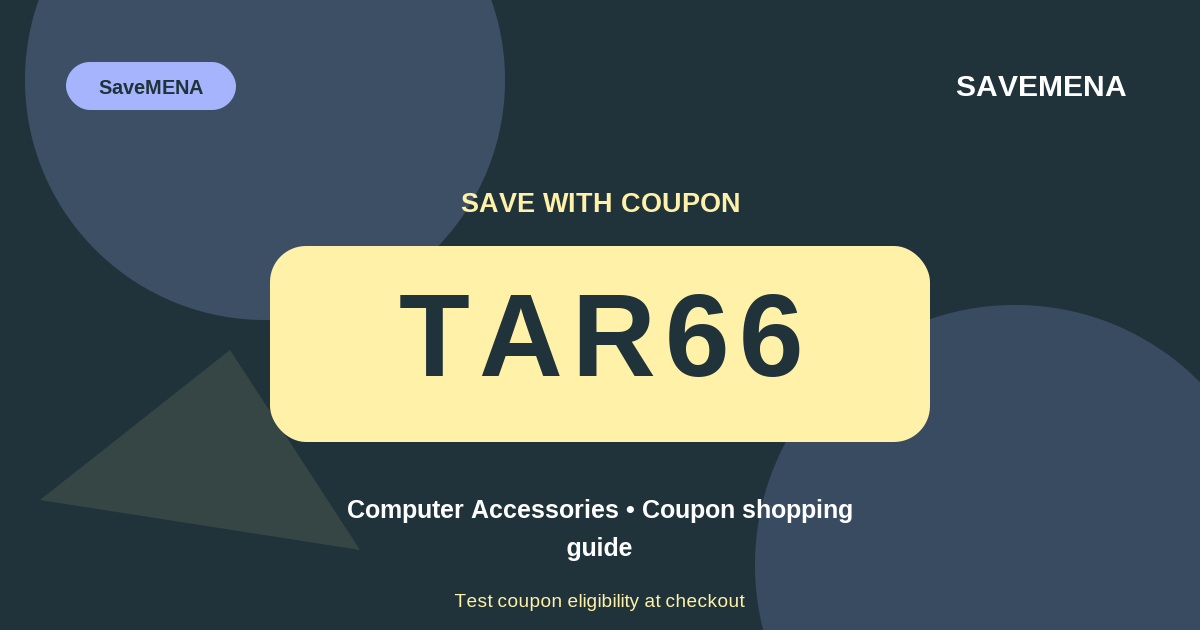
Codes available to try while comparing
These codes are not guaranteed for the article topic or listed brands; test them at checkout and use the live result.
1. Understanding the Two Pricing Paths: Bank Discount vs Coupon
Bank discounts on Noon UAE are tied to the banking institution you use and activate automatically when you select the relevant payment method. Nothing must be entered; the discount appears at checkout if the bank is a partner. The code TAR66, on the other hand, is a manually applied coupon. You type it in during checkout, and Noon either applies a flat amount or a percentage, depending on the current promotion rules. Knowing which route to follow is the first decision in your purchase journey.
While you might be tempted to assume the coupon outperforms the bank offer, that isn’t always true. The instruction set for each discount is governed by Noon’s system, which insists that all eligibility checks, such as minimum spend or item category, be completed at checkout. Therefore, the only definitive way to compare them is to follow the exact workflow for each option, keeping track of the final total presented by Noon’s payment screen.
2. Identifying the Exact Computer Accessory Variant You Want
Before you even load the Noon app, list the specific variant you need. Is it a particular USB‑C hub size, a wired gaming mouse with adjustable DPI, or a 24‑inch IPS display in matte black? Variant details—color, size, connectivity, capacity—are the variables that determine price. Make sure you have the exact model name or SKU from the manufacturer, as Noon’s listings will split items by these traits.
After you confirm the variant, search for it using Noon’s advanced filters. This helps narrow down results to identical specifications, reducing the chance of accidentally selecting a cheaper or more expensive version that differs subtly. Only once you’ve identified the precise listing should you start exploring discount options; otherwise, the pricing hearts might not match.
3. Shopping for the Variant on Noon: Stock and Seller Transparency
With the variant selected, examine the seller’s profile. Note the listed stock status: “In Stock” suggests that the item is ready to ship, while “Pre‑Order” or “Back‑Ordered” implies a waiting period. Stock status also influences delivery fees and shipping time, which can affect the overall value of a discount.
Check the seller’s location as displayed. Noon lists whether the product originates from the UAE or another country; products made locally often have faster delivery times. Verify that the variant is available in the UAE market, as cross‑border listings sometimes result in delayed shipping and extra fees. The only way to confirm the variant’s availability is to view its product page and scroll to the shipping information before adding it to the cart.
4. Applying the TAR66 Coupon Before Launching the Checkout
Once the item is in your cart, navigate to the checkout stage. Locate the coupon field – it is usually labeled “Enter coupon code” or a similar prompt. Type TAR66 exactly as shown, then hit apply. If the coupon is valid for computer accessories, Noon will update the total before you proceed to payment.
Be aware, however, that coupons on Noon sometimes require that you meet a minimum purchase value, or they may be restricted to certain seller groups. If the coupon does not apply, Noon will notify you immediately. Take note of any error message and consider whether the item still qualifies for the bank discount phase afterward.
5. Activating the Bank Discount at Payment Screen
When you reach the payment method selection, check if your bank is listed under the “Bank Offers” section. If your card is eligible, a message will typically appear stating “Bank Offer: – AED XXX.XX” before you confirm payment. Choose the bank option and allow Noon’s payment gateway to apply the discount automatically.
If you used the TAR66 coupon earlier, the bank offer may still apply afterward, depending on Noon’s current promotion rules. The critical point for the decision lens is that the final price shown at the payment screen is what you’ll actually pay. Document that figure, as it is the definitive reference for your shopping decision.
6. Comparing Final Payable Amounts: The Real Savings Showdown
With two potential discounts applied, you’ll see a final total. Compare this number to the original price of the variant (displayed earlier on the product page). The difference represents your net savings. To evaluate whether the bank discount or the coupon was more valuable, simply subtract the two totals and note which one is lower.
Remember, the real test is the figure presented at checkout – no outside calculation is required. If one method does not work, you have an honest basis to try the other. If both apply, note the final combined total to assess which synergy gives you the best price.
7. Handling Situations Where One Discount Is Not Applied
Discounts can fail due to several causes: card mismatch, coupon exclusivity, or insufficient cart value. If Noon refuses to accept TAR66, check for a notice explaining the reason and attempt the bank discount. Likewise, if the bank offer does not trigger, you might still manually apply the coupon to see if it can compensate.
Never rely on an incomplete discount as a sign of a potential price increase. If neither discount applies, you can add a higher‑priced variant to reach a threshold, but this approach must be evaluated against the cost savings. Explicitly check the final amount at checkout before confirm so you aren’t surprised by a higher bill.
8. Final Tips to Maximize Value Without Surprises
Always revisit the product page for any updated seller notes or changes in shipping terms that could affect the cost. If you are unsure about future delivery times, consider adding the item to your cart and using Noon’s “Save for Later” feature to keep checking for price changes before making the purchase.
Once the final total is marked, use Noon’s payment page to double‑check the exact amount you’ll be charged, plus any listed delivery fees or extra charges. This final verification step confirms that your chosen discount path delivers the intended savings for the exact computer accessory variant you identified.
Related SaveMENA pages
Related articles
Official sources to check
Frequently asked questions
How do I know if the TAR66 coupon will work for my computer accessory?
After adding the item to your cart, enter TAR66 in the coupon field before proceeding to checkout. Noon’s system will display an error message if the coupon is not valid for that item or category. Otherwise, you’ll see the discount applied in real time.
Can I apply the Noon bank discount after using the coupon?
You can try applying the bank discount after the coupon if the bank offer appears in the payment method selection. Noon may still accept both, but the final amount will reflect whichever combination yields the lowest total at checkout.
What if my card isn’t listed under the bank offers?
If your card isn’t eligible, the bank discount will not appear. In this case, rely on the coupon or look for other promotions Noon may offer for the same product.
Will my chosen computer accessory variant change if I apply a discount?
No. The discount only affects the price. The exact variant you selected remains the same as shown on the product page unless you actively switch to a different listing during checkout.