Huawei Smart Watches on Noon UAE: item availability — bank offer versus coupon
On Noon’s website the term “Huawei smart watch” can mask a wide variety of editions – from the classic gallery displays to the newer fitness‑centric models.
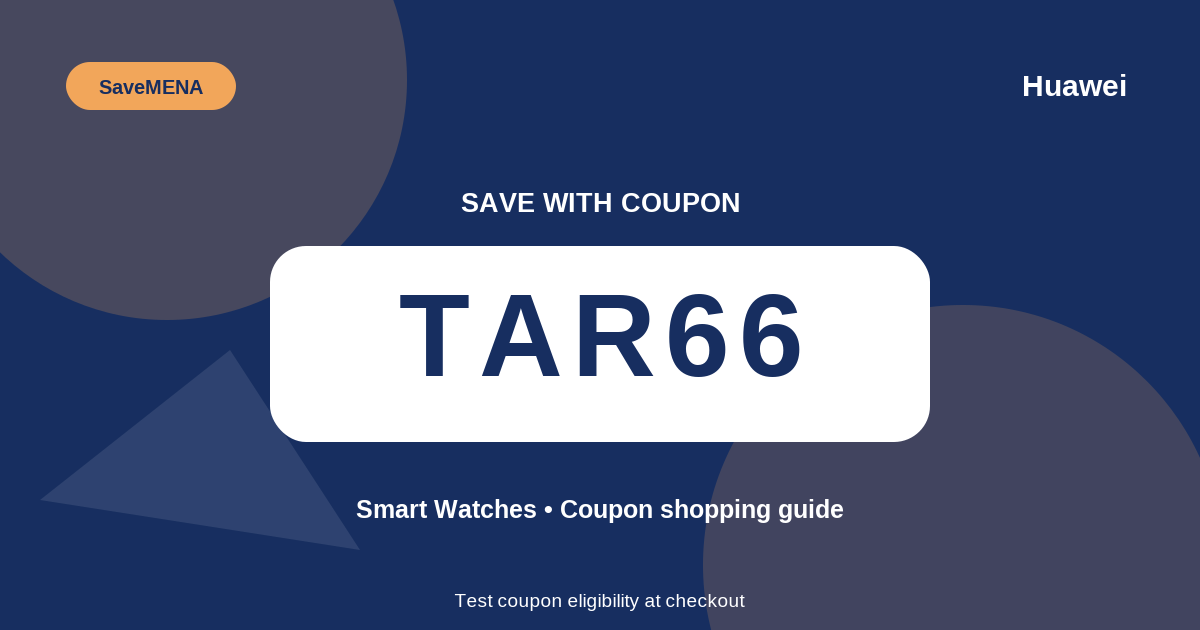
Codes available to try while comparing
These codes are not guaranteed for the article topic or listed brands; test them at checkout and use the live result.
Step 1: Identify the Exact Huawei Smart Watch Variant
On Noon’s website the term “Huawei smart watch” can mask a wide variety of editions – from the classic gallery displays to the newer fitness‑centric models. The first filter you must apply is the variant ID that matches your hand size, battery capacity, and connectivity options. An email or push notification may claim that a certain wrist‑band is out of stock, but at checkout the site will present the actual inventory level. Because you’re comparing a bank discount with a coupon, the exact variant you pick will affect which offers the platform can honor. Thus begin by logging into Noon, navigating to the Huawei smart watches catalog, and clicking the “See all variants” link for your chosen model.
Each variant entry typically lists a product title, a short description, and an image that reflects color and band material. From there you can read the technical specifications directly on the page – processor type, resolution, water rating, and OS version. Notices like “Available in Red, Black, Silver” or “Size 38mm / 42mm” are the markers you’ll use to confirm that the SKU you’re about to add to the cart mirrors the exact watch you intend to buy. Verify that the variant number is still active by checking the stock icon near the Add‑to‑Cart button; if a cross appears, that SKU is no longer available for immediate purchase.
Step 2: Record Prices Before Any Promo is Applied
Once the desired variant is confirmed, add the item to your cart and pause before you proceed to payment. The “View Cart” page displays the face‑value price, sometimes labeled “Base Price” or simply “List Price.” Note that this amount is the starting point for both the Noon bank discount and the TAR66 coupon; neither of them will apply to a different product object. Capture the number in case you need to compare it later against the discounted totals at checkout.
The cart also shows the shipping fee, which is independent of the discount you are evaluating. Write down the standard delivery charge and recognize that it will be deducted from the final payable amount regardless of which coupon or bank discount is activated. Keeping a clear picture of the pre‑promotion subtotal ensures you won’t be caught off guard when the site recalculates the total after you enter a discount code.
Step 3: Apply the Noon Bank Discount
To test the bank discount, go to the payment section and look for the option labelled “Bank Offers.” Select the UAEM bank that partners with Noon for instant reductions. The interface will automatically calculate a new subtotal and display it beneath the original price. This calculation occurs before any coupon code is entered, so it reflects the pure effect of the bank partnership.
Notice any terms that appear, such as a “minimum purchase” or “valid until” message. Since the policy is not disclosed in the prompt, simply confirm that the offer is visible and that the subtotal is updated on the summary screen. Record the adjusted total that appears after the bank discount is applied; this value will serve as the baseline against which you’ll compare the coupon clone.
Step 4: Enter the TAR66 Coupon
Now revisit the summary page and click the coupon field. Input the promo code TAR66 exactly as it appears – no spaces or hyphens. Over the next few moments the page will refresh and display a new amount below the original subtotal. This is the result of the coupon’s effect on your purchase.
Watch for visual cues such as a strike‑through of the previous amount and a new line reading “Coupon Applied.” If the site displays a warning that the code isn’t compatible with your cart, your variant may have an incompatibility clause. In that case you’ll need to backtrack and choose a different variant that matches the coupon’s eligibility rules.
Step 5: Compare the Final Payable Totals
With both methods processed separately – first the bank discount, then the coupon – you now have two distinct total amounts. The next critical step is to side‑by‑side compare them. If the bank discount total is lower, the bank partnership is the better option for this checkout. If the coupon total is more favorable, proceed with the coupon and complete the payment under that method.
Because each discount type can have different rules around stacking, you should double‑check whether the platform allows applying both to the same transaction. The user experience on Noon typically prevents combining a bank discount with a coupon, but if it were possible you would need to test that scenario explicitly. For most UAE shoppers, the single‑discount rule means you’ll pick the lower final payable figure.
Step 6: Verify Variant Stability Throughout Checkout
Online flash stock can change between the time you’ve noted the variant number and the point you finalize the purchase. As you scroll through the final confirmation step, look for a “Warranty” and “Return Policy” section plus a live indicator of availability. A sudden ‘Out of Stock’ flag would mean you need to surmount a new variant selection before you can apply the discount again.
Document any changes in the stock status as soon as they appear. If the watch is no longer available in the chosen color or band, your previously calculated savings will no longer apply. In that moment you may need to accept a different variant or delay the purchase until stock is replenished, which could affect the discount eligibility window if time‑bound.
Step 7: Confirm Payment Method and Final Charge
In the payment screen, ensure that the bank account or credit card you intend to use matches the one required for the selected discount. If you’ve chosen the bank discount, confirm the name of the partner bank that appears. When the coupon is active, the coupon field should remain grayed out after application, and the final total should not change further upon selecting different payment options.
After reviewing all fields, check the final line that says “Payment Total.” This is the amount that will be debited from your account. Carefully confirm that the value matches the best discount calculation you performed earlier. If there is a discrepancy, revisit the cart to see whether any hidden taxes or disorder tax were added.
Step 8: Document Everything Before You Send Your Order
Taking a screenshot of the checkout summary before clicking “Place Order” is a simple safety net. The image should capture the final payable amount, any applicable shipping fee, and the applied discount label. This record can help you dispute a billing mismatch or claim a refund if the stored price on your bank statement differs from what’s displayed.
Save the screenshots in a dedicated folder labeled with the date and the variant ID. This way, if the watch later arrives damaged or you wish to return it, you can reference the exact price you paid. An organized record also helps you share the purchasing experience with local social groups or support communities that might benefit from your knowledge about Noon’s discount mechanics for Huawei smart watches.
Related SaveMENA pages
Related articles
Official sources to check
Frequently asked questions
What distinguishes the Noon UAE bank discount from the TAR66 coupon for Huawei smart watches?
The bank discount is tied to a partner bank; it usually applies automatically at payment. The TAR66 coupon is a promotional code you enter manually. Both aim to reduce the total, but only one can typically be used per transaction, and each may have its own eligibility rules that affect Huawei variants.
Can I use the TAR66 coupon in conjunction with the Noon bank discount for a Huawei watch?
No: Noon’s interface normally prevents stacking bank discounts with coupon codes on the same order. If the UI offers a way to apply both, it will be indicated, but most UAE shoppers will need to pick whichever discount yields the lower final payable amount.
Does the chosen variant of a Huawei smart watch impact coupon applicability?
Yes. Some variants may have restrictions that block coupon usage. If the coupon fails to apply, check the product page or the cart for an incompatibility note, and consider selecting a variant that is eligible for the discount.
How can I confirm that my selected Huawei smart watch remains in stock after applying a discount?
After you add the item to the cart and before you place the order, look for a dynamic stock indicator near the “Add to Cart” button. If it changes to “Out of Stock,” you’ll need to pick a different variant or wait until the item becomes available again.