Philips Electronics on Noon UAE: checkout message — bank offer versus coupon
Start by selecting Philips electronics you want—whether it’s a TV, a sound system, or a smart home gadget.
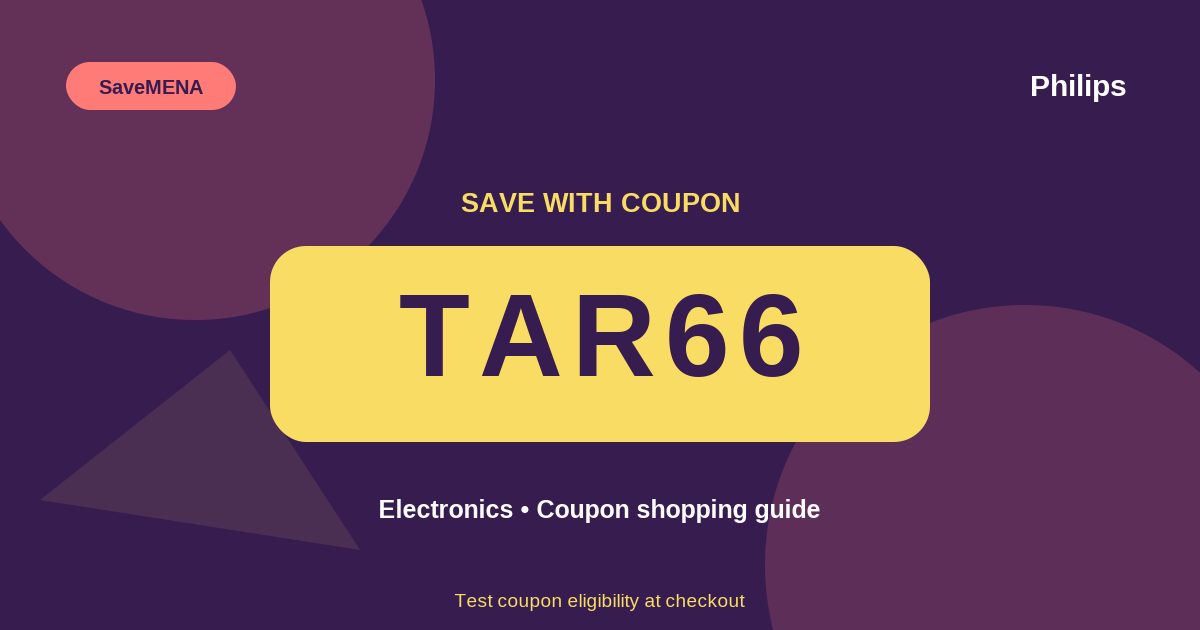
Codes available to try while comparing
These codes are not guaranteed for the article topic or listed brands; test them at checkout and use the live result.
1. Identify the Right Electronics Bundle on Noon UAE
Start by selecting Philips electronics you want—whether it’s a TV, a sound system, or a smart home gadget. Browsing the Philips range on Noon UAE allows you to compare product features, seller ratings, and delivery times. When you add items to your cart, pay attention to the price list and any default Noon bank discount that appears on the product page or during cart review. This initial step is essential because the coupon code TAR66 can only be applied if the product is eligible for coupon use and the seller permits it. Double‑check the product’s eligibility box if available in the description.
Next, double‑check the quantity and variant before proceeding to the cart. Higher quantities sometimes trigger automatic discounts, while single units may not. If you notice a standalone Noon bank discount popping up next to the price, you’ll want to be clear on which discount you plan to use as you proceed. Avoid adding duplicate items that could reset discount visibility—each new addition may refresh the discount or coupon cache at checkout. Once your cart contains the correct items, you can confidently move to the next step.
2. Comparing Noon’s Bank Discount with the TAR66 Coupon
The Noon bank discount is typically linked to a direct partnership with a bank, offering a set percentage off automatically when you pay through that bank’s card. In contrast, the TAR66 coupon is a reusable code you enter at checkout and that may apply only to certain articles or store conditions. Because each option presents its gains differently, comparing them requires looking not just at the raw numbers but also at the required steps to earn each benefit.
When you first review your cart, you may see the bank discount already deducted from each item’s price line. If the TAR66 coupon is eligible, the slip‑out message will appear after you enter it but before the final payment. Consider that the bank discount often does not require a manual entry, but the coupon can be entered manually, giving you control. In many cases, you can use the coupon to cover an item that the bank discount does not, but you’ll need to verify that the final checkout line shows the live coupon message confirming the discount.
3. The Role of the Live Coupon Message at Checkout
At the checkout screen, a live coupon message will display the applied savings in real time. This message appears only after you enter the TAR66 code and press “Apply”. The presence of this message tells you that the coupon was recognized by Noon’s system and that its discount should reflect in the final total. It also indicates whether any limitations—such as minimum spend or exclusive sellers—have been enforced automatically.
If the live coupon message is absent, it means the code was either rejected or not applicable to your cart. In that situation, you’ll see the original price or the automatic bank discount. Therefore, the live coupon message is the definitive checkpoint: the moment it appears, you can be confident that the coupon has taken effect, and you can then verify that the final total includes the expected reduction. Always pause here before confirming payment.
4. Verifying Eligibility Before Adding Philips Items to Cart
Some Philips electronics may be exclusive to certain sellers or may carry a “no coupon” policy. Before adding a product to your cart, review the product page for any eligibility badges or notes indicating “coupon applicable” or “No coupon accepted”. These indications prevent frustration later at checkout when you find the coupon rejected.
Eligibility also depends on the payment method. For instance, some bank discounts require a specific bank’s credit card, whereas the coupon can be applied regardless of the payment bank you use. Confirm the card you’ll use and whether the bank discount is available for that card, then pick the coupon path if the product allows it. Once you’ve gated the products, you can confidently test the TAR66 code.
5. Timing Your Purchase for Maximum Savings
Electronics deals on Noon UAE can change dynamically. During peak shopping events, prices sometimes drop, and bank discount percentages may vary. Additionally, coupon codes like TAR66 sometimes carry a hidden monthly usage cap. By adding your Philips items when the product price or bank discount is at its lowest, you give the coupon more room to show savings in the final display.
Before you check out, glance at the product’s real‑time price history or use third‑party price‑tracking sites if you suspect a fluctuation. If a price drop occurs after you entered the coupon code, Friday’s “Flash Sale” or month‑end promotions can sometimes trigger new live coupon messages. Timing your checkout during these windows can reveal the live coupon message with a bigger discount left on the final total.
6. Managing Payment Options and Cashback Claims
Once the live coupon message appears, you might still want to partner a bank‑based cashback or rewards claim. If you’re using a bank that offers a Noon bank discount, the cashback will usually be credited after purchase confirmation, visible in the bank’s rewards dashboard. Check the release schedule for your rewards to know when to see the offset on your bank account.
In contrast, the TAR66 coupon’s effect is immediate on the final total at checkout and does not interact with bank rewards aside from the base purchase amount. Ensure your payment method aligns with your goal: if you prefer instant savings, trust the live coupon message; if you value longer‑term bank rewards, rely on the bank discount to confirm at checkout.
7. Navigating Delivery Fees and Shipping Options
Even with a discount, your final payable may include delivery charges if the seller does not allow free shipping. These charges appear after the live coupon message, affecting the overall savings. Always read the “Delivery & Payments” section within the checkout window; it will list any associated fees.
Check if the seller offers “Free Delivery” upon reaching a certain threshold. If you’re close to that threshold, consider adding a small accessory to push the total past the free‑shipping cutoff. The live coupon message might reduce the net amount, which could tip you over the threshold, giving you free delivery and overall greater savings.
8. Final Paycheck: The Live Coupon Message and Bank Discount Confirmation
On the final payment page, the live coupon message remains the ultimate confirmation of the discount type you chose. It is displayed next to the new total, in contrast to the automatically applied bank discount, which is deducted earlier in the pipeline. Confirm that the end amount matches the sum of the discounted items and any delivery fees before you hit “Pay”.
In the event of a discrepancy, double‑check the coupon code entry, the seller’s eligibility notes, and the bank discount applicability. If the live coupon message shows the discount but the amount isn’t reflected, reach out to Noon support or the seller’s chat for clarification. Once verified, you’re ready to complete the transaction with confidence that your chosen savings path was honored.
Related SaveMENA pages
Related articles
Official sources to check
Frequently asked questions
Will the TAR66 coupon work with any Philips product on Noon UAE?
The TAR66 coupon’s applicability depends on the seller’s policy and product eligibility. Verify the product page for any “no coupon” indication before adding it to your cart.
Does a Noon bank discount replace the the coupon code from the TAR66 coupon?
Not automatically. The bank discount is applied first, and the coupon code applies to the remainder. Both can be used together if the seller allows, subject to checkout validation.
What should I do if the live coupon message does not appear at checkout?
Check that the CPA code is typed correctly, that the items meet eligibility, and that your payment method isn’t conflicting. If still absent, the coupon may not apply; you’ll see the raw total.
Are delivery fees waived if I use the TAR66 coupon on Philips items?
Delivery fees depend on the seller’s policy. The coupon only appears to modify item prices; it won’t automatically waive shipping unless explicitly stated on the product page or seller terms.