LG Home Appliances on Noon UAE: checkout message — bank offer versus coupon
Noon UAE bank discount vs coupon Home Appliances LG the live coupon message at checkout: This article compares using a Noon UAE bank discount versus applying the
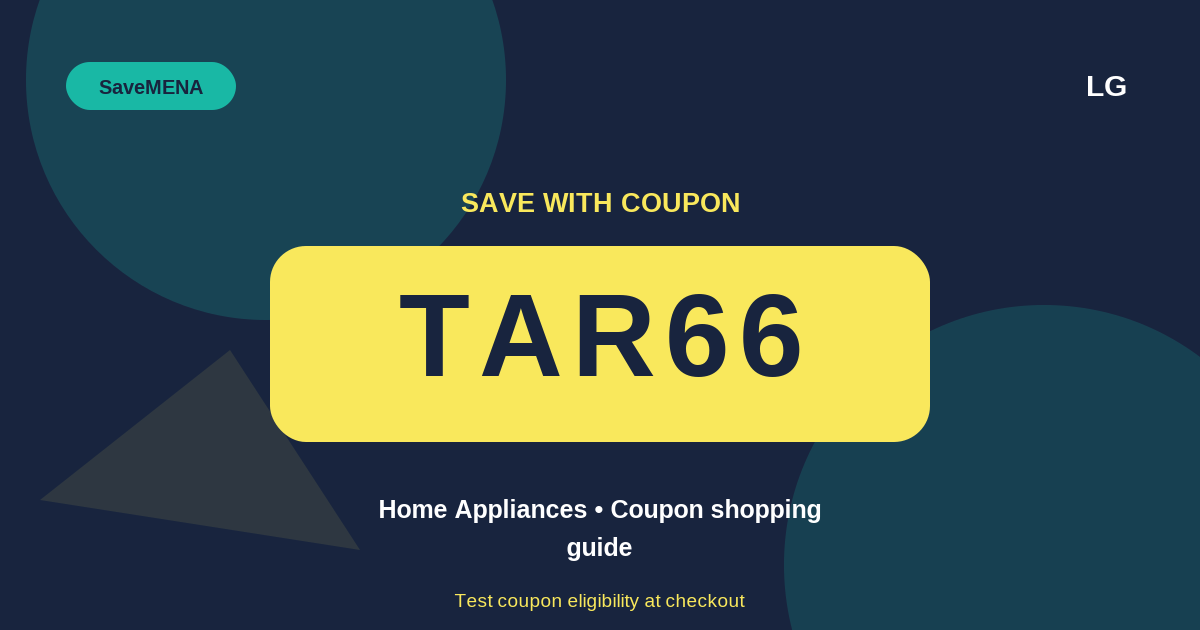
Codes available to try while comparing
These codes are not guaranteed for the article topic or listed brands; test them at checkout and use the live result.
Choosing Between a Noon Bank Discount and the TAR66 Coupon
When adding a new LG fridge or air‑con to your cart, the first decision point is whether to rely on a bank‑linked discount that automatically applies at the beginning of checkout, or to manually insert the TAR66 coupon code later in the process. The bank discount is tied to the shopper’s debit or credit card, whereas the coupon is a standalone promotion that can be entered after the cart sum is calculated. Considering the difference in how each discount is applied can prevent confusion about which yields a lower final bill.
Although the bank discount often offers a fixed percentage or nominal amount, it is available to all users who have met the merchant’s linking criteria, and it activates without additional steps. In contrast, the TAR66 coupon requires the user to actively type or select the code, and it offers a straightforward reduction that only applies if the live message confirms eligibility. The right choice depends on the shopper’s preferences for convenience versus potentially higher savings.
Recognizing the Live Coupon Message During Checkout
As the checkout page loads, the live coupon message appears just above the total payable figure, often labelled as “TAR66 Applied” or “Coupon Discount”. It is the section where Noon reflects any coupon impact after the cart totals have been calculated. In light of that, readers should immediately verify that the message is present; a missing label usually indicates the coupon did not meet the required conditions or was not entered correctly. The position of the message is consistent across all product categories, including home appliances, enabling shoppers to track the coupon effect without scrolling.
Because this display is the final competing factor, it allows you to see whether the coupon reduces the pre‑discount total or if the bank discount already covered the amount. If the live message shows a zero reduction or no mention of the coupon, it is advisable to double‑check your entry, remove duplicate codes, and retry the checkout flow. This step ensures you are not missing out on a possible discount due to a simple interface oversight.
Ordering Discounts: Bank First, Coupon Second
The checkout flow on Noon processes the bank discount before any coupon synchronization. Thus, the pre‑payment total already bears the bank discount’s reduction; entering the TAR66 code afterward will further subtract from that figure if applicable. Shoppers should therefore look for the updated total after the bank discount appears and then, once the coupon is entered, see a new figure that reflects both adjustments. Paying attention to the sequence helps in spotting anomalies where one discount might unintentionally override the other or where a coupon simply does not stack.
If the final amount shown after the bank discount does not change following the coupon entry, it does not automatically mean the coupon failed; the rates might be similar, or the coupon might have reached its limit. In such cases, reloading the cart or clearing the coupon field can confirm whether the discount truly applied. Check the “Discount Summary” section, which lists all active reductions, to clarify the interaction between the two.
Why the Noon Bank Discount Might Outshine Shelf Coupons
Bank discounts are tied directly to the user’s bank or card issuer, providing a consistent discount that does not depend on the shopper’s eligibility beyond the initial linkage. They tend to cover a wide range of product categories, including all LG home appliances, and can apply automatically without any user intervention, which eliminates the risk of error at checkout. For customers who frequently shop on Noon, this can translate into a steady stream of savings with minimal effort.
Unlike flat coupon codes that may carry restrictions such as minimum spend or expiry, a bank discount is typically stable during its validity period. Even on new product launches where coupon terms might not yet be disclosed, the bank discount remains an option. The only trade‑off is that it may be a fixed rate that does not adapt to the particular promotion of the current week, whereas coupons can offer higher percentages or special thresholds that create a stronger discount for specific items like LG appliances. Ultimately, the decision should weigh convenience against potential maximum savings.
How to Activate the TAR66 Coupon for Home Appliances
Activating the TAR66 coupon is straightforward but requires a deliberate step at checkout. After adding the desired LG appliance to your cart, proceed to “Proceed to Checkout” and locate the field labeled “Coupon Code” or “Enter your code”. Input TAR66 exactly as you see it—case sensitivity and spacing matter—and click the “Apply” button. The system will validate the entry and, if eligible, show the reduction in the live coupon message section. If no message appears, the code does not match the current promotion.
Once the “TAR66 Applied” notice is visible, the discount appears next to the pre‑payment total, along with the updated payable amount. Nailing this step allows you to immediately hold the coupon status in view. If you prefer to double‑check, you can also review the “Order Summary” portion where each discount line item is listed; this enables you to confirm that the coupon has indeed had an effect before proceeding to payment.
Verifying the Reduction at Checkout
Verification at checkout involves checking two key elements: the live coupon message and the final amount displayed under “Payable”. The coupon message should display with the exact code identifier, indicating that the system recognized it. It often shows a numeric value or a percentage that gives you the exact reduction. If the message states “TAR66 Applied – SAR 0”, then the coupon did not provide a discount and should be reconsidered.
Confirm that the final payable amount has reflected the sum of all applied discounts, including the bank discount. Look for an updated “Total” figure that is lower than the pre‑discount price. If there is still a discrepancy, or the amount matches the pre‑discount total, double-check that the bank discount layer was applied earlier. A mismatch typically stems from an early exit or a UI bug, which in turn can be resolved by re‑loading the checkout page or clearing the cart and re‑initiating the process.
Seeing the Final Payable Amount: Bank vs Coupon
Once both discounts are applied, the final figure that appears under “Payable” reflects the combined effect of the bank discount and the TAR66 coupon. This figure is the definitive amount the shopper will be asked to pay, regardless of any other promotions that might have been present in the cart. Because the bank discount is applied first, the coupon will adjust the already‑discounted total. If the coupon reduction is larger than the bank discount, the final amount will be lower, but if the bank discount was higher, the coupon may only provide a marginal additional saving.
It is generally advised to perform a quick mental calculation: subtract the bank discount from the pre‑discount price, then subtract the coupon’s value from the new subtotal. Ensuring that the displayed payable amount matches this expectation confirms no conflicts exist between the two discounts. Should the final amount not match this calculation, re‑initiate the checkout sequence to confirm no processing error occurred.
Planning Ahead: Smart Coupon Usage for Future Purchases
Understanding how bank discounts and coupons interact allows shoppers to plan more effective purchase sequences. For example, if a buyer knows a particular LG appliance is part of a new sale, they might decide to postpone opting for the bank discount in favor of a coupon that offers a stronger percentage. Alternatively, if the bank discount consistently offers a higher overall reduction, it might be more economical to skip the coupon altogether. Regularly reviewing notification emails or the Noon app for new coupon releases can keep shoppers updated on emerging deals.
To maintain consistency, store the coupon code “TAR66” in a secure place and copy it each time you re‑open the checkout page. Double‑check that the code has not expired or changed value; check the “Coupon Details” section for any updated terms. By keeping a checklist that includes bank discount eligibility and coupon status, future purchases will trend toward the most advantageous discount configuration, ensuring the best possible savings on home appliances and beyond.
Related SaveMENA pages
Related articles
Official sources to check
Frequently asked questions
Will the bank discount cover the TAR66 coupon automatically?
No, the bank discount applies automatically before any coupon is entered. The TAR66 coupon must be manually entered to receive its reduction after the bank discount has been applied.
If the coupon message does not appear at checkout, is the TAC66 valid?
The absence of the coupon message generally indicates the code was not accepted. Double‑check the exact code spelling and try re‑entering it. If it still fails, the coupon might not apply to the chosen product or there may be a temporary system issue.
Can multiple coupons be used at once?
Noon’s checkout typically accepts only one coupon code per order. The TAR66 code can be combined with a bank discount, but not with other coupon codes simultaneously.
Do I need to have a specific bank account to qualify for the bank discount?
Bank discount eligibility depends on the specific banking partner chosen during card registration. Check Noon’s discount policy for the list of supported banks and confirm your card is linked correctly before shopping.