Logitech Office on Noon UAE: final total — bank offer versus coupon
Noon UAE bank discount vs coupon Office Logitech final payable total: Choosing between a bank‑issued discount and a coupon can feel like a mystery, especially when
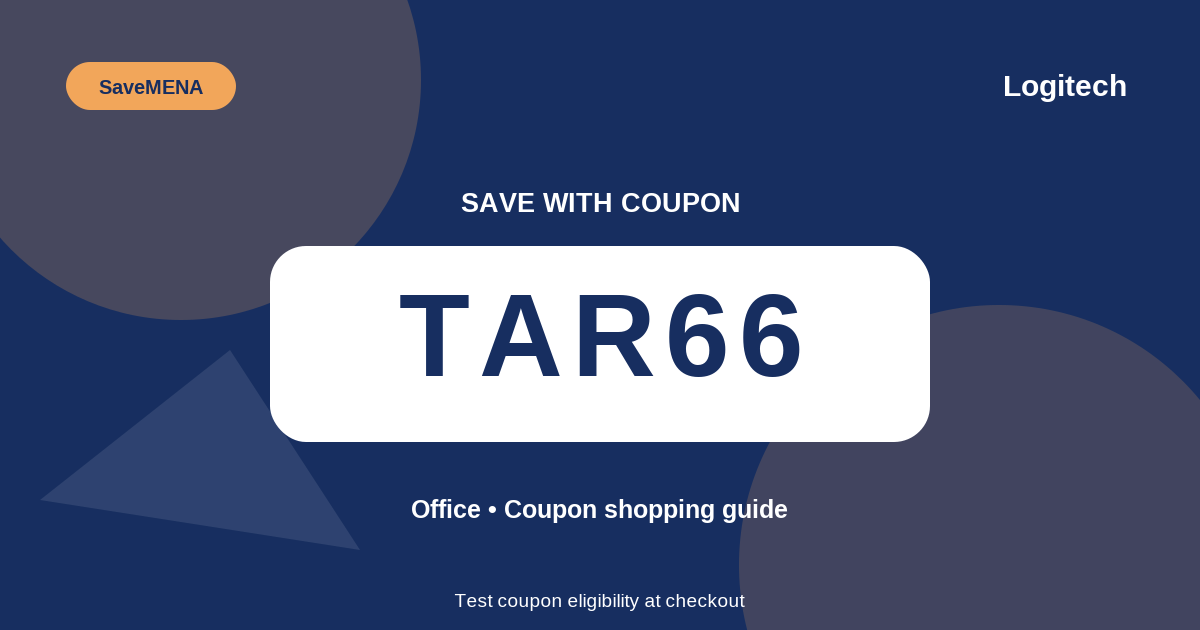
Codes available to try while comparing
These codes are not guaranteed for the article topic or listed brands; test them at checkout and use the live result.
Step One: Adding Logitech Devices to Your Cart
Begin by locating the Logitech product or category that best matches your office needs. The UI on Noon UAE lets you filter by screen size, input type, or connection method, and the product pages show seller information and any visible discount badges. While shopping, keep in mind the decisive metric—your total before any discount is applied. Do not rely on the surface‑level “lowest price” banner; that banner may already include an undisclosed bank discount or coupon effect. By snapping each item into a fresh cart, you preserve the original price for later comparison.
Before proceeding to checkout, you should confirm that every item’s quantity and variant are clearly listed in your order summary. If you substitute the model or size, the product price may shift subtly, which could affect the bank discount eligibility threshold. Notice any seller‑specific notes such as “No online discount available” or “Coupon only valid on this listing.” These annotations can determine whether your bank discount applies or if the coupon code becomes the sole discount mechanism. Keep the cart as a clean slate so you can later overlay potential discounts accurately.
Step Two: Applying the TAR66 Coupon Early
Once the items are in the cart, locate the coupon entry field on Noon’s checkout or cart page. Enter “TAR66” exactly as it appears—character case, digits, and spacing are vital for a potential match. The platform will immediately signal whether the code is syntactically accepted, but acceptance does not confirm success; some codes verify only upon final payment authorisation. This early test glimpse remains the earliest checkpoint before reaching the final payable total.
Do not assume that seeing a “the amount shown at checkout off” message means the total will reflect exactly that deduction. Coupons often work in complex ways: they may cap at a maximum discount, apply only to certain product categories, or require a minimum spend that you must still satisfy. Because the accurate final pay‑off figures are only displayed after the bank discount check, the visual coupon confirmation is a provisional hint. Keep a note of whether the coupon pretended to activate; you will need to revisit this detail when comparing against the bank.
Step Three: Meeting Noon’s Bank Discount Eligibility
Bank discounts on Noon usually connect to the UAE national banking network and may the coupon code specific card types or cardholders. Eligibility can hinge on details like account age, the card’s balance, or the use of a particular branch. While you may hear that a “Noon Bank discount applies,” the precise criteria are embedded in Noon’s internal logic and not publicly disclosed. The only reliable verification point is the checkout page after you have entered your payment details.
During the payment step, proceed to enter your card information and watch for any discount notation that appears just before the finalization. If the bank discount is applied, the interface will show a line indicating the amount reduced. Note that even if a discount line appears, the discount might be applied at the card‑processing level before the final total is presented; therefore, the final payable total shown on the screen is the definitive figure. Compare this figure against the coupon‑appended total to decide which reduces the payable amount more.
Step Four: Comparing Discount Impacts Before Checkout
Once both the coupon and bank discount results are visible—preferably on the same transaction slide—you can compare their impacts on the payable amount. Rather than speculate about savings, rely on the numerical list that Noon presents: original price, coupon deduction, bank discount deduction, and the final total. Each deduction line is an independent confirmation that your card institution’s or coupon’s terms have been processed.
Remember that some platforms’ discount stacking logic may require you to press a “Compare” or “View Summary” button. If such a button is missing, ensure you’re on the final payment screen. In cases where the bank discount nets higher savings, that means the cardbank’s policy is currently more advantageous. In contrast, if the coupon shows a larger reduction, the advertised promotion is worth applying. The decisive factor is the line that precedes the “Confirm Order” button—precisely that number constitutes your final payable total.
Step Five: Calculating the Final Payable Total
With all discounts displayed, the final payable total emerges as a clear sum: the base cart value minus any applied coupon deduction and any subsequent bank deduction. Even if you see both coupons and bank discounts active, the logic ensures the final number incorporates each sequentially. This figure accounts for any hidden handling or service fees that Noon may add before you transact with your card.
If you are unsure about whether a fee will add on, scroll to the very bottom of the payment screen. Noon often lists a separate line for “card processing fee” or “extra charges.” These are technically part of the payment processing and will add to the base amount after your discounts. Risetime is the only thing that matters; the displayed final total is the exact amount your card will be charged.
Step Six: Verifying Payment Options and Fees
Sometimes, bank discounts are exclusive to certain payment methods. For instance, a card issued by a local UAE bank may offer a nominal discount only when used as the primary payment verb. Ensure you have selected the correct billing address, card issuer, and card type before pressing continue. Some banks also offer enhanced savings on integrated banking apps; if you are using a digitised wallet, verify that it rings the same discount coupon loop.
Use the “Add Payment Method” page to confirm that the card bears a valid 12‑month standing. If you use a new or re‑issued card, a fresh bank discount check might reset. The checkout interface often lists a short note if a particular discount cannot be applied due to a new card or an expired card. This subtle cue protects you from carrying implicit assumptions into the order finalisation stage.
Step Seven: Being Prepared for Possible Coupon Invalidation
Occasionally, coupon codes like TAR66 may become invalid on the exact moment the cart is processed or if the promotion has expiring stock. Should the “coupon applied” line vanish during the finalisation process, stay calm and do not complete the transaction. Instead, navigate back to the cart, re‑enter the code, or contact Noon support through their help center for real‑time resolution.
The policy of not guaranteeing the coupon code’s permanency underscores the importance of treating coupons as provisional. If the coupon is indeed invalidated, and the bank discount remains, the final payable total will reflect only the bank discount. Conversely, if the coupon somehow all but remains active, you can still manually cancel the transaction and retry. The key is never to assume the first number you see is the only figure that will be charged.
Step Eight: Final Confirmation and Order Placement
When the payment screen shows a single cohesive figure, and all visual indicators—“Coupon applied,” “Bank discount used,” any additional fees—are accounted for, you are ready to finalize the order. At this exact moment, read the final payable total carefully; ensure no jumps or surprises. The confirmation stamp on the screen is your validator: if it signifies “Order placed,” the amount reflected is the contract you accept.
After confirming, keep the receipt page handy. The digital receipt lists each discount applied and the final debit to your card. Use it as a reference in case a discrepancy arises with your bank statement or future customer service queries. By following each step, you convert the abstract comparison between a Noon UAE bank discount and a coupon into a concrete, verifiable saving captured in the final payable total.
Related SaveMENA pages
Related articles
Official sources to check
Frequently asked questions
What should I do if the TAR66 coupon does not appear as applied when I reach checkout?
Double‑check that you entered the code correctly, with exact spacing and casing. If the coupon still fails to register, the issue may be with the coupon’s validity or Instagram. Re‑enter it after a few minutes or reach out to Noon’s support for assistance.
Can a bank discount be used alongside a coupon on the same purchase?
It depends on Noon’s discount stacking policy. Some cards allow stacking, while others do not. The payment screen will show whether both discounts apply; otherwise it will only apply the one that meets the platform’s conditions.
Will any additional handling or card fee affect my final payable total?
Yes, Noon may add a small processing fee after all discounts are applied. Check the final payment page; any added charge will appear before you confirm the order.
How can I confirm the bank discount was actually applied?
During checkout, look for a line item that subtracts an amount from your total. If such a line appears, the bank discount has been counted. Verify the number matches the discount offered by your card provider.