ASUS Computer Accessories on Noon UAE: payment method — bank offer versus coupon · TAR78
When you head to Noon UAE to buy computer accessories, especially ASUS gear, your first question often mirrors the headline: “Noon UAE bank discount vs coupon
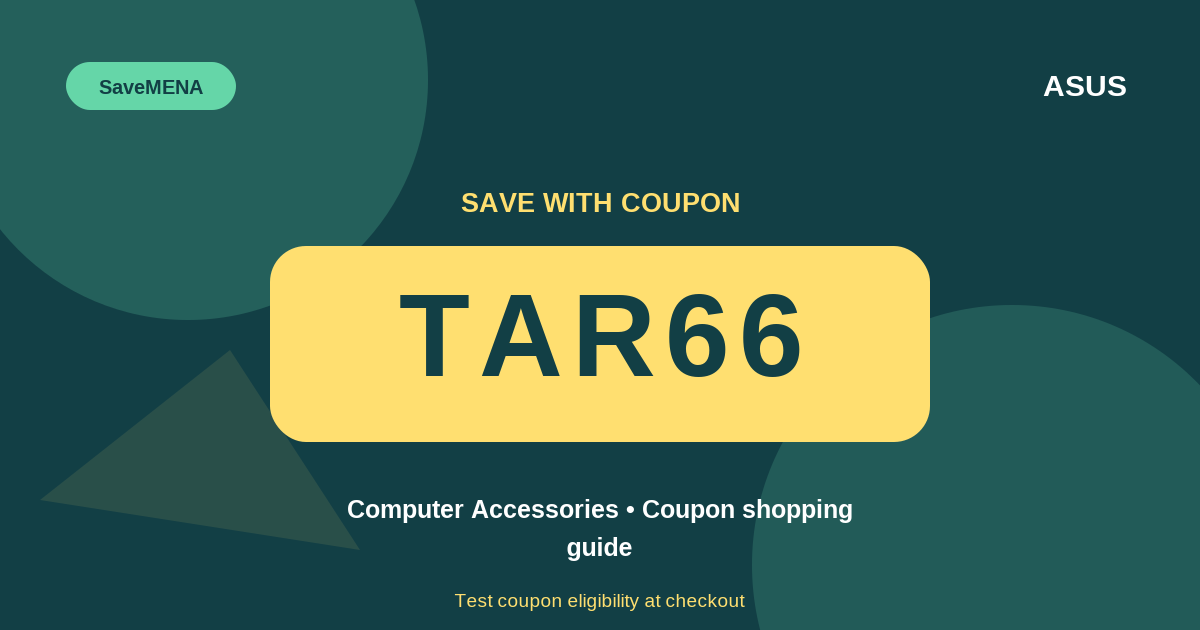
Codes available to try while comparing
These codes are not guaranteed for the article topic or listed brands; test them at checkout and use the live result.
Understanding Noon UAE Bank Discounts in Computer Accessories
On Noon, a bank discount usually appears when you select a particular bank card as your payment method. The store partners with certain banks, and by tapping the bank logo during checkout, a reduction can appear on the final price. With computer accessories, including ASUS peripherals, the discount may vary by product category. The key point for UAE shoppers is that the discount applies only if you complete the payment with the eligible bank, so you must verify the bank’s eligibility before starting the purchase.
When you use a bank discount, be aware that the price reduction is calculated mid‑checkout and cannot be combined with many other promotions. That means if you have the TAR78 coupon available, the bank discount will still apply, but the coupon cannot stack on the same order. Knowing this interaction early can save you from a surprise at the payment screen.
How Noon’s Coupon System Works for Computer Accessories
Coupons on Noon are simple promo codes you enter during the checkout process. For shoppers looking at computer accessories like ASUS keyboards or mice, the TAR78 coupon is the main option. To try it, type TAR78 in the coupon field before you agree to payment. The discount reflects after you submit the code, adjusting the subtotal. The system checks eligibility against current offers, so if the coupon is active for your cart, the new total will appear instantly.
Unlike bank discounts that automatically trigger based on your chosen card, coupons must be manually entered. Once applied, the discount cannot be used alongside a bank discount if the terms conflict. Therefore, before entering TAR78, consider whether you still need a bank discount and whether they can coexist on your order.
Choosing the Right Payment Method for ASUS Accessories
Payment choice shapes both the discount and the speed of your transaction. Noon UAE supports credit cards, debit cards, and sometimes local wallets. For a bank discount to activate, you usually need to select the bank’s card during checkout. Conversely, if you plan to use a coupon, you may switch to any available payment method, including alternative card types, as long as the coupon remains valid at that moment.
In practice, UAE shoppers who want to maximize savings often pick the bank that offers the higher discount first, then check if a coupon is still applicable. If a coin‑cited coupon like TAR78 is available, you can change the payment method after applying the coupon to keep both benefits. Test this flow with a small purchase before committing to a bulk buy of ASUS monitors or adapters.
Step‑by‑Step: Applying the TAR78 Coupon
When you add an ASUS mouse to your cart, proceed to checkout. The UI will prompt for a coupon code in a dedicated field. Enter TAR78 exactly as shown, respecting capitalization. The screen will recalculate your total, subtracting the coupon value. If the code is valid for computer accessories, you’ll see the adjusted price right there.
After the coupon updates your total, review the payment section. If the coupon is already applied, you can now select your preferred bank card for a potential bank discount. If you select a different payment method, the system will recalculate any applicable bank discount. Pay attention to the order of operations so you don’t inadvertently lose the coupon benefit.
Comparison: Bank Discount vs Coupon At Checkout
Both bank discounts and coupons reduce the final payable amount, but they engage at different stages. Bank discounts apply automatically based on your chosen card before you finalize payment, while the coupon is manually entered during the shopping flow. For computer accessories, this means you can sometimes stack a bank discount with a coupon if the terms allow. However, most simultaneous promo rules forbid two discounts on one transaction, so the best practice is to experiment with each option independently.
Another key difference lies in how the payment method affects the discount. Bank discounts lock your choice of card at the start, ensuring the benefit applies. Coupons are independent of payment type, so you can pay by bank, wallet, or even a different card after applying the coupon. Knowing which option is most valuable depends on the specific discount values and your payment preferences.
Important Checkout Details on Noon UAE
When you hit the final shipping summary, the platform will display all discounts applied: the bank discount amount, if any, and the coupon deduction. The subtotal after these reductions is the amount you pay. Shop for ASUS wireless adapters before you click “Place Order.” Double‑check that the coupon code remains active after any cart changes, as some product switches might invalidate the coupon and remove its benefit.
If a bank discount has taken effect, you’ll see a note next to the payment method reminding you of the reduction. The payment gateway will then process the final amount. Ensure the bank or card you used is still active in your device’s wallet; otherwise, the bank discount may not reflect until you confirm payment.
Maximizing Savings Without Overstepping Rules
A coupon is not guaranteed; verify its result at the retailer checkout. If the system indicates “Coupon and bank discount cannot be combined,” you’ll need to decide which reduction is more lucrative for that particular ASUS accessory. In such cases, comparing the two totals before finalizing will help you opt for the greater saving.
Consider the timing of offers; some coupons like TAR78 might have limited periods. If you suspect the coupon could expire soon, it’s safer to complete the purchase immediately after insertion. Keep the original discount around the checkout screen; this is your only reliable account of the saved amount for return or refund discussions.
Practical Tips for UAE Shoppers Using Noon
Most UAE shoppers find it useful to split the checkout process into three steps: cart review, coupon application, and payment selection. This separation ensures you don’t miss a discount. Also, keep the Noon mobile app open; sometimes desktop versions might hide the coupon entry field or bank discount checkbox, leading to confusion.
For ASUS computer accessories, remember the product selection can affect coupon eligibility. Stick to ASUS items listed in the coupon terms or check the product detail page for a note saying “Coupon applicable.” If in doubt, contact Noon support before checkout, but note that eligibility is usually reflected in the final amount after application.
Related SaveMENA pages
Related articles
Official sources to check
Frequently asked questions
Can I combine the TAR78 coupon with a bank discount on Noon UAE for ASUS accessories?
Noon’s policy generally prohibits stacking a coupon with a bank discount. If you apply TAR78, check whether the checkout warns about discount combination; if so, choose one method that gives you the higher saving.
Will my transfer to a bank card automatically apply a discount if I entered a coupon?
Bank discounts trigger only after you select the eligible bank during payment. If you entered a coupon beforehand, the discount applies as long as the coupon remains valid—checking the final amount on the confirmation page confirms it.
Do I need a Noon app account to use the TAR78 coupon?
Noon accepts the TAR78 coupon on both web and mobile platforms, but the app makes entering the coupon field easier. A Noon account may give access to loyalty rewards that can complement your discount strategy.
What should I verify at checkout to confirm the discount applied?
At the order summary you’ll see the bank discount and coupon deduction listed separately. Compare the subtotal before and after each discount, and ensure the final payment amount reflects both reductions if allowed.