Dell Computer Accessories on Noon UAE: payment method — bank offer versus coupon
Choosing the right savings option before purchasing Dell computer accessories on Noon UAE can feel overwhelming, especially when deciding between a Noon bank
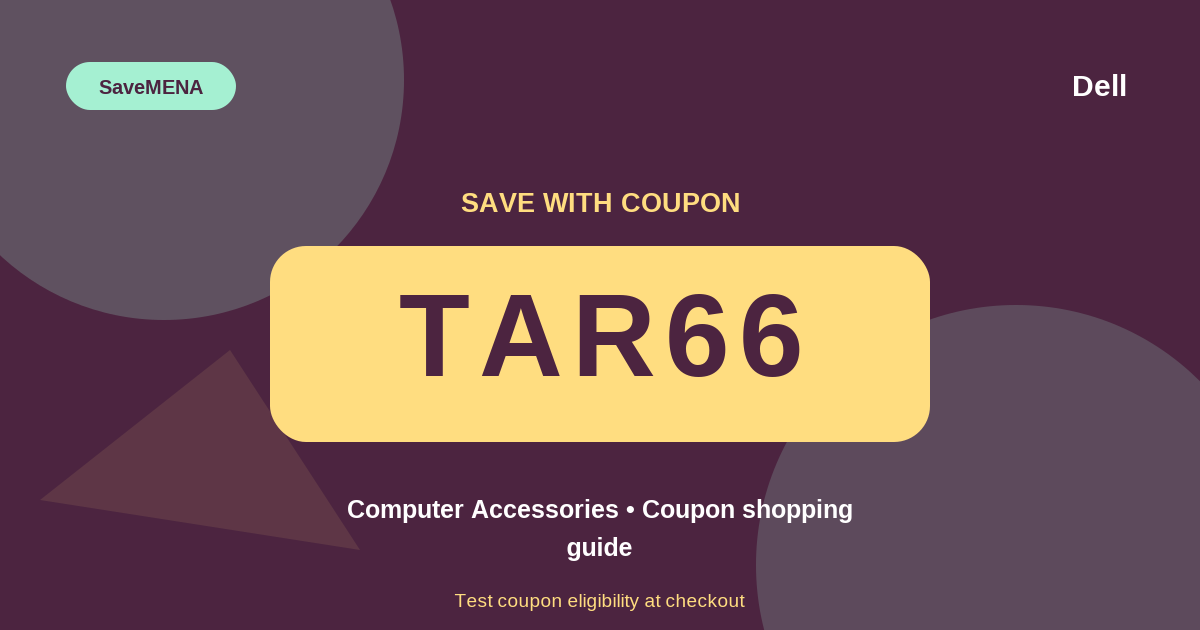
Codes available to try while comparing
These codes are not guaranteed for the article topic or listed brands; test them at checkout and use the live result.
Why Compare Bank Discounts and Coupons for Dell Accessories?
The central decision for many UAE shoppers is whether to rely on Noon’s bank discount programme or submit a third‑party coupon. Both tools promise a price benefit, yet they differ in activation, scope, and compatibility with specific payment methods. As a consumer focused on payment options, understanding each scheme’s eligibility criteria helps avoid missing an available savings at the point of purchase, where the final payable amount is locked in.
When you browse Dell’s range of keyboards, mice, and docking stations, the question becomes: which discount, when paired with your chosen method of payment, guarantees the lower out‑of‑pocket cost? By tracking how these offers interact with Noon’s payment interface—whether you pay by credit card, debit card, or bank transfer—you can craft a shopping strategy that suits both your budget and banking relationship.
Understanding Noon UAE Bank Discount Structure
Noon UAE’s bank discount is typically granted when you use a card linked to the participating bank during checkout. Although the site does not disclose fixed percentages, the discount is applied in real time once the payment method is selected. This instant deduction may lead to a lower transaction value reflected in the “Total Payable” line before final confirmation.
From a payment‑method perspective, the benefit hinges on the type of card you use. For example, a debit card from a partner bank may trigger a distinct discount rate compared to a credit card. The key is to verify the discount’s applicability to your chosen payment instrument at checkout, ensuring the payment method aligns with the bank discount policy for Dell accessories.
How Noon Coupons Like TAR66 Work for Computer Accessories
Coupons distributed by Noon, such as TAR66, are offered via the coupon field during checkout. The site’s policy states that they are not tied to a particular category or brand, so they can be applied to Dell computer accessories if eligible. The discount is deducted after the cart total is calculated but before payment processing, resulting in a reduced amount shown in the payment summary.
Because coupons are applied after the cart is filled, they do not affect the bank discount’s status. However, selecting a payment method that is also eligible for a bank discount can combine the offers if the platform permits. It is essential to check in the payment summary whether both the bank discount and the rough discount from the coupon have been applied simultaneously.
Choosing the Right Payment Method on Noon: Credit vs Bank
Payment methods on Noon vary from credit cards, debit cards, to bank‑specific “Noon Pay” options. Each method can unlock a distinct benefit, and for tech shoppers, the choice can influence the final amount after all discounts. Credit cards often attract higher‑value purchases because they allow flexible payment and potentially offer cashback, but they may not trigger the bank discount available to partner debit cards.
When your priority is securing the maximum savings, start by selecting the payment type that aligns with the discount strategy you prefer. For example, if you anticipate a sizable advantage from Noon’s bank discount, using a partner bank’s debit card is advisable. Conversely, if you expect a better match from a coupon or wish to preserve card benefits like extended warranty, a credit card might be more suitable. Verify the discount status in the order preview before confirming payment.
Dell Accessories: Types and What to Look For
Dell offers a spectrum of computer accessories ranging from keyboards and mice to docking stations and protective gear. Each product varies in features—wired vs. wireless, ergonomic designs, compatibility with models, and additional software bundles. Assess each item’s specifications against your usage scenario, ensuring it meets technical requirements while fitting the budget once discounts are applied.
From a cost‑benefit standpoint, selecting items that are standard model offerings rather than custom or limited editions often results in larger discount leeway, as these products usually sit within Noon’s typical discount tiers. When you add a device to the shopping cart, inspect its price tag for any notes indicating it’s discount‑eligible; this may streamline the coupon application process later.
Timing Your Purchase: When Bank Discounts Change
Bank discount rates are not static; they can shift based on promotional periods, bank agreements, or Noon’s internal policy updates. Some banks may roll out new discount offers seasonally or during special events. Consequently, the benefit you receive today may differ if you revisit Noon at a later date. Keeping an eye on promotional announcements or bank statements can provide context for potential future discounts.
For coupon usage, the TAR66 code may have its own activation window set by Noon. While the code is currently available for attempt, its validity at checkout must be confirmed in real time. Since you cannot rely on a coupon’s longevity, it’s advisable to compare the bank discount and the coupon with the current active discounts as you approach the final purchase point.
Practical Tips: Applying the Coupon and Bank Discount Together
When you add Dell accessories to your cart and proceed to checkout, first ensure your payment method is selected. If you are using a partner bank account card, the bank discount will automatically activate. Then, in the designated coupon textbox, input the code TAR66. The interface will recompute the total, indicating whether the coupon has been accepted and the new payment figure displayed.
After both discounts surface in the order summary, double‑check that the applied amounts correspond to the final amount you will pay. If the discount code fails or the total remains unchanged, it means the code may not be compatible with your chosen payment method or the product category at that time. In this scenario, consider switching the payment method or contacting Noon’s support for clarification.
Final Decision: Which Offers Provide Best Value
Your preferred value depends largely on your bank relationship and the coupon’s effectiveness for each Dell accessory. If the bank discount thresholds are low (for example, offering a small reduction once the total surpasses a modest amount), a coupon that potentially offers a flat dollar savings could be more attractive. Conversely, if your bank delivers a high percentage discount, it may surpass any coupon value once the payment method is confirmed.
To decide with confidence, construct a side‑by‑side comparison at checkout: first select your payment card and observe the bank discount, then apply the coupon. Check the “Total Payable” line after each step. The method that yields the lowest figure without requiring additional conditions (such as minimum spend or exclusive seller) should guide your purchase choice for Dell accessories.
Related SaveMENA pages
Related articles
Official sources to check
Frequently asked questions
Can a the coupon code code like TAR66 be used alongside a bank discount on Noon?
Noon’s platform allows coupons and bank discounts to stack only if the site’s interface applies both reductions in the payment summary. If the discount still appears after applying the coupon, the combination has been accepted. If not, the coupon may not be compatible with the payment method.
What happens if my bank discount conflicts with the coupon code?
In case of conflict, Noon’s system typically prioritises the higher‑value deduction or the one applied first. If the coupon code does not reflect in the final amount, revisit the payment method or contact Noon support for clarification.
Does using a different payment method change the Dell accessory price on Noon?
Noon’s base price for each Dell accessory remains constant; however, the final amount after discounts can vary based on the selected payment method’s eligibility for bank discounts. Checking the order summary ensures you see the accurate payable total.
How can I verify that the bank discount is applied before I pay?
During the checkout process, look at the “Discounts Applied” section in the payment summary. It will list the bank discount amount if your chosen card qualifies. If it is absent, the discount did not apply.