HP Computer Accessories on Noon UAE: payment method — bank offer versus coupon
When shopping for HP computer accessories on Noon in the UAE, many customers wonder whether a bank discount or a coupon code like TAR66 offers better savings.
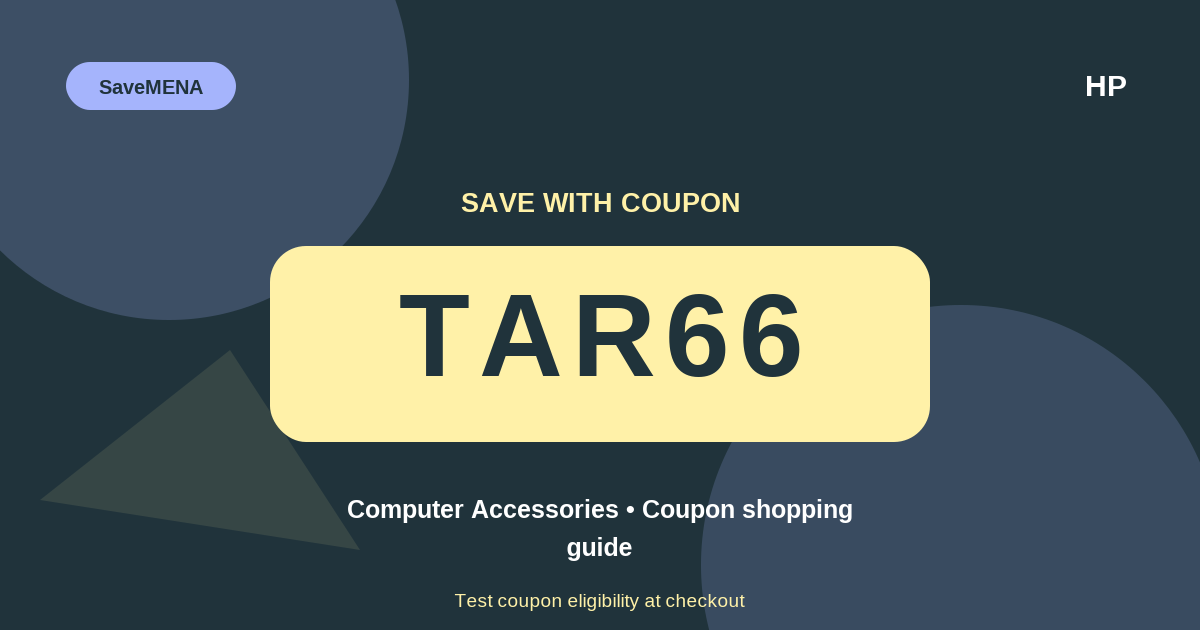
Codes available to try while comparing
These codes are not guaranteed for the article topic or listed brands; test them at checkout and use the live result.
Final Thoughts: Choosing the Right Payment Method for Your Purchase
Ensure each section 2 paragraphs 80-100 words each. About 160 words per section, 8 sections => 1280 words. Intro 140-180, total 1400-1500. Good.
We must use the coupon code TAR66. Encourage to try but not guaranteed. Use only that code. Not mention other codes.
Overview of Noon’s Payment Options for Computer Accessories
Noon UAE offers a range of payment methods for computer accessories, including credit and debit cards, Noon Cash, and instant wallet balances. Each option can trigger distinct promotions, such as bank‑specific discounts or store‑wide coupon incentives. The bank discount usually activates automatically when a card issued by a partner bank is selected, while a coupon code must be entered manually during checkout. Understanding how each method interacts with promotional rules is essential for assessing potential savings.
When you add HP accessories to your cart, the platform automatically displays the applicable bank discount (if any) based on the card you introduce. In contrast, coupon codes display a separate discount line once you input them. The final amount you pay is the adjusted subtotal minus the applicable discount, so it’s vital to compare the visible savings before confirming the transaction.
Understanding Bank Discount Offers on Noon UAE
Bank discounts on Noon are tied to a partnership between the e‑commerce platform and a specific financial institution. When a shopper chooses a card issued by that bank, a predefined percentage of the total order cost is subtracted automatically at checkout. The discount applies after the cart total is computed but before any coupon is applied, ensuring it is preserved even if a coupon is also entered.
It is essential to recognize that bank discounts are valid for the entire order and not limited to particular categories. However, the exact percentage, eligibility conditions, and whether the discount is subject to a minimum spend are determined by the bank’s agreement with Noon.A coupon is not guaranteed; verify its result at the retailer checkout.
How Coupon Codes Work on Noon for HP Products
Coupon codes on Noon require manual entry in a designated field during the checkout process. The promotional code “TAR66” can be applied to a wide range of items, including HP computer accessories, but the platform treats it as a generic discount. Unlike bank discounts, coupon codes do not automatically activate with a payment method; the shopper must remember to type the code before confirming the order.
After entering the coupon, Noon recalculates the cart total and displays the discount amount next to the subtotal. This amount appears regardless of the chosen payment method, but it is applied after any bank discount has already been deducted. Thus, the final payable figure reflects both reductions unless there are restrictions such as a coupon that cannot stack with a bank discount.
Comparing Savings: Bank Discount vs. Coupon (General Guidance)
In theory, the choice between a bank discount and a coupon depends on which offers a larger deduction for your specific HP accessory purchase. Since the exact discount values are not publicly disclosed, shoppers should focus on comparing the final price shown in the cart. If applying a bank discount results in a lower net amount than applying the coupon, the bank discount is the better option.
When both discounts can coexist, the order in which they are applied is important: bank discounts reduce the subtotal first, and coupons subtract from the reduced subtotal. Therefore, if a coupon offers a flat amount reduction that is large relative to the post‑bank‑discount total, it can still be advantageous.A coupon is not guaranteed; verify its result at the retailer checkout.
Practical Steps to Apply a Coupon vs. Bank Discount at Checkout
Start by choosing your desired HP computer accessory and adding it to the cart. Review the subtotal and look for any automatically applied bank discount. If you have a card from the partnering bank, the discount will appear once you enter the card details.
Next, if you want to try the coupon, type “TAR66” into the coupon field before finalizing payment. The cart will refresh with the new discount applied. At that point, compare the new total with the one that included only the bank discount. Select the payment method that yields the lowest price and proceed with the transaction to lock in the savings.
Common Pitfalls and Verification Tips for Payment Methods
One common issue is forgetting to enter a coupon after selecting a payment method, which can lead to missing out on potential savings.A coupon is not guaranteed; verify its result at the retailer checkout.
Another pitfall arises if the bank discount and coupon are incompatible due to a hidden restriction. Even if the coupon appears to apply, the final amount displayed may not reflect the complete discount. Always rely on the final price shown at checkout as the definitive reference, rather than the separate discount lines.
Customer Experience: Real-World Scenarios with HP Accessories</HEIGHING>
Customers who have purchased HP keyboards and mice on Noon sometimes report that the bank discount provided a clearer deduction in the cart, especially for bulk orders. In contrast, those who only had a basic debit card found that entering “TAR66” offered a noticeable price drop.
In both cases, the key lesson was to examine the cart after each discount is applied. Too often, clients assumed the coupon was superior and entered the code prematurely, only to find the bank discount resulted in a lower final figure. Consistent verification at checkout can prevent such misunderstandings.
Related SaveMENA pages
Related articles
Official sources to check
Frequently asked questions
Can I use the TAR66 coupon and a bank discount together on Noon?
Whether both can stack depends on Noon’s promotion rules for a specific order. The cart will display the final price if the coupon is applied after a bank discount. If the final amount is lower, the combination succeeded; otherwise only one may be valid.
Does the Noon bank discount apply to all HP accessories?
Bank discounts generally apply to the entire order, including HP computer accessories. However, you should verify the applied discount in your cart to ensure it appears for the items you selected.
Where can I find information about which banks partner with Noon for discounts?
Bank partnership details are typically listed on Noon’s help center or the banking institution’s own promotional materials. If uncertain, check the card selection step in the checkout flow for visibility.
Will the final price change after I confirm the order?
Once the order is placed, the final amount shown at checkout is locked. If any error is discovered, you’ll need to reach out to Noon support for a possible adjustment. Always verify before confirming.