Sony Electronics on Noon UAE: payment method — bank offer versus coupon · TAR62
When shopping for Sony electronics on Noon UAE, you’ll encounter several payment gateways: UAE credit cards, debit cards, halal payment methods, and store‑credit
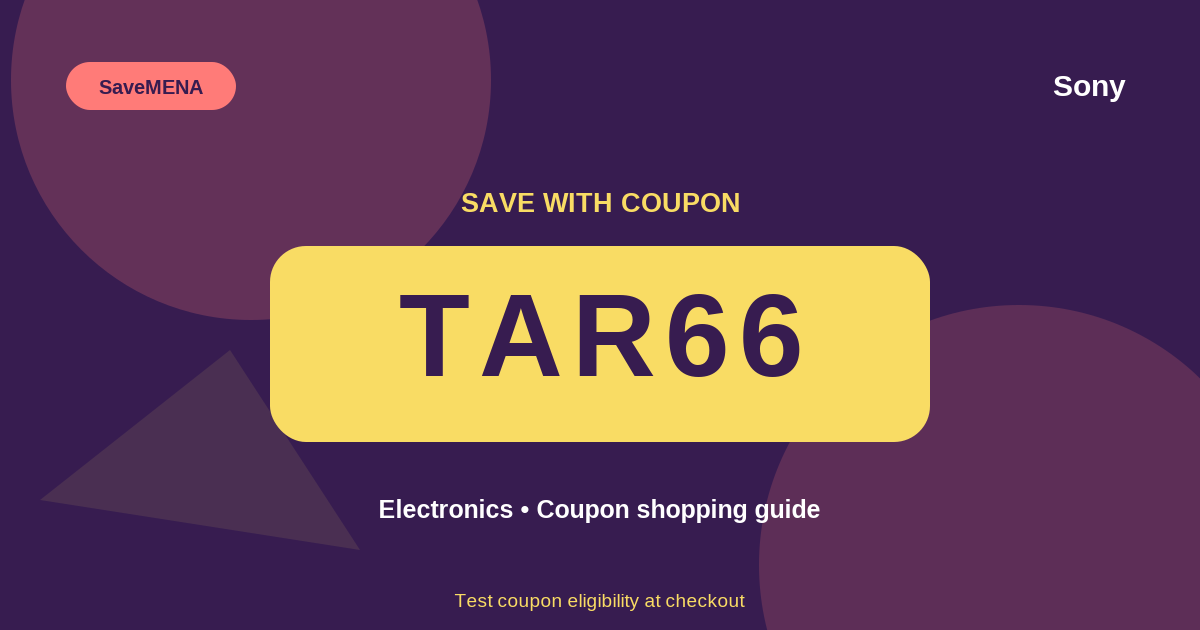
Codes available to try while comparing
These codes are not guaranteed for the article topic or listed brands; test them at checkout and use the live result.
Understanding Noon UAE's Payment Options for Electronics
When shopping for Sony electronics on Noon UAE, you’ll encounter several payment gateways: UAE credit cards, debit cards, halal payment methods, and store‑credit balances. Each gateway may trigger a different incentive, such as a bank discount for credit card holders or a promotional uplift for debit users. The key is that Noon rewards often depend on the specific retailer card issuer linked to your account, and the discount is applied automatically before you see the final total. Therefore, verifying your payment method’s eligibility at the beginning of the checkout process is essential to avoid missing out on instant savings.
Additionally, Noon may rotate partnerships, meaning that the same payment card can offer a different percentage or drop the discount placeholder entirely for certain categories. This dynamic updates on the website’s front page or via email alerts. By logging into your Noon account and reviewing the Payment Settings, you can view a snapshot of the current offers tied to each bank and cross‑check that your Sony product is covered under the electronics umbrella before proceeding.
What Makes a Bank Discount Valuable for Tech Buyers
A bank discount is typically a monetary reduction applied at the moment a card is selected. For tech shoppers, the appeal lies in its instant, automatic nature—no code entry, no perusally, no additional steps. The discount can make short‑term high‑price Sony devices more financially accessible, especially if you’re balancing a larger budget or purchasing multiple units. The instant check for eligibility relies on the real‑time compatibility between your card and Noon’s agreements.
However, the amount offset is often a small percentage of the total price. Consequently, shoppers should verify the amount reflected in the “Discount Value” section after entering card details. If the deduction isn’t obvious, it may indicate either a mismatch between card issuer and the current promotion or that the product category is excluded from the bank discount. Checking the “Payment Summary” before you finalize ensures you’re seeing what you expect.
The TAR62 Coupon: How It Operates on Sony Electronics
The TAR62 coupon appears as a fixed promotional code you can input on a Sony item’s product page or in the cart. Unlike a bank discount, it requires manual entry and often has no immediate effect until the cart recalculates. The coupon’s validation checks the current product SKU, your stored shipping address, and whether the item qualifies under the coupon’s generic coupon eligibility criteria set by Noon.
Even though the coupon is “available to try,” its success isn’t guaranteed at checkout. A user might receive an “invalid” notice if the SKU changes (e.g., a different colour), the delivery channel is blocked, or there's a mismatch in shipping region. Thus, an early test of the coupon by adding a Sony product to the cart and applying TAR62 is a prudent step before proceeding further.
Direct Comparison: Bank Discount vs Coupon Savings
Bank discounts and coupon codes are designed for different user intentions. The bank discount is a single, predictable deduction tied to your payment card, while the coupon offers a more flexible, albeit uncertain, reduction that calls for active participation. If you’re a frequent purchaser of Sony electronics, a consistent bank discount might provide more reliable savings across many orders.
Conversely, a coupon can sometimes yield larger cuts, especially if the code’s value surpasses the bank’s percentage.A coupon is not guaranteed; verify its result at the retailer checkout. In practice, many shoppers opt for a hybrid approach, applying both waterfall processes sequentially: first the bank discount, then the coupon, if allowed by the site’s policies. Yet, certain airlines (Error) may disallow using both simultaneously without a restriction clause.
Practical Steps to Apply Noon UAE Bank Discount
Begin by adding your desired Sony product to the cart. When you proceed to the “Payment” step, select the card that has a confirmed partnership with Noon’s bank discount program. Once the card is authenticated, notice the “Discount” field that will adjust the item’s price before the shipping fee is added.
Should the discount field remain blank, double‑check that your card is active, the card type aligns with the discount criteria, and the product is covered under the electronics category. If discrepancies surface, attempt switching to an alternate bank or contact Noon’s support for clarification on the discount’s applicability.
Using TAR62 Coupon Effectively During Sony Purchase
After the bank discount has automatically settled, navigate back to the product’s cart page. Locate the field marked “Coupon Code” and enter TAR62. The system will re‑calculate and display the new total if the coupon is recognized. The adjustment should happen instantly, showing you the new payable amount along with any “Discount Applied” indicator.
If the code returns an error, verify that you typed it correctly, that it’s not expired (watch for date tags in your email or on Noon’s coupon list), and that you’re purchasing a Sony item whose SKU is still active. Because Noon doesn’t guarantee coupon validity, the system may revert to the original price. In that case, you should either try a different coupon (if you have one) or proceed without a code.
Checking Your Final Payable Total at Checkout
Before confirming your order, review the “Summary” page where Noon lists every fee line: item price, applied discounts, shipping, handling, and payment‑method adjustments. The section entitled “Applied Discounts” should list both the bank discount and any coupon deductions. If one of these entries is missing, that part of the discount process did not trigger.
Use the “Re‑calculate” button if you suspect a miscount—this forces Noon to recompute all applicable offers. If the bank discount appears but the coupon does not, you may need to retry the coupon field after clearing the cart’s cache or check with Noon’s help center about any pending updates or regional restrictions. Only after both values reflect properly should you click “Confirm Order”. The final payable total that appears is the figure you will see on your bank statement.
Bottom Line: Choosing the Best Payment Path for Your Sony Electronics
Deciding between a bank discount and the TAR62 coupon hinges on reliability versus potential higher savings. If you seek predictable, instant deductions that require minimal effort, sticking with a card that offers a bank discount is advisable. When you’re willing to experiment for possibly greater savings—or when the bank discount is weak—you may try the coupon after confirming that all conditions are satisfied.
A coupon is not guaranteed; verify its result at the retailer checkout. Align your choice with your payment strategy: a secure, known discount syncs well with a scheduled payment plan or a frequent shopping habit; a coupon invites a one‑off trial that may or may not pay off. At checkout, whether you choose the bank discount, the coupon, or both, the final amount displayed after all recalculations is what dictates the true financial outcome for your Sony device.
Related SaveMENA pages
Related articles
Official sources to check
Frequently asked questions
Does the TAR62 coupon work on all Sony products?
The coupon’s validity depends on Noon’s current promotion rules, which can vary by product SKU. Test it by adding a Sony item to your cart at checkout to see if the code applies.
Can I use the bank discount and the coupon together?
Certain scenarios allow both discounts to stack, but Noon may restrict simultaneous use for a single transaction. Verify at checkout whether both appear in the “Applied Discounts” section.
What payment methods can I choose to see the bank discount apply?
Typically, debit and credit cards that partner with Noon trigger a bank discount. Selecting a supported card in the payment step should automatically reflect any discount offered.
How do I confirm the discount has been applied before confirming my order?
Review the “Summary” page at checkout: both the bank discount and coupon should appear under “Applied Discounts” before you click “Confirm Order.” If missing, recalculate or retry the coupon entry.