Apple Mobiles on Noon UAE: payment method — bank offer versus coupon · TAR62
The question many UAE shoppers ask is whether they should apply a Noon UAE bank discount or a coupon when buying mobiles, especially from Apple. Both offer potential
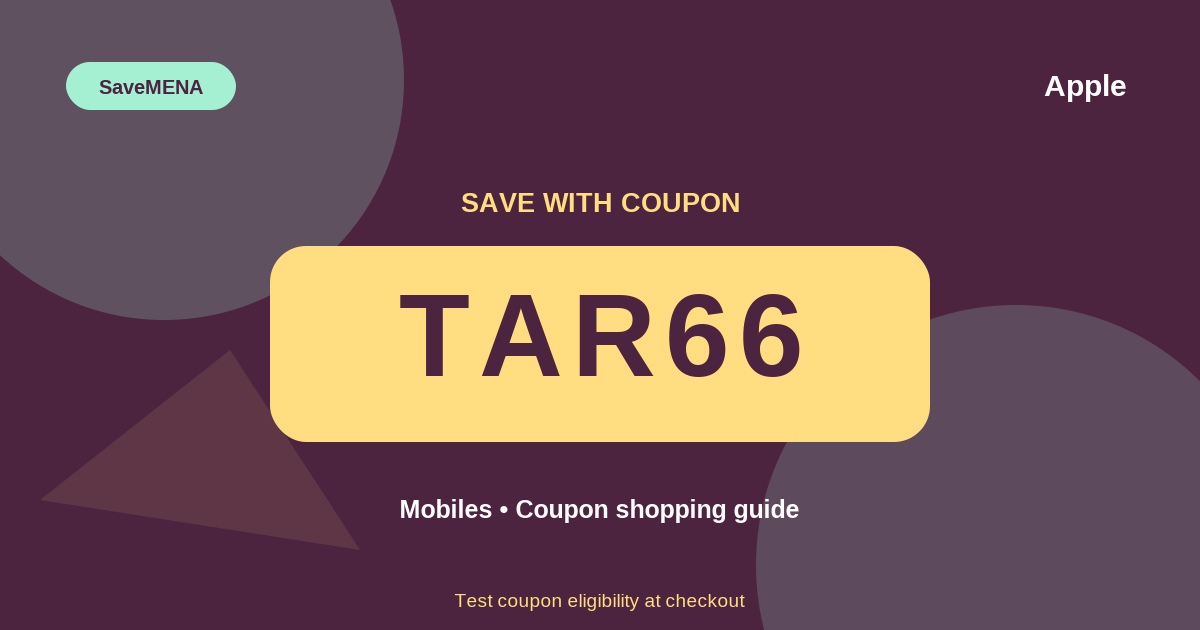
Codes available to try while comparing
These codes are not guaranteed for the article topic or listed brands; test them at checkout and use the live result.
Choosing a Payment Method for Mobile Deals
When shopping for a new mobile, the payment method you select can change the total you pay. Some banks issue instant discounts when you pay via their card or app, but those benefits depend on whether Noon has a partnership with the bank. If you want to use a bank discount, you’ll need to pick the bank card or interface that is approved for that discount. Verify this by looking for a bank banner in the payment options on Noon’s app before finalizing the order.
Conversely, a coupon is entered in the coupon or promo code field during checkout, independent of your card brand. You can still choose any preferred payment method after the coupon is applied, and the coupon is used to reduce the subtotal. Because this method does not tie directly to your bank, it gives you flexibility to use a payment tool that offers a loyalty reward or a higher credit limit.
How Noon UAE Bank Discounts Are Structured
Noon UAE’s bank discounts are usually agreed upon as a cross‑promotion. This means that when you use a specific bank’s credit or debit card, the discount is applied automatically during payment authorization. The final amount is reduced before the transaction completes, so you don’t need to enter any additional code. That said, you should check that your card is active in the Noon market and that the discount applies to the mobile you are purchasing.
Because bank discounts are processed at the financial level, they are often reliable. However, if you switch payment methods mid‑checkout, the discount might not be available. So, ensure the banking partner’s discount is untouched by selecting the card at the very last step, not earlier in the flow.
Using the TAR62 Coupon as a Mobile Purchase Tool
The TAR62 coupon is a standard promotional offer that can be entered before finalizing your mobile order. To try it, locate the coupon or promo code field during the checkout process. After typing “TAR62” and submitting, the coupon will be applied to the subtotal. If the coupon is active for mobile purchases, it will reflect as a reduction in the final amount.
Because coupons are not bound to a specific payment, you can still choose any preferred bank or card afterward. Check that the coupon is valid at the time of purchase – coupons may have different terms in different marketplaces, and the discount only appears if the coupon is not expired.
Apple Mobile Shopping on Noon and SaveMENA
Apple mobiles are frequently stocked on Noon, with a variety of models available for UAE customers. SaveMENA offers a separate shopping platform, but stays independent of Noon and does not carry Noon’s bank discount program. If you wish to shop for Apple phones on SaveMENA, you will be presented with standard pricing and the option to apply coupons you find on the site.
So, if you’re leaning toward using a tax‑free or bank‑based discount, Noon’s payment system is tailored for that. On SaveMENA, you’ll rely on the site’s own coupon selection – such as the TAR62 code – and the payment method you prefer, whether that’s a bank card, e‑wallet, or other supported method.
Comparing the Financial Impact of Bank Discounts vs Coupons
When you apply a bank discount, the final payment amount is shown at the payment screen, often with no additional input steps.A coupon is not guaranteed; verify its result at the retailer checkout. During checkout, the discount appears in the breakdown, allowing you to confirm its presence before confirming the transaction.
In the coupon scenario, the discount is applied to the subtotal after you enter the coupon code. The reduction is displayed before you press “pay.” The outcome is similar in effect, but the coupon system offers more flexibility as it is independent of which payment service you choose. Therefore, the choice comes down to whether you need flexibility with your payment method or wish to rely on a known bank discount.
Important Steps for Applying the TAR62 Coupon
First, add the desired Apple mobile to your cart. Next, proceed to checkout and find the field labelled “Coupon” or “Promo Code.” Input “TAR62” and press apply. The page will reload, showing a shopping subtotal that includes the discount.
After the coupon is applied, you may switch to any payment method. Verify that the total on the final screen matches the expected amount based on the discount. If the coupon is not applicable, the final price will not change, and the site will notify you that the code is invalid or expired.
Activating Bank Discounts Through Payment Options
Locate the “Select Payment Method” step during the checkout on Noon. If your bank is partnered, a banner or note will appear, such as “Discount available with your bank card.” Choose that card or the specific bank’s payment tool. The site will automatically apply a discount to the subtotal.
After the discount is applied, the calculation is final. The payment gateway will lock in that amount once you confirm. Hence, if you change your card after seeing the reduced price, you might lose the discount. It’s best to pick the bank’s card right before the confirmation step to keep the discount active.
Verifying Discount Eligibility at Checkout
Both the coupon and bank discount must be confirmed during the final checkout screen. The screen will list a “Subtotal,” “Discount,” and the “Total Payable” amount. If the discount has applied, you will see a line item for it.
Because monetary details can vary based on your location and taxes, always double‑check the final total before confirming the purchase. If the discount line is not present, the discount may not be valid for that transaction, and you’ll need to try again or choose a different payment method.
Related SaveMENA pages
Related articles
Official sources to check
Frequently asked questions
A coupon is not guaranteed; verify its result at the retailer checkout.
No. The code is only available to try. Eligibility can vary with the live account, basket, item, seller and campaign context, so checkout is the final reference.
Where should I confirm the coupon result?
Apply the code in the Noon basket and review the live message and final payable total before payment. Do not rely on an undocumented percentage or condition.
Can the result vary by product or seller?
Yes. Eligibility and offer context can vary with the current basket details, so compare the exact item, seller, variant and final total before purchasing.
What should I do if the code does not work?
Check the market, account, item, seller, basket and payment context, then try another code available to try without guessing an unsupported reason.