HP Laptops on Noon UAE: offer combinations — bank offer versus coupon
Every HP laptop listing on Noon displays a badge that signals any visible discount or promotion at the moment of viewing.
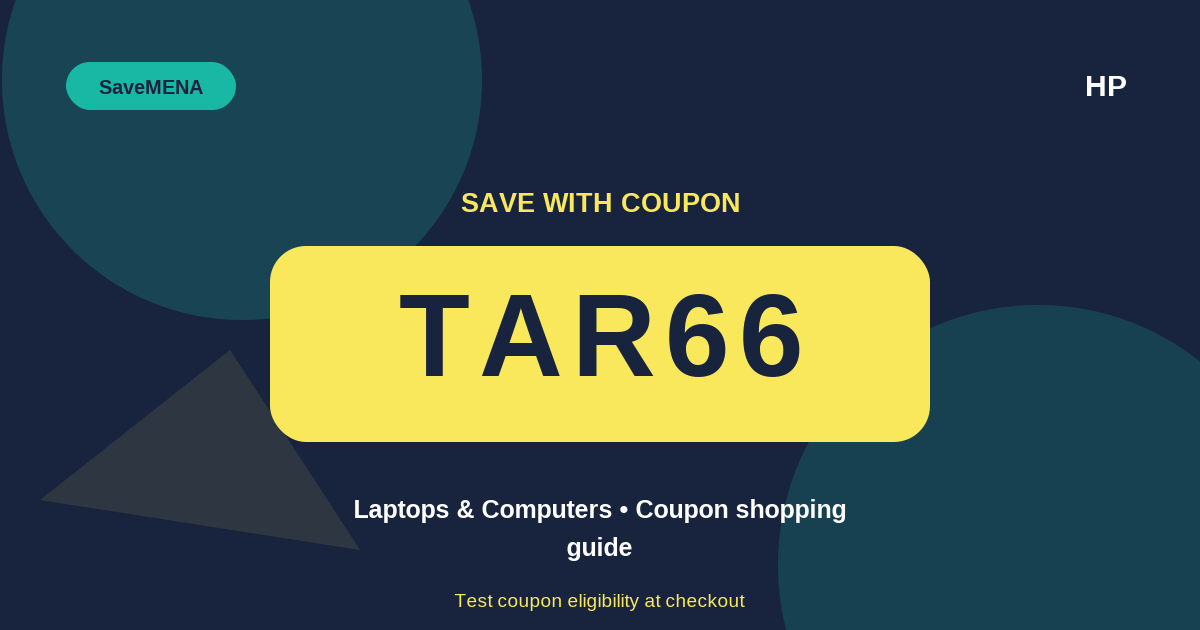
Codes available to try while comparing
These codes are not guaranteed for the article topic or listed brands; test them at checkout and use the live result.
1. Identify the Visible Promotion Tags on Noon’s Laptop Listings
Every HP laptop listing on Noon displays a badge that signals any visible discount or promotion at the moment of viewing. These badges are set by Noon and reflect instant price reductions, flash sales, or limited‑time offers. While the badge itself doesn’t guarantee how the discount will compose with other offers, it provides a baseline value against which you can measure the impact of a coupon or a bank discount. When you click on the product, make sure to note the badge’s wording – whether it is “the amount shown at checkout Off” or “the discount shown at checkout Discount” – and verify the discounted price next to the original list price.
Because Noon’s interface dynamically updates promotion badges, the visible discount may vary day‑to‑day based on inventory, buyer activity, or promotional cycles. A user’s screen may therefore reflect a different badge than a fellow shopper’s screen. This variability underscores the importance of capturing the exact badge displayed at the time you initiate your checkout process. Taking a screenshot or noting the badge text in your shopping list early on helps avoid surprise adjustments once you add the item to your cart.
2. Confirm Whether the Bank Discount Applies to HP Laptops
Not every product is eligible for a Noon UAE bank discount, even if the bank advertises a universal discount. To confirm eligibility, navigate to the product page’s detail section where payment options are listed. The bank discount field, usually labeled “Bank Discount Available”, will denote applicable bank partners and the discount mechanics – for example, “Pay with Noor Bank and receive up to the discount shown at checkout off”. If this field is absent, the item may not be eligible for the bank discount, and you should rely solely on visible promotions or coupons.
Keep in mind that bank discounts often require you to choose a specific payment method at checkout. The discount may not appear in the cart but will be applied automatically once you select the bank payment option under the payment summary. Thus, while you cannot see the exact deduction before checkout, you can verify the eligibility screen and remember to use the correct bank payment entry to trigger the discount.
3. Add the TAR66 Coupon and Observe Its Interaction with Visible Promotions
The next step is to enter the coupon code TAR66 in the cart’s discount field. Noon’s checkout interface will then attempt to apply the coupon to the subtotal. If the coupon and the visible discount are compatible, Noon will reduce the subtotal by the coupon amount while leaving the visible badge’s effect intact. However, if the visible promotion and the coupon conflict – for instance, the badge already applies a coupon-like reduction – Noon’s system may refuse to stack them and will display a message such as “Coupon cannot be applied due to existing discount.”
To assess the interaction accurately, observe the cart after entering the coupon. The discount amount shown will be the net reduction from the coupon alone, while the visible promotion remains part of the laddered discount shown in the “Total” section. If the coupon is rejected, the page will often indicate the reason, allowing you to decide whether to proceed with the visible discount only or to harvest the bank discount instead.
4. Compare the Final Totals at Checkout to Decide Between Coupon and Bank Discount
When you’ve added the HP laptop to your cart and applied any applicable coupons and bank discounts, scroll to the checkout page. Here you’ll see three separate sections: Original Price, Visible Discount, Coupon Discount, and Bank Discount (if selected), each deducting from the subtotal. The “Final Price” displayed at the bottom of the checkout page reflects the cumulative effect of all chosen reductions. By comparing the final amount with and without the TAR66 coupon or the bank discount, you can quantitatively assess which method yields a lower payable figure.
Because the displayed amounts can change due to stock shifts or price updates, you must evaluate the final price immediately before you confirm the payment. A quick mental calculation – or simply noting the values – helps determine whether the coupon was genuinely better than the bank discount or vice versa. If the amounts are identical, consider other factors such as future coupon availability or bank loyalty program benefits.
5. Verify Account and Payment Summary for Hidden Fees or Associated Charges
On Noon, some payment methods, particularly bank‑linked options, may include small service fees or inflated selling prices to offset discount mechanics. To uncover any hidden costs, review the “Payment Summary” section for lines like “Bank Service Fee” or “Transaction Surcharge”. Even if the final price looks lower after applying a coupon or discount, an added fee can erase the savings. If such a fee is present, recompute the total including it to confirm the true net benefit.
For non‑bank payment methods, extra shipping charges are sometimes appended at this stage as well. Ensure that the discount or coupon you apply is not withdrawn by a higher shipping cost. Some promotions may only apply to standard shipping, whereas free shipping is offered through a bank discount. Re‑checking the shipping charges before contracting the order will prevent unexpected increases.
6. Re‑examine Return Policy, Warranty, and Support When Using Different Discounts
HP laptops sold on Noon come with a manufacturer’s warranty, but the warranty terms can differ when specific discounts or coupons are used. For instance, a coupon may allow a non‑standard shipping option which could impact the return process. Confirm that the warranty holder address aligns with your chosen shipping method and that any promotional shipping does not invalidate the return window.
Similarly, reassure that the chosen payment method (bank discount versus coupon) does not affect incidentals like optional insurance or extended care plans that may accompany the purchase. A quick glance at the “Product Description” and “Warranty” sections will clarify whether the discount was applied to the item’s price only or also to additional services.
7. Confirm Store Selection and Delivery Logistics for the Chosen Discount
On Noon, each product is shipped from a specific vendor or store, which can influence delivery times. When you apply a bank discount, the chosen payment method may trigger a preference for a particular vendor, potentially changing shipping durations. After you confirm the checkout, review the “Store” and “Delivery Schedule” fields to verify that expected delivery aligns with your budgeted schedule.
Note that some high‑value laptops may logistically be shipped slower than discounted smaller items, regardless of discount method. If a bank discount hastens delivery by prioritizing certain dispatch warehouses, this advantage could outweigh a slightly larger final price, especially if the purchase is time‑sensitive.
8. Leverage Loyalty Points and Future Savings When Choosing Discount Strategy
Noon UAE offers loyalty points that accumulate with each purchase; the way you apply a discount can affect how many points you earn. Typically, the points earned are calculated on the final payable price after all discounts. Therefore, if the bank discount brings the final number lower than the coupon, you might earn fewer points. This trade‑off becomes relevant if you plan long‑term savings or wish to redeem points for future purchases.
Considering a future purchase of another HP laptop or a peripheral may alter the decision. If choosing the coupon now preserves a higher point return, that might offset the marginal advantage of a bank discount. Compare the point equivalence by halfing the difference in final prices to see how many points you could recover in the next order.
Related SaveMENA pages
Related articles
Official sources to check
Frequently asked questions
Does the TAR66 coupon stack with a Noon UAE bank discount on HP laptops?
Coupons are typically non‑stackable against bank discounts on Noon. If a bank discount is already applied, the website will usually reject the coupon, displaying a message that the coupon cannot be used simultaneously.
Will applying a coupon change the shipping cost on Noon?
Coupons sometimes alter the shipping fee tier. After you apply a coupon, review the shipping cost in the checkout section; if the cost changes, the new amount will be reflected before you finalize payment.
How do I verify if my selected bank offers a discount for HP laptops on Noon?
Check the Product Page’s payment options for a “Bank Discount” label or a list of eligible banks. If the bank is listed, select its payment method during checkout to activate the discount.
Can I use the TAR66 coupon on multiple HP laptops in one order?
Coupons on Noon typically apply to the entire cart if the products qualify. However, confirm at checkout that the coupon is applied once and that no per‑item restriction is shown in the discount field.