Apple Mobile Accessories on Noon UAE: offer combinations — bank offer versus coupon
When you’re comparing Noon UAE’s bank discount against a coupon like TAR66, the first thing you’ll notice is how the discount steps in at checkout, while the coupon
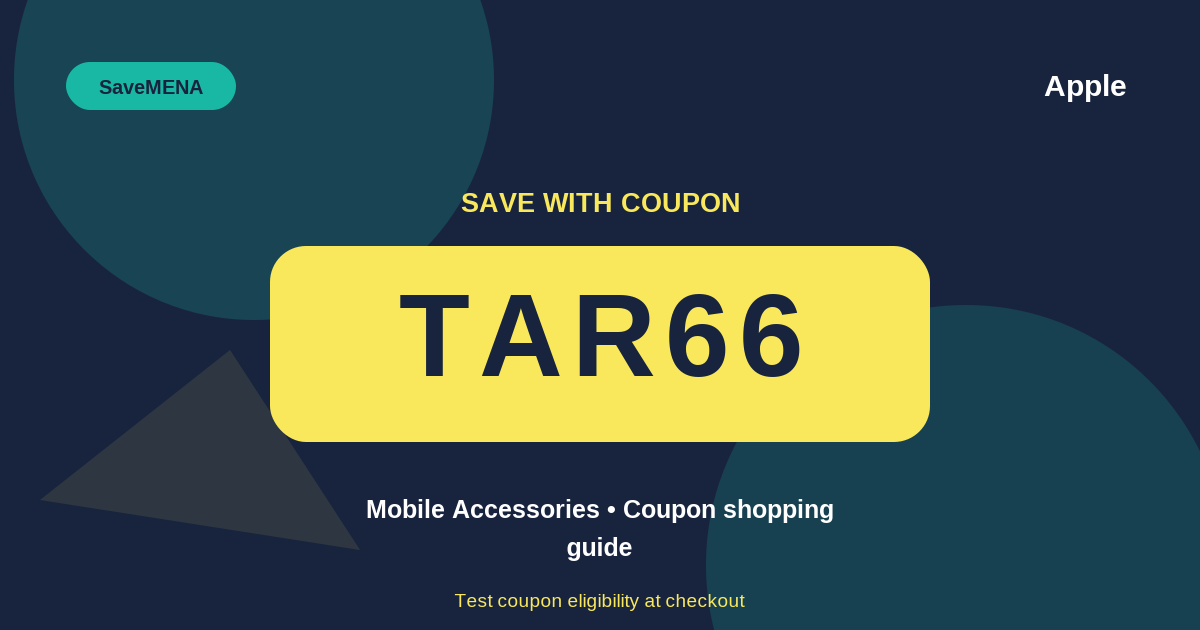
Codes available to try while comparing
These codes are not guaranteed for the article topic or listed brands; test them at checkout and use the live result.
Noon Bank Discount: When the Credit Card Works Its Magic
Bank discounts on Noon work by tying your payment method to a special rate. Typically, the discount appears only on the payment page, after you’ve added the Apple mobile accessory to your cart and chosen the relevant credit or debit card. Because this form of savings kicks in late, you must avoid any steps that could restage the order once the discount is applied.
When an item shows a visible promotional badge or a price reduction in the product grid, the bank discount will still apply on top, but only if the chosen card is eligible. The key here is the order: you watch the discount only after you pick your payment method, not before you confirm the cart quantity or availability of the coupon code.
Coupon Tactics: Using TAR66 on Apple‑Related Mobile Accessories
The TAR66 coupon is a code that you enter during checkout, typically in a dedicated field on the payment summary. It is separate from the visible discount tags that Apple accessories may have on Noon’s marketplace. With the coupon code, you should see a reduction line beneath the total subtotal, immediately above the bank discount field.
Unlike a bank discount, the coupon interacts primarily with the sum you add to your cart, after you’ve chosen the exact accessory model, color, or capacity. This means the coupon can affect the product price shown with the visible promotion, but the bank discount will still layer over the final pre‑payment amount.
Understanding Visibility: Preferences Between Banner Prices and Final Totals
UAE shoppers often see two types of promo signals on Noon: banner prices that drop the product to a lower visible cost, and the slip‑through of bank or coupon savings that get displayed only toward the end. Each type of promotion changes the step at which you see savings, which can affect how you perceive the total.
Visible promotions give you a priori knowledge about how much you’re paying for the accessory itself, while the bank discount or coupon shows as a sub‑label in the final checkout step. Knowing which factor to trust first helps you ensure you’re not misled by a flash sale that may not combine with your chosen discount.
Order Selection: Picking the Right Apple Accessory for Maximum Impact
If the feed shows Apple‑branded mobile accessories accompanied by a “free” or “up to the discount shown at checkout off” badge, you’ll still need to add the product to your basket. That badge is only a gauge of the visible discount—but you must confirm the exact quantity and variant before the next discount phase.
When you’re faced with several models, look for those that appear in a seller’s regular catalog; these are more likely to remain in stock when you proceed to payment, ensuring the bank discount and coupon can apply. The final sell‑through price on the cart page will reflect any visible promos you selected.
Quantity Matters: Bulk Order Settings and Discount Compatibility
Sometimes, ordering multiple unit accessories can unlock additional, hidden bulk discounts. These are applied on the cart screen as a separate note. The bank discount and TAC66 coupon still function, but the bulk rule only sees the product quantity before any payment choice.
Because each type of discount takes place at a different point in the checkout sequence, you can get the best of both worlds by first ensuring bulk eligibility and then applying the bank discount or the coupon on the payment page. Always review the line items after selecting quantity to confirm that no hidden bulk rule is overwritten.
Payment Methods: Choosing the Card That Triggers the Highest Bank Discount
Not all cards offer equal Noon bank discount rates. Some regional cards give a higher discount for Apple accessories, while others may be flat or null. During the payment step, you’ll see the discount amount pop up if the chosen card matches a supported bank discount.
Because the coupon code can also be applied on the same screen, you should first pick the card that offers the best bank discount before entering TAR66. This order guarantees that the coupon code will still adjust the subtotals that the card discount then reduces, ensuring you don’t lose the coupon’s value.
Final Checkout: Verifying Coupon Application and Discount Visibility
On the last page before payment, you should see three distinct savings labels: one for the visible banner price, one for the coupon code TAR66, and one for the bank discount associated with your card. If all three appear, that means each discount type has successfully been applied at its respective stage.
At this stage you also verify the final payable total. If you notice any mismatches—such as the coupon code field showing “invalid” or a missing card discount—double‑check the entered code and card type. The final total should match what you expected after factoring all visible promotions.
After Purchase: Tracking the Order and Confirming Outstanding Savings
Once the payment completes, Noon will send a confirmation e‑mail that lists all applied discounts. Look for the same bullet points that appeared in the last checkout screen: visible promo, coupon, and bank discount. These confirmations help you ensure that no line item was omitted after the sale closed.
If a discrepancy appears between your final total and the receipt—such as the discount not reflecting on the email—contact Noon’s customer service. They can verify which discount was applied and help correct any oversight, especially if the bank discount was supposed to stack with the coupon.
Related SaveMENA pages
Related articles
Official sources to check
Frequently asked questions
Will the bank discount automatically apply to all Apple accessories bought from Noon?
Only if the item meets the eligibility criteria for the selected card’s discount program. Not every Apple accessory is covered by the bank discount, so check the card’s discount policy or the product’s page for a note on bank discount compatibility before adding to the cart.
Can I apply the TAR66 coupon and a bank discount simultaneously?
TAR66 can be entered during the payment page after or before selecting your card. The bank discount applies to the remaining amount after the coupon has reduced the subtotal. Both can show in the final breakdown if the product and payment method satisfy both requirements.
Does the visible promotion on the product page stack with the coupon code?
Yes. The visible promo lowers the displayed price on the product list, while the coupon code further reduces the subtotal. The bank discount then applies to the remaining amount, giving you layered savings if you follow the correct order at checkout.
Will I still get the bank discount if I add the Apple accessory after I already entered the coupon code?
The bank discount applies at the card selection step, so it can still be applied even after the coupon code is entered. However, the card’s discount will only be visible after you confirm your payment method; the coupon’s effect remains constant whether added before or after.