Huawei Smart Watches on Noon UAE: offer combinations — bank offer versus coupon
Bank‑linked discounts on Noon UAE usually come in the form of a percentage off the subtotal based on your Noon credit payment or a special promotional rate from a
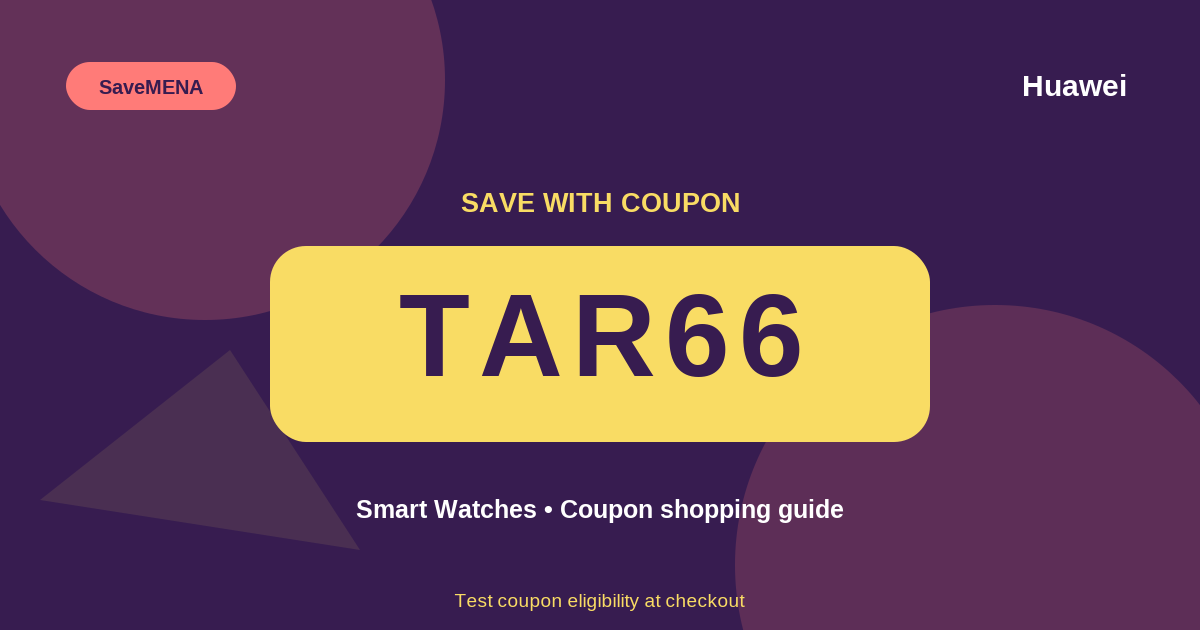
Codes available to try while comparing
These codes are not guaranteed for the article topic or listed brands; test them at checkout and use the live result.
1. Evaluate the Difference Between Bank Discounts and Coupons
Bank‑linked discounts on Noon UAE usually come in the form of a percentage off the subtotal based on your Noon credit payment or a special promotional rate from a partnered bank. These are dynamic; the discount amount changes with the order’s reference value. Coupons, such as the optional TAR66 code, are static and granted for a one‑time use, usually flat or percentage off specific categories or products. Understanding this fundamental split helps you decide which is most advantageous for a smart watch.
When you’re comparing, pay attention to terms: bank discounts cannot be combined with other promotional codes at the item level, and coupons may have restrictions on applicability. The best route is to shortlist which discount you think offers a higher savings after you consider the price of the smart watch and the presence of any visible site banners announcing a bank discount or a coupon. Checking both options on the product page prepares you for a smarter checkout.
2. Scan the Product Page for Visual Promotions
On every smart watch listing, Noon UAE may display a banner or a badge highlighting a Noon bank discount. This often appears as a glowing badge on the top or side of the image. A separate “Coupon” logo might be present if a savings code is viable. Notice whether the badge is labeled with a specific bank name or a generic “UAE bank discount”. These visual cues let you know there is an active promotion without having to navigate away from the product page.
Verify the discount’s scope: some bank links only apply to accessories, while coupons might be released monthly for select brands. While you cannot confirm the exact percentage here, remember that any visible banner implies the possibility of a reduction at checkout. The key is to keep both the banner and coupon in mind as you add the smartwatch to your cart.
3. Add the Smart Watch to Cart and Check Cart Summary
Once the smartwatch is in your cart, scroll to the cart summary. Noon typically lists the subtotal, any “mid‑order” discounts (like visible bank discounts), and a field to enter a coupon code. The badge from the product page translates into a note under “Discounts applied”. If you see this section showing a discount amount, that reflects the bank discount in play, and the subtotal will already be lowered accordingly.
If you haven’t yet entered a coupon, you will see a prompt or a small textbox reading “Enter coupon code”. Notice that the section also indicates whether a coupon can be added in addition to the bank discount. If it says “Coupon not applicable with current discount”, you must choose one route. The cart view gives a clear front‑on indication of which is being applied.
4. Input the TAR66 Coupon Code Before Checkout
To use the TAR66 coupon, type “TAR66” into the coupon textbox and click “Apply”. Noon’s system will immediately refresh the cart if the coupon is valid for the product. If you had a bank discount already visible, the coupon might revert or be denied due to application rules – many platforms allow only one promotional discount per transaction.
The cleaned‑up cart will now show the new subtotal and a new discount line (often labeled “Coupon discount”). Verify that the total reduction matches what’s expected; however, remember that the coupon’s effect is shown only in the final total calculation and may not appear in the order confirmation until after you complete the checkout.
5. Check for Minimum Spend or Eligibility Conditions
Coupons often carry hidden thresholds – such as a a minimum-spend condition, if the retailer shows one – that must be met before the discount activates. Even though the product price of the smart watch may already meet the threshold, Noon’s cart will flag any missing requirement, advising that the coupon cannot be applied. If the cart shows the coupon applied successfully, no minimum was likely needed.
Similarly, some bank discounts apply only when the total cart value exceeds a certain amount or when specific product categories, like smartphones, are purchased. Since we’re dealing with a smart watch, confirm that the category is indeed covered. If the discount doesn’t appear, consider whether an alternative bank discount or a different coupon may provide better savings.
6. Review the Final Payment Breakdown at Checkout
At checkout, the “Payment method” section lists your chosen card, and the “Discounts” area will show either the bank discount, the coupon, or both if the platform allows stacking. Pay special attention to the “Discounted amount” line – this shows the actual AED reduction applied to the order before tax.
If you see that the discount applied is the bank discount, the coupon entry will likely be neutralized. Conversely, if the coupon discount is shown, the bank discount will not be visible. The “Subtotal after discounts” line tells you the exact amount you will be charged once tax and delivery fees are added. This line is the most reliable indicator of how much you owe.
7. Confirm Delivery Fees and Taxes Are Included
Most UAE e‑commerce platforms add a delivery fee based on the seller’s location and your region, plus a value‑added tax (VAT) of the discount shown at checkout. These fees are appended to the discounted subtotal. Be sure to read the “Full breakdown” to see each of these fees. Some high‑end smart watches might trigger a higher posting fee from the seller; the breakdown should reflect that if applicable.
Once you’re satisfied that the final total (subtotal + taxes + delivery) matches your expectations, you can complete the purchase. Note that any change in the cart after payment – such as a new additional product – may invalidate the coupon or change the bank discount status, requiring a new checkout to confirm the final price.
8. Post‑Purchase Verification and Customer Support
After completing the purchase, you will receive an order confirmation via email or your Noon app. The confirmation will list each discount that was applied. If you double‑checked earlier that the TAR66 coupon should have applied and it is missing, contact Noon support with your order number to confirm whether a system bug or eligibility issue prevented the coupon from applying.
Similarly, if the bank discount appears but you were expecting the coupon, verify that the checkout method was correctly selected. Neon regulation often requires tracking of which discount is discounted; a direct line to Noon customer service can clarify through the order details.
Related SaveMENA pages
Related articles
Official sources to check
Frequently asked questions
How do I know if the TAR66 coupon will be deducted along with my Noon bank discount?
The checkout summary will only display one discount at a time. If a bank discount is already active, the system typically prevents the coupon from applying. Verify the “Discounts” section at checkout to see which one is active.
Can I use the TAR66 coupon on a smart watch that’s already on sale?
Insurance depends on the coupon’s restrictions. If the discount applies to all smart watches regardless of sale status, it can be combined only if the system allows multiple discounts. Check the coupon’s specific terms or ask customer support.
Will delivery fees be reduced by the bank discount or the coupon?
Bank discounts and coupons generally apply to the product subtotal only. Delivery fees are added after discounts and are calculated based on the seller’s location. They are not affected by either discount type.
What if the discount shown at checkout is lower than what I expected?
Re‑inspect the cart and checkout for any hidden fees, taxes, or minimum spend counters. The “Full breakdown” often reveals additional charges that reduce the net savings. Reviewing each line will show the exact impact of the discount.