Apple Laptops on Noon UAE: seller comparison — bank offer versus coupon
Noon UAE bank discount vs coupon Laptops Apple seller comparison: When shopping for a laptop in the UAE, you’ll often encounter two main ways to reduce costs: a
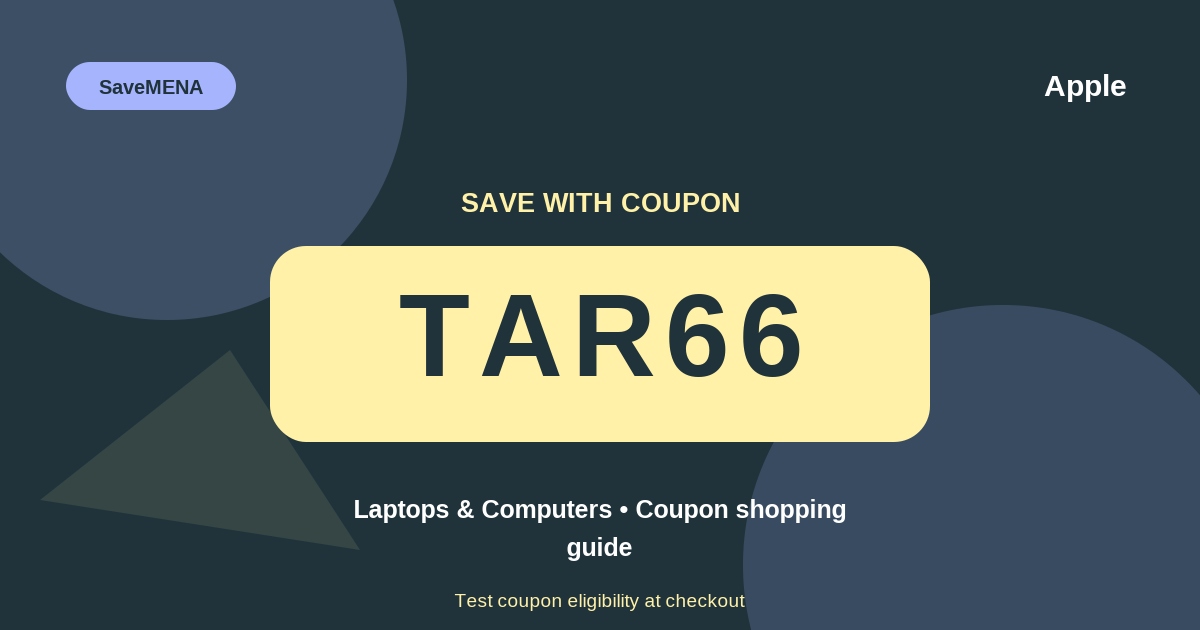
Codes available to try while comparing
These codes are not guaranteed for the article topic or listed brands; test them at checkout and use the live result.
Step 1: Identify Seller Options for Laptops
Begin by listing all reputable sellers that offer laptops on Noon. Pay particular attention to vendors that consistently receive positive feedback in the UAE market. When evaluating each seller, check published return policies, product guarantees, and the availability of after‑sales support. It is essential to cross‑verify that the seller’s contact information and dispatch location are clearly disclosed, as this can affect delivery time and service accessibility.
Note that sellers’ profiles often display badges or verified status, but without explicit evidence we cannot assume these markers guarantee reliability. Treat any stated “verified” claim as a starting point for deeper research rather than a seal of approval. Narrow your list to those who clearly outline their terms and who have a history of timely shipment in the UAE.
Step 2: Check Bank Discount Eligibility
When you the coupon code a bank discount, review the participating banks listed on Noon’s platform. Banks typically offer promotional rates that can be applied to furniture, electronics, and more, including laptops. Verify that your bank is on the current discount roster, that you qualify with an active account, and whether the discount applies to the specific laptop model or price range you’re interested in.
Because bank discounts may pre‑apply before any coupons, ensure the discount does not overlap or conflict with other promotional codes. Confirmation often requires you to log into your bank’s app or portal, which must be coordinated with the Noon checkout process. The final payable amount after applying the bank discount should appear in the checkout summary, giving you a real figure to compare.
Step 3: Look for Coupon Compatibility
Noon currently offers a TAR66 coupon that can sometimes reduce the total cost of an order. To reduce your laptop purchase, apply the TOR66 code during checkout. The application of the coupon is verified on the payment screen, where a discount line (if eligible) appears. Verify that the coupon is active, and remember that coupon eligibility can differ from product to product.
Because coupons often have rule sets that might exclude certain categories or sellers, you must confirm that the laptop under consideration can accept the code. After entering the coupon, review the updated order summary before proceeding. This step guarantees that any savings are accurately reflected in the final amount reachable at checkout.
Step 4: Compare Final Payable Amounts
Once you have applied a bank discount or the TAR66 coupon to a chosen laptop, record the two distinct totals. Pay special attention to shipping and handling entries—fees can vary between sellers and promotional options. A direct side‑by‑side comparison of the final totals will clarify whether the bank discount or coupon offers deeper savings for that specific device.
However, don’t rely solely on the numerical comparison. Consider the total time to delivery and the seller’s reputation for prompt dispatch. Even a slightly higher price can sometimes result in earlier receipt or better after‑sales service, which holds weight in a buyer decision that balances cost against long‑term value.
Step 5: Assess Delivery and Payment Options
Different sellers may offer varied delivery windows; some prefer standard pickup routes while others provide express options within the UAE. Loan payment options, installment plans, or specific credit cards tied to the bank discount can also impact your financial layout.
During checkout, inquire whether the seller accepts your preferred payment method, whether the payment can be split, and whether any additional handling fees will arise. An accurate understanding of delivery timelines and payment logistics helps prevent surprises after you place the order.
Step 6: Understand Warranty and Return Policies
Laptop warranties vary across sellers, especially in the UAE where local regulations require certain consumer rights. Verify that the seller offers a standard manufacturer warranty and checks whether it covers the region of use. Some vendors also provide extended warranty packages at purchase.
Returns or exchanges are equally critical; confirm the return window, shipping responsibilities, and whether the laptop must be returned in original packaging. A clear, enforceable return policy reduces future inconvenience and protects your purchase if it fails to meet expectations.
Step 7: Evaluate Customer Support and Service Centers
Each seller’s support structure—including contact channels, response times, and local service centers—can greatly influence long‑term satisfaction. Sellers affiliated with major brands often host dedicated support hubs in the UAE.
Check whether the seller partners with local electronics repair centers or offers direct assistance via phone, chat, or email. A responsive support framework ensures rapid resolution should a laptop exhibit defects or performance issues after delivery.
Step 8: Make the Purchase Decision
After layering all gathered information—seller quality, discount calculations, delivery terms, warranties, and support—solidify the choice that aligns best with your priorities. If the bank discount offered a lower final payable and the seller’s guarantee and service model satisfy your criteria, that may be the winning option.
Conversely, if the TAR66 coupon delivers a clearer savings path without compromising support or return policies, it could be the preferred route. In either case, double‑check the checkout summary to confirm that all terms, fees, and discounts have been applied correctly before finalizing the payment.
Related SaveMENA pages
Related articles
Official sources to check
Frequently asked questions
What should I do if the TAR66 coupon doesn’t apply to my laptop?
If the coupon fails to apply, double‑check that the laptop is eligible for coupon use according to the product listing. Verify that you are using the correct code (TAR66) and that no other promotional restrictions overlap. If the issue persists, contacting Noon customer support may clarify eligibility.
Can I use both the bank discount and the TAR66 coupon together?
Typically, bank discounts and coupon codes are independent and can be combined if no conflict is stated. However, the actual application depends on Noon’s current promotion rules. Confirm at checkout when both are entered; the final order summary will show if both were applied.
Will the seller’s location affect how quickly I receive my laptop?
Yes, sellers based closer to your delivery address generally ship faster. Noon displays the seller’s dispatch location, so selecting a seller from a nearby hub can improve delivery time, especially if you’re in a city like Dubai or Abu Dhabi.
What happens if my laptop fails within the warranty period?
If a defect arises within the warranty period, return the laptop to the seller or a designated service center following the return policy. The warranty should cover necessary repairs or replacements, as outlined in the seller’s terms of sale and the manufacturer’s warranty.