Dell Laptops on Noon UAE: seller comparison — bank offer versus coupon
Noon UAE bank discount vs coupon Laptops Dell seller comparison: content Verify the actual item, seller, and checkout total; the coupon is available to try, not
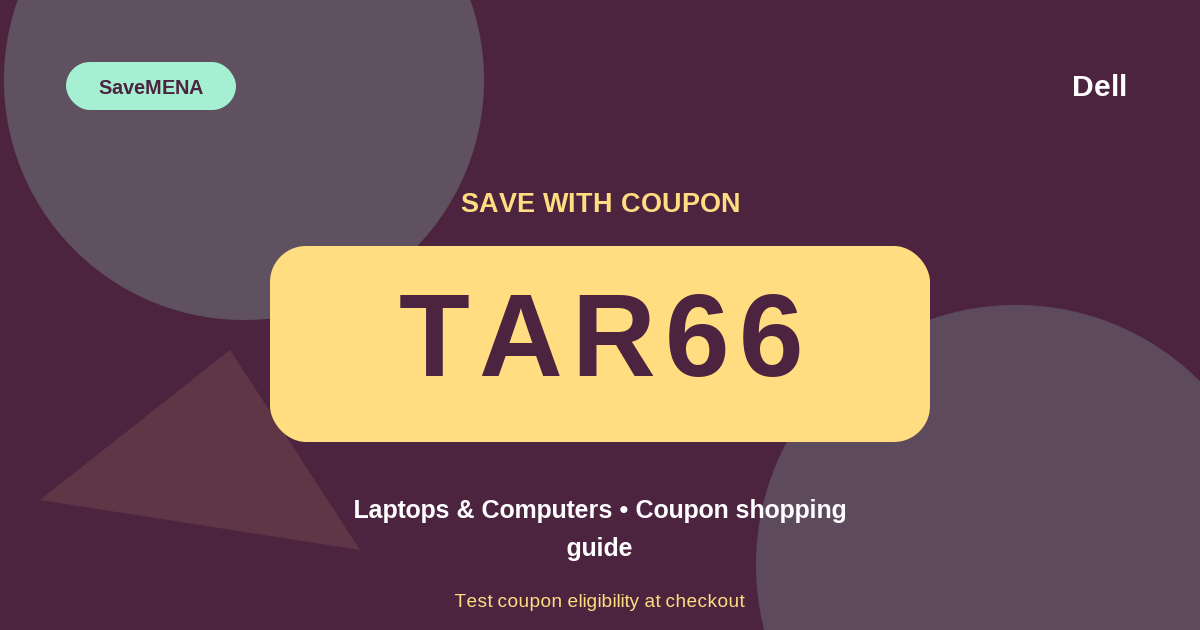
Codes available to try while comparing
These codes are not guaranteed for the article topic or listed brands; test them at checkout and use the live result.
1. Understanding the Noon UAE Bank Discount Mechanism
When you use a participating UAE bank card on Noon, you may qualify for a merchant‑partner discount without needing a code. The discount is applied automatically during checkout and is displayed in the order summary. The amount and eligibility depend on the card issuer and current promotions, so you should check your bank’s offer list before purchasing to confirm that the discount applies to laptop purchases and instead of or in addition to a coupon.
Because the bank discount is applied before any coupon, it cannot be combined with extra promo codes that reduce the same portion of the price. If you intend to use TAR66, you’ll see that the coupon will try to apply after the bank discount is settled. The final discount is the sum the platform accepts, but you should wait for the checkout confirmation to see the exact savings.
2. What is the TAR66 Coupon and How to Use It
The TAR66 coupon is a code that you may enter in Noon’s coupon field during payment. No guarantees exist that the coupon exists for laptop categories or any particular brand; you simply try the code. When you enter TAR66 on the coupon page, Noon will attempt to recalculate the order total based on the coupon’s conditions. If the code applies, it will appear as a separate line item and the value will be added to the final payable amount.
Keep in mind that coupon eligibility depends on the zip code, user history, and seller stock. The code may or may not work for a Dell laptop at the time of checkout, so be prepared to proceed without it if it is rejected. If the coupon is not accepted, you can still apply the bank discount or purchase at the regular price.
3. Selecting Dell Laptops on Noon: Find the Right Product Page
Begin by entering “Dell laptop” in the Noon search bar and filter by “Brand” and “Price range”. Carefully review the product description, processor type, RAM, storage, and display options that match your study or work needs. Each listing contains a “Specifications” tab, a customer review section, and seller information that can help you differentiate models.
Verify the current stock level and the shipping destination indicated on the page. Dell laptops in the UAE are often sourced from local warehouses, but some models may be imported from international centers and have longer delivery times. Ensure the product details align with the official Dell UAE website if you wish to cross‑reference official specifications and warranty information.
4. Seller Identification: Who Sells Dell Laptops on Noon
Dell laptop listings on Noon may appear under the official Dell seller, authorized resellers, or third‑party distributors. Each product page displays the seller name, contact method, and a brief overview of its business profile. When you see “Seller: Dell UAE,” you are likely dealing with the manufacturer or its official distributor.
Other sellers may have similar names such as “Dell Parts UAE” or “Dell Electronics.” Pay close attention to the seller’s location label, return policy link, and the badge icons that denote a verified business. These details provide clues about who manages the inventory and who will respond to warranty inquiries after purchase.
5. Comparing Seller Reliability: Ratings, Feedback, and Return Policies
The seller rating is shown as a star value with the number of reviews. A higher rating generally indicates a better customer experience. Scroll through the detailed feedback to find comments about product authenticity, packaging condition, and delivery speed. If a seller generally praises its support after delivery, it’s a sign of reliability.
Return policies are listed on the product page and under the seller’s profile. Look for a clear window—typically 14 or 30 days—for returning items, the process for initiating a return, and whether the seller covers return shipping. A straightforward return pathway is essential if a laptop turns out to have a defect or doesn’t match the description.
6. Applying Bank Discount vs. Coupon: Step‑by‑Step Checkout Process
Add the chosen Dell laptop to your cart and proceed to the checkout page. On the “Payment Method” tab, select the bank card that offers Noon’s discount and confirm that the discount line appears. This discount is applied immediately once the card type is chosen.
Next, go to the “Coupon” field and type TAR66, then hit “Apply”. The checkout engine will attempt to validate the code against the order total. If accepted, the discount will show above the shipping fee; if not, a message will indicate that the coupon cannot be applied. Always watch the final order summary before finalizing the purchase.
7. Final Price Calculation: What to Expect at Checkout
The checkout summary lists the product price, any applicable bank discount, coupon reduction, shipping charges, and any applicable taxes. The final payable amount shown is the one you pay at the last step. No hidden fees—such as a surprise delivery fee—should appear unless explicitly stated in the summary. If you see an unexpected charge, double‑check the order line items.
After confirming the total, review the seller’s delivery expectations and tracking information in the confirmation email. If any final price discrepancy appears, contact Noon’s customer service immediately to resolve before you finalize payment. Always accept the final total as the price you will pay; no later adjustments should occur unless the seller provides a refund.
8. Next Steps After Purchase: Tracking, Warranty Registration, Support
Once the payment is accepted, you will receive an order confirmation with tracking details. Use Noon’s order tracking portal to monitor the shipment and expected delivery date. If the laptop arrives in a different quantity or appears damaged, contact the seller through Noon’s messaging system before opening the package.
For Dell laptops, register the product with Dell UAE’s warranty portal to activate service coverage. Enter the serial number found on the device and choose the warranty plan that matches your region. This step ensures that manufacturer support is available for any hardware issues that arise after your initial purchase.
Related SaveMENA pages
Related articles
Official sources to check
Frequently asked questions
What if my bank discount is not applied to the Dell laptop?
Bank discounts are automatically applied during checkout if the card is eligible and the product category is covered. If the discount does not appear, it may mean that the bank discount is not active for laptops at that time. You can attempt to remove the card and choose an alternate payment method to confirm the issue or contact Noon support for clarification.
Will the TAR66 coupon stack with the bank discount?
Typically, the bank discount is applied first, and the coupon can add an additional reduction if it fits the order composition. However, coupons and bank discounts sometimes have overlapping eligibility rules, so there is no guarantee the coupon will take effect. Check the discount exemption rules at checkout.
How can I verify that the seller is an authorized Dell reseller?
Look for seller information such as the “Seller: Dell UAE” tag, a verified business badge, and a returns policy that references Dell’s standards. Reviewing buyer feedback that mentions product authenticity and support can also help confirm that the seller has dealership authority.
What should I do if the coupon code is rejected during checkout?
If the TAR66 code is not accepted, confirm you are entering it correctly and that it is intended for laptop purchases. If it remains rejected, you can proceed without the coupon, ensuring that any bank discount still applies. Contact Noon support if you suspect a technical issue with the code.