ASUS Computer Accessories on Noon UAE: seller context — bank offer versus coupon
On Noon, multiple sellers can offer identical ASUS computer accessories, each with its own prices, shipping policies, and discount availability.
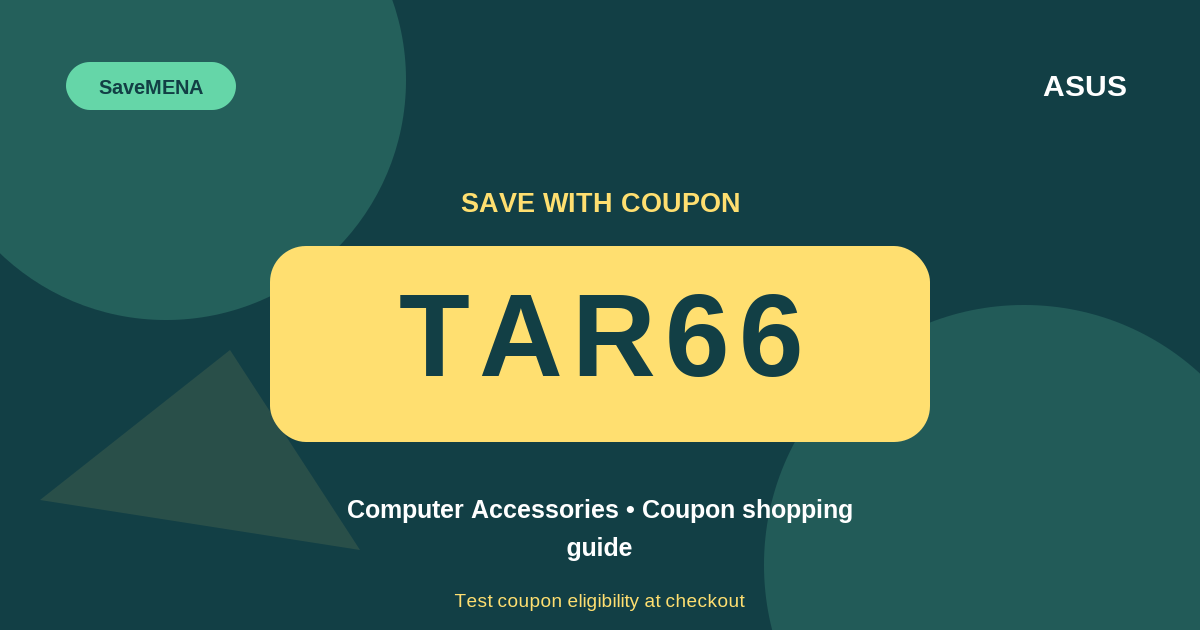
Codes available to try while comparing
These codes are not guaranteed for the article topic or listed brands; test them at checkout and use the live result.
Choosing the Right Seller for ASUS Computer Accessories
On Noon, multiple sellers can offer identical ASUS computer accessories, each with its own prices, shipping policies, and discount availability. Picking a seller that participates in both the bank discount program and accepts coupons like TAR66 can double your savings. Pay attention to the “Seller” label on product listings; some may highlight Noon’s promotional partnership while others rely on third‑party logistics. A seller’s status can affect how quickly the discount appears during checkout and whether the offer is honored consistently.
To make an informed choice, compare the seller’s rating, return policy, and shipping speed. While the discount might linger, a reliable seller ensures that your ASUS accessory arrives on time and under warranty. Sellers who consistently display “Noon Verified” or similar badges often support both discount methods more seamlessly. These practical details, combined with the discount comparison, shape the ultimate cost to your account at checkout.
How Noon Bank Discounts Work on Computer Accessories
The Noon bank discount operates by applying a predefined reduction to the total payable amount once a valid bank card is linked to your Noon account. For computer accessories, it triggers automatically as long as the seller and the particular ASUS product belong to the agreed discount network. When you proceed to payment, the return amount is deducted from the order subtotal, reflected in the checkout summary before the final “Place Order” action.
Keep in mind that the bank discount may not stack with other promotions unless explicitly stated by Noon. If the Asus accessory is being sold by a vendor that only authorizes the bank discount, you’ll still need to confirm that the card’s bank partnership is active. In some cases, the discount may not apply to accessories above a certain price point or those bundled with service plans. These operational nuances affect the outcome you see at checkout, so scrutinize the discount eligibility features on the product page before clicking “Add to Bag.”
Coupon Code TAR66: Eligibility and Application on ASUS Accessories
The coupon code TAR66 can be entered in Noon’s promo code box at checkout. It is available to try but not guaranteed; the official status depends on its activation during your transaction window. Unlike bank discounts, coupon codes may the coupon code a broader range of products, including ASUS computer accessories, but they are subject to Noon’s coupon management policies. Some sellers may disable coupon usage for their listings, preventing the code from affecting the price.
To use TAR66, simply add the ASUS accessory to your bag, navigate to the checkout page, and input the code. The discount will appear in the summary as a separate line item if eligible. Should the code not apply, the page will indicate it provided no benefits. Verify the discount after adding the code to ensure a tangible reduction before proceeding to payment. This mechanic is critical when evaluating if the coupon yields a better price compared to the bank discount.
Comparing Savings: Coupon vs Bank Discount
Determining which incentive delivers a greater saving involves a straightforward arithmetic check: calculate the difference between the original price of your ASUS accessory and the price after each discount is applied. The resulting figures will usually appear in the checkout summary under each discount’s name. Compare the percentages or flat amounts as disclosed by Noon during the shopping process. A higher post‑discount total suggests the coupon performs better for that item, while a lower total indicates the bank discount is more advantageous.
Because the discount types cannot always combine, it’s essential to consider a single discount that produces the lowest price. Some sellers may broker only one type of discount; in that case, you’ll have to settle for whichever is available. For instance, a seller that disallows coupons could still honor the bank discount, making it your only option. Align this comparison with the seller’s credibility and shipping policies to ensure the best overall value.
Verifying Seller Reputation Before Applying Discounts
Before locking in a discount, glance at the seller’s overall rating, user reviews, and return turnaround time listed beside the product. A seller with consistent five‑star feedback and swift issue resolution reduces the risk of delayed delivery or faulty accessories that could sabotage your savings. Keep in mind that applying a discount is only part of the equation; the remaining transaction hinges on the seller’s fulfillment and customer service.
In addition to posted ratings, inspect the sale history shown on the product page. Sellers that have repeated sales of ASUS accessories usually maintain accurate inventory and fulfill orders promptly. If a seller’s reviews mention “discount not applied” or “coupon not accepted,” check whether these blockers persist in your specific transaction. Consulting these seller signals can highlight potential pitfalls before you check out with either the bank discount or coupon.
Checkout Transparency: What You Actually Pay
When you hit the “Place Order” button, Noon compiles all discounts, taxes, the shipping fee, and the payable amount into a final, unambiguous statement. No hidden charges or post‑purchase surprises show up after the payment is accepted. If you used the bank discount, it appears as a line item showing the deduction; if you entered TAR66, the coupon row tallies the amount saved. Anything else—such as currency conversion, returned prepaid amounts, or additional fees—appears explicitly. In UAE, orders are taxed in AED, and the feed indicates whether the tax is already included.
It is recommended to review the order summary before confirming payment. Make sure the final total reflects the discount you intended to use. If a discount does not apply, the summary will show an “N/A” or “Not applied” note. Correcting this before completing the transaction prevents the need to dispute the seller or Noon later. Accurate clarity at checkout guarantees you only pay the amount that matches the discounts that properly applied.
Final Tips for Maximizing Savings on ASUS Accessories
In practice, inventory alerts and timed promotions can shift the balance between bank and coupon discounts. If the ASUS accessory’s price dips below the coupon threshold, TAR66 might not deliver a discount at all. Conversely, a bank discount could still give you the same percentage off regardless of the final price. Monitoring these events can help you judge the optimum moment to purchase. Most notably, double‑checking that the chosen seller supports both discount methods ensures you don’t miss a steeper saving.
Keep a running list of the ASUS accessories that interest you and note the discount paths for each seller. The accompanying screenshot of the discount line item in a ready‑to‑check‑out order can serve as a reference point. If a seller’s priority shifts—such as a new partnership with your bank—your future orders can instantly benefit from the new bank discount. In summary, blend the discount comparison with seller credibility and checkout transparency to enjoy a seamless, cost‑efficient shopping experience.
Related SaveMENA pages
Related articles
Official sources to check
Frequently asked questions
A coupon is not guaranteed; verify its result at the retailer checkout.
No. The code is only available to try. Eligibility can vary with the live account, basket, item, seller and campaign context, so checkout is the final reference.
Where should I confirm the coupon result?
Apply the code in the Noon basket and review the live message and final payable total before payment. Do not rely on an undocumented percentage or condition.
Can the result vary by product or seller?
Yes. Eligibility and offer context can vary with the current basket details, so compare the exact item, seller, variant and final total before purchasing.
What should I do if the code does not work?
Check the market, account, item, seller, basket and payment context, then try another code available to try without guessing an unsupported reason.