Apple Headphones on Noon UAE: seller context — bank offer versus coupon
Bank discount offers on Noon are applied automatically at checkout when you choose an eligible bank card.
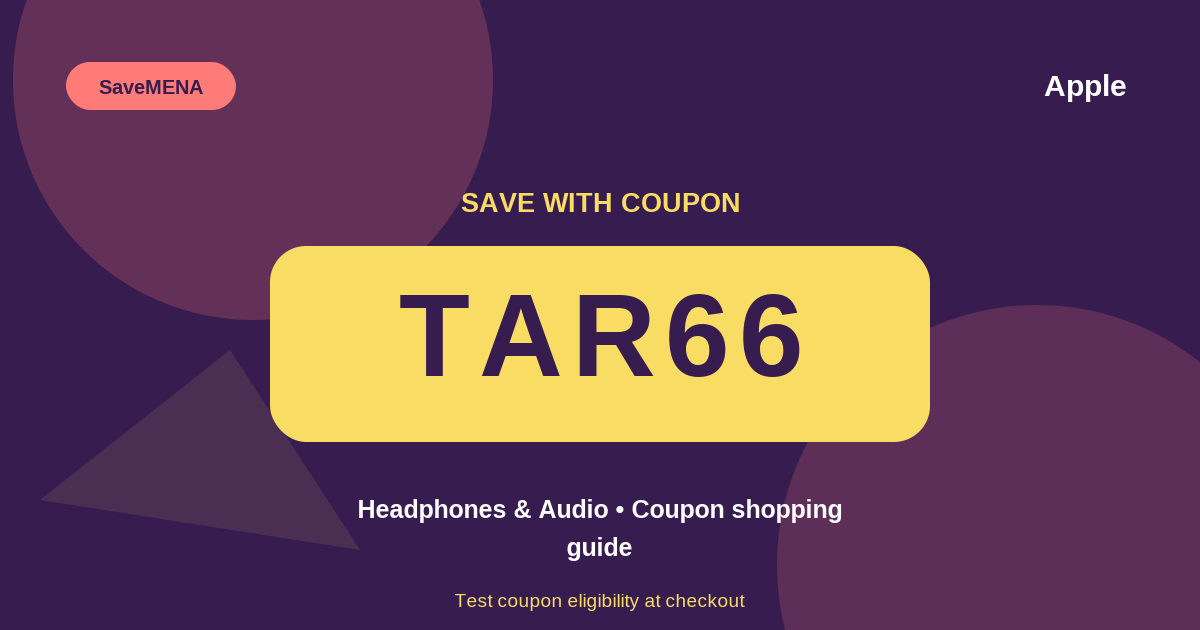
Codes available to try while comparing
These codes are not guaranteed for the article topic or listed brands; test them at checkout and use the live result.
The Role of Noon UAE Bank Discount for Apple Headphones
Bank discount offers on Noon are applied automatically at checkout when you choose an eligible bank card. The discount, if it applies, reduces the total amount you need to pay and is visible in the order summary just before you confirm payment. Because the discount is processed by Noon’s payment gateway, you do not need to enter a separate code; the system recognizes the card and discounts the price accordingly. The exact value of the discount is not disclosed in advance and is only confirmed once the payment method is selected.
When shopping for Apple headphones, it is crucial to check that the seller you intend to buy from accepts bank discounts. Some third‑party sellers on Noon may not be eligible for bank‑based promotions; in those cases the bank discount will not appear, and the original price will be charged.A coupon is not guaranteed; verify its result at the retailer checkout. ”
TAR66 Coupon: How It Works for Headphone Purchases on Noon
A coupon code such as TAR66 is entered manually during the checkout process to claim a potential savings. The code is typed into a designated field and, upon validation, the system updates the order total to reflect the discount if the code is still active. Because coupon validity and eligibility can change, it is important to test the code during the checkout flow; Noon does not guarantee that the code will result in a reduction.
Coupons often work only with products from specific sellers or brands, and some may exclude items that are already discounted through other means. When purchasing Apple headphones, make sure the headsets you intend to buy do not carry a brand‑specific restriction that would cause the TAR66 code to be ignored. Checking the coupon’s status after entry will confirm whether the discount has been successfully applied.
Apple Seller Context: Where Your Headphone Comes From
The seller of an Apple headphone listing on Noon directly influences whether bank discounts or coupon codes will be accepted. Products sold by official Apple or authorized resellers typically have clearer terms of promotion, while third‑party sellers may have additional constraints or separate discount policies. Browsing the product page, you can see the seller’s name, which indicates if the item comes from an official partner or a generic marketplace vendor.
Because bank discounts are processed through Noon’s payment system, they apply uniformly across supported sellers; however, coupon codes can be restricted to specific seller categories. If your chosen Apple headphone is listed by an unofficial seller, the TAR66 coupon may not activate.A coupon is not guaranteed; verify its result at the retailer checkout.
Step‑by‑Step: Using a Bank Discount on Noon Checkout
To use the bank discount, first add the desired Apple headphones to your cart. Proceed to checkout and select a bank card that is listed in Noon’s bank discount section. When the card is selected, the interface will immediately display any discount applied to the product price, reflected in the order summary just before you confirm payment. If the discount does not show, it indicates that the bank discount is not applicable for that particular seller or product.
After the discount appears, review the final amount one more time in the payment summary. This is the fastest confirmation that the bank discount was accepted. Proceed to “Place Order” once you are satisfied that the reduced amount is what will be charged to your card. No additional code entry is required for a successful bank discount transaction.
Step‑by‑Step: Applying the TAR66 Coupon Code
At the checkout screen, after you have selected your shipping address and payment method, locate the coupon code field within the payment summary. Enter TAR66 into this field and click the apply button. Noon will validate the code against the current promotion list and adjust the order total if the code is valid for the product type and seller.
Once the coupon has been applied, the updated total will appear in the payment summary. If the code does not appear to reduce the price, double‑check that the product is eligible for coupon discounts and that there are no active restrictions. Keep the page open until the order confirmation is displayed, indicating that the coupon has been properly credited to your purchase.
Confirming Eligibility: Checking Discount Application at Checkout
The most reliable way to verify whether a bank discount or a coupon has been applied is by inspecting the payment summary before you click the final “Confirm Order” button. For a bank discount, the summary will show a reduced value immediately after you select the bank card. For a coupon, the summary will reflect the adjusted total upon successful code entry.
Because Noon does not disclose discount percentages in advance, you can only rely on the displayed figures at checkout. The amount shown in the order summary is the payment that will be charged to your card. If you notice any discrepancy, such as a discount that was expected but missing, review the seller information and consider contacting Noon’s support for clarification before finalizing the payment.
Key Decision Factors When Choosing Between Bank Discount and Coupon
When deciding between a bank discount and the TAR66 coupon, consider the certainty of the discount. A bank discount, once applied, guarantees a reduced price for the selected card, while a coupon may or may not activate depending on the seller and current promotion status. This difference in reliability can influence risk tolerance for your purchase.
Also weigh the vendor’s role: official Apple sellers often have explicit discount terms, while third‑party sellers may limit coupon applicability. If avoiding surprises is preferable, a bank discount applied automatically by the payment gateway can be more predictable than a manually entered coupon that might be invalidated during checkout.
Related SaveMENA pages
Related articles
Official sources to check
Frequently asked questions
Will the bank discount automatically apply to all Apple headphones on Noon?
The bank discount typically applies when you use an eligible bank card during checkout. Whether it applies depends on the selected seller and the specific product offering. Verify on the payment page that the discount appears before proceeding.
Can I use the TAR66 coupon code in addition to a bank discount?
In many cases, Noon’s system allows simultaneous use of a bank discount and a coupon. However, it is essential to check the order summary after each discount is applied to confirm that both have taken effect, as some promotions may not stack.
What happens if the TAR66 coupon code does not work during checkout?
If the code does not activate, the order total remains unchanged. You can still rely on the bank discount if it applies, or try alternative promotion codes. If uncertain, contacting Noon support may clarify why the coupon failed.