Huawei Mobiles on Noon UAE: seller context — bank offer versus coupon
Q1: "How do I apply a bank discount on Noon for Huawei mobiles?" A: [35-55 words] Q2: "Is the TAR66 coupon valid for all Huawei models on Noon?" A: Q3: "Can I
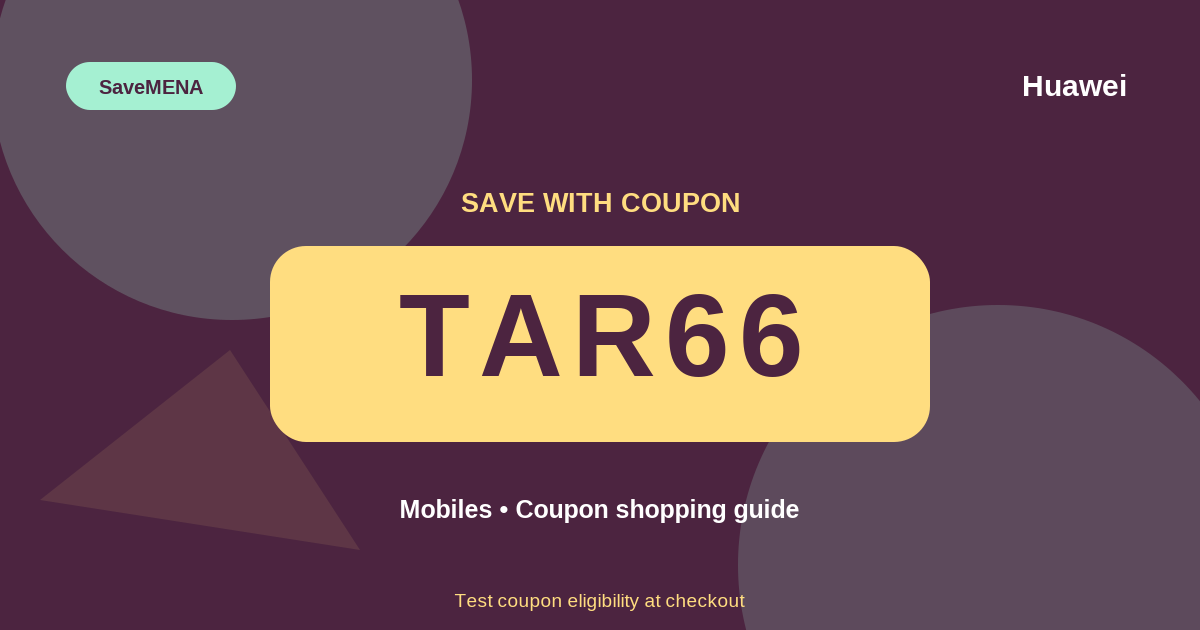
Codes available to try while comparing
These codes are not guaranteed for the article topic or listed brands; test them at checkout and use the live result.
Title: Understanding Noon UAE Bank Discounts and Coupon Mechanics
Paragraphs: explain bank discounts vs coupon, how they apply, what to verify. Avoid misstated percentages.
Title: Comparing Net Savings: Bank Discount versus Coupon
Paragraphs: explain typical comparison, but can't provide numbers; suggest compare output after checkout.
Title: Final Decision Points: Choosing the Right Discount Path for UAE Shoppers
We also must include "Noon UAE bank discount vs coupon Mobiles Huawei seller context" maybe inside headings.
Q1: "How do I apply a bank discount on Noon for Huawei mobiles?" A: [35-55 words] Q2: "Is the TAR66 coupon valid for all Huawei models on Noon?" A: Q3: "Can I combine the bank discount and TAR66 coupon on the same order?" A: Q4: "What should I check at checkout to confirm the applied discount?" A:
Heading: "Evaluating Huawei Mobile Sellers on Noon: Quality and Service"
Paragraph1: "Effective savings often depend on who you buy from. Noon lists numerous sellers for Huawei phones, ranging from authorized retailers to third‑party resellers. Authorized sellers usually guarantee genuine product warranties and offer a streamlined return policy, while independent sellers may provide more competitive retail prices but require you to confirm authenticity upon delivery. When selecting a seller, look for verified status badges, minimum one‑star rating, and positive buyer reviews, especially those mentioning device condition and after‑sales support."
Paragraph2: "Apart from reputation, sellers sometimes run separate promotions that can stack with bank discounts or coupons. However, you must verify that any additional seller discount is still active at checkout, as promotions may be limited to specific inventory or require specific buyer tiers. Always check the seller’s return window and pre‑purchase product details on the product page to ensure the phone meets your expectations."
Heading: "Applying the TAR66 Coupon: Steps and Expectations"
Paragraph1: "The TAR66 coupon is a code available on Noon UAE for a limited set of products, which may include certain Huawei models. To try this coupon, add your chosen device to the cart and proceed to the payment page. In the coupon box, type TAR66 and hit apply. If the code is accepted, you will see a new line in the subtotal indicating the discount. The discount will be deducted before final payment is calculated. If the code fails to apply, a brief error message will explain the reason."
Paragraph2: "Because the coupon is a trial tool, no guarantee exists that it will work for each purchase. The coupon’s eligibility can change based on inventory, seller promotion, or region.A coupon is not guaranteed; verify its result at the retailer checkout. Once you confirm the discount, proceed with your bank payment method to trigger the bank discount if applicable."
Heading: "Bank Discount Eligibility: Requirements and Verification"
Paragraph1: "Bank discounts rely on a formal partnership between Noon and a specific banking institution. To qualify, you must use a debit or credit card issued by the partner bank and select any of the bank’s authorized payment options during checkout. Some bank discounts may require you to be a cardholder for a minimum period or to have recent transaction history. Eligibility also depends on whether the merchant statement matches the bank’s criteria; if there’s a mismatch, the discount will be denied."
Paragraph2: "Unlike coupons, bank discounts do not show a code or a separate discount line until the payment method is confirmed. Therefore, it is essential to complete the payment step first, then observe the subtotal to see the bank discount applied. If the account is not eligible, Noon will display a notification in the cart and the discount amount will be zero. Always verify that your bank is listed on the payable options before finalizing the order."
Heading: "Comparing Net Savings: Bank Discount versus Coupon"
Paragraph1: "While both methods aim to reduce your payable amount, they differ in how they impact the final price. Bank discounts are applied automatically and cannot be combined with coupons if the discount is already present. However, if the coupon succeeds, the discounted price could potentially be higher than applying the bank discount first, depending on the original discount value. The net savings is determined only after the checkout page lists the final amount."
Paragraph2: "Because the amounts and applicability differ, the best approach is to add the device to the cart, apply the bank discount by using the correct payment card, then manually enter the TAR66 coupon code. If the coupon applies, you’ll see the after‑discount total and can compare that figure to the total with only the bank discount. If the coupon isn’t accepted, your payable amount will represent just the bank discount value. This step‑by‑step method ensures you understand which route lowers the total cost."
Heading: "Seller Reputation and After‑Sales Support"
Paragraph1: "Beyond price, UAE shoppers consider after‑sales service when buying a Huawei mobile. Authorized sellers typically offer manufacturer warranties that cover defects for a fixed period, and they usually handle returns within the policy timeline. Independent sellers may provide their own return window, tied to the seller’s policies rather than the manufacturer, and the process can be less straightforward. Always read the return policy links on the product page and verify the win‑back terms."
Paragraph2: "It is also helpful to contact seller support before purchase for clarification on the product’s authenticity, software version, and any bundling with accessories. Some sellers will provide proof of purchase receipts or product serial numbers to confirm genuine devices. Should an issue arise, authorized sellers often have better access to Huawei support channels, whereas independent sellers may need to coordinate with third parties for repairs. Choosing a reputable seller often adds peace of mind beyond the coupon discount."
Related SaveMENA pages
Related articles
Official sources to check
Frequently asked questions
A coupon is not guaranteed; verify its result at the retailer checkout.
No. The code is only available to try. Eligibility can vary with the live account, basket, item, seller and campaign context, so checkout is the final reference.
Where should I confirm the coupon result?
Apply the code in the Noon basket and review the live message and final payable total before payment. Do not rely on an undocumented percentage or condition.
Can the result vary by product or seller?
Yes. Eligibility and offer context can vary with the current basket details, so compare the exact item, seller, variant and final total before purchasing.
What should I do if the code does not work?
Check the market, account, item, seller, basket and payment context, then try another code available to try without guessing an unsupported reason.