HP Office on Noon UAE: seller context — bank offer versus coupon · TAR64
For UAE shoppers comparing a Noon UAE bank discount with a coupon on HP office gear, the first step is to understand the real difference between the two offers.
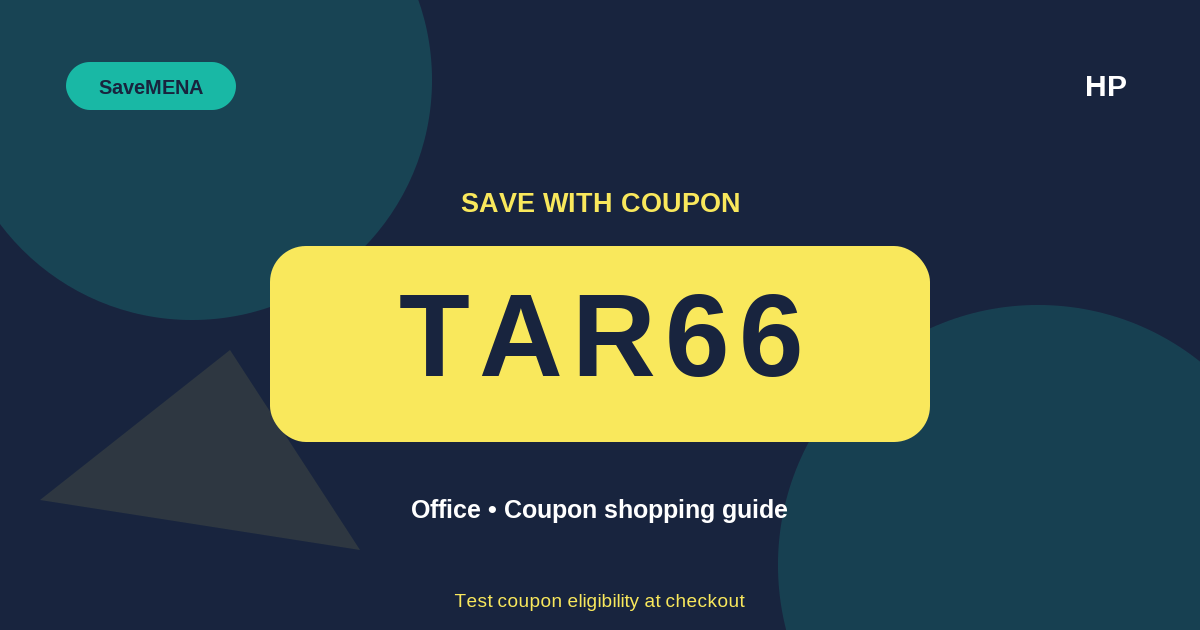
Codes available to try while comparing
These codes are not guaranteed for the article topic or listed brands; test them at checkout and use the live result.
1. Comparing Noon UAE Bank Discount and Coupon for HP Office Products
The first case in this comparison is the Noon UAE bank discount, which is automatically tied to your Noon account if you have partnered with an eligible bank. When you add an HP office laptop or printer to your cart, the discount will be applied before you press finish, reducing the total amount you owe. By contrast, the coupon approach requires manual input of the code TAR64 before final confirmation, making it a step you must not forget. Both routes aim to make HP office solutions cheaper, but they each bring unique considerations for the shopper.<P>Both the bank discount and the coupon are intended to reduce your out‑of‑pocket expense, yet they do so under different circumstances. The bank discount is bank‑specific and applies to all HP office items automatically (provided the bank partnership remains active). The coupon code TAR64, on the other hand, is written by a third‑party source and may or may not be accepted; you need to verify its validity using the Noon checkout interface. Understanding these distinctions is crucial before you hit that purchase button.
2. Understanding Bank Discount Eligibility for HP Office Purchases
Eligibility for the Noon UAE bank discount hinges on your account’s link to an approved bank. The discount is visible in the cart only when the link is active and you are logged into Noon. For HP office products, such as printers, projectors, or office laptops, the discount value is applied automatically during the checkout process. If your bank is not among the partnered list, the discount simply won’t appear. Because SaveMENA is independent, we recommend checking Noon’s bank discount FAQ or your bank’s online portal for up‑to‑date eligibility details.<P>When you add HP office items to your cart, notice whether the price dropped before you proceed. If no change is noted, the bank may no longer be linked to your Noon account, or the partnership may have ended. In such a case, you would need to re‑establish the link through the Noon app or contact customer support for guidance. Checking eligibility at the outset saves you from surprises later in the purchase journey.
3. The Role of Coupon Code TAR64 in Your HP Office Order
Coupon code TAR64 is offered externally and is not part of Noon’s internal discount structure. It’s designed to give an extra percentage or fixed‑amount saving on HP office items, but its availability can fluctuate depending on the coupon’s terms and Noon’s policy updates. The only reliable checkpoints for this coupon are the checkout page and any confirmation email you receive after placing your order. SaveMENA emphasizes that we cannot guarantee the coupon’s success, so try it as an additional layer of savings rather than a necessity.<P>To apply TAR64, simply type the code into the discount section during the cart review stage. If the coupon is accepted, you’ll see a reduction in the final total immediately. Should the code be rejected, Noon will display an error message at the same time, and your total will remain unchanged.A coupon is not guaranteed; verify its result at the retailer checkout.
4. Seller Context: Choosing the Right HP Office Seller on Noon
Choosing a reputable HP office seller on Noon can affect not only shipping times but also discount compatibility. Major sellers that support both Noon’s bank discount and coupon integration typically have a track record of smooth transactions. Conversely, smaller or third‑party sellers may not support all discount types. Check the seller’s rating and reviews, but be mindful that ratings alone don’t guarantee discount compatibility – you must still undergo the checkout process to confirm.<P>Seller context also matters when it comes to warranties and post‑purchase support for HP office items. Opt for a seller authorized by HP to ensure genuine products and official service agreements. In the event a discount fails at checkout, a reputable seller will assist you in troubleshooting or re‑ordering without compromising the discount’s potential.
5. Applying Discounts: Step‑by‑Step for HP Office Items
Start by adding your chosen HP office product to the cart. If you are eligible for the Noon UAE bank discount, the price will adjust automatically. Next, scroll to the discount section and enter the coupon code TAR64. The page will refresh to show if the coupon is accepted, and you'll see any new deduction applied next to the total. Make sure both adjustments appear before you hit the “Proceed” button – this ensures you’re capturing all available savings.<P>Once the discounts are reflected, verify the final amount again in the checkout window. Pay close attention to any hidden fees or incidental charges that do not diminish with the applied discounts. If any discrepancy appears, contact Noon support before payment; this avoids mis‑billing and guarantees you are not overpaying for your HP office equipment.
6. Checkout Confirmation: What to Expect with Discounts
From the moment you press the checkout button, Noon’s system confirms which discounts apply. The confirmation page lists the original price, any bank discount, the coupon deduction (if accepted), and the final payable amount. This step is crucial: it’s the only place where you’re able to confirm the discounts officially. No other screen or cart revision will alter the final price after this point.<P>Should you discover that the coupon code TAR64 did not apply at this stage, you must either edit the code or explore an alternative discount, such as switching to a different HP office seller or adding a different item from the same seller that does support coupon usage. Once you confirm the final amount, proceed to payment; this is the last point where you can attempt to redo the discount application.
7. Tips for Maximizing Savings on HP Office Gear
One effective approach is to combine multiple discount layers: if both the bank discount and the coupon code TAR64 apply, you’ll want to check if the platform allows stacking. In practice, you often see only one discount layer applied at once—usually the one offering the greatest reduction. SaveMENA suggests reviewing each discount’s terms on the checkout page to see which one yields the better price for your HP office order.<P>Another tip is to capitalize on mindful timing. Some banks offer limited‑time partnership promotions coinciding with Noon sale events. If you’re planning to buy a significant HP office item, check whether a major sale or the bank’s promotional cycle offers extra savings, then align that with your coupon usage for the best possible discount.
8. Common Misconceptions About Noon Discounts
It’s easy to assume that bank discounts and coupons can be combined freely, but that’s not always the case. Noon typically applies only one discount method per transaction. Misconceptions also arise around coupon effectiveness; while TAR64 may appear to work on other platforms, an external source’s reliability is uncertain until checkout confirms it. Always treat such offers as trial‑and‑verify, not guaranteed savings.<P>Another frequent error is neglecting the seller’s role. While the marketplace handles payment processing, the seller’s policies on shipping and warranty may influence whether discounts are truly accessible. A reputable seller will transparently state which discounts they accommodate in product listings, easing buyer confusion.
Related SaveMENA pages
Related articles
Official sources to check
Frequently asked questions
What happens if the bank discount doesn’t show up but I’m sure my account is linked to an eligible bank?
Check your Noon account settings for bank link status. It may need re‑authentication or support from Noon’s help center. If the discount still fails, the partnership may have ended or be temporarily suspended.
Can I use the coupon code TAR64 with any HP office product?
Coupon applicability depends on Noon’s current policy. The code may be limited to certain categories or brands. Confirm on the product’s detail page or in cart before final payment.
Do bank discounts and coupons stack for a greater savings?
Typically Noon allows only one discount per order. If the coupon is the more valuable option, the bank discount will not be applied or vice versa. Always check after both are entered.
A coupon is not guaranteed; verify its result at the retailer checkout.
Because the code comes from an external source, we cannot guarantee acceptance. Test it at checkout; if it fails, the final amount will remain unchanged without coupon discount.