Pet Supplies on Noon UAE: seller context — bank offer versus coupon
When you decide to purchase pet supplies on Noon, you may notice two distinct discount signals on the product page: a bank discount icon and a coupon code field.
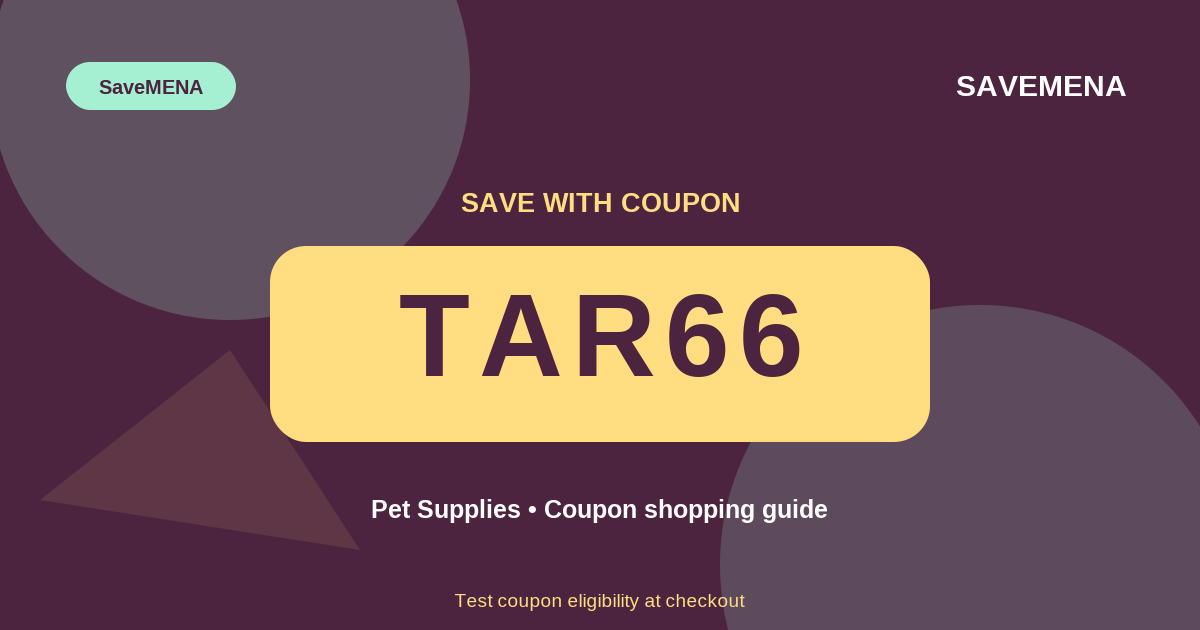
Codes available to try while comparing
These codes are not guaranteed for the article topic or listed brands; test them at checkout and use the live result.
Understanding the Difference Between Noon UAE Bank Discount and Coupon Offers
When you decide to purchase pet supplies on Noon, you may notice two distinct discount signals on the product page: a bank discount icon and a coupon code field. The bank discount is typically displayed in the seller’s offers section and is automatically applied if your registered bank card is linked to Noon’s promotion. In contrast, a coupon code like TAR66 is a text string you must enter manually in a field, often found near the checkout button or on the cart page.
These two mechanisms operate independently, which means you can’t stack them on the same transaction unless Noon explicitly allows it. The key difference lies in the activation method: the bank discount is passive, while the coupon is active. Both ultimately influence the subtotal shown right before payment, but only the final amount you see after checkout confirms whether a discount hovered.A coupon is not guaranteed; verify its result at the retailer checkout.
How Pet Supplies Sellers List and Apply Discounts on Noon
Pet supplies sellers on Noon set their promotion strategies differently, ranging from seasonal sales to partner‑influenced offers. When a seller lists a bank discount, it is usually tied to a partnership with a specific bank or set of banks. The discount amount or percentage is embedded into the product price in the shop’s backend, and your platform automatically reduces the price if you satisfy the bank conditions.
Coupons, on the other hand, are distributed through marketing campaigns, email newsletters, or affiliate links. Sellers upload the coupon code (e.g., TAR66) into Noon’s system and decide whether it applies to all products or a subset. To activate it, you must enter the code during checkout, and the system will recompute the total. Because Noon’s interface separates bank discount display from coupon entry, sellers can easily manage their promotions without cross‑interference, keeping the process user‑friendly for shoppers.
Practical Steps to Use the TAR66 Coupon for Pet Supplies
Begin by adding the desired pet supplies to your cart. Once the cart page loads, look for the section labeled “Coupon Code” or “Enter Promo Code.” Type TAR66 exactly as it appears and click the apply button. The cart total will refresh automatically to reflect any coupon-enabled deduction. If the code is valid for the selected item, you’ll see the new subtotal beneath the original price.
After applying the coupon, proceed to checkout. Here you will confirm the final payable amount after all applicable discounts. If the TAR66 code influences the total, you’ll see the adjusted figure before you select a payment method. Double‑check that the cart’s final number matches the amount you expect; if it doesn’t, the coupon may not apply to that specific item, and you’ll need to verify the offer’s eligibility or contact seller support for clarification.
How to Activate Noon UAE Bank Discount with Your Bank
Activate a bank discount by linking your bank card during the Noon app or web registration. Navigate to “Payment Methods,” add your card, and select any promotion toggle that references your bank. Upon saving, Noon records your card as eligible for whichever bank discount the seller has partnered with.
When you reach the checkout page, the system automatically scans for any active bank discounts for the items you’re purchasing. If a discount applies, you’ll see a small note under the total price, often stating “Bank Discount Applied.” This emblem appears before you confirm payment. Verify that the discount is present before proceeding; if it does not appear, double-check that your card’s banking details match the ones used by Noon for the promotion.
Comparing Savings: Coupon Versus Bank Discount on Pet Supplies
Because bank discounts and coupons are mutually exclusive in many cases, the primary comparison is one of perspective. Bank discounts are automatic and dependable, provided the card meets the bank eligibility criteria—no extra action required from the shopper. Usually, the discount amount is visible beneath the price before checkout, giving you an immediate sense of savings.
Coupons demand a bit more effort: entering the code, watching for a re‑calculated total, and awaiting confirmation at checkout. They can sometimes lead to bigger savings if the coupon rate surpasses the bank discount. However, coupons carry a higher risk of being invalid for certain items or orders. The safest approach is to try the coupon first and, if only one discount applies, rely on whichever offers the greater reduction, as confirmed when you see the final amount before payment.
Factors That Influence the Final Price at Checkout
Several variables influence the amount you pay for pet supplies on Noon. Third‑party shipping fees, obligatory delivery charges, and currency conversion can add to the base price. Additionally, taxes applicable to the UAE import regulations may be applied automatically after discounts. Each of these adjustments occurs on the checkout screen, so you can view the breakdown before authorizing payment.
Discounts, whether through a bank or a coupon, reduce the base price before these fees are added. The final figure you see on checkout reflects the cumulative effect of all reductions and additions.A coupon is not guaranteed; verify its result at the retailer checkout. Checking these numbers ensures you made an informed decision when selecting the most beneficial savings method for your order.
Common Misconceptions About Coupon and Bank Discount Eligibility
A frequent misunderstanding is believing that any bank discount will automatically stack with a coupon code. In practice, Noon typically allows only one discount type per transaction. If a seller has set a rule to prohibit stacking, the system will apply only the discount that offers the larger benefit—free to notice on the checkout screen.
Another misconception is that coupons are universally valid on all pet supplies. Sellers often restrict coupons to specific product ranges or categories. If a particular item does not meet the coupon’s eligibility criteria, the cart will not adjust the subtotal, and the discount indicator will not appear. Only by reviewing the offer details or asking seller support can you ascertain the exact restrictions.
Tips for Maximising Savings on Pet Supplies with Both Offers
First, check your bank’s announcement before shopping. If your card is part of an active noon promotion, you’ll automatically benefit without any coupon entry. Next, look for exciting promotional emails or social media posts that highlight specific coupon codes like TAR66. Using the code can sometimes exceed the bank discount if the coupon value is higher.
When you’re uncertain, place a test order of a single pet supply item with both discount methods ready. Enter the coupon code and monitor the final total before payment. If the coupon works for that item, you may continue to apply it for larger orders. If it doesn’t, rely on the bank discount. Ultimately, the offer that shows a lower final price when viewed at checkout is the one that will earn you the best savings.
Related SaveMENA pages
Related articles
Official sources to check
Frequently asked questions
Can I use the TAR66 coupon and my bank discount together on Noon?
No, Noon generally allows only a single method of discount per transaction. The system applies the highest available savings and shows only that discount during checkout. Verify the final amount to confirm which discount is active.
Will the Tat66 coupon apply to all pet supplies on Noon?
Coupon applicability varies. Some items or categories may be excluded. Check the offer details or contact seller support to confirm whether the TAR66 coupon covers the product you want before placing your order.
Does a bank discount require any coupon code entry?
No. Once your bank card is linked and eligible, Noon automatically applies the bank discount for qualifying items at checkout. No manual entry is needed.
What if my checkout shows no discount after applying the TAR66 code?
It could be that the coupon is not eligible for the selected items, or that the bank discount supersedes it. Review the final amount on checkout to confirm any discount and ensure all conditions are met.