Puma Shoes on Noon UAE: account eligibility — buyer checklist
Noon UAE deals Shoes Puma account context: Shoppers looking to score Puma footwear on Noon UAE can achieve this through a savvy, coupon‑aware buying guide.
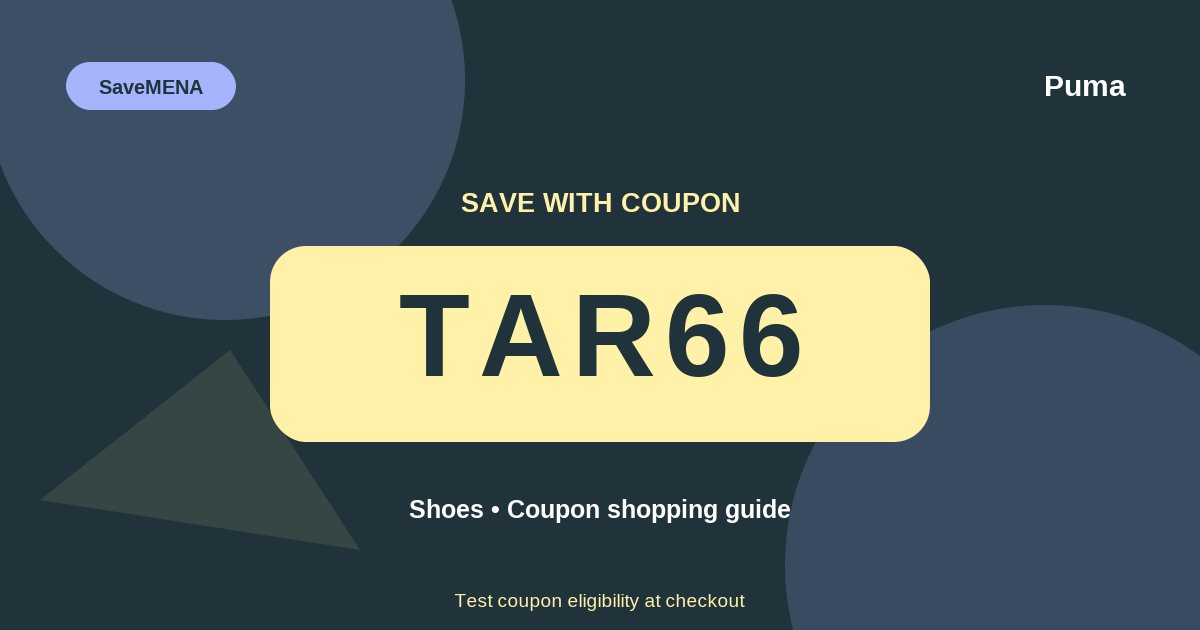
Codes available to try while comparing
These codes are not guaranteed for the article topic or listed brands; test them at checkout and use the live result.
Identify the Right Puma Shoe Model for Your Needs
Start by clarifying the purpose of the shoes – whether they are for daily wear, training, or a special occasion. Pay attention to sport‑specific features that Puma typically offers, such as cushioning technology or breathable mesh. Matching the intended use to the correct model ensures that you select a pair that satisfies both performance and comfort. This initial screening prevents later returns that arise from a mismatch between expectations and product offerings.
Once you have a shortlist, consult the product descriptions for size charts and fit nuances. Puma shoes sometimes have a slightly narrower fit compared to other brands, so reviewing user feedback on fit is essential. Checking the material composition and construction details can help determine whether the shoe will endure the amount of wear you expect. Aligning these characteristics with your requirements completes the model selection phase.
Confirm Product Availability on Noon UAE
Navigate to Noon’s search function and enter the exact Puma model or use product codes if provided. Verify that the listing is from a reputable seller by reading comments or seller ratings. Ensuring that stock appears on Noon’s page confirms that you can add the item to your cart without encountering out‑of‑stock issues at checkout time.
Do not rely solely on the brand name; cross‑check that the page displays “Puma” in the product title and description. Look for update badges indicating the item’s availability status. A listing marked as “available” signals that Noon will attempt to deliver the item from the seller’s inventory, which is a prerequisite for applying any available discount code.
Sign In or Create a Noon Account for Purchase Tracking
Before proceeding to checkout, log into your Noon account or create a new one if you do not have an existing profile. Logging in allows you to maintain a record of order history and facilitates the application of any account‑specific promotions. A registered account also enables you to track the shipment once it has shipped to your UAE address.
If you opt to register a new account, use an active email address and choose a secure password. After submission, confirm your account via the verification email that Noon sends. This verification step activates any loyalty or membership benefits that might otherwise influence eligibility for the TAR66 code during checkout.
Add Shoes to Cart and Check Quantity & Options
After confirming availability, add the chosen Puma shoes to your cart. Carefully confirm the size, color, and quantity you intend to purchase. Noon’s cart usually lists each selected attribute, and verifying these details at this stage minimizes the risk of accidental mis‑selection that would otherwise need a return or exchange later.
If the product offers optional add‑ons, such as a protection plan or shoe-storage bag, weigh the necessity of these extras. Including them increases the subtotal but could be worth it if they align with your usage. Otherwise, remove any unnecessary options before proceeding to checkout to keep the final cost as accurate as possible.
Apply the TAR66 Coupon Thoughtfully
During the cart review, look for a field labeled “Coupon Code” or “Promo Code.” Enter TAR66 into this box, noting that the code is available to try but not guaranteed to work. When applied, the page will usually show the application status—either confirming that the coupon is accepted or indicating that it could not be applied.
If the coupon does not appear to work, double‑check that you are still logged into the same Noon account. Some coupons require that you be a signed‑in user. If the code fails, either try again after clearing the browser’s cache or contact Noon customer support to confirm eligibility. The effect of the coupon will be visible in the cart totals if successfully applied.
Verify the Checkout Summary for Final Accuracy
On the checkout details page, confirm that the item, size, and quantity are correct and that the total cost reflects what you expect. Seek any discount amount credited by the TAR66 coupon, as this will appear as a line item under the subtotal. Pay close attention to any shipping fees or handling charges that may impact the final payable amount.
If the listing shows an additional discount or promotion from Noon, verify its terms. This may include free shipping for certain items or credit for future purchases. Understanding these layered incentives helps you make a fully informed decision before finalizing the order.
Select Payment Method and Complete the Order
Choose a payment option that suits your needs—credit card, debit card, net banking, or a digital wallet supported by Noon. Prior to final submission, review the payment summary to ensure that no extra fees have been added. Some payment methods may apply minor service charges, so confirm that the final amount posted to your account matches what was displayed earlier.
Once you click “Place Order,” Noon confirms the transaction and sends an order confirmation email. This message includes an order number, which should be kept accessible for tracking. It also confirms the selected coupon and any applicable shipping or handling charges, closing the loop on your purchase checklist.
Track the Shipment and Understand the Return Process
After order placement, Noon typically provides a tracking number once the seller dispatches the package. Use Noon’s order status page or the linked carrier’s tracking service to monitor progress. Knowing whether the item is “In Transit,” “Out for Delivery,” or has encountered a delay is crucial for managing expectations.
In case you encounter a sizing issue or defect, check Noon’s return policy for footwear. The policy outlines the window for returns and the conditions under which a refund or exchange will be processed. Maintaining a copy of the original invoice and any correspondence will expedite potential return procedures.
Related SaveMENA pages
Related articles
Official sources to check
Frequently asked questions
Will the TAR66 code always apply to my Puma shoe purchase on Noon UAE?
It is possible to try the TAR66 code, but Noon does not guarantee its acceptance. The code’s applicability depends on factors such as your account status and the specific promotion’s terms. Verify at checkout for confirmation.
Do I need a Noon UAE account to use the TAR66 coupon?
Yes, you should be signed into a Noon account when applying the coupon. This ensures that any account‑level promotions or eligibility checks are properly processed during checkout.
Can I add additional accessories to my order after applying TAR66?
Adding accessories after the coupon is applied may cause the discount to be recalculated. Review the final cart and totals to confirm that the coupon still applies before placing the order.
What should I do if the coupon code isn’t accepted at checkout?
If the code fails, double‑check that you are logged into Noon, that you’ve entered the code correctly, and that the product still qualifies. If problems persist, contact Noon support for assistance with coupon eligibility.