Samsung TVs on Noon UAE: account eligibility — buyer checklist
Before you even open Noon’s TV section, double‑check the type of account you are logged into. Noon randomly applies different coupon rules based on whether your
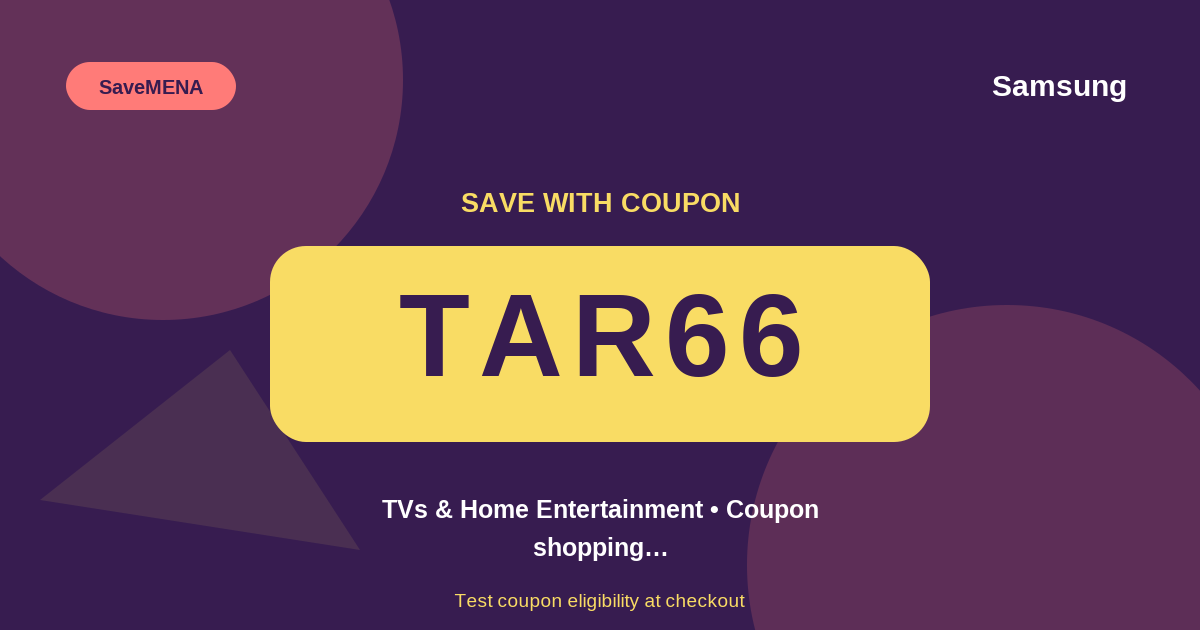
Codes available to try while comparing
These codes are not guaranteed for the article topic or listed brands; test them at checkout and use the live result.
Step 1: Clarify Your Account Status
Before you even open Noon’s TV section, double‑check the type of account you are logged into. Noon randomly applies different coupon rules based on whether your account was created via the app, a web portal, or a partner platform. If your account was signed up through a third‑party link, some vouchers might not trigger automatically. SaveMENA stresses that account context is key – the same coupon you see on the site may behave differently once the checkout engine evaluates your membership tier or region flag.
Once your account type is confirmed, note any default payment settings, saved addresses, or loyalty grades associated with it. These details can affect the appearance of free shipping thresholds or scheduled delivery options, which in turn influence how the TAR66 code could apply. Because Noon sometimes restricts certain discounts to new or returning customers, keeping your profile’s history in mind helps avoid surprises when you reach the final cart summary.
Step 2: Identify Samsung TV Listings That Suit Your Budget
After logging in, use the filter panel to specify “Samsung” under the brand selector. Since the device lineup is extensive—ranging from entry‑level panels to high‑end projections—limiting the search to a single price bracket reduces confusion. SaveMENA advises that you stay within the category you actually intend to purchase; for instance, if you’re aiming for a 55‑inch Smart TV, use the size filter to exclude unrelated models. This keeps the page load light and lets you compare options side‑by‑side.
When viewing each product, cross‑reference the title and description for consistency across different sellers. Noon often lists identical Samsung TVs from multiple vendors; the visual layout may sacrifice certain specs for a faster scroll, but the SKU details are often buried in the seller description. Make a quick mental note of model numbers and key features you need, such as HDR support or built‑in streaming apps, so you can return later to a filtered set instead of starting over.
Step 3: Compare Prices Across Sellers Without Assuming Discounts
Different Noon sellers can offer the same Samsung TV at varied base prices. Use the “Sort by Price” option to line them up from low to high. Avoid jumping straight to the lowest price line‑up—sometimes the cheapest listing is from a part‑time vendor with limited return periods. SaveMENA urges you to read the seller rating and confirmation of return policy before down‑ranking a higher price.
While comparing, look for any tags indicating “Includes delivery” or “Price includes VAT.” These can sometimes factor in hidden fees that affect the final total. Keep in mind that Noon’s dynamic pricing engine might adjust prices with each view or body of shopper data, so the cost you see now may differ at checkout if the session expires. Verify the lock‑in price through the cart, not solely the listing price, to ensure you’re not misled by promotional imagery.
Step 4: Add Your Desired TV to Cart and Review Coupon Availability
After choosing a Samsung TV, click “Add to Cart” and then proceed to the cart page. Here you’ll see a dedicated area to enter a coupon or promotional code. Input “TAR66” and watch what happens. Noon’s discount engine will tell you instantly whether the code is recognized and what, if any, benefit it offers. Since the coupon is only available to try, the display may warn you if the code does not apply to this particular listing.
If the code appears inactive, confirm no typos, redirection, or case‑sensitivity issues. Notice whether the discount field instructs you to use an app‑specific coupon or if it mentions a free shipping threshold. SaveMENA emphasizes that a failed application does not indicate a problem with your account but may simply reflect the code’s limited applicability to that product or seller. In that case, proceed without the coupon and rely on other savings like installment plans or loyalty points.
Step 5: Choose a Payment Method That Aligns With Your Buyer Profile
Screening your payment choice can unexpectedly lock or unlock additional perks. Noon accepts debit cards, credit cards, and various digital wallets, each with its own set of promotions. For Samsung TVs, the most common promotion pair is “Buy with Installments” with a the discount shown at checkout finance option that can complement a coupon. However, not every vendor allows installments; verify the “Pay in 3 Monthly Installments” tickbox on the product detail page before checking out.
If you’re a frequent Noon shopper, activating your loyalty tier might give you access to exclusive payment gateways or additional cashback. SaveMENA reminds you that some payment methods trigger separate promotional codes, so double‑check for any “Promotional Code” that may appear after you commit to the chosen card type. Since the TAR66 coupon may not apply after selecting any discount‑eligible payment, keep it on hand for a post‑payment discount attempt if that becomes available.
Step 7: Validate Warranty and Return Policy Specifics
Samsung TVs purchased through Noon usually come with a manufacturer’s warranty and a standard return policy, but terms can differ by seller. Open the “Warranty & Returns” tab for each product to confirm the duration and coverage. Keep in mind that Noon’s policy may allow up to 14 days for a claim irrespective of the seller’s own warranty period. In many cases, a longer coverage is bundled with a higher upfront price, so compare the benefit-to-price ratio for each listing.
If the seller offers “Extended Warranty” or “Insurance” add‑ons, the extra cost will display in the cart total. Since these add‑ons are optional, you can decide whether the extra protection is worth the added expense. Make sure that the VAT status of the warranty purchase is clear; some sellers include it in the price, others charge it separately. A clear understanding of the warranty policy at checkout reduces surprises after the TV arrives.
Step 8: Finalize Order and Reach Out If Needed
With all elements verified—account status, product choice, coupon application, payment method, delivery selection, and warranty details—you’re ready to place the order. Once you hit the “Place Order” button, confirm the summary displays the exact final amount. This is the only place to verify that the TAR66 code has reduced the price, if at all, and that no additional fees creep in because of the chosen delivery or warranty.
If the final total surprises you, navigate to the “Help” or “Support” section. A SaveMENA‑derived tip is to simply reply to the order confirmation email with your concerns. This will trigger a customer service chat that can walk you through any mismatches or clarify coupon applicability. By keeping a copy of the transaction summary until the TV is delivered and tested, you reduce the risk of disputes later on and can safely register the TV with Samsung’s official warranty portal.
Compare alternatives without guessing
When you compare another option in samsung, keep the specifications, quantity and seller as consistent as possible and compare the total shown at checkout. A different coupon does not automatically make a deal better because delivery, fees and the live basket context can change the outcome. Use the final payable total as the practical comparison point.
If the retailer shows a specific condition, rely on that visible message; if it does not, do not turn an assumption into a general rule. Test available options one at a time and note any real change in the total or eligibility message. That creates a verifiable shopping comparison instead of a recommendation built on an unsupported marketing claim.
Related SaveMENA pages
Related articles
Official sources to check
Frequently asked questions
How do I know if the TAR66 coupon will work on my Samsung TV order?
Check the coupon entry box on the cart page before checkout. Noon will immediately notify you if the code is valid for the selected item or seller. If it doesn’t apply, the message will tell you if there are restrictions such as item category or minimum spend.
Can I use the TAR66 coupon together with Noon’s installment plans?
It depends on the seller’s promotion rules. Some vendors allow a coupon in addition to a the discount shown at checkout installment option; others apply either/or. Verify the payment options before adding the code to see if both can coexist.
Are there hidden delivery fees I should be aware of before finalizing my order?
Delivery costs appear at the “Proceed to Checkout” stage. Ensure you read the final cart totals before confirming payment, as fees can differ between standard and expedited shipping.
What should I do if my TV arrives damaged or doesn’t work?
Contact Noon’s returns department through the order summary or the app’s support feature. Keep packaging, the return label (if included), and the original receipt for a smooth claim under the seller’s or Noon’s return policy.