Logitech Computer Accessories on Noon UAE: item availability — buyer checklist
Noon UAE deals Computer Accessories Logitech exact item or variant availability at purchase time: Looking for the right Logitech computer accessory on Noon UAE?
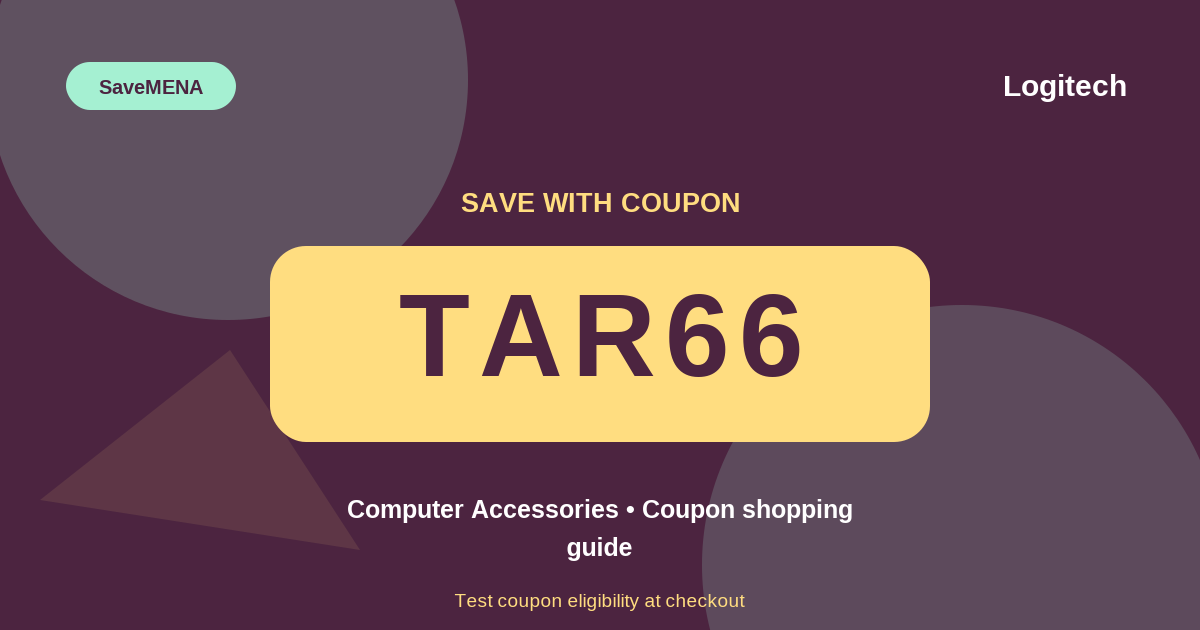
Codes available to try while comparing
These codes are not guaranteed for the article topic or listed brands; test them at checkout and use the live result.
1. Pinpointing the Specific Logitech Variant You Need
Begin by identifying the full product title and SKU, such as “Logitech MX Master 3 – Bluetooth Male – Black.” Even small variations—gear, color, or connectivity type—can change the unit’s price and availability on Noon. Sourcing the exact variant ensures you’re not surprised by a different model when the item appears in your cart. For example, a wired USB‑C model will differ from its wireless counterpart, so double‑check the listed specifications before adding anything to your basket.
After locating the item page, verify that the variant drop‑down lists the options you are considering. If the desired color or connectivity isn’t present, the product page might still display the parent listing, but the variant may be out of stock. Filling the correct variant below the “Add to Cart” button locks it in before you proceed to shops that may bundle multiple variants together.
2. Examining Noon UAE’s Real‑Time Stock and Delivery Eligibility
On the product page, the “Availability” field states whether Noon currently has the specific variant in stock for you to purchase immediately. A green tick means ready to ship; a gray or red icon indicates unavailability or pending restock. Note that Noon’s stock levels fluctuate, so refreshing the page or checking early in the morning can provide a more accurate snapshot. If the variant reads “Out of stock,” you can still save it for later, but you’ll have to wait until Noon confirms restock.
A second important factor is delivery coverage. Noon lists the availability of delivery to your specific address on the right of the product image. If the text reads “Available for immediate delivery,” the item will ship on the same or the next business day. If it says “Not available,” you may need to consider another seller.
3. Evaluating Seller Credentials and User Reviews on Noon
When multiple sellers offer the same Logitech accessory, compare their ratings, number of sales, and overall buyer satisfaction. Look for sellers with a “Buy Box” view or those known for fast shipping within the UAE. Seller ratings give you insight into the likelihood of receiving the exact variant as described.
Check the seller’s policy on returns, warranties, and customer service. The shopper’s decision to stick with a reputable seller can reduce the risk of receiving a different variant or delayed delivery. A reputable seller will also be more reliable when managing coupon eligibility at checkout.
4. Completing the Cart – Verify Product Details and Quantity
Once you click “Add to Cart,” the cart overlay should list the exact variant, seller name, and unit price. Double‑check that the displayed SKU number matches the one on the product page. Mistakes can happen if different sellers use similar product titles but offer distinct variants.
Adjust the quantity only after confirming each detail. If you need more than one accessory, confirm again that the same variant will apply across all items. No link between quantity and variant should exist; otherwise, you may receive a different model due to bulk ordering constraints.
5. Applying the TAR66 Coupon – What to Expect
At the cart page, type “TAR66” into the coupon field and click Apply. Noon will instantaneously try to apply the discount to the item if the coupon condition is met. However, whether the coupon actually reduces the final price depends on the seller’s coupon eligibility settings that Noon enforces at checkout.
Don’t assume the discount is guaranteed; some sellers may not accept coupon codes on their listings. If the redeeming fails, you’ll see a notification that the coupon isn’t applicable to the selected item. In that case, complete the purchase without the coupon or search for a different listing that accepts it.
6. Selecting Payment Method and Reviewing Terms
On the checkout step, review the total amount displayed. This figure includes product cost, any applicable taxes, and optional delivery fees. Pay attention to whether Noon is showing the original price or the price after applying the coupon. If a coupon applied, you should see the discount reflected in the “Discount” line item.
Choose your preferred payment method—credit card, debit card, or UAE‑based mobile wallets. No online payment system should alter the coupon eligibility at this point; the checkout page is the final reference for pricing and coupon status, so verify everything until the £ sign before submitting.
7. Confirming Delivery Schedule and Potential Fees
During checkout, Noon shows the expected delivery window—usually “Same‑day” or “Next‑day”—along with any extra shipping fees based on your location. Make sure this delivery window matches your needs; if you’re expecting a gift delivery outside working hours, contact Noon support to confirm availability.
The final payment screen will also indicate whether a delivery fee applies. If the selected seller offers free shipping for this variant, the fee field will read zero or “Free.” Otherwise, be prepared to pay a small local fee. Any such fee is a real-time addition, not pre‑posted.
8. Post‑Purchase Support – Warranty and Replacement Policy
After payment, Noon will provide an order number and order confirmation email. Hovering over the order details in your account shows the seller’s warranty policy. For Logitech accessories, the company often offers a one‑year limited warranty, but the exact terms most often follow the seller’s stated policy.
If the delivered variant is not what you selected—say it lacks the featured connectivity option—you can initiate a return through Noon’s return portal. The return conditions will reflect the seller’s requirements and the timeframe specified at checkout, ensuring you have official guidance on how to rectify the issue.
Related SaveMENA pages
Related articles
Official sources to check
Frequently asked questions
Will TAR66 automatically apply to all Logitech accessories on Noon UAE?
Noon’s coupon application is determined by the seller’s eligibility settings. You must enter TAR66 at checkout; if the coupon isn’t applicable to the selected Logitech variant, Noon will notify you that it can’t be used on that item.
Can I change the variant after adding it to the cart?
You can replace the item in the cart by selecting a new variant from the product listing before proceeding to checkout. Once you confirm payment, altering the variant is no longer possible without canceling the order first.
What happens if the variant I chose is out of stock at checkout?
If Noon informs you of out‑of‑stock status during checkout, you can either wait for restock or opt for a different seller who has the variant in inventory. The cart will not proceed until the item is available.
Do I need to create a Noon account to use TAR66?
No, you can proceed as a guest. However, using a saved account facilitates tracking your order history, applying coupons faster, and managing returns more efficiently.