JBL Headphones on Noon UAE: item availability — buyer checklist
Noon UAE deals Headphones JBL exact item or variant availability at purchase time: Answering your need for a practical, coupon‑aware buying guide, this article
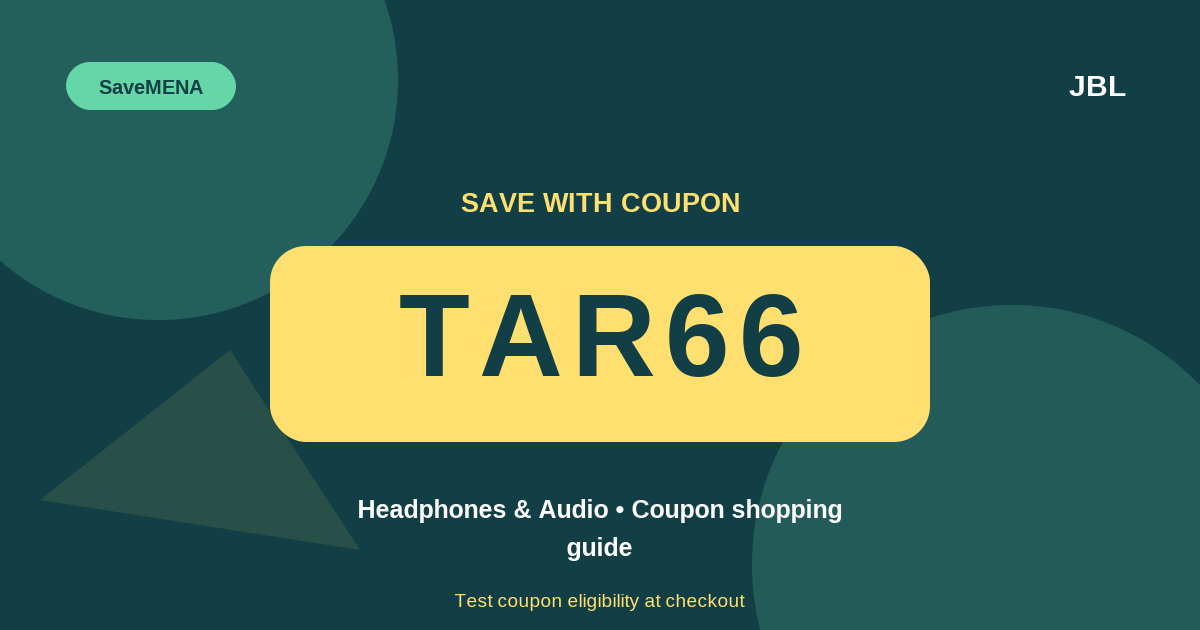
Codes available to try while comparing
These codes are not guaranteed for the article topic or listed brands; test them at checkout and use the live result.
1. Pinpoint the JBL Variant You Need
Begin by listing the exact JBL headphone model and variant that matches your needs, such as the color, connectivity type (wired, Bluetooth), or specific features like wireless charging or noise cancellation. Search Noon’s catalog and screen the results to ensure you’re not generalizing across product lines. A precise model identifier lets you confirm availability directly, preventing a later surprise when the item is out of stock or the variant you wanted isn’t offered.
Use the platform’s filters to narrow down by brand, headphone category, and any attribute that matters, such as “Wireless” or “Over‑Ear.” This step helps you see the exact SKU that Noon lists, including any regional descriptors. Keep a note of the variant title and image, so you can reference it when scrolling through the available seller options and confirms it remains the same when you add it to your cart.
2. Check Noon UAE’s Inventory for that Exact Variant
Once you’ve chosen your JBL variant, open its product page and look for the real‑time “In Stock” indicator. Noon shows the exact quantity available for the selected model—pay close attention to the stock number on the main product overlay. If the field reads “0,” the variant isn’t currently on shelf, and you’ll have to choose another seller or wait for restocking.
Scroll to the “Delivery Availability” section; this tells you which sellers are ready to ship to your address. If the variant appears under multiple sellers, compare their availability counts. This guarantees you are working with the precise item variant you selected and that Noon can deliver it to you promptly.
3. Vet the Seller’s Credibility and Return Policy
With the variant verified, examine each seller’s profile. Look for seller ratings and the number of completed sales from Noon UAE users. A higher rating and plenty of transactions often reflect stronger customer satisfaction. This step helps you avoid non‑verified vendors who might mislabel the variant you’re seeking.
Next, read the return policy listed on the page, ensuring it covers the price range and delivery region. For headphones, check whether the seller accepts returns for faults, and the time window for doing so. Confirm the policy aligns with your buying comfort level before you commit the click.
4. Add the Exact Variant to Your Cart and Inspect Coupon Eligibility
Click “Add to Cart” for your chosen JBL headphone variant. Once the cart modal appears, re‑confirm the variant details—model name, SKU, color—against what you earmarked earlier. This double‑check guarantees you’re purchasing the exact version you intended.
In the cart, look for any banner that lists available coupons or discounts. While Noon may present a system‑wide offer, note that coupon eligibility isn’t guaranteed until checkout. Keep the cart open to review whether the TAR66 code can be applied once you move to the next step.
5. Review Shipping Choices and Associated Fees
Proceed to the cart’s shipping section and input your delivery address. Noon shows the estimated delivery window and any delivery fee for each seller. Since shipping costs can vary by seller, pick the option that offers the best balance of speed and price for the exact JBL variant you’re buying.
If necessary, examine the “Order Summary” before you exit the cart. This view lists the base price, shipping charge, and any handling fees. Confirm that the shipping is still aligned with the variant you were the coupon code; sometimes sellers might redirect you to a different SKU if the main one is unavailable.
6. Confirm Payment Method, Taxes, and Final Fee Visibility
At checkout, choose your preferred payment method—credit card, debit card, or kiosk. Noon should display the total payable amount including the base price, shipping, applicable VAT, and any service charges. Make sure the final total reflects the exact JBL variant you added, without any extra line items.
If you choose a card, some banks may add foreign transaction fees. Verify that any such surprises are shown before confirming the payment. This step ensures you stay within your budget and that the exact headphone variant remains the final product you’ll receive.
7. Attempt to Apply the TAR66 Coupon Code
On the payment page, locate the “Coupon / Promo Code” field. Enter the code TAR66 and click “Apply.” Noon will immediately tell you whether the coupon is accepted for the specific JBL headphone variant and delivery region. If the code is inapplicable, the platform will inform you, allowing you to choose an alternative method.
Remember that the availability of TAR66 can vary by product and seller; it is not guaranteed. If the code does not apply, you may still proceed with the purchase. Note the price difference after applying the coupon in the order summary before confirming the payment.
8. Final Review and Confirm Your Order
Before finalizing, scan all order details: product name and variant, seller, shipping address, total cost, applied coupons, and payment method. This comprehensive recap ensures no step was missed and verifies that the exact JBL headphones you intended to buy are still in the cart at their current price.
Once you click “Place Order,” Noon will process the transaction. The confirmation page will remain your reference for tracking, seller contact, and warranty information. Save this page or screenshot for clarity if you need to later confirm delivery or return details for the specific variant.
Related SaveMENA pages
Related articles
Official sources to check
Frequently asked questions
Can I use the TAR66 coupon on any JBL headphone?
The coupon code may be applicable to some JBL headphones but its applicability is confirmed only at checkout. Noon will notify you if it works for your chosen variant.
What if the exact JBL variant I want is out of stock?
You should check alternate sellers on Noon, or choose a different variant. The initial inventory check in section 2 helps you verify availability before adding to cart.
Are shipping fees listed before I confirm my purchase?
Yes, the cart and checkout pages display shipping costs based on your delivery address, allowing you to compare options for the exact headphone variant.
Will the price change after applying the coupon?
After you apply TAR66 at checkout, Noon shows the updated total, including any discount, so you can see the final price before you finalize the order.