Lenovo Laptops on Noon UAE: item availability — buyer checklist
Begin by selecting the Lenovo model that meets your performance and budget criteria. The Noon listings usually show a generic model name, but the available specs
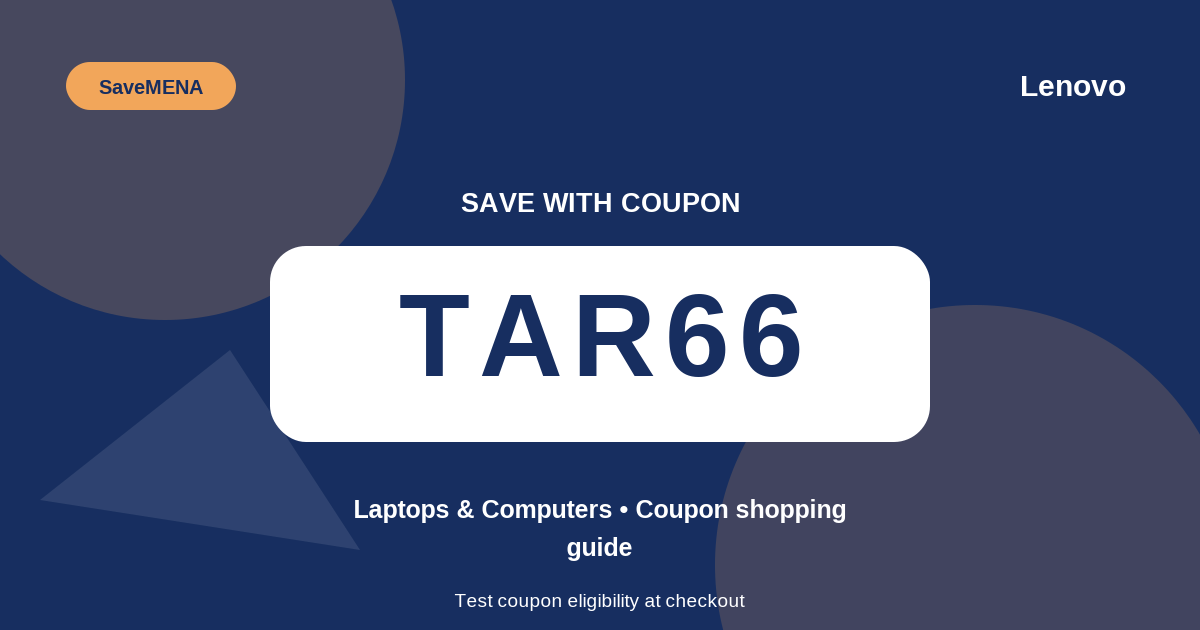
Codes available to try while comparing
These codes are not guaranteed for the article topic or listed brands; test them at checkout and use the live result.
1. Identify the Specific Lenovo Laptop Variant in the Noon Listing
Begin by selecting the Lenovo model that meets your performance and budget criteria. The Noon listings usually show a generic model name, but the available specs (CPU, RAM, SSD) are listed in a dropdown or voucher section. Hover over or tap the “Specifications” tab to see the exact SKU. If the page lists multiple variants—different memory or storage options—make a note of the exact choice you want to purchase. Your future checkout totals will depend on this exact variant, not just the base model name.
Remember, Noon’s catalog can display a single laptop name for several configurations. If you see a model with “4 GB RAM, 256 GB SSD” and another with “8 GB RAM, 512 GB SSD,” the product returns in your cart will use the SKU of the one you selected. Skipping this step risks receiving a different variant than intended, as the seller might ship an alternative that matches the generic product title but not the specific configuration you wanted.
2. Cross‑Check the Variant’s Availability Before Adding to Cart
After selecting the desired configuration, scroll to the “Availability” section of the product page. Noon may indicate “In Stock” or display a quantity left for that SKU. Some listings show “Limited Stock” or a number of units remaining. If the sale status indicates “Pre‑order” or “Back‑order,” the variant isn’t immediately available; the seller will ship once stock reaches them locally.
When the variant is listed as available, take note of the exact availability icon or text. A quick click on “Add to Cart” should immediately add the chosen SKU. At this point, verify that the quantity selector matches the exact variant—if it defaults to a larger or smaller configuration, adjust before proceeding. This extra check avoids the situation where the cart contains a different model from what you intended.
3. Record the Seller’s Delivery Timeline and Confirmation Status
Once the variant is secured in the cart, inspect the seller’s delivery estimation. Noon typically shows a delivery window such as “Delivered in 3–5 business days.” This window represents the seller’s shipping period, not Noon’s handling time. Pay attention to whether the window references “From seller” or simply “Delivery” to differentiate between the seller’s dispatch and Noon’s fulfillment.
Confirm the seller’s handling status by looking for a “Ready for Dispatch” badge or similar. If the seller has a “Ready to Ship” indicator, you can trust the estimate. If no such badge appears, the seller might still be processing the order, which could delay delivery beyond the displayed promise. Recording the exact delivery window before checkout ensures you have realistic expectations for arrival.
4. Verify the Total Payable Amount, Including Fees and VAT
Navigate to the cart summary page, where Noon shows a breakdown of the item price, applicable taxes, and any delivery charges. For laptops, VAT is generally included in the listed price, but an additional delivery fee may appear if shipping exceeds a free‑delivery threshold. Carefully review these charges to avoid surprise costs.
At this stage, check that the cart subtotal matches the variant’s listed price on the product page. If there is a discrepancy—perhaps a mis‑applied discount or mis‑entered quantity—adjust it now. Ensuring the subtotal is precise will affect how the coupon code application and final total proceed.
5. Apply the TAR66 Coupon Economically at Checkout
When you proceed to checkout, locate the “Apply Coupon” field in the payment summary. Enter “TAR66” exactly as shown, ensuring capital letters and no spaces, then click Apply. Noon will recalculate the total if the coupon is accepted. If the code does not apply, the screen will display an error message clarifying why.
Do not rely on the coupon to cover the entire price; the message will explain whether a portion is deducted or if the total remains unchanged. Apply the coupon here rather than on the product page, as the latter might not allow variant‑specific discount application. Remember, applying the code here is your chance to see the final payable amount before confirmation.
6. Examine Warranty Terms and Post‑Purchase Support for Lenovo Laptops
Each Lenovo laptop variant typically comes with a manufacturer warranty—often one year for hardware and parts. Noon listings sometimes display additional seller‑provided protection plans or an extended warranty. Scan the product description for explicit warranty wording, and note if it references “Lenovo Warranty” versus a seller’s guarantee.
Access the “Product Policies” tab to confirm return windows and conditions. If the seller offers a 30‑day return policy, verify whether it applies to the exact variant you purchased. Recording the warranty details before purchase protects you should any technical issues arise after the laptop arrives.
7. Optimize Your UAE Payment Options for Security and Convenience
Noon UAE accepts multiple payment methods: credit/debit cards, UAE e‑wallets, and store credit. Choose the method that offers the best security and transaction confirmation times. Domestic card payments typically process instantly, whereas some e‑wallets require a secondary approval step.
Before entering payment details, confirm that the checkout page shows “Secure Checkout” and a lock icon. This step ensures your card information is encrypted. If you are using a payment method that offers a voucher or reward, double‑check that the voucher does not conflict with the TAR66 coupon; some platforms restrict combining codes.
8. Final Confirmation: Verify All Order Details Before Placing the Order
On the last confirmation screen, review each element: the precise Lenovo laptop SKU, quantity, shipping address, delivery estimate, total payable amount after coupon application, and payment method. A single typo in the shipping address or wrong variant chosen could postpone delivery or trigger a return.
Once satisfied, click “Place Order.” A confirmation email will arrive with an order number, expected shipping date, and tracking information. Keep this email and any attached receipts; they are your record of the specific variant purchased and the exact price paid, which will be essential if a discrepancy arises post‑delivery.
Related SaveMENA pages
Related articles
Official sources to check
Frequently asked questions
What happens if the Noon listing shows a different variant after I apply the TAR66 coupon?
If the coupon applies, Noon will show the adjusted total. However, the SKU in the cart remains unchanged; you’re still paying for the variant you selected. Ensure the cart line item lists the exact configuration before finalizing the order.
Can I use another coupon code in addition to TAR66?
Noon typically allows only one coupon per transaction. If you try a second code after applying TAR66, the platform will replace the first code or reject the second. Confirm which coupon appears in the final total before placement.
Will the delivery timeline change if I ship to a different UAE address?
Delivery estimates on Noon are based on the shipping destination. If you provide a different address, Noon recalculates the shipping window, but the same seller will still handle dispatch. Check the updated estimate on the cart page before checkout.
Will Lenovo’s standard warranty apply to a laptop sold through Noon?
Yes, Lenovo’s standard warranty generally covers the hardware regardless of the retailer. However, Noon’s return policy may differ; review the order’s compliance terms on Noon’s policy page for the specific variant you purchased.