Calvin Klein Women’s Fashion on Noon UAE: basket contents — buyer checklist · TAR64
closing. We'll keep each paragraph accordingly. We need to avoid generating numeric values beyond scope?
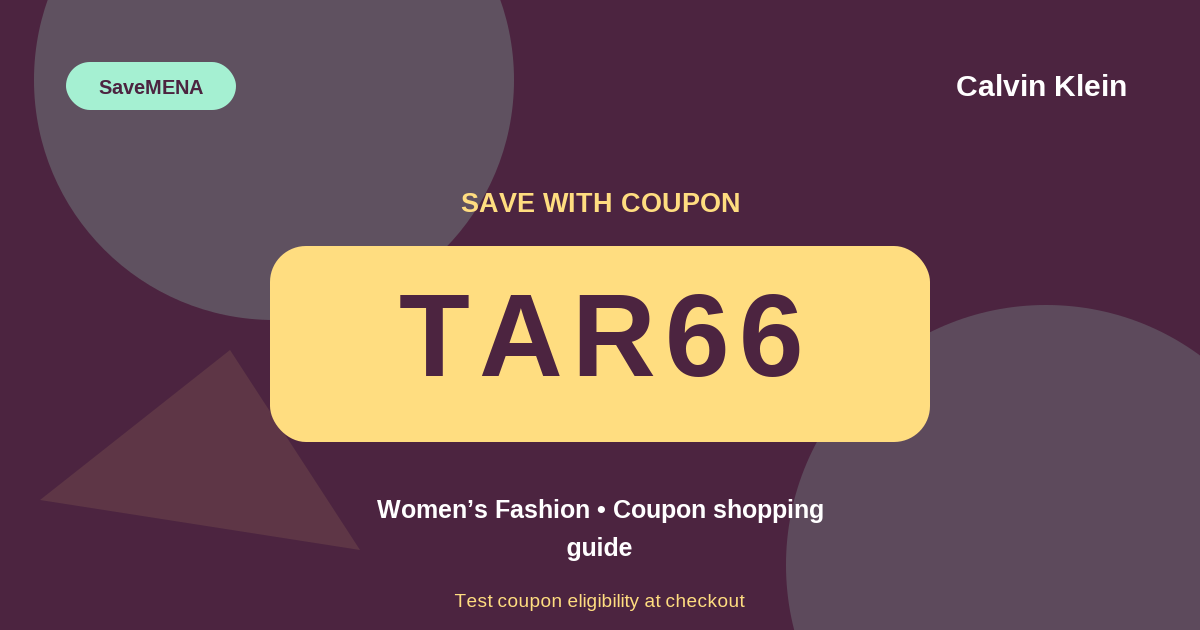
Codes available to try while comparing
These codes are not guaranteed for the article topic or listed brands; test them at checkout and use the live result.
Understanding Noon UAE Deals for Women’s Fashion
When you search for Noon UAE deals on women’s fashion, the site usually lists items by discount percentage or promotional category. However, it’s essential to verify the eligibility of each item before adding it to your basket. Prices can change, and some items may be excluded from certain coupons. A quick glance at the product page will show if any deduction is already applied, as well as any “apply coupon” button that appears once you’re logged in and before checkout.A coupon is not guaranteed; verify its result at the retailer checkout.
Beyond the single‑item reduction, Noon briefly includes a “Savings summary” at the bottom of the cart page. This section calculates how much you can save by applying available coupons. Despite being a helpful indicator, the summary can still change if you move items in or out after the page loads. Therefore, it’s good practice to review it again right before you press “Proceed to Checkout” to confirm that the coupon ‑ in this case TAR64 – has been applied successfully and the total reflects the savings.
Why Calvin Klein for UAE Shoppers
Calvin Klein is known worldwide for its minimalist chic and durable fabrics. For UAE shoppers, fashion links with the modest, tailored aesthetic that fits both office and weekend wear. The brand frequently releases new collections that often appear in Noon’s “Featured Brand” carousel, especially around local holidays and fashion weeks. Attention to limited‑edition releases can give you an edge in acquiring sought‑after pieces at release time before prices shift.
Curated Calvin Klein items on Noon also include a mix of apparel and accessories—jackets, blouses, scarves, and even subtle jewellery. By adding a mix of these, you contribute to a balanced basket composition that broadens your wardrobe while ensuring the items you purchase fit multiple occasions. Be mindful that larger, more expensive pieces sometimes have a stand‑alone discount, whereas smaller accessories might be bundled into a “buy‑1‑get‑1” promotion that doesn’t honor coupons. Confirm each piece’s eligibility before adding it to your basket.
Basket Composition Strategy: The Basics
Basket composition involves deciding how many items of each category to buy. A good rule is to begin with at least one staple wardrobe piece—like a dress or blouse—and then add supporting accessories that complement it. This method maximises potential coupon impact, because the more items you have, the higher the absolute savings, even when the percentage discount is fixed. Meanwhile, avoid filling the basket with low‑price items that add only a minimal amount before the coupon is applied; these could reduce your overall leverage if the coupon has a minimum spend requirement.
When you’re gathering items, first check the size and colour options instead of hiding price variations. Multiple sizes of the same item are usually treated as separate line items, which means each one will feature separately in the coupon calculation. If you buy a pair of shoes in two sizes, the coupon will see those as two distinct purchases and may apply independently, depending on the coupon terms. Make sure you tally the SKU‑specific prices to see how many of each you can afford to add.
Selecting Proportional Item Types: Tops, Dresses, Accessories
Top‑heavy baskets tend to perform better when there’s a discount that works on the overall total. Conversely, baskets containing high‑priced accessories or jewelry may bring a higher ticket but also inflate the checkout amount before the coupon is applied.A coupon is not guaranteed; verify its result at the retailer checkout.
While browsing Noon, mark each item with its brand and price. This quick annotation helps you track how many items come from Calvin Klein versus competing brands. If you’re aiming for brand diversity, set a personal rule such as “no more than the discount shown at checkout Calvin Klein” to avoid overweighting one brand. Make this a living check as you add items, updating the basket composition in real time, so you can keep your total within a comfortable purchase window before checkout.
Balancing Premium and Budget Items for Coupon Optimization
Adding a few premium items, such as a designer jacket, can boost the basket’s final value and trigger larger coupon rebates if the coupon is percentage‑based. However, high‑priced items also raise shipping thresholds and fees. Localised shipping constraints may mean that a heavier or heavier list of premium pieces brings you closer to the free‑shipping cut‑off, or pushes you just over it. Verify the shipping fee badge on each product before adding to the basket.
Conversely, budget-friendly items like T‑shirts or basic accessories can fill gaps and keep the basket diversified. These lower‑priced items exhibit smaller absolute savings from a coupon, but they still reduce the total number of items you may have to pay shipping for. Combining both types keeps the basket dense and allows the coupon to apply on a broad economy. If the coupon doesn’t affect the shipping fee, don’t be tempted to add multiple low‑price items just to increase volume; check how the coupon calculation treats “add‑on” items.
Shipping and Fees: How They Affect Your Basket
Every added item can affect the free‑shipping threshold. For instance, a single expensive piece might already meet the threshold, whereas a group of cheap items may not. Calculating the free‑shipping threshold before finalising can change the composition. Look for the total shipping cost printed near the cart’s bottom, after you’ve added all desired items. Adjust accordingly by replacing a pricier item with a cheaper alternative that’s still on sale.
Also watch for “special delivery constraints” that some items may have. The product page can reveal if “collect in store” is an option or if the item is handling an offline pick‑up. Such constraints sometimes exclude certain items from the coupon calculation until you’re at checkout. Keeping all shipping‑eligible items together ensures the coupon applies across the entire basket, not just a subset.
Checking Eligibility and Applying TAR64 Safely
At the cart level, look for an “Enter coupon” field. Input TAR64 and watch the discount appear automatically, if the items meet the coupon’s conditions. If no discount appears, it means that one or more items in your basket are not eligible. To spot the culprit, remove items progressively until the discount re‑appears, then replace them with alternative selections.
It’s also possible for the coupon to apply only to a particular brand or product category. In the absence of explicit terms, rely on the visual confirmation on the cart page. If the discount still does not show after adding the coupon code, double‑click on “Apply” and confirm you’re logged in. Remember that the coupon can only be applied once; applying it multiple times is invalid and can result in a back‑out of the discount.
Finalising Your Basket: A Quick Checklist
A coupon is not guaranteed; verify its result at the retailer checkout. This final check prevents surprises during confirmation, such as out‑of‑stock alerts or unexpected shipping surcharges.
Once the final total is satisfied, confirm your payment method and address, then complete the order. If the coupon didn’t apply correctly at this stage, retrace your steps, preferably in a separate browser session, to rule out caching issues. Tap “Contact Support” on Noon if you encounter persistent coupon problems – they can advise whether the code is still valid for your basket configuration.
Related SaveMENA pages
Related articles
Official sources to check
Frequently asked questions
What should I do if my Calvin Klein item isn’t eligible for the TAR64 coupon?
If an item refuses the coupon, remove it, then try a similar product from the same brand that is on sale. Alternately, contact Noon’s support for confirmation; they can sometimes clarify eligibility rules that aren’t obvious from the product page.
Will the TAR64 coupon affect shipping fees?
The coupon typically applies only to product prices. Shipping fees remain unchanged unless the order meets Noon’s free‑shipping threshold, which is independent of any coupon application.
Can I use the TAR64 coupon on more than one order at Noon?
Yes, as long as you’re logged in with the same account. Just re‑enter the code each time you proceed to checkout. The coupon can’t be combined with other overlapping coupons on the same order.
What if I get an error when applying the TAR64 coupon?
Double‑check that you’re logged into your Noon account, that the coupon is typed correctly, and that you haven’t previously used the code on this basket. If the problem persists, hold the “Enter” key for a few seconds to ensure the request is sent, then try again.