Gaming on Noon UAE: checkout message — buyer checklist
When you reach the final stages of your Noon shopping session, a dynamic banner often surfaces above the payment options.
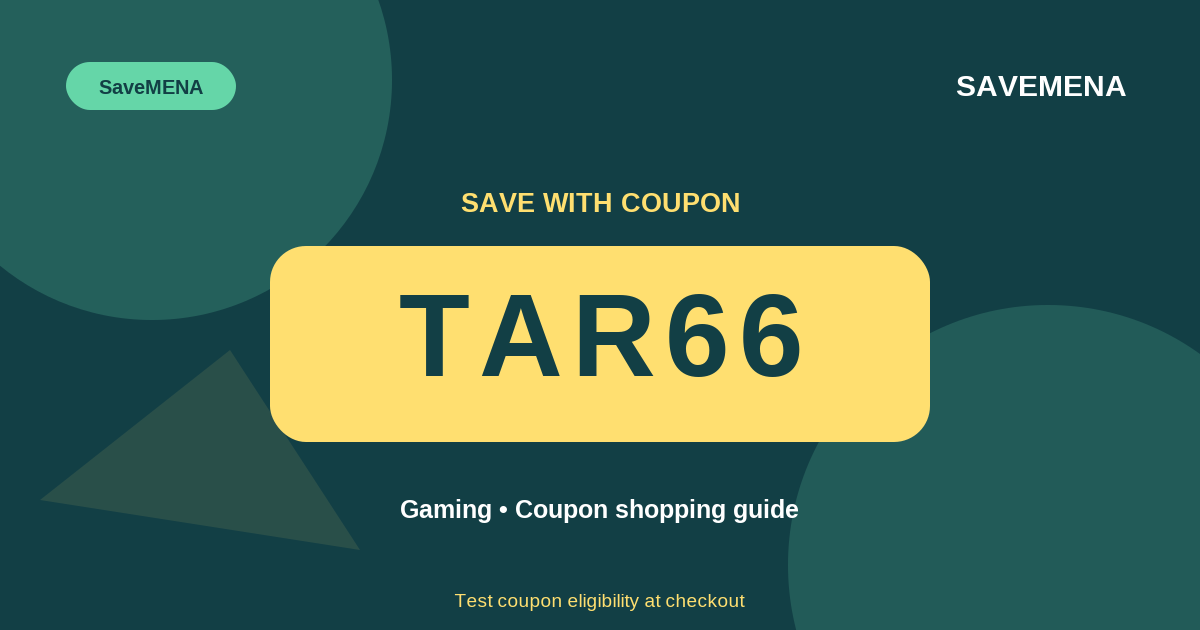
Codes available to try while comparing
These codes are not guaranteed for the article topic or listed brands; test them at checkout and use the live result.
Decoding the Live Coupon Prompt at Noon Checkout
When you reach the final stages of your Noon shopping session, a dynamic banner often surfaces above the payment options. This banner can display a message such as “Live coupon available” or “Your discount will apply shortly.” It is generated by Noon’s algorithm based on the contents of your cart, your registered coupon codes, and any eligible promotional triggers. This live preview aims to give a snapshot of what you may save if the coupon is successfully validated, but it is an estimate that adapts until the final confirmation step. Knowing that the system is reactive rather than static helps you react before committing the order.
Because this preview updates in real time, it is essential to read it carefully as soon as it surfaces. The banner’s wording can vary – sometimes “Discount applied” or “There is a discount” – yet the underlying data is the same: a pending coupon might lower your total. Rather than assuming the discount will be retained, make a mental note of the shown value and keep an eye on any further prompts that may alter or require additional input before final payment. This attentiveness ensures you are not caught away from the intended savings at the last moment.
Spotting the Right Gaming Gear That Accepts Coupons
Not every product listed on Noon is eligible for coupons or the live coupon system. Many hardware accessories, such as specific gaming headphones or power‑converters, may carry a restriction flag if the brand does not participate in discount programmes. When you add items to your cart, look for subtle cues in the product listing – like a “Coupon” icon or a note stating “Discounts may not apply.” These indications are often accompanied by a seller remark or a small badge that hints at coupon compatibility.
For gaming titles and consoles, the eligibility bar is higher because publishers frequently rotate promotional offers. However, be careful of bundles that contain a mix of products; the entire bundle’s coupon status hinges on whether every component accepts discounts. In practice, checking each item’s seller page during the addition phase, or quickly scrolling to the cart summary, will reveal whether your chosen hardware can participate in the coupon flow. This early verification stops you from adding incompatible items that might later invalidate an expected savings package.
Setting Up Your Shopping Cart for Maximum Discount Potential
Once you have verified eligibility, assemble the cart in a deliberate sequence. Start by adding the primary gaming item – such as a console or a flagship game – then include accessories or add‑ons that share the same seller or brand. The coupon engine processes cart items in the order they appear, and certain coupons trigger only when a qualifying quantity or price threshold is reached. By placing the most valuable items first, you enable the system to calculate early and reflect any potential discount in the live message.
After composing the cart, avoid making scatter‑shot additions that could overload the live preview or confuse the algorithm. Instead, pause and review the cart totals: subtotal, shipping, any visible discounts, and the final estimated price. At this stage, you can also decide whether to remove items that may disqualify the coupon or add similar alternatives that remain within the discount parameters. By staying in control of the cart composition, you preserve the coupon’s impact before user interaction with the checkout flow.
Activating the TAR66 Code Before You Finalize Payment
With a ready cart and an estimated discount preview in sight, locate the coupon input field in the checkout screen. Input the code TAR 66 exactly as written – attention to uppercase, spacing, and absence of extra characters is crucial to avoid rejection. After entering the code, press the “Apply” button or confirm as per Noon’s interface. The system will instantly validate the code against your cart contents and availability constraints.
Do not proceed to the payment step before the code acceptance confirms a positive change in the live coupon message. Many shoppers click through without verifying that the coupon has been applied, only to discover that the discount fails once the order is submitted. By double‑checking after the apply action, you confirm that the system acknowledges the code, which typically updates the live banner or the cart legend to display the applied discount amount in real time.
Watching the Live Discount Value Change in Real Time
The live coupon preview in Noon’s checkout interferes with several variables: shipping costs, tax calculations, and currency fluctuations. As soon as the TAR 66 code is accepted, you should see a noticeable shift in the total amount ahead of the payment options. If the visible savings go down or vanish, it signals that one of the inclusion rules is no longer satisfied – perhaps the seller changed its promotional status or there’s a missing requirement like a minimum spend. Monitoring this shift allows you to immediately act, such as adding a qualifying product or disabling a conflicting one.
Maintain a record of the preview at various stages: the initial estimate, post‑code application, and final amount before payment. Comparing these figures helps you verify that each step is consistent and the coupon has not been overridden by a later rule. If discrepancies appear, you can seek clarification directly through Noon’s customer chat or the product’s seller page before confirming the order.
Choosing a Payment Method That Keeps the Coupon Intact
Payment method selection can influence discount persistence. For instance, selecting “Cash on Delivery” versus a credit card may trigger different final‑step validations. While Noon typically applies coupons uniformly across payment options, some special financing or wallet balances may not accommodate active coupon codes. After seeing your live discount, choose the method that matches it or that you’re most comfortable confirming with, and confirm that the discount persists in the final payment view.
When you reach the confirmation page, the total you pay will account for the coupon. Payclose attention to any “Review order” step where the system re‑renders the totals; this is the decisive moment before the payment is processed. If a discrepancy arises, you may need to cancel the order and restart the checkout with an alternative payment route or by re‑entering the code.
Verifying the Final Payable Total Before Confirmation
Before you hit the final “Place Order” button, linger over the payment summary, which will recapitulate every fee, tax, shipping, and applied discount. This summary is the last place where the real‑time coupon readout is vetted. If the number matches the live preview you expected, you can proceed with confidence. Otherwise, it is advisable to pause and reassess that all items qualify, that the coupon remains entered, and that the chosen seller has not modified terms between the live banner and the final total.
Double‑check for hidden charges that may have been omitted from the initial live preview. These can include installation fees or optional service contracts for certain gaming peripherals. If you detect such charges, adjust your cart to remove them or request a discount or exemption via customer support before proceeding to payment. By ensuring the final number is accurate, you lock in the bargain the coupon promised.
Using the Order Summary to Lock in Your Savings
Once the order is confirmed, Noon sends an email or notification that contains the final purchase record. In that confirmation, confirm that the discount is reflected correctly and that the total list price, coupon deduction, and final payable match the final checkout screen. This order summary serves as your receipt and the evidence of the savings you secured.
In case the discount does not reflect in the confirmation, contact Noon’s support promptly, referencing the coupon code and the timestamps of your checkout steps. SaveMENA remains an external aggregator and cannot intervene in the platform’s order processing, but you can resolve discrepancies directly with Noon. Keep this documentation until you receive your gaming gear, at which point the purchase details can be verified against the manifestation of the hardware and any accompanying warranties.
Related SaveMENA pages
Related articles
Official sources to check
Frequently asked questions
Does TAR66 work with all gaming products?
No, TAR66 may only be compatible with specific items that allow promotional discounts. Check the live coupon preview or seller notes in the cart before applying the code, and confirm that the product’s eligibility appears in the checkout message.
How can I check if the coupon applies before checkout?
Use Noon’s live coupon banner during cart review to see an estimated saving. After entering TAR66, verify that the banner updates before selecting a payment method; any lack of change suggests the code didn’t apply.
Can I combine TAR66 with other offers?
Typically, most coupons cannot stack with other promotions unless explicitly stated. Inspect the coupon terms in the live preview and confirm with Noon’s support if a combined offer is permitted for the selected gaming items.
What if the live coupon message disappears?
If the banner vanishes or no longer shows the discount, the coupon was likely rejected or the cart changed eligibility. Review your cart, reapply TAR66, and monitor the banner again before payment confirmation.