Apple Smart Watches on Noon UAE: checkout message — buyer checklist
Noon UAE deals Smart Watches Apple the live coupon message at checkout: Here’s a practical guide to making the most of noon UAE deals on smart watches while keeping
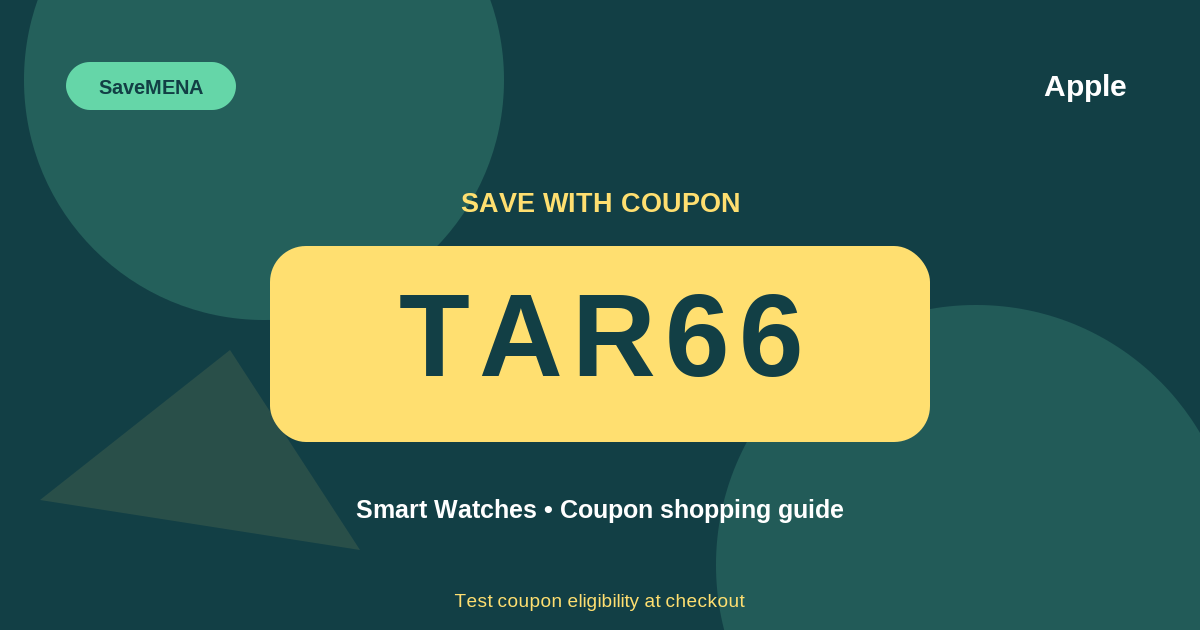
Codes available to try while comparing
These codes are not guaranteed for the article topic or listed brands; test them at checkout and use the live result.
Finding the Right Smart Watch for Your Lifestyle
Start by mapping out the daily activities you plan to monitor. If your routine involves intensive workouts, prioritize models with robust heart‑rate monitoring and battery life that can withstand a full training session. For frequent travelers, look for strong cellular or Wi‑Fi connectivity so you can stay connected without needing a phone nearby. Choosing a watch that fits your specific habits reduces the risk of buying a device that you won’t use, ensuring the coupon you might apply goes to a device that truly adds value.
When considering Apple smart watches, remember that the ecosystem grows with every app update. A watch that supports recent health tracking features, such as ECG, blood‑oxygen monitoring, and sleep analysis, offers future‑proof functionality. Substituting these features for basic time‑keeping turns a simple gadget into a lifestyle companion—especially if you want a single device that covers both health and connectivity.
Comparing Smart Watch Features Before Adding to Cart
Beyond health metrics, look at battery endurance, display clarity, and water resistance. A smartwatch that keeps a clear display after a rainy commute or a long battery life that spans multiple days will reduce the number of urgent re‑charges. Check that the device supports your preferred messaging format, whether you want quick replies, full email, or voice‑to‑text.
Review the companion app ecosystem. An Apple smart watch that integrates seamlessly with apps like Apple Health, Find My, and third‑party fitness platforms often delivers a smoother experience. Prioritizing an app‑rich ecosystem ensures that the watch not only looks good but also fits out of the box into the services you already use.
Assessing Seller Credibility on Noon UAE
When a seller appears on Noon UAE, look for verified badges and transparent branding. A visible seller rating can hint at authenticity and customer satisfaction. However, since SaveMENA is independent, use the rating as a first check—don’t assume that a higher rating automatically guarantees product legitimacy. If you are unsure, contact the seller through Noon’s messaging platform to confirm the watch’s origin.
Examine the seller’s return and warranty policy. A clear return window, say 14 days, and a mention of a limited‑time warranty add assurance. Make sure the policy appears unambiguous and does not contain hidden fees or limitations that could affect a return if the watch doesn’t meet expectations.
Checking Availability and Delivery Details
Before proceeding, confirm that the smartwatch is in stock. Open the product page, and scroll to the delivery section. An explicit shipping estimate—like “Delivered in 3-5 business days”—helps you plan. If the seller offers multiple shipping options, compare costs; sometimes a quicker courier may add a nominal fee but save time.
Verify that the packaging meets your expectations. A watch shipped in protective foam and wrapped separately ensures that movement during transit is minimized. Ensuring solid packaging protects your device and offers peace of mind, which is especially valuable when the product arrives after you’ve applied a coupon to reduce the overall expense.
Staging Your Cart for the Live Coupon Moment
Once availability is confirmed, add the smartwatch to your cart. Double‑check the quantity—most shoppers order one unit. You can also decide on any accessories, like a case or strap, at this stage. Choose a shipping method that aligns with your timeline; if the watch is urgent, you might prefer a faster courier.
Before you hit “Proceed to Checkout,” skim the cart summary to ensure no inadvertent add‑ons or subscription services appear. The goal is to have a clean, single‑item cart ready for the live coupon message, so that when you enter the code, the system can immediately process it without complications.
Locking In the Coupon at Checkout
At the payment screen, locate the coupon or promo code field. Type the code TAR66 and click “Apply.” A live coupon message should appear next to your subtotal, indicating whether the code was accepted. Some platforms display a line item subtracting the discount, while others update the total immediately. Watch for any error messages that may appear if the code cannot be applied.
If the coupon is accepted, you’ll see the adjusted total to your left. If not, the message may explain why the code couldn’t be used—perhaps due to cart size, product exclusivity, or an existing discount. In that case, double‑check the product type and quantity, then decide whether to proceed without the coupon or adjust your order accordingly.
Confirming Final Payable Total After Coupon Application
After applying the coupon, review every line item in the checkout summary. Confirm that taxes, shipping, and any platform fees are accurately reflected. The live coupon message should also display the exact reduction amount, or the system may simply update the total without a separate line.
Click “Continue to Payment” only after you’ve verified the final amount. This step ensures you won’t be surprised by an extra charge once the payment is processed. If the total still seems incorrect, contact Noon customer support before finalizing the transaction.
Keeping a Record of Your Purchase for Future Reference
Once payment is confirmed, save the order confirmation email or discount receipt in a secure cloud folder. This document typically includes your tracking number, the coupon code used, and the final amount paid. Keeping a digital copy assists in future returns or warranty claims.
Store the manufacturer’s warranty card and any support contact details alongside your documentation. If you ever need to register your device or claim a repair, having these records nearby speeds the process considerably.
Related SaveMENA pages
Related articles
Official sources to check
Frequently asked questions
Will the TAR66 coupon automatically apply to every Apple smartwatch on Noon UAE?
Applying the code is the only way to determine its applicability. At checkout, the live coupon message will confirm if the coupon was accepted for the selected smartwatch. If it appears, you’ve successfully used it; if it fails, you’ll see an error note explaining why.
Do I need a Noon account to use the TAR66 coupon?
No registration isn’t mandatory for coupon usage. However, creating an account may offer a smoother payment experience and easier tracking of the coupon’s status, especially if you want to revisit the order history later.
Can the TAR66 coupon be combined with other promotions or app‑only deals?
Coupon stacking rules are set by Noon. If the system rejects the coupon at checkout, the error message will indicate whether another promotion was active or if the coupon is ineligible for that bundle.
Will there be any hidden fees after applying the coupon?
After the coupon is applied, the live message will reflect the updated total. Taxes and shipping costs are calculated post‑discount, so you will see any remaining fees in the final amount before you finalize payment.