Samsung Smart Watches on Noon UAE: delivery fees — buyer checklist · TAR53
A Samsung smartwatch offers many functionalities, but for UAE residents, certain features become top priorities.
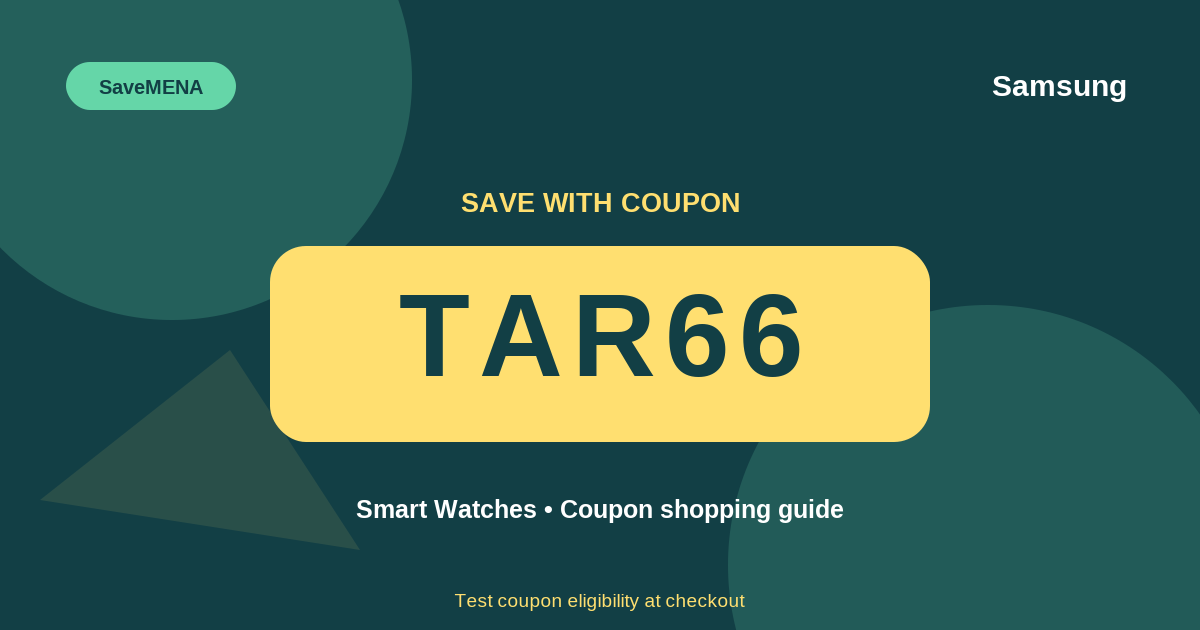
Codes available to try while comparing
These codes are not guaranteed for the article topic or listed brands; test them at checkout and use the live result.
1️⃣ Identify the Smart Features that Matter to UAE Shoppers
A Samsung smartwatch offers many functionalities, but for UAE residents, certain features become top priorities. Bright display clarity under the Gulf sun, extended battery life to span the long workdays, and built‑in fitness tracking that syncs with popular Arabic health apps are essential. Additionally, water resistance fans those who enjoy desert swims or occasional beach outings. When you evaluate a Samsung model, ask whether the device supports dual‑SIM functionality and 5G connectivity, which can be handy for quick browsing or staying reachable during travel across the Emirates.
Another aspect is the ecosystem integration with your smartphones. If you run a Samsung phone, look for a watch that pairs seamlessly with the Galaxy Wearable app. This ensures smooth notifications, quick battery monitoring, and effortless software updates. In Sunday evenings or during business kickoff, you’ll value a watch that keeps you connected without draining your phone’s battery. Therefore, weigh feature per price, prioritizing the functions that align most closely with your daily traffic, meetings, or outdoor adventures in Dubai, Abu Dhabi, or Sharjah.
2️⃣ Understand Noon’s Delivery Options for Smart Watches
Noon’s delivery framework varies with the item’s size, weight, and seller location. For smaller electronics like smart watches, standard delivery often takes 3‑5 business days across the UAE, while express options can shave a day or two if you choose it. Checking the product page before checkout will give you the estimated delivery window. If you’re in a metro area such as Dubai or Abu Dhabi, you might be eligible for same‑day delivery if you place the order before noon, but confirm this detail at the time of purchase, as Noon sometimes updates these thresholds.
Delivery costs themselves can be free if you meet specific thresholds—often tied to total order value or shipping category. Watch the “Delivery & Fees” section during checkout to see if your watch qualifies for free shipping, or if a small fee applies. Some sellers tag their products with a “Zero Fees” badge; still, scrutinize the final checkout screen. Noon may also offer pickup points at malls or pop‑up outlets; that’s a convenient alternative if you prefer to pick the watch directly and bypass any shipping fee or wait time.
3️⃣ Calculate the True Cost: Shipping Fees, Handling and Other Charges
Even if a smartwatch’s headline price shows a discount, it may not reflect the entire financial picture. Noon sometimes includes a handling fee for high‑value items; this will appear under the “Additional Fees” line at checkout. Such fees vary by seller and purchase history, so you have to read that final section carefully. If there’s a small extra fee, you can negotiate with the seller through the “Chat” option on the product page, asking whether they can waive the handling cost. This negotiation can help keep your total down to the advertised price.
Moreover, check whether your watch falls under the “Express Delivery” surcharge if you want faster delivery. Sometimes express shipping costs a flat amount, while occasionally it’s a percentage of the item cost. Rather than committing to express, evaluate the benefits against your schedule. If you have a tight deadline, the extra fee might be worth it; otherwise, standard delivery could be the economical choice. Always back up the shopping list with a quick side‑by‑side comparison of each shipping option’s fee to make an informed choice.
4️⃣ Apply the TAR53 Coupon Wisely at Checkout
The TAR53 coupon is displayed in Noon’s promo section and can be entered at the checkout step. After choosing the best Samsung smartwatch and verifying shipping options, you’ll find a field to “Apply Coupon.” Paste “TAR53” there. Note that the coupon’s redemption validity will be shown on the final payment screen. If the coupon doesn’t appear to work, double‑check for any typos or punctuation, as the code is case‑sensitive. The coupon can only be applied once per transaction.
Using the code will reflect a discount under the “Coupon Discount” line; however, the exact percentage or amount won’t be predetermined. It’s better not to rely on the coupon for a specific budget but to use it as a safety net. After submitting, if the coupon seems invalid, refrain from trying again with a different code, as this can accidentally trigger a promotion cap. If you still have questions about how the coupon interacts with delivery fees, you can always open a support ticket before finalizing the order.
5️⃣ Avoid Hidden Fees: Insurance, Return Policies, and Change Charges
Smartwatch purchases carry the risk of accidental damage or software glitches. Noon offers optional insurance for electronics; this appears as an add‑on at checkout. Before accepting such coverage, evaluate whether it affects the total cost or is necessary for your usage. If you decline the insurance, keep an eye on the “Optional Add‑Ons” list—a skipped item might still appear as a suggestion, and its removal might alter the shipping calculations.
Return policies on Noon usually include a standard 14‑day window. The return fee is customarily waived for eligible electronics, yet it’s important to view it on the Returns page. Sometimes, returns for a smartwatch can trigger a restocking charge, especially if the item was sold directly by Noon. Double‑check the policy before purchasing, especially if you’re buying from a third‑party seller, because the terms can vary across vendors. Confirming these details at checkout helps avoid surprise costs later.
6️⃣ Real‑World Purchase Walk‑Through for a Samsung Smartwatch
Let’s walk through how you’d order a Samsung smartwatch on Noon while keeping an eye on delivery and fees. First, search for “Samsung smartwatch” and filter by “UAE Free Shipping.” Choose a model that meets your feature checklist, then click “Buy Now.” On the product page, check the listed delivery timeframe; note any free‑delivery tags. Add the watch to your cart and proceed to checkout.
On the Checkout page, verify the shipping address, then preview the “Estimated Delivery Date” and “Estimated Fees.” Next, paste the coupon code TAR53 in the “Apply Coupon” field. After submitting, confirm the displayed discounts and final payable amount is clear. If you’re still unsatisfied with any fee shown, chat with the seller prior to paying. Once you agree, complete payment with your preferred method. It’s that simple, but the key is the meticulous review of fees at each step.
7️⃣ Compare with Free Delivery Thresholds and Incentives
Noon offers occasional promotions where orders above a certain amount qualify for free delivery. Typically, these thresholds range between AED 200 to AED 300, but can fluctuate by campaign. By checking the “Offers” tab before adding the smartwatch to the cart, you can determine if the free‑delivery condition is applicable. If your total cart value doesn’t meet the threshold, consider pairing the smartwatch with another smaller accessory to benefit from the free shipping advantage.
You can also explore loyalty programs or subscription services that provide discounts on shipping. Noon sometimes partners with the Noon Prime membership, giving members waived delivery fees for select categories for a yearly fee. Compare the cost of joining such a program against the potential savings on multiple smartwatch purchases. This long‑term strategy can be more cost‑effective than repeatedly applying a single coupon code for each order.
Related SaveMENA pages
Related articles
Official sources to check
Frequently asked questions
How can I confirm the delivery fee before I checkout?
You’ll see the exact delivery fee in the ‘Estimated Fees’ section of the checkout page. If it’s not listed, it may have no charge. For definitive confirmation, always read that final payment screen before placing the order.
What happens if the TAR53 coupon doesn’t apply at checkout?
If the code fails, double‑check for typos or use a single space after the code. If it still doesn’t work, contact Noon customer support for clarification; the coupon may be limited to specific sellers or order types.
Can I use both the TAR53 coupon and a free shipping threshold?
Yes, as long as the purchase qualifies under the free‑shipping condition. The coupon will still apply to the product price. However, fees related to additional insurances or express shipping will not be reduced by the coupon.
What is the next step if I receive the smartwatch with a damaged screen?
Within 14 days, contact Noon’s return center via the app. Submit a claim with photos and the original packaging. If the damage is due to a defect, Noon will arrange a replacement or refund. Check the return policy before shipping.