HP Computer Accessories on Noon UAE: listing condition — buyer checklist
Noon UAE deals Computer Accessories HP listing condition and displayed item state: When you’re hunting for the best Noon UAE deals on Computer
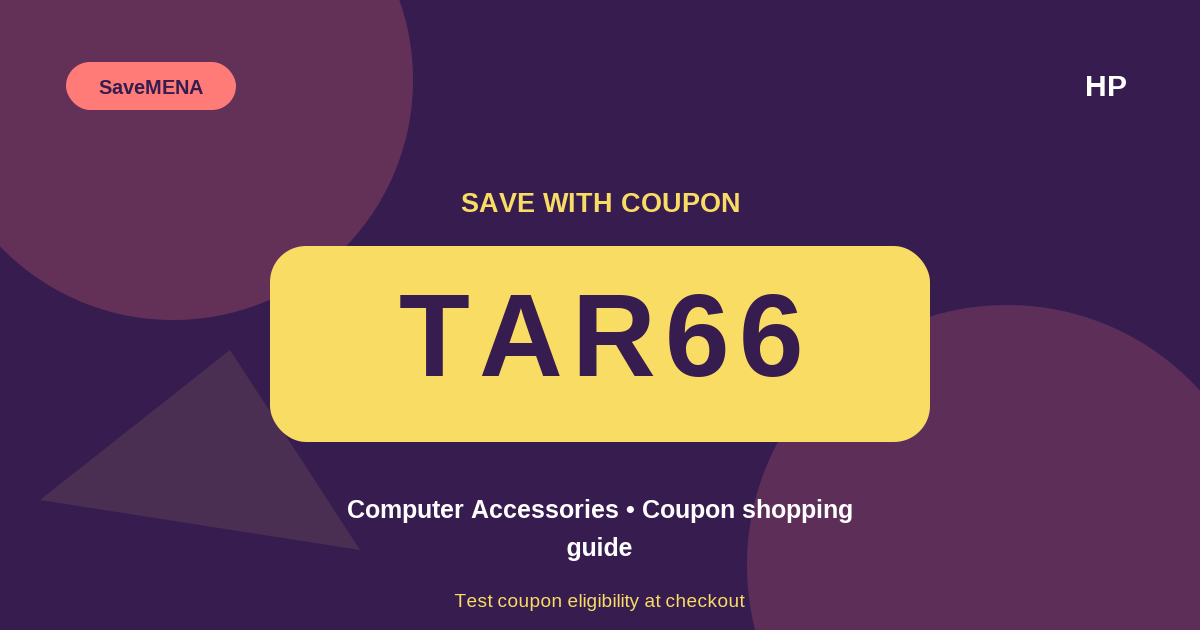
Codes available to try while comparing
These codes are not guaranteed for the article topic or listed brands; test them at checkout and use the live result.
Finalizing the Purchase and Delivery
But provide 8 sections on decision lens: listing condition and displayed item state, not other generic steps.
When you’re hunting for the best Noon UAE deals on Computer Accessories—especially HP products—your first priority should be the listing condition and displayed item state. This guide walks UAE shoppers through each essential decision step, from reading seller descriptions to checking third‑party warranties, all while keeping the TAR66 coupon code in mind. By focusing strictly on what the listing presents, you’ll avoid hidden issues and secure a reliable purchase that truly adds value to your tech setup. Start with a careful review of the details at the top of each product page, and you’ll build a clear picture of exactly what you’re buying, in which condition, and under which return terms before you add to cart.
Pay Close Attention to the Listing Condition Label
On every HP computer accessory page on Noon, a label indicates whether the item is new, refurbished, or used. This brief sticker is the first organized cue for buyers, and it dictates what statements and warranties you can expect from the seller. When you notice “New” next to the product title, anticipate that the item is brand‑new and likely comes with a standard HP warranty. If “Refurbished” or “Used” is displayed, look for extra research on the seller’s refurbishment process or condition description in the detail section.
Never assume a “New” label guarantees a pristine product; always cross‑check the seller’s FAQ and return policy. If the listing says “couple of days old” or “factory sealed,” it more reliably signals a truly new item. Conversely, a “used” tag that reads “like new” might still hide subtle wear. Mark each item’s displayed state and keep track as you compare across multiple sellers.
Decode the Seller’s Condition Narrative
Beyond the label, HP accessories listings contain a verbatim description of condition. This narrative elaborates on factors such as manufacturing dates, packaging integrity, and any visible defects. For example, a refurbished HP keyboard listing might mention “inner casing repaired” or “OEM components replaced.” The depth of this narrative reveals how the seller views and presents the item’s state. When examining side‑by‑side listings, prioritize those with the most transparent condition explanations, as they reduce the chance of surprise after delivery.
Use this narrative to assess the risk of dismissing a product that outright bets on “fully functional” status. If the description lacks detail—only noting “good condition” without specifics—consider asking the seller for more evidence or opting for a listing that explains the refurbishment process clearly. In cases where the seller claims a “factory sealed” state, verify that statement by checking the packaging photos later.
Evaluate the Packaged Item State from Seller Images
Images are the visual proof that an item’s presented condition matches its description. HP accessories on Noon typically include pack shots that show packaging, logos, and any tags. Inspect these shots for torn bags, missing seals, or misaligned logos—signs that the item might not be wholly new. If the product is listed as “new” but the image shows a dent in the box or a visible scratch, this discrepancy warns that the condition may be different than stated. In contrast, pristine packaging with proper labels supports the claimed listing condition.
For refurbished or used listings, the photographs should focus on showing the unit itself, highlighting any visible wear or repair marks. When reviewing these, look for consistency: is the HP logo intact? Are there any chip marks or connectors that look altered? Pay special attention to how the seller presents the back or side of the accessory—these can reveal hidden damage. Trusting the image quality and thoroughness will keep you from receiving an item that falls short of expectations.
Scrutinize User Feedback on Item State
Customer reviews on Noon can offer first‑hand insights into how accurately the item’s condition matches the listing. Look for comments that specifically mention packaging integrity, especially for HP accessories that come in multiple colors or designs. If shoppers report that the product arrived slightly scratched or with packaging damage, that comment may reflect a common issue for that listing. This data point helps you decide whether to stick with the same seller or seek a different stock.
When a review highlights a discrepancy between the “new” label and the actual state—such as “label says new but box is dented”—use that as a cautionary note in your decision process. A handful of reviews about packaging problems may not flag a seller as unreliable, but they do suggest a need for extra scrutiny in the product images and detail sections. Use these insights to set expectations for the item’s disposition upon arrival.
Verify Warranty and Return Policies Relative to Item State
HP accessories listings always contain a brief description of the warranty period. New items typically carry a one‑year manufacturer warranty, while refurbished ones might guarantee a shorter term or a limited coverage. These details are usually listed in the “Specifications” or “Warranty” field. Checking this section confirms that the stated warranty aligns with the product’s displayed condition.
If the listing says “one year from purchase date” but the item is refurbished, you will still default to the refurbished warranty, not the full brand warranty. Return policies are equally vital: most Noon sellers offer a 14‑ or 30‑day return window if the item is not as described. In the context of listing condition, confirm that the seller states a “return if item differs from description.” That clause ensures you have recourse should the HP accessory fail to match the featured condition or displayed state. Always read the fine print for any condition‑specific return restrictions.
Confirm Product Authenticity and Origin
Authenticity checks are essential when buying HP accessories, especially if a listing offers a used or refurbished unit. Noon listings often include a brief authenticity paragraph, stating “HP genuine component” or noting the presence of a serial number. Look for a serial number field in the product details; if it is present, the seller likely has verified the unit’s origin. If the listing omits such identifiers, be cautious about counterfeit risks. Additionally, the company’s trademark and packaging design should match HP’s official style.
Inspect the logo placement, color scheme, and any OEM markings. Consistency across these visual cues increases confidence that the accessory is authentic. For refurbished, check whether the seller has replaced all internal components with brand‑approved parts—many listings will note this in the condition explanation. This authenticity confirmation reinforces the trustworthiness of the displayed item state.
Strategically Try the TAR66 Coupon in Context
The TAR66 coupon can be entered during checkout to potentially lower your final cost, but it does not guarantee that it will apply to every list category. When you reach the payment screen, input TAR66 and observe whether the discount is accepted. If the coupon does not apply, that dismissal must be noted, and you should still proceed to finalize the purchase based on the review of item condition. Remember, the coupon’s effectiveness does not influence the HP accessory’s condition, warranty, or return terms.
Use this coupon as a financial lever after you have validated the listing condition. It is safest to complete the condition evaluation first, then add the coupon at the checkout stage. This order protects you from compromising the product state assessment because of an unrelated coupon outcome. If the coupon does not function, simply note it, and your assurance about the item’s condition remains intact.
Related SaveMENA pages
Related articles
Official sources to check
Frequently asked questions
Can the TAR66 coupon be used on any HP accessory listed as refurbished?
Only if the coupon is accepted during checkout. The coupon does not automatically lock onto every refurbished item; each transaction requires a check at checkout.
What should I do if the product arrives in a damaged condition?
Use the displayed item state and warranty information from the order confirmation to initiate a return or warranty claim. Documentation of the damage should be provided as required by Noon’s return policy.
How can I verify that the HP accessory is authentic?
Look for a serial number in the product details, confirm the HP logo placement, and compare images to official HP packaging styles. Authenticity is best confirmed by these visual and data cues.
Is a new HP accessory always guaranteed a full manufacturer warranty?
A full manufacturer warranty is typically attached to new items; however, always check the warranty field in the product listing for the exact coverage period before purchasing.