Home Appliances on Noon UAE: listing condition — buyer checklist
Noon UAE deals Home Appliances listing condition and displayed item state: Looking to save on a home appliance while ensuring it’s in the condition you expect?
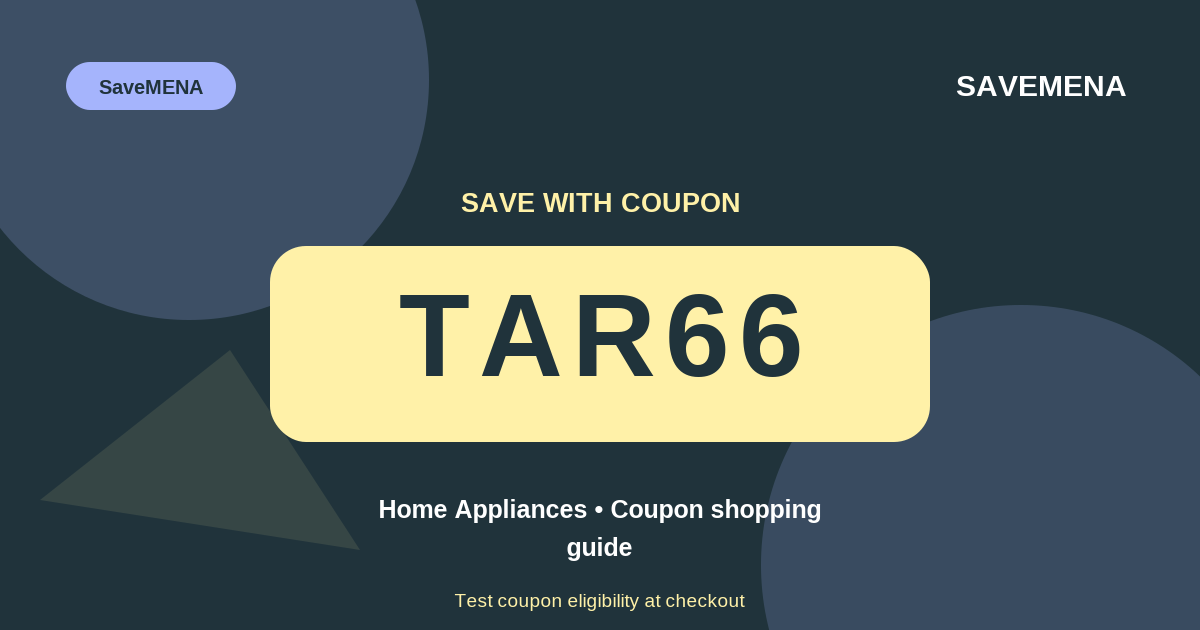
Codes available to try while comparing
These codes are not guaranteed for the article topic or listed brands; test them at checkout and use the live result.
Assess the Condition Label on the Listing
Before clicking “Add to Cart,” look for a clear label that states the item’s condition: New, Factory Fresh, Open‑Box, Refurbished, or Used. Each label carries a different guarantee. A “Factory Fresh” or “New” tag typically signals a sealed item that hasn’t been opened, while an “Open‑Box” tag may indicate a product that has had a brief, documented usage. If the listing only says “Used” or “Second‑Hand,” see if the seller supplies a detailed status note – missing parts, warranty expirations, or pre‑sale edits all matter. Accurate labeling aids your expectation of the item’s showroom state.
A visual cue accompanying the label can reinforce confidence. A picture of the unopened box or a wrapped box helps confirm a sealed condition. Refurbished items sometimes feature a distinct badge or a “Refurbished” stamp. If the listing omits any of these markers, cross‑check the product description for a condition summary and ask the seller any clarifying question in the chat feature. While condition tags give a first impression, verifying them with concrete image evidence lets you avoid misreading general terms like “good” or “like new.”
Examine Photos for Visible Flaws
Most Noon product pages display multiple photos, sometimes from different angles. Focus on identifying scratches, dents, or missing components that could reduce performance or aesthetic appeal. For appliances that have a body, like a vacuum or tumble dryer, look for dents or uneven surfaces. For kitchen equipment, check for smudges or chipping around handles or panels. A perfect photo set usually shows an item against a neutral background with clear resolution, while a cluttered or low‑quality image may conceal flaws. Use your phone’s zoom feature to scrutinize areas you doubt.
Remember that the uploaded photographer’s perspective can indicate the listing’s transparency. If a photo shows a clean, pristine surface, yet the condition tag is “Used,” that raises questions. Look for captions or highlights that mention any defects. Some sellers add a “Note:” line in the photo caption, mentioning “minor scuffing” or “original packaging.” If a product’s image appears too polished, check the seller’s other listings; consistent high‑quality photos suggest professionalism, but still verify that the photo truly represents the item’s state at arrival. That way, visual evidence reduces the risk of post‑delivery disappointment.
Scrutinize the Description for Hidden Details
On many Noon listings, buyers rely on the product description to reveal missing features or altered specifications. Look for phrases such as “missing mounting bracket,” “missing filter,” or “non‑functional display.” A clear, item‑by‑item inventory list inside the description can affirm what arrives. If the seller lists a “full‑box” package but the description notes missing accessories, cross‑check against the photos that were provided. The absence of information can be a red flag that the item is not as complete as advertised.
Additionally, description sections often include warranty status. A note that “Manufacturer warranty expires in 12 months” tells you the remaining guarantee period for a new item. For refurbished units, sellers sometimes lower the warranty or provide a manufacturer‑approved service period. Validation of warranty terms becomes crucial in deciding if the appliance meets your long‑term maintenance expectations. By comparing warranty details with your own needs, you determine whether the condition label aligns with the coverage offered, letting you gauge whether the deal is truly convincing.
Match Product Specifications Across Listings
Living appliances typically share model numbers, serial numbers, or part numbers that Alex can verify across Noon and other sources. When a listing advertises a certain power rating or capacity, double‑check that the technical details match the specification sheet in the description or the photos of the box. A mismatch can indicate a mislisted item or a variant that differs in features or build quality. Aligning the product’s technical profile with the seller’s claims ensures the condition label (new vs. refurbished) fits the exact variant you intend to buy.
In the absence of a precise model number, assess whether the listing shares key attributes: size, color, and special functions. For example, a washing machine’s “6‑kg load capacity” and a dryer’s “drying speed” should both match the textual data. By comparing these data points, you can spot slight discrepancies that might affect performance. Proactive vigilance aboutthese details not only protects you against receiving a different model but also confirms that the bundled accessories, if any, belong to the specific variant listed.
Evaluate the Return Policy for Condition Assurances
Every Noon deal offers a return window that can vary by seller. A comprehensive, buyer‑friendly return window provides a safety net if the delivered item diverges from the advertised condition. Before finalizing the purchase, check the listed return policy duration and the circumstances under which a return is accepted: is it only for defective goods, or does it cover condition discrepancies? A generous policy gives you a longer time to inspect the appliance once it arrives.
Look also for the return shipping responsibility. If the seller bears return freight in case of a mismatch between condition and listing, you reduce potential cost surprises. Pay special attention to any “no‑refund” clauses for used or refurbished items, as some listings impose stricter rules. By documenting the return policy clearly on your order summary, you confirm at checkout that the condition you bought aligns with the advertised terms. This step ensures that any post‑delivery concerns can be raised within the protected period.
Consider Shipping and Handling for Condition Freshness
An appliance’s arrival condition can be influenced by its shipping method. Listings that state “Express Shipping” or “Same‑day delivery” often use tighter packaging, potentially protecting the item better from transit damage. Conversely, a standard shipping slot may expose appliances to longer handling times and risk of impact. Review the shipping description for mentions of “sealed packaging,” “protective padding,” or “air‑bag insulation.”
Check the delivery window information for any “arrival during weekdays” or “hand‑off to delivery staff” notes. Scheduling a delivery during times when you’re at home offers you immediate inspection, ensuring the product’s condition matches the listing. If the seller does not provide a tracking system or only offers partial tracking, you have to be more cautious. Being proactive about how the item travels adds another layer to verifying the displayed state before you even open the box.
Read Customer Feedback About Condition Accuracy
Online reviews offer first‑hand reports on how well the item matches the listing’s condition description. Look at comments that mention “looks brand new” or “slightly used but still in great shape.” Discrepancies reported by other buyers—such as missing parts or visible wear—provide early clues. If multiple users note the same issue, it may signify a pattern in the seller’s offerings. Use the filter function to isolate recent reviews to get the most current experience data.
Positive reviews that highlight “fluorescent impression of condition” are a good sign that the item came out as promised. However, be mindful of “too perfect” praise which can sometimes indicate a fake review. Combine the sentiment from reviews with the seller’s transparency in photos and descriptions. This holistic approach helps you gauge how likely it is that the appliance you’re about to buy will maintain the condition you expected.
Test the TAR66 Coupon at Checkout With Condition Confirmation
When you reach the payment screen, enter the code TAR66 in the designated field. The platform will validate whether the item qualifies for the coupon; if it’s not applicable, you’ll see an “invalid” notification but the checkout process will continue unchanged. After confirming the code, scroll to the order review section. Here you’ll see the final listed condition (e.g., New, Refurbished) and the photo gallery again; this is your last chance to see that the item’s displayed state matches what you intend to purchase. Verify that no new warnings appear or new images show hidden defects.
Finally, accept the terms, make the payment, and complete the order. Keep a copy of the order confirmation or screenshots of the final page, as they record the set condition and any coupon acceptance status. If you receive the appliance in a condition that differs from what was displayed, your record of the listing’s stated state and the chosen coupon will support your claim during a return or dispute. This systematic approach lets you balance savings with confidence in the product’s condition.
Related SaveMENA pages
Related articles
Official sources to check
Frequently asked questions
Can I use the TAR66 coupon on a refurbished appliance?
It’s possible, but the coupon code may or may not be accepted for refurbished items. During checkout, enter TAR66 in the coupon field to see if it applies to your selected product. The platform will indicate if the code is valid for that purchase before you finalize payment.
What if the appliance I receive appears older than the listing says?
Check your order confirmation and the product details you saw at checkout. If the delivered item’s condition differs, contact Noon’s customer service for a discuss about return or exchange based on the listed condition and your receipt of the product.
Do I need to check the seller’s location for condition certainty?
Seller location only indicates where the item is shipped from, not its condition assurance. Focus on condition labels, photos, spec matches, and return policy details for a reliable assessment of the item’s state before purchase.
Will the shipping method affect the appliance’s condition upon arrival?
Yes. Express or protected shipping with sealed packaging can reduce physical impact, while standard shipping may expose the item to greater handling. If you want extra confidence, opt for a delivery method that offers tighter packaging or quarantine options.