Calvin Klein Women’s Fashion on Noon UAE: market and currency — buyer checklist
Noon UAE deals Women’s Fashion Calvin Klein market and currency: When you spot a Noon UAE deal featuring Women’s Fashion by Calvin Klein, you’re looking at a
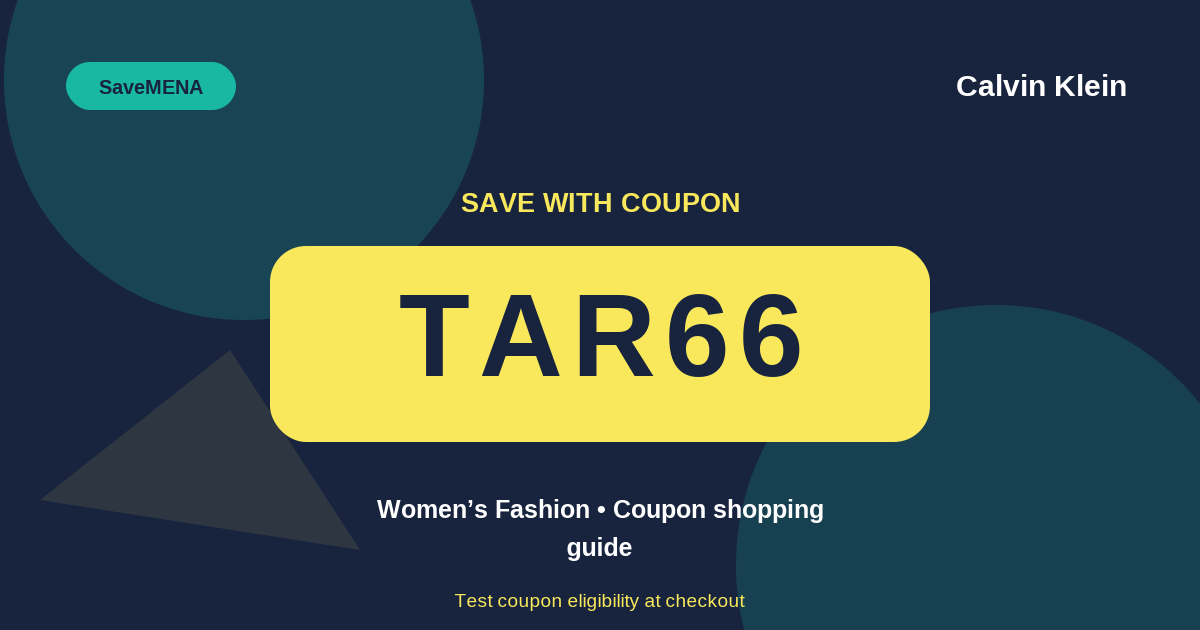
Codes available to try while comparing
These codes are not guaranteed for the article topic or listed brands; test them at checkout and use the live result.
1. Identifying Noon UAE Deals in Women’s Fashion
Start by filtering Noon’s search results for “Women’s Fashion Calvin Klein” and then applying the “Deals” filter. The deals page groups the most attractive discounted listings under a single banner, making it easier to see which items are being promoted. Rather than scrolling through the entire catalogue, focus on listings tagged as “Deal” or “Discount” – these are the items Noon explicitly highlights for short‑term price reductions.
When browsing, keep an eye on the price field in the listing preview. Even if the amount is already discounted, you can still apply the TAR66 code to see if a further coupon uplift occurs. The representative price displayed reflects the global market rate and is converted to AED at Noon’s current exchange table. Confirm the displayed rate in the checkout step – this ensures you understand exactly how the currency conversion applies.
2. Spotting Calvin Klein Essentials Among Women’s Fashion
Within the Women’s Fashion category, Calvin Klein items often appear under sub‑categories such as “Dresses,” “Jumpsuits,” or “Coats.” Use the color and size filters to narrow down to your style preference. Pay attention to the product description for details about material, fit, and designer branding; this helps ensure the item matches the Calvin Klein aesthetic before adding it to your cart.
Check for seller details next to the product image. Sellers that supply the designer label typically list their store name prominently; this can give you confidence you’re buying an authentic piece. Even small variations in seller location can affect the pricing envelope, so make a note of any seller-specific notes regarding shipping from a country inside or outside the UAE.
3. Applying the TAR66 Coupon Safely
At checkout, you may enter the coupon code TAR66 in the designated field. Although you cannot guarantee the coupon will apply, using it may produce an extra discount, or it may simply be a placeholder for a future promotion. The system will confirm whether the code is active, after which it will recalculate your total. If the code is not accepted, the final payable amount will revert to the displayed pre‑coupon total.
Do not rely on the coupon to override the default currency conversion; Noon applies its own conversion algorithm prior to coupon processing. Therefore, it is wise to notice any adjustments to the tax line or the payable amount after applying the code – this tells you whether TAR66 has had any impact on the final sum.
4. Navigating UAE Currency Conversion at Noon
Noon’s price display is a blend of global list price and the current AED conversion rate. The conversion is done using an inter‑bank rate set by Noon, which may differ slightly from the real‑time market you see on currency sites. To cross‑verify the rate, you can check the “Price Details” section on the product page; it typically reveals the original amount in USD or EUR before conversion.
After checkout, the total will show in AED. Before confirming payment, double‑check the payment threshold to ensure your current balance or chosen card can cover the amount, including any negligible bank‑transfer fees. If you’re making a large purchase, you could also consider a pre‑payment via a credit card to lock in today’s rate, rather than waiting for a future conversion.
5. Choosing the Right Payment Method on Noon
Noon allows payments via credit/debit card, debit wallet, or cash‑on‑delivery in the UAE. The choice of payment method can influence the final amount if your card incurs currency‑conversion fees. When you select a card that shows a multi‑currency option, Noon will apply the AED rate directly; but if your card adds a 1–the discount shown at checkout fee for foreign‑currency processing, the overall total will rise.
To maintain visibility over your spending, preload your Noon wallet with a precise amount. This practice eliminates hidden bank charges and lets you see the exact AED amount that will be deducted. Remember the wallet balance must cover the total shown after the coupon and tax calculations.
6. Checking Stock Levels and Delivery Windows
Once you’ve added an item to the cart, review the availability icon. Noon’s listings may show “In Stock,” “Limited Stock,” or “Sell‑Through” for various sellers. Stock indicators are updated in real time, but to avoid surprises you should: 1. Verify the stock status in the product details page. 2. Check the “Estimated Delivery” date shown prior to checkout.
The delivery window can shift depending on the seller’s location. A local UAE seller may ship in 1–2 days, whereas an overseas seller may take 3–5 days. Select a seller accordingly if you need the item by a specific event or deadline. The seller’s shipping terms will also influence the final price, sometimes adding a separate shipping fee.
7. Finalizing the Checkout on Noon
At the checkout step, confirm that the item yardage, color, size, and seller details match your cart entries. The displayed total will include platform fee, tax, and shipping fee, all computed in AED. Pay careful attention to the “Payment Breakdown” area; this is your last chance to catch an error before you authorize the transaction.
After you approve the payment, keep the receipt or screenshot visible. This record will serve as evidence for any post‑purchase checks, including returns or warranty claims. The checkout screen will also list your order reference number, which you can use when contacting Noon customer service for any follow‑up.
8. Post‑Purchase Steps and Return Considerations
Once the order ships, track it via Noon’s built‑in tracking portal. Timely delivery updates help you anticipate receipt and verify that the item matches the description—especially important for designer pieces. If the garment differs in size, style, or quality, you can initiate a return within Noon’s stated return window.
Initiating a return requires you to follow the “Order History” section, selecting the item, and providing a reason. Noon often provides prepaid return labels for local returns, but check if the seller handles returns directly, as this may influence your return method and any associated fees. Always retain the return packaging and documentation in case a dispute arises.
Related SaveMENA pages
Related articles
Official sources to check
Frequently asked questions
What happens if the TAR66 coupon does not apply at checkout?
The checkout page will recalculate the total without the coupon amount. You will pay the price listed after the conversion and tax calculations. The coupon code can still be used in future purchases.
Can I use a foreign‑currency card and avoid conversion fees on Noon?
Using a card that supports AED transactions usually bypasses foreign‑currency fees. Check with your card provider if the card can process AED payments directly before checkout.
How quickly can I expect my Calvin Klein order shipped from the UAE?
Local UAE sellers often ship within 1–2 days; overseas sellers may take 3–5 days. The estimated delivery date is displayed before you confirm payment.
Where do I find the exact AED conversion rate on Noon?
The item page’s “Price Details” section lists the original price and the currency conversion rate used by Noon. Verify this before placing your order.