Computer Accessories on Noon UAE: payment method — buyer checklist
If you’re searching for the most effective way to snag Noon UAE deals on computer accessories while keeping your payment method hassle‑free, you’ve arrived at the
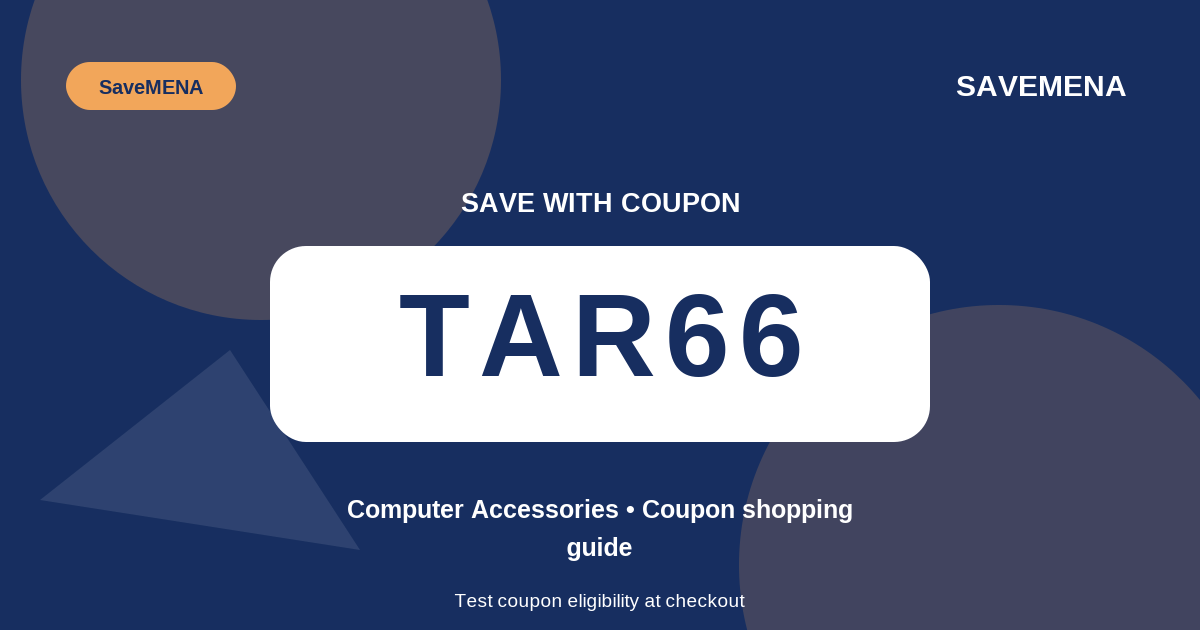
Codes available to try while comparing
These codes are not guaranteed for the article topic or listed brands; test them at checkout and use the live result.
Understanding Noon UAE Deals for Computer Accessories
Before diving into payment preferences, it’s essential to recognize how Noon’s deal structure applies to computer accessories. Deals are typically presented as price reductions, bundle offers, or special promotions that are visible on the product page. When a user clicks “Add to Cart,” the discounted amount is reflected in the cart summary. Shoppers should double‑check that the final price in the cart matches the advertised deal, as occasional updates can alter the coupon eligibility or the promotional period. This verification step prevents any late‑stage surprises that could affect the payment method’s timing or processing requirements.
Another aspect of Noon UAE deals is the potential for exclusive, seasonal discounts that only activate when certain payment methods are used at checkout. While these exclusive offers are sporadic, they often come in the form of a bonus credit or a lower transaction fee for specific card types or digital wallets. Keep an eye on the “Payment options” section of the checkout page; you can usually toggle between alternatives to see if one offers a slight advantage. Thoroughly reviewing both deal details and payment alternatives ensures you capture the maximum benefit of a promotion before committing to a purchase.
Choosing the Right Payment Method: What Works Best
The choice of payment method can affect not only the checkout speed but also the reliability of the entire transaction. Credit cards on Noon are widely accepted and often come with built‑in buyer protection for electronics, including return policies and dispute resolution. This can be especially reassuring for higher‑value computer accessories such as high‑resolution monitors or premium keyboards.
Debit cards and digital wallet options like Apple Pay or Samsung Pay offer faster processing and sometimes redirect you to a single‑click payment interface, saving time during checkout. While these methods reduce friction, you should verify that the specific wallet integrates with Noon’s payment gateway; otherwise, you may experience a failed transaction or a delayed confirmation that could lead to cart abandonment. Testing a small, non‑essential purchase on a wallet might help confirm its compatibility before placing the final purchase for a larger accessory.
How to Apply the TAR66 Coupon Safely
To use the TAR66 coupon, navigate to the cart summary after adding your desired computer accessory to the cart. Locate the “Enter promo code” field, typically found below the subtotal or shipping estimate. Type the exact code TAR66 and click “Apply.” The coupon’s validity is evaluated at this point, and any discount will be reflected immediately in the final total.
It’s important to note that the coupon is not guaranteed to work; its activation depends on Noon’s current promotional status and the eligibility criteria at checkout. Because the coupon’s success is processed during payment confirmation, you should double‑check both the applied discount and the selected payment method for consistency. If the discount does not display, revisit the promo code for typos or consult Noon’s help center for potential restrictions specific to your cart.
Timing Your Purchase: When to Expect Best Deals
Noon’s computer accessory deals often align with global tech events, regional holidays, or in‑season sales periods. These events can trigger temporary price drops or special bundle offers. Logical timing for the best deals involves monitoring Noon’s “Deals” or “Flash Sale” page in the lead-up to such events, as well as subscribing to newsletters that announce upcoming promotions.
When a promotional window opens, it’s valuable to act promptly because the availability of discount codes like TAR66 or the suitability of specific payment methods can shift based on inventory levels. For instance, a timed flash sale may restrict some payment options to ensure swift processing for the large volume of orders. By ordering early, you stand a higher chance of securing the accessory at a lower price before quotas or payment method restrictions come into play.
Avoiding Hidden Costs with Payment Options
Even if a computer accessory appears inexpensive, additional fees can creep in when certain payment methods are used. Some payment providers charge a small transaction fee for credit card usage, which Noon may pass through at checkout. Digital wallets sometimes avoid these charges, but they may include stipulations such as a minimum purchase amount or a mandatory link to a bank account.
To protect yourself from unexpected costs, carefully review the “Payment summary” section after you’ve entered the promo code. It lists any fees associated with each payment method. Compare these costs against the final payable total, and if a fee would negate the discount, consider switching to an alternative payment option that offers a smoother cost profile. Keeping a keen eye on the expansion of fees ensures the coupon’s value isn’t undermined by a hidden transaction charge.
Checking Eligibility and Checkout Requirements
Before confirming payment, it’s useful to verify two key eligibility factors that directly affect completion of your computer accessory order: the status of the promo code at the time of checkout and the compatibility of your selected payment method. Eligibility tables for codes like TAR66 are updated in real time, meaning a previously successful purchase could later be declined if the code lapses or if the merchant’s pricing changes.
Besides coupon eligibility, Noon sometimes imposes card‑type restrictions for specific discount categories. For example, a promotional offer might only trigger when a particular credit card brand is used. Be sure to cross‑check the no‑card‑brand list, if any, presented in the payment options sidebar. Aligning your eligible method with both discount criteria preserves the intended savings and prevents redundancy of payment attempts.
Maximizing Your Savings on Replacements and Accessories
Purchase decisions that involve potential replacements—like an older monitor or a non‑compatible mouse—benefit from consciously selecting a payment method that admits return or exchange grace periods. Credit cards frequently support more straightforward dispute processes and a time‑limited return window, allowing room for error when buying peripheral equipment that may require matching specifications.
If your payment method offers a purchase‑protect plan, leverage it to add an extra layer of security. While this isn't a direct discount, it mitigates post‑purchase risk that could offset promotional savings. By aligning the payment method with the device’s compatibility and warranty expectations, you invest in a purchasing cycle that preserves both value and satisfaction.
Final Checklist Before You Hit Purchase
A coupon is not guaranteed; verify its result at the retailer checkout. Reviewing each point at the checkout screen reduces the likelihood of a last‑minute hiccup.
In addition, keep an eye on the “Order confirmation” section—this is the final record of your payment method, applied discount, shipping details, and total payable amount. Compare it against the preceding cart summary. If any element deviates, contact Noon’s support promptly before confirming payment to avoid any confusion that might arise from a mismatch between what you expect and what you actually pay.
Related SaveMENA pages
Related articles
Official sources to check
Frequently asked questions
How do I know if the TAR66 coupon will work with my payment method?
To confirm compatibility, check the promo code field in the cart after adding the accessory, apply TAR66, and review if a discount appears. Then compare the discount with the selected payment method’s fee structure on the payment summary screen. If the discount shows, the coupon is ready to use with that method.
Are there any extra fees added for using a credit card on Noon?
Yes, some payment providers may add a small transaction fee for credit card usage. These fees, if any, are displayed in the payment summary during checkout. Compare the final total with other payment methods to decide which is most cost‑effective.
Can I apply the TAR66 coupon to multiple accessories?
The coupon applies at checkout to the total cart amount. If you add multiple compatible computer accessories, the discount will automatically apply to the combined total, provided the coupon is still active and applicable for the entire cart contents.
What should I do if my payment fails after the coupon is applied?
If the payment fails after confirming the discount, re‑enter your payment details or switch to a different payment method that the card issuer or wallet supports. Check for any alerts on the payment gateway and reach out to Noon’s support if the issue persists.