Apple Mobile Accessories on Noon UAE: payment method — buyer checklist
Begin by identifying the exact accessory type that matches your device’s model, such as a case, charger, or screen protector.
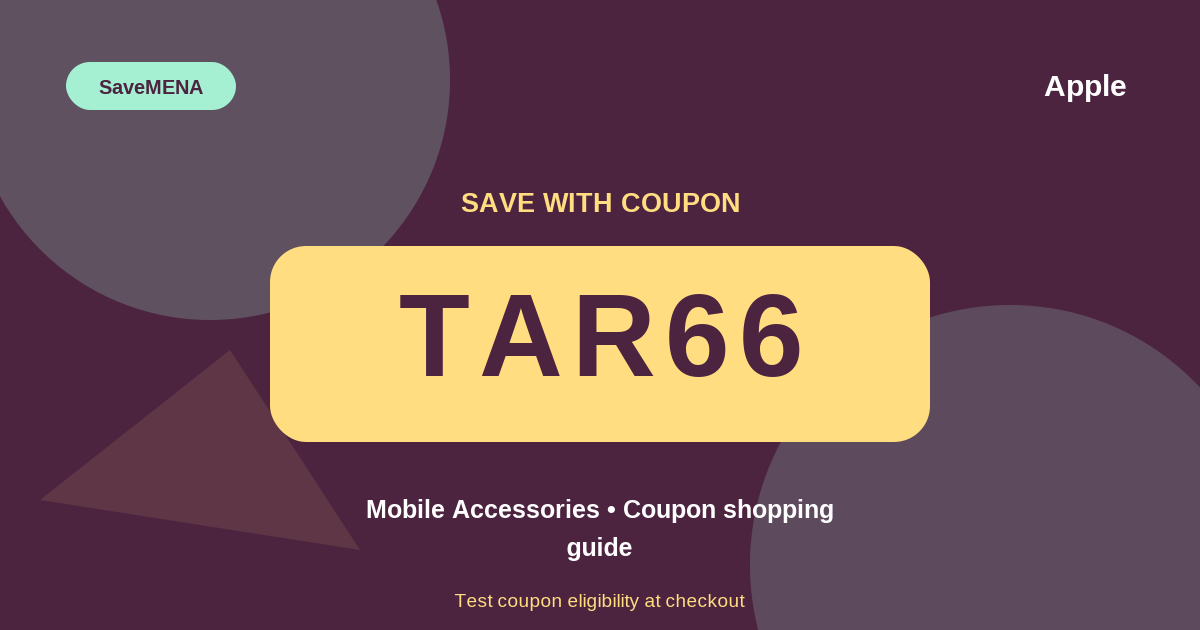
Codes available to try while comparing
These codes are not guaranteed for the article topic or listed brands; test them at checkout and use the live result.
How to Choose the Right Mobile Accessory for Your Device
Begin by identifying the exact accessory type that matches your device’s model, such as a case, charger, or screen protector. Noon UAE’s search filters let you narrow results by device compatibility, color, or material. Ensure the accessory supports the latest iPhone or Android specifications, and read seller descriptions for size, weight, and protective certifications. Checking the product’s real‑time stock status also guarantees that the item will reach you promptly, an essential factor when you rely on Noon’s courier system.
Once you have a shortlist, compare user‑submitted ratings or questions if the listing shows them. Though the article can’t guarantee a score, a strong rating trend often reflects quality. After confirming the accessory’s relevance, look for any manufacturer warranty information in the product details section. Warranties can influence long‑term value and return policies, especially when the purchase is tied to a particular payment method that may offer buyer protection benefits.
Delving Into Noon UAE Deals for Mobile Accessories
Noon UAE’s deal ecosystem operates through a combination of flash sales, category discounts, and promotional threads that appear directly in the app’s “Daily Deals” or “Deal of the Week” windows. When you spot a mobile accessory highlighted in the daily deals carousel, the deal typically includes the product price plus a nominal shipping fee. This structure lets you gauge real‑time value without estimating hidden costs until you reach the checkout page.
Keep an eye on the “Deal Validity” timestamp; while the guide does not provide exact expiration dates, you can view them by tapping the deal or hovering over the countdown on the desktop site. Checking the validity ensures that you’re not left with a price increase after the deal expires. It’s also a good practice to note the total item price versus the proposed discount section, as this data can inform you whether the coupon code or payment method will offer any additional savings at checkout.
Apple Payment Method: A Reliable Path to Make the Deal
Apple Pay on Noon UAE is designed to offer a friction‑free transaction experience, especially when you’re purchasing digital or small‑size items like mobile accessories. The payment option appears automatically once you add the product to your cart and proceed to the secure checkout page. It’s important to verify that your Apple device’s wallet is set up with an active credit or debit card linked to an accepted bank in the UAE.
During payment, the checkout will request your biometric confirmation (Face ID or Touch ID) or passcode. Confirm the transaction amount displayed, which includes the product price and any shipping fees. Apple Pay typically simplifies the payment step by delivering a single confirmation screen, thereby reducing the chance of hidden surcharges. Always double‑check the total before tapping “Pay” to ensure that no additional fees appear after authorization.
Catching the TAR66 Coupon: Apply, Test, and Verify
To introduce the TAR66 coupon, add the chosen mobile accessory to your cart and then proceed to checkout where you’ll find an “Apply Coupon” field. Type TAR66 exactly as it appears, respecting uppercase lettering. Because the coupon is available to try, there’s no guarantee of acceptance, but the attempt will reveal whether it applies to your specific category and vendor.
If the coupon code is accepted, the cart total will adjust accordingly just before the payment method selection phase. You can then switch to Apple Pay to confirm that the adjusted amount is reflected in the final payment screen. Verify the discount visually; if the coupon did not trigger, simply proceed with Apple Pay without it and note the unaltered total. Checkout screenshots may be saved for reference in case you need to dispute a later invoice.
Assessing Delivery, Taxes, and Extra Charges
Noon UAE’s checkout layout presents a “Shipping & Handling” summary, often a flat fee or free thresholds that are clearly itemized. Because the article can’t specify figures, examine the breakdown for any additional logistics charges that may apply due to delivery speed or location. Certain regions in the UAE are exempt from VAT, while others pay the standard the discount shown at checkout tax; the platform calculates this automatically.
Other potential extra fees include debit card surcharges or credit card installment fees. Apple Pay, however, seldom carries such charges, but the checkout will still show any fee that applies to the selected bank. Always scroll to the bottom of the payment screen for a final “Amount Payable” figure, ensuring no surprises after the payment authorization completes.
Final Confirmation Checklist Before You Hit “Pay”
In the checkout flow, review the “Order summary” for product SKU, quantity, price per unit, and total cost. Confirm that any applied coupon, such as TAR66, appears on the line for transparency. Double‑check that the shipping address, contact phone number, and email capture the correct details. This step ensures that no miscommunications occur between the buyer and the seller.
After the Apple payment screen confirms the amount and time of charge, tap “Pay” and observe the on‑screen confirmation. The final receipt will list the shipping method chosen, the estimated delivery window, and the total amount paid. Retain the receipt or screenshot for a later reference in case the order status updates or if a refund becomes necessary. Always verify that the final total matches the amount displayed on the payment screen.
Resellers’ Perspective: Maximizing Return on Mobile Accessories
If you buy in bulk or plan reshipment, examine the seller’s returns policy during checkout. The policy can vary between vendors, so log into your Noon account to compare policies side by side. Reseller accounts sometimes qualify for perks like free returns, but the discount is not guaranteed from the coupon or payment method.
Keep a manual record of product IDs, serial numbers, and warranty documents, particularly for higher‑value items. Apple Pay can offer an escrow‑like protection that ensures the funds are only released upon delivery, which adds a layer of security for resellers handling multiple SKUs. Verify that the payment method matches the vendor’s preferred transaction processing to reduce the likelihood of disputes over returns or restocking fees.
Compare alternatives without guessing
When you compare another option in apple, keep the specifications, quantity and seller as consistent as possible and compare the total shown at checkout. A different coupon does not automatically make a deal better because delivery, fees and the live basket context can change the outcome. Use the final payable total as the practical comparison point.
If the retailer shows a specific condition, rely on that visible message; if it does not, do not turn an assumption into a general rule. Test available options one at a time and note any real change in the total or eligibility message. That creates a verifiable shopping comparison instead of a recommendation built on an unsupported marketing claim.
Related SaveMENA pages
Related articles
Official sources to check
Frequently asked questions
Does the TAR66 coupon work on all mobile accessory categories?
At checkout, you can test the code by entering TAR66 in the coupon field. If the code does not apply, wish to use a different promotion or continue without it. The coupon is experimental, not guaranteed for each category.
Will Apple Pay charge any hidden fees on Noon UAE?
Noon UAE displays any applicable fees in the “Shipping & Handling” and tax breakdown before payment. Apple Pay itself typically does not add extra charges, but the final amount on the payment screen shows total cost including all fees.
Can I use the coupon and Apple Pay together?
Yes. After applying TAR66, the discount reflects in the cart total. Then select Apple Pay to complete payment. The final amount will incorporate the applied discount and any shipping or tax charges.
Is the product warranty honored if I pay with Apple Pay?
Warranties are vendor‑specific, not payment‑method dependent. Apple Pay only passes the transaction; it does not alter warranty coverage. Verify warranty details in the product description before purchase.