Pet Supplies on Noon UAE: payment method — buyer checklist · TAR84
Looking for the most practical way to snag Noon UAE deals on pet supplies without missing out on savings, this guide zeroes in on the payment method you choose.
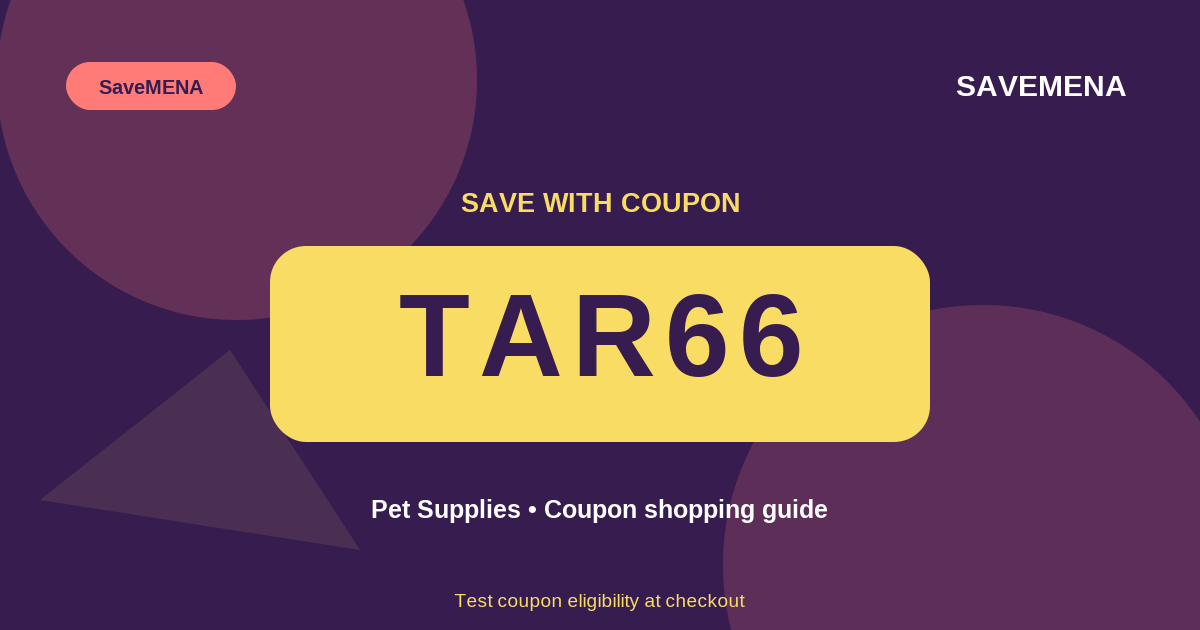
Codes available to try while comparing
These codes are not guaranteed for the article topic or listed brands; test them at checkout and use the live result.
Understanding Noon’s Payment Options for Pet Supplies
Noon UAE offers several payment avenues that cater to different shopper habits. Traditional credit and debit cards can be added easily through the app’s payment settings, while digital wallets like Apple Pay, Google Pay, or PayPal are also available for quick, secure transactions. Some users prefer near‑cash options such as bank transfers, which are also supported during the checkout process. Knowing each conduit’s setup steps and security features is essential before loading your cart with food, toys or grooming kits.
When reviewing the payment section, you’ll notice that Noon stresses flexibility: an instant cart update appears once you choose a payment method. Ensure you run a test order or confirm the final price in the order review page, as different payment choices can trigger subtle variations in shipping or processing fees.
Why Payment Method Matters on Noon UAE Deals
The payment method you pick not only influences security and speed but can also determine whether a coupon like TAR84 is applied successfully. Some payment options enforce stricter verification steps that may inadvertently bypass certain promotional checks. For pet supplies, where recurring purchases are common, selecting a method that consistently honors coupons can save time and effort.
Additionally, certain payment services offer integrated loyalty credits or instant cashback, which complement Noon’s discount codes. When arranging a purchase of pet feeding bowls or veterinary products, aligning your payment choice with these complementary perks ensures that your spend at checkout matches your intended savings.
Applying the TAR84 Coupon to Your Cart
Adding the TAR84 code involves a simple action: after products are added to the cart, select the ‘Apply Coupon’ field near the total amount. Input the code exactly as shown, keeping case sensitivity in mind. The interface should acknowledge the presence of the coupon, often indicated by a small checkmark or text confirmation. There is no guarantee of a specific discount amount, but seeing the indicator confirms it will be considered during final pricing.
Once the coupon acknowledgement appears, double‑check the cart’s subtotal and ensure it updates accordingly. If no change is reflected, verify the code’s eligibility for pet supplies within the order review before proceeding to payment. Should you encounter an unresolved coupon, contact Noon support or re-enter the code at the next checkout attempt.
Credit Card vs. Debit Card: What Works Best for Pet Purchases
Credit cards usually offer buyer‑protection features and potential rewards points that can offset pet care expenses. Moreover, many credit issuers provide purchase protection for a limited time after the transaction, covering accidental loss or damage. For one‑time orders of pet nutrients or grooming tools, a credit card often gives an added safety net.
Debit cards, on the other hand, pull directly from your bank balance, making them straightforward for budget‑conscious buyers. They typically do not incur additional processing fees, unlike some credit options. Both card types are accepted on Noon, and you can toggle between them during payment selection to match your preference.
Digital Wallets and Alternative Payments: Quick Picks
Digital wallets offer seamless cashless payment, especially on mobile devices. By linking a wallet such as Apple Pay or Google Pay to your Noon account, you bypass card entry steps, allowing the system to auto‑apply any active coupon cells you have scheduled. This speed is ideal for quick, repeat purchases of pet treats or cleaning supplies.
Alternatively, bank‑to‑bank transfers can be utilized for larger orders, though they may take longer to process. If you choose a transfer, confirm that the TAR84 code remains active in the order summary before confirming the transfer to avoid missing the discount.
Managing Delivery Fees and Taxes with Each Payment Method
Noon’s interface aggregates delivery costs and applicable taxes before the payment step. Depending on the selected delivery location, the checkout page lists a fee that may differ slightly for certain payment methods due to processing arrangements or partner logistics. Checking the projected delivery charge after choosing a payment button ensures transparency.
Taxes are applied automatically based on the address and item category. Pet items sometimes fall under specific tax brackets, and the payment system signs these into the final total. Verifying both the tax amount and delivery fee in the order summary confirms what you’ll actually pay, regardless of the payment method chosen.
Finalizing Your Order: Checkout Best Practices
Once your cart shows the total inclusive of TAX, delivery, and any coupon adjustment, review each line item again. Pay attention to the payment method drop‑down; ensure the the coupon code card or wallet is selected, and confirm there are no pending errors. A quick “Review Order” button often precedes the final payment submission, and opening this step again offers another chance to double‑check the coupon is still active.
When clicking the “Pay” button, the transaction processes instantly—unless an additional verification (for example, a 3D Secure prompt) triggers. Resolve any prompts promptly; they are designed to secure your purchase. The confirmation screen will display your final payable amount, which is what you should trust as the definitive figure.
Saving Gears: Using Local Deals and Coupon Together
Noon frequently promotes local bundles or multi‑product deals for pet supplies—think combined offers of food, water bottle, and a grooming brush. If you choose a bundle, add it to your cart before entering the TAR84 code. The group pricing may shift the total and the coupon might still apply as a percentage or fixed amount, though the exact benefit remains determined at checkout.
For recurring orders like pet food re‑subcriptions, see if Noon’s subscription platform allows coupon application. Tracking subscription savings alongside the TAR84 code gives a holistic view of potential discounts, provided the coupon is valid for the subscription service level selected.
Related SaveMENA pages
Related articles
Official sources to check
Frequently asked questions
Is there a limit to how many times I can use the TAR84 coupon?
Use the coupon code only once per order. If you place multiple orders, you can re‑enter the code for each new checkout. The system validates the code at checkout and does not track usage beyond the current transaction.
Does my chosen payment method affect the delivery speed?
Delivery speed is primarily tied to Noon’s logistics network. The payment method rarely influences it, except for cases where certain bank transfers require additional processing time, which might slightly delay confirmation of purchase.
Can I apply the TAR84 coupon after I’ve chosen my payment method?
Best practice is to add the coupon before selecting the payment option, ensuring the discount is reflected in the subtotal. You can still re‑enter the code after the payment step, but any adjustments will only appear after you proceed to review the final total.
What should I do if the coupon doesn’t appear to apply?
First double‑check the code’s spelling and ensure it’s still active. If it’s still not applying, review the cart for any items that may disqualify the coupon. If everything appears correct, contact Noon support for assistance before confirming payment.