Huawei Tablets on Noon UAE: payment method — buyer checklist · TAR84
Before you hit the buy button, evaluate how Noon’s tablet range is organized. The platform groups products by size, processor type, and the coupon code use
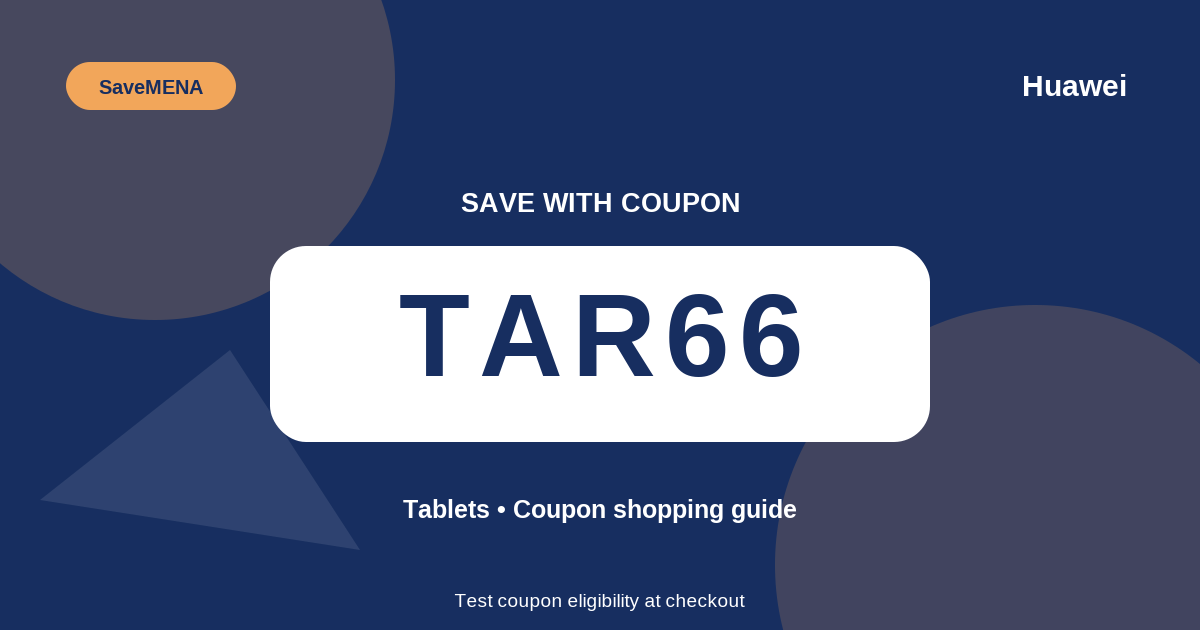
Codes available to try while comparing
These codes are not guaranteed for the article topic or listed brands; test them at checkout and use the live result.
Understanding Noon UAE Tablet Offers: What Shoppers Should Look For
Before you hit the buy button, evaluate how Noon’s tablet range is organized. The platform groups products by size, processor type, and the coupon code use case—such as light browsing, media consumption, or mobile productivity. Notice gaps in the lineup, and compare how comparable models differ in display quality, storage options, and connectivity choices. Keep an eye on user ratings and return policies, which can indicate overall reliability. All this information is typically displayed under the product page, giving you a clear snapshot of the device’s strengths and potential trade‑offs.
Next, compare the software experience each model offers. Some tablets ship with the latest Android version, while others may still rely on earlier releases. Pay attention to the presence of built‑in security features such as secure enclaves or biometric unlocking. If you plan to use the tablet for work or voice calls, make sure it supports the necessary network bands or LTE options. Also, check whether the device comes with pre‑installed productivity apps that align with your workflow, as this can affect long‑term usability.
Identifying Value‑for‑Money on Noon: Criteria Beyond the Price Tag
When searching for the best tablet value, focus on performance metrics that matter to you. If you’ll stream high‑definition video, look for a processor with at least a quad‑core architecture and a screen that offers at least 800 nits of brightness. Battery endurance is another key factor—check rated hours and how the device performs under sustained use. The availability of future software updates can also preserve performance over time. By gathering these data points, you can gauge how a tablet will fit your needs without relying solely on headline price.
Now bring payment technology into the evaluation loop. Some Noon sellers advertise free shipping or reduced rates when you choose specific payment methods. If a merchant allows payment via a digital wallet, you may receive a small transaction fee discount at checkout. These technologic nuances can shift the final out‑of‑pocket cost, so factor them in when tabulating which tablets present true value. Checking for a coupon code before finalizing can also lead to incremental savings that compound across multiple purchase decisions.
Leveraging Noon’s Tablet Search Filters to Find the Right Devices Fast
Use Noon’s built‑in search filters to narrow the tablet pool by size, operating system, or brand. Setting a size range of 8 to 10 inches can automatically filter out larger gaming rigs or niche workstations that don’t fit your portability criteria. Adding a filter for Android can help you locate smartphones‑style tablets, which often have better supply chains and support. Leaving the brand filter unset allows cross‑comparing devices from multiple manufacturers, giving a broader view of price‑performance trends.
Once you have a condensed list, sort by customer rating or price to start compiling your shortlist. Pay extra attention to how many reviews each model has, as higher numbers usually mean a larger data set of real‑world feedback. Your shortlist should represent a balanced set of price ranges so you can later decide which actual price checks intersect most favorably with coupon availability. Keep that shortlist handy as you move into the payment method comparison stage.
Exploring Huawei Pay on Noon: Compatibility and Practical Steps
Huawei Pay is a mobile wallet solution that lets you add credit or debit cards and use them without a physical card. In UAE, the checkout flow generally asks you to link your bank account or card to the wallet during the initial app set‑up, then you can select it as the payment method for any product listed on Noon. The process is transparent: after selecting Huawei Pay, you need to confirm the payment through your phone’s security prompt, making the transaction almost instant.
Before locking in a tablet purchase with Huawei Pay, verify that the selected device’s checkout area accepts wallet payments. Some merchants may only allow standard card or cash‑on‑delivery options, especially for higher‑priced items. If the wallet is accepted, you’ll skip the physical card entry step, but you’ll still see the full breakdown of the item price, tax, and any extra fees on the final confirmation screen. Checking this final detail ensures the payment method choice does not unintentionally inflate the cost.
Using Coupon Code TAR84: Where to Enter and What to Expect
Incorporating the TAR84 code into your Noon checkout is straightforward. After adding the tablet to your cart, proceed to the payment page and locate the field labeled ‘Coupon’ or ‘Promotional Code.’ Typing the code there will trigger the system to cross‑reference your order against any applicable promotions. If the code is valid, you’ll see the discount reflected in the subtotal before your final payment is processed. This update occurs only after verifying that your total meets any overarching eligibility limits set by Noon.
Keep in mind that the website will state whether the code is accepted or not during this step; if it does not apply, the checkout amount remains unchanged. Because the code’s success can depend on merchant variations, only try it when you reach the confirmation page. The final amount you see before confirming payment is the one you actually pay, and it includes any adjustments from coupons, shipping, or taxes.
Checkout Essentials: Verifying Prices, Delivery Fees, and Security on Noon
Once every discount and payment method has been configured, examine the summary page that Noon presents before you unlock the ‘Confirm Purchase’ button. This page lists the device price, applicable taxes, shipping charges, the chosen payment method, and the state of any coupons. Everything visible here is the figure that will be charged to your card or wallet account. Make sure the final subtotal matches what you expected based on the catalog listing and your coupon off‑screen calculations.
Security checks are automatically triggered when you approve the order. The platform will prompt for the last two digits of your card or a fingerprint/face ID, depending on your device. Once the payment is authorized, Noon sends a digital receipt to your registered email and a confirmation text if you opted in. If any of these steps do not conform to your expectations, cancel the order immediately to confirm whether the discount or invoice reflects accurately remaining item details.
Common Tablet Purchase Questions on Noon: Short Answers for Busy Shoppers
Do Noon tablets come with a warranty? Yes, most models shipped from Noon include a standard manufacturer warranty that covers manufacturing defects for a set period. Can the purchase be returned? Noon’s return policy typically allows a limited window after delivery, provided the tablet remains unopened and in original packaging. Will the TAR84 coupon apply to all tablet models? The code may not apply to every offer, so always check the eligibility field during checkout. Are there extra charges for using Huawei Pay? The payment method is usually free of additional service fees unless specified by your bank.
Can I use other payment methods alongside a coupon? Absolutely. Noon often accepts multiple payment options, including credit cards, debit cards, bank transfers, and digital wallets; you can choose one, apply any coupon, then finalize. Will the price change after shipping? Shipping fees are calculated based on the delivery location and selected shipping speed; they may be added to the final cost once you confirm the checkout. Is there an additional verification step for overseas orders? For cross‑border purchases, Noon may request customs documentation, but this is handled after payment authorization.
Making the Most of Noon Deals with Smart Payment Choices
By aligning the tablet you choose with a payment method that offers minimal fees, you keep the out‑of‑pocket total closely aligned with the catalog price. If Huawei Pay is accepted for the device, you may benefit from a smoother transaction, especially if you prefer an all‑digital experience. When a coupon code like TAR84 is available, ensure it is applied after you have confirmed the model’s compatibility with your chosen payment method to avoid missing a potential discount. Always re‑review the final amount before pressing the payment button.
Wrap up each transaction by noting the order confirmation number and the refund window details. This way, should any post‑purchase issue arise—such as an unexpected charge or a broken screen—you can reference the receipt and communicate with Noon or the seller efficiently. Keep in mind that, due to variations in merchant policies, a coupon or payment advantage may not exist for every model; stay alert for special promotions, and use the countdown timers on the product page to gauge any time‑bound offers.
Related SaveMENA pages
Related articles
Official sources to check
Frequently asked questions
Is the TAR84 coupon universally valid for all Noon tablets?
While the TAR84 code can be entered for any tablet listing on Noon, the platform will indicate its eligibility during checkout. If the code does not apply, you will see the subtotal remain unchanged, and you may try a different promotional offer instead.
How do I confirm that Huawei Pay is accepted on Noon?
During the payment selection step in the checkout flow, tap Huawei Pay. If the option is available, it will appear as a selectable method; otherwise, you will only see alternative payment choices such as cards or cash‑on‑delivery.
Can I combine TAR84 with other discounts or promotions?
Only one coupon or promotional code can be applied during a single checkout. If the TAR84 code does not override an existing offer, you may need to remove the other promotion or wait for an exclusive coupon that can be combined.
What is the refund policy if my tablet arrives damaged?
Noon’s return policy allows for a return within a set period after delivery, provided the tablet remains unopened and returns to its original packaging. The seller or Noon will assess damage and provide a refund or replacement based on the terms of the return.