Electronics on Noon UAE: price changes — buyer checklist
Noon UAE deals Electronics rechecking after a price change: When searching Noon UAE deals for electronics, a smart buyer’s first call to action is to recheck the
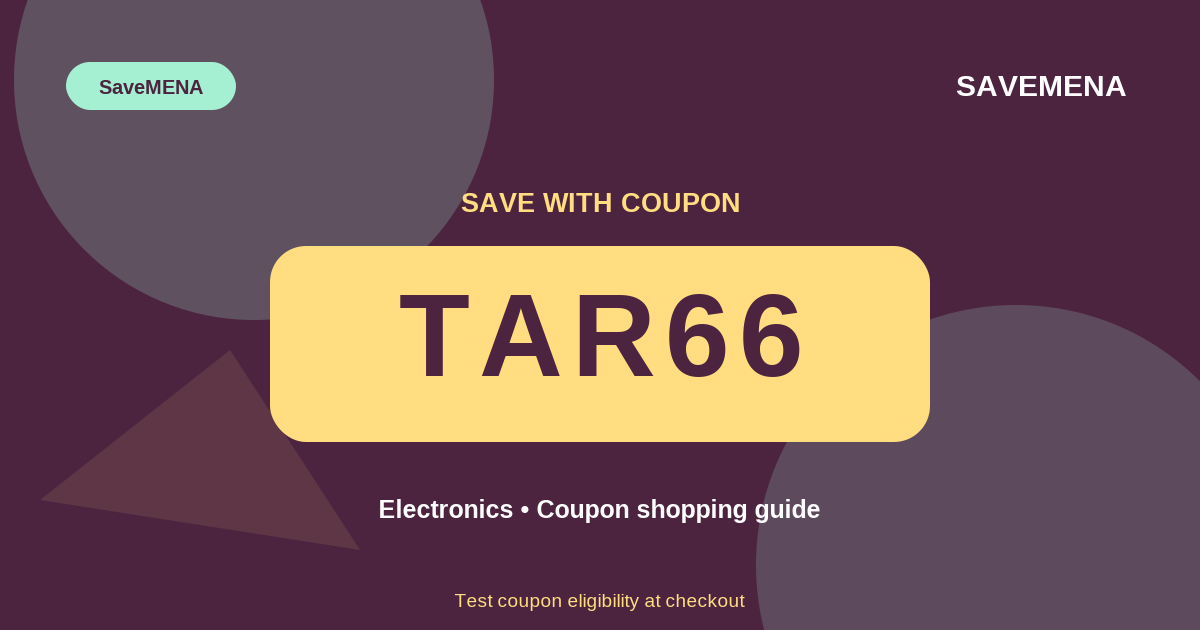
Codes available to try while comparing
These codes are not guaranteed for the article topic or listed brands; test them at checkout and use the live result.
Verify Current Price on Noon
Begin by navigating to the specific electronics listing on Noon’s UAE platform. Read the displayed price carefully, noting any annotations about limited‑time offers or promotional tags. If the product shows multiple price points (e.g., a base price and a discounted price), ensure you understand which one is applied to the cart total. Many sellers toggle between active and inactive prices depending on stock levels, so a quick glance at any “Best Price” badge can help confirm the real deal price in real time. Accurate current pricing sets the foundation for any further cost‑saving tactics you might employ.
While reviewing the live price, scroll through the product description page to find any “price history” tools or sections that display past reductions. Although Noon may not expose a full timeline, some sellers add notes like “Price reduced by X% last week.” If you encounter such markers, compute the percentage difference against the listed price to gauge how far the discount has moved you compared to the original cost. This initial check guides subsequent steps in your saving strategy.
Compare Historical Prices
After confirming the present rate, look for signals that the price might vary over short periods. Some electronics on Noon are periodically adjusted by sellers or Noon itself, especially during holidays or national events. You can compare the current price with the one previously seen in your search history or, if available, notifications you may have received in the app. Checking this history helps identify a “sweet spot” for purchase, rather than a temporary spike that could spike after you add the item to your cart.
Additionally, scribble down the current price and search for an identical model on companion sites or past Noon listings to see if the deal is genuinely competitive. A brief comparative glance can reveal whether the price drop you saw is transient or part of a consistent discount cycle. Such an approach reduces risk of buying after a regressive price adjustment that Noon may perform seconds after you place the order.
Check Seller and Authenticity
With the right price in hand, examine the seller’s profile. Noon distinguishes between merchant categories, and a stocked electronics item may have multiple sellers. Look for badges indicating official supplier status or a verified seller seal, but remember that these badges do not guarantee a perfect buying experience. Read seller ratings and recent reviews to ensure a solid history of product delivery and quality control.
For electronics, authenticity is paramount. Verify that the seller’s description matches the official product specifications, and confirm any included warranties or after‑sales support. Scanning the product’s serial number or model reference through the seller’s page can help confirm that you are purchasing a genuine, new device, not a refurbished or counterfeit model that may slash initial costs but deprives you of long‑term reliability.
Evaluate Warranty and Return Policy
Electronic goods often carry manufacturer warranties and platform‑wide return windows. Click through the product’s “Warranty” link on Noon to confirm coverage details. If Noon offers a standardized return window of 7 or 14 days, cross‑check whether the seller’s terms match or exceed this standard. This information ensures that if the device falls short of expectations, you can return it without incurring hidden delays or costs.
While the warranty details are independently stated, it is wise to verify them at checkout after adding the item to the cart. Sometimes seller‑specific warranty add‑ons appear in the final order summary. Being clear about what is covered and for how long anchors the value proposition of your chosen bargain and guards against post‑purchase complications.
Apply Coupon and Confirm Eligibility
Next, enter the coupon code TAR66 in the discount field on Noon’s shopping cart. Notice that Noon will only confirm whether the coupon is accepted at the end of the checkout flow and not during the product page review. Since coupons can be limited by cart value or specific product categories, proceed to the next step only after seeing the updated total after applying the code.
After the discount is reflected, re‑scan the coupon eligibility section, ensuring that the coupon is still valid for the current order total and that no hidden restrictions are triggered. If you discover that the coupon did not apply, check for any error messages and re‑enter the code, or consider alternative discount pathways such as Noon’s own promotional vouchers.
Assess Delivery Options and Fees
Delivery terms can influence the net cost of an electronics purchase. Noon typically offers several shipping options: standard free delivery, express delivery within a few hours, or carrier‑based pickups. Glide through the delivery section to capture the exact fee for each method. If the product requires special handling, note any extra charges for advanced delivery or item insurance.
Comparing these fees against the discounted price should be the next step. Even a small delivery surcharge can offset a considerable price reduction, particularly for high‑value gadgets. By confirming the fee upfront, you prevent unpleasant surprises in the final checkout total and streamline the order process.
Review Payment Methods and Security
Payment choices can also carry hidden costs, such as credit card transaction fees or installment discounts. Noon often supports bank transfers, debit/credit cards, and local e‑wallets. Browse the payment methods list, check for any special fees or promotions tied to particular banks or card providers, and select the one that brings maximum value for your electronics purchase.
Security is paramount for electronic transactions. Look for signs such as “Secure Checkout” badges, SSL encryption indicators, or two‑factor authentication prompts. While Noon’s platform uses standard security protocols, making sure that the payment method you choose offers additional protections can help safeguard against fraudulent activities and ensure peace of mind during the purchase.
Confirm Final Total at Checkout
The tail‑end of any buying process is the checkout summary. This screen displays the item price, any taxes, coupon deduction, shipping charge, and the final amount payable. Pause to scrutinize each line item carefully. Re‑verify that the cart contains only the intended product and that the quantity is correct. Double‑check that the applied coupon TAR66 has indeed reduced the pre‑tax subtotal, if applicable.
Once you confirm all numbers match expectations, proceed to payment. Use the “Place Order” button only after you have verified that every component of the cost aligns with your pre‑purchase research. After the order confirmation notification, keep the receipt for future reference, including any tracking numbers and the seller’s contact for warranty or after‑sales processes. This final verification completes the cycle of rechecking after a price change and securing the best value for your electronics on Noon.
Related SaveMENA pages
Related articles
Official sources to check
Frequently asked questions
What if the coupon TAR66 does not apply to my electronics product?
When the code appears invalid, re‑enter it carefully in the discount box and review any error messages. If it still fails, contact Noon support to confirm if the coupon is currently active for that category; otherwise, consider using Noon’s own discount vouchers or waiting for a new coupon.
Can I get a price reduction after adding to cart?
Price changes can happen even after the cart update, but Noon typically freezes the cart price at the moment of checkout. If a price drop occurs post‑checkout, you may need to cancel and re‑order; it’s best to verify the final price during the final confirmation step.
Is the warranty shown on Noon comprehensive for refurbished electronics?
The warranty description usually applies to new or factory‑sealed items. For refurbished electronics, read the product detail for refurbished statements and confirm any separate warranty terms before purchase.
Can I choose a different delivery method after applying the coupon?
You can modify the shipping option prior to the final payment. Adjusting the delivery method will recalibrate the total; any discount already applied remains, but the final payable amount adjusts accordingly.