ASUS Gaming on Noon UAE: price changes — buyer checklist
Noon UAE deals Gaming ASUS rechecking after a price change: Finding the best Noon UAE deals for Gaming ASUS products can feel like chasing a moving the coupon code
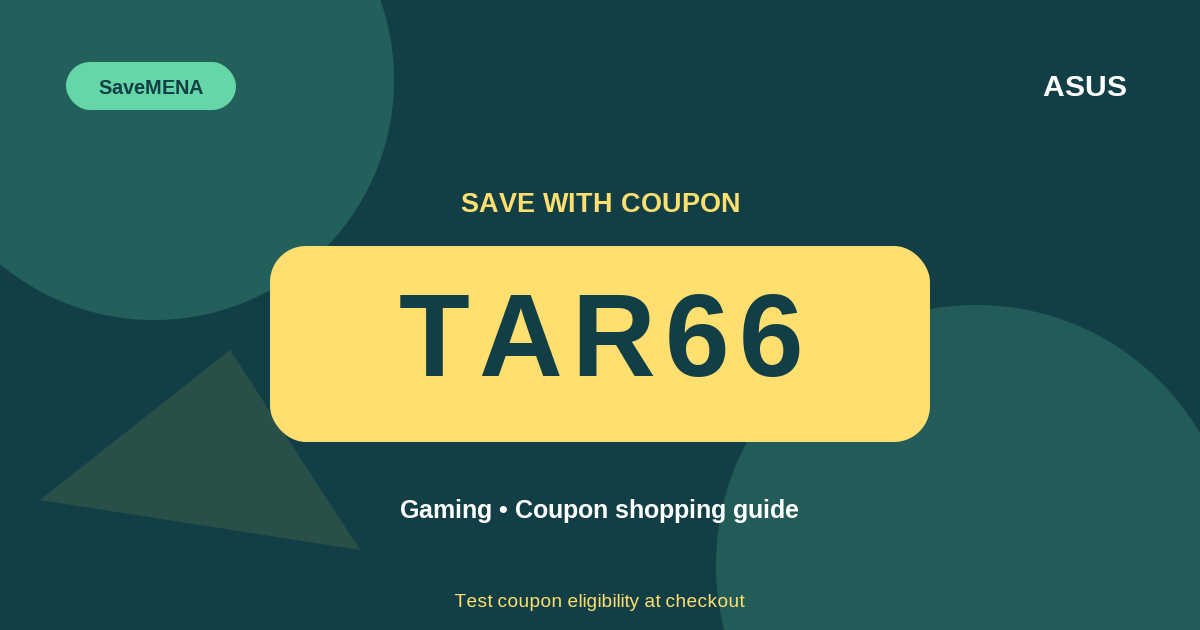
Codes available to try while comparing
These codes are not guaranteed for the article topic or listed brands; test them at checkout and use the live result.
Confirm the Updated Price Before Adding to Cart
When an ASUS gaming device shows a new price on Noon, the first rule is to double‑check that price outside the product page. Many users scroll back to the search results or use the “Compare Prices” widget, which can reveal discrepancies if the listing was not refreshed. You should also note whether the price is listed as “Final Price” or “Original + Discount.” This helps you see if the price change was a deliberate discount or a recalculation after adding a shipping fee.
Don’t rely solely on the product card; after you click “Add to Cart,” a pop‑up confirmation appears showing the price that will be charged. If it differs, it may be due to applied delivery charges or a seller’s minimum order adjustment. Write the numbers down or screenshot the confirmation, then proceed to the next step to verify the coupon applicability.
Reevaluate the Variants and Seller Options
ASUS gaming items often come in multiple configurations—different RAM, storage, or even color options. A price change might affect only specific variants or be exclusive to a particular seller. At checkout, you can toggle the variant selector and see the impact on the final price. If a seller has applied a new fee or a higher base price, it will show in the cart breakdown.
Additionally, check if any other seller lists the same ASUS device at a lower rate. Noon’s internal comparison function allows you to switch sellers by selecting the “Same Item, Different Seller” link. Some sellers may omit a coupon or have their own discount; comparing them ensures you aren’t stuck with one hidden cost while overlooking a cheaper alternative.
Track the Historical Price Trend for Context
While Noon does not publish a full price history graph, you can use external tracking tools or your browser’s “Save for later” notes to record the ASUS product’s price over days. By logging the price changes, you can identify patterns—does it drop on certain days, or does it fluctuate with the streak of rewards tokens? A consistent downward trend might signal a price drop window, whereas random spikes could suggest cross‑sale slowing.
During a recent price shift, record whether the new amount is lower than the previous one. Even if the new price appears cheaper, ensure that the new cost covers all deliveries and taxes. By gathering a simple record, you defend yourself against potential hidden fees that may appear only at checkout and validate whether the change is truly a good deal.
Verify the Coupon Code TAR66 Applicability
In the “Apply Coupon” field on the cart page, input TAR66 to see if it’s accepted. Noon’s interface will immediately respond with a banner either confirming the discount or saying “Coupon not applicable.” Because coupons can be subject to restrictions—such as specific seller tags, minimum spend, or item categories—you should note that your attempt may still succeed if the product qualifies.
If the coupon does not trigger, do not assume it’s unusable. Sometimes coupon activation requires you to first apply a different set of promotions or redeem a loyalty point to unlock certain coupons. In such cases, manually check whether you’ve accrued enough points or have any active referral codes. Also remember that the coupon’s status may change after a cart refresh if the product’s eligibility changes due to a dynamic stock adjustment.
Inspect Seller and Return Policies Before Finalizing
Price changes can also affect the seller’s return window or warranty terms. In the cart, a clickable link labeled “Seller details” often reveals the seller’s rating, number of sales, and return policy. A higher price might be tied to a stricter return policy or longer warranty period that the seller presently offers for ASUS gaming gear.
Use this opportunity to verify that the policy aligns with your expectations—point out how many days you have to return, the condition for a full refund, or if a restocking fee applies. If the policy appears limited, you might decide to look at another seller or wait for a price adjustment that also improves the service terms.
Confirm the Final Checkout Amount and Fees
The final checkout screen is the ultimate snapshot of what you’ll pay. It lists the base price, any applied coupon discount, delivery charges, and applicable taxes. Pay close attention to whether a dynamic delivery fee or a service charge has been added after you applied TAR66, as these can offset the savings you expect.
Take a moment to adjust the quantity—if you’re buying multiple units of the same ASUS gaming item, the discount may stack differently. Also check if the “Total Payable” displays before the shipping fee; sometimes Noon applies shipping based on your membership tier. Ensuring all numbers match your earlier expectations secures the price without a last‑minute shock.
Look for Bundles or Optional Accessories That Finalize the Deal
ASUS gaming products sometimes come bundled with extras—mouse pads, keycaps, or game credits. A bundle price can outweigh a lower single-item price if the accessories add tangible value. When you find a bundle, compare the bundle’s total price with the sum of the individual items’ new prices after the coupon.
Bundled offers might include a wider range of accessories that would otherwise cost more if purchased separately. If the bundle’s final price—after any coupon—is lower than the items sold individually, it becomes a more attractive purchase. Just be sure the bundle price includes the same delivery terms and that the items are not subject to a different seller’s policy.
Plan Future Purchase Timing Using Price Insights
Even after confirming the current price and coupon status, UAE shoppers who frequently buy ASUS gaming gear should keep an eye on the hourly price windows Noon occasionally offers. Prices can oscillate as the day ends or during cultural events. Using a simple spreadsheet or a price alert tool can help you capture those fleeting moments of better value.
When a price drop occurs, re‑check with the same steps: confirm the listing, verify the variant, test the coupon, and finalize the checkout. By making this a habit, you transform a casual buy into a systematic shopping habit that lowers costs and ensures no hidden fees. The key is to repeat the rechecking process each time the price swings, keeping your purchase decisions accurate and informed.
Related SaveMENA pages
Related articles
Official sources to check
Frequently asked questions
Will the TAR66 coupon always apply to ASUS gaming items on Noon?
No guarantee can be made that the coupon will apply. When you enter TAR66 at checkout, Noon will indicate whether it can be applied. Coupon eligibility may vary by seller, item, or momentary restrictions.
What should I do if my price changes after I add a product to my cart?
Immediately review the cart’s price breakdown. Verify the base price, any hidden fees, and the coupon application. If the final amount differs, you can adjust the cart before proceeding to payment.
Are there hidden delivery fees that might affect my ASUS purchase?
Delivery fees may appear on the final checkout screen after coupons are applied. Always review the sum before confirming the order to ensure you’re not surprised by a change in shipping cost.
Can price cuts be temporary on Noon’s platform?
Yes, price shifts can be temporary, especially during flash sales or promotional days. Checking the price history or using price-tracking tools helps clarify if a lower price is stable or fleeting.