Logitech Gaming on Noon UAE: price changes — buyer checklist
Price swings can happen overnight on Noon, and a Logitech gaming item might drop or rise depending on competitor activity or vendor urgency.
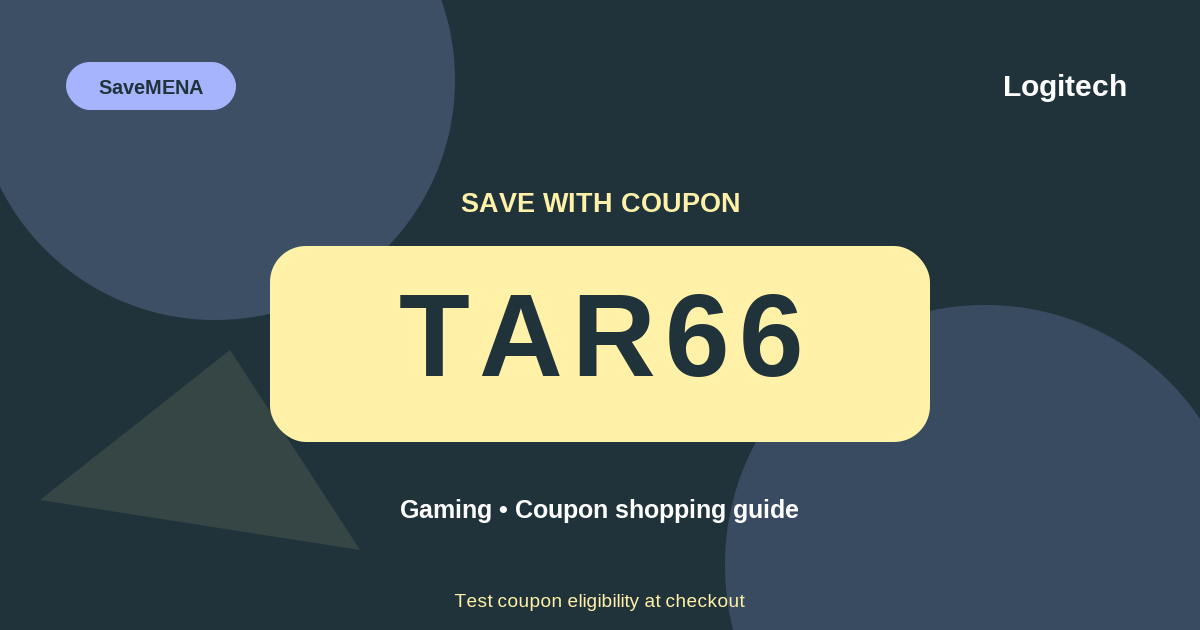
Codes available to try while comparing
These codes are not guaranteed for the article topic or listed brands; test them at checkout and use the live result.
1. Why Rechecking After a Price Change Matters
Price swings can happen overnight on Noon, and a Logitech gaming item might drop or rise depending on competitor activity or vendor urgency. Even if you spot a seemingly great deal, leaving it in your cart for hours can lock you into a higher price. By revisiting the listing just before checkout, you confirm the real-time price and ensure you’re not paying a premium due to a stale snapshot. This practice is simple yet essential for keeping your budget on track, especially when gaming gear can cost hundreds of dirhams.
Rechecking also gives you a chance to see if an incentive like a limited‑time flash sale has kicked in. Those flash deals can slash a few dirhams off the price but may also bring in extra shipping costs. Checking the live price ensures that any such changes are reflected in the amount you authorize, preventing surprise lines on your payment slip that could add up.
2. Identify the Correct Logitech Gaming Item You Need
Before diving into price checks, clarify which Logitech gaming accessory fits your setup. Are you after a wireless mouse for precise FPS control, a mechanical keyboard with RGB lighting, or a high‑dpi gaming headset? Narrowing down the exact category trims the list of Noon listings and makes each price comparison more meaningful. Take note of key features—dpi sensitivity, programmable buttons, or ergonomic design—so that later price checks focus on the right product variants.
In the UAE market, product variants can differ in wattage, set connectivity options, or bundled accessories. When you revisit a listing, verify the SKU description in the product details section. That way, you’re assured you’re scrolling a single app‑level price change rather than switching between, say, a single‑headset model and a two‑headset bundle.
3. Compare Noon UAE Deals Across Seller Variants
Noon often has multiple sellers offering the same Logitech item, each price varying slightly due to stock levels or vendor tactics. While the main listing price gives an initial gauge, a quick side‑by‑side glance of seller ratings and shipping times provides a fuller picture. Ensure that the seller you select aligns with your shipping flexibility—some may ship faster but have a higher fee.
During your price recheck, focus on any “Deal” tags attached to the product. Noon may display a “Deal” label next to a price that signifies a time‑limited discount. Confirm that the deal is still active by noting the timer or the “Deal expired” notice in the product details. If the timer has lapsed, the price reverts to the original, making the coupon the sole discount left.
4. Evaluate Additional Costs: Delivery Fees and Taxes
Even early studies overlook that the final payable total extends beyond the FOB price. Delivery charges, customs duties, and VAT can all stack onto the base price. Noon’s checkout screen shows a clear line item for each fee, but double‑checking at the last minute helps validate that no new charge has been added after you added the item to the cart.
For gaming gear, tax rates in the UAE are typically standard, but occasional promotional waivers on electronics might apply. If Noon announces a promotional event, verify whether the discount applies before and after tax. A price drop that only appears pre‑tax can affect the final payable amount unpredictably, so cross‑compare the pre‑ and post‑tax totals during your recheck.
5. Utilize the TAR66 Coupon Strategically
The TAR66 coupon is available to try with your Noon purchase, but remember that it may not apply to every gaming item or seller. Slot the coupon into the discount code box on your cart page and observe whether the system accepts it—often a green confirmation bubble appears next to the coupon entry. If it is rejected, note the specific reason (e.g., coupon expired, incompatible item) and skip applying it until a compatible product is selected.
If the coupon successfully applies, refresh the cart or revisit the checkout page to see the revised subtotal. This change should appear before you authorize payment. Keep an eye on the coupon’s effect on the total; if the price shift is negligible, it might be an unusable code for that particular item.
6. Confirm the Coupon’s Eligibility at Checkout
When you hit “Proceed to Checkout,” Noon presents the final payable total, inclusive of all discounts and fees. This is the moment to verify whether the TAR66 coupon contribution reflects accurately. The coupon amount usually appears as a separate line that subtracts from the pre‑tax total; a missing line means the coupon didn’t apply, prompting you to double‑check if you met the entry requirements.
At checkout, also confirm that the currency displays in AED and check that the total is precisely what you expect based on your earlier price checks. This is the main checkpoint to prevent hidden fees or delayed discount application—a common risk when a coupon triggers only after payment confirmation.
7. Monitor Price Fluctuations During the Buying Process
Price changes can still occur after you’ve entered the checkout flow, especially during peak traffic times. If you notice the price shifting upward while your cart remains open, there’s usually an option to lock in the current price for a limited duration. Toggle the “Keep my price” switch where offered. This feature is vital if you’re on the brink of finalizing your purchase but a sudden price hike threatens your budget.
In absence of that feature, calmly scroll back to the product page, copy the updated price, and paste it back into the cart’s quantity box. Confirming the cart with the new price ensures your payment preview matches the merchant’s current offer, avoiding post‑payment adjustments.
8. Finalizing Your Purchase: What to Review Before Paying
Before you authorize the transaction, run a last‑minute audit: verify the item’s description, confirm the selected variant, check that the subtotal aligns with your pre‑payment expectations, and ensure that the coupon has no pending discount entries. If any discrepancy arises, pause the checkout, restart from the cart page, and reapply the coupon to synchronize the totals.
Finally, with your payment method confirmed and all discounts applied, take a quick look at the “Place Order” screen that shows the full breakdown—item price, tax, delivery, and coupon deduction. This final snapshot is your undeniable confirmation that the deal you see is indeed the deal you pay, fulfilling the critical step of rechecking after a price change.
Related SaveMENA pages
Related articles
Official sources to check
Frequently asked questions
Will the TAR66 coupon always apply to Logitech gaming accessories on Noon UAE?
The coupon code is available to try, but its application depends on Noon’s current coupon rules for that specific item and seller. Always confirm at checkout whether it’s accepted and applied to avoid unexpected costs.
What should I do if the price for my Logitech item changes while I’m in the checkout process?
Check for a “Keep my price” option or retrace to the product page and update the cart with the new price. Always review the final total before authorizing payment to confirm the price reflects the latest change.
How can I be sure I’m buying the exact Logitech model I want on Noon?
Cross‑check the product title, seller description, and specifications in the product details section. Confirm the model name or serial number, if provided, to align the listing with your desired model before adding to cart.
Do shipping costs change after I apply a coupon?
Shipping fees are typically calculated based on the item’s weight and delivery location and are applied after any coupon discounts. Review the breakdown at checkout; if the shipping fee appears different, it indicates a separate fee determined post‑discount.