Calvin Klein Men’s Fashion on Noon UAE: price changes — buyer checklist
Noon UAE deals Men’s Fashion Calvin Klein rechecking after a price change: The first step to mastering a bargain in the evolving world of Noon UAE deals for men’s
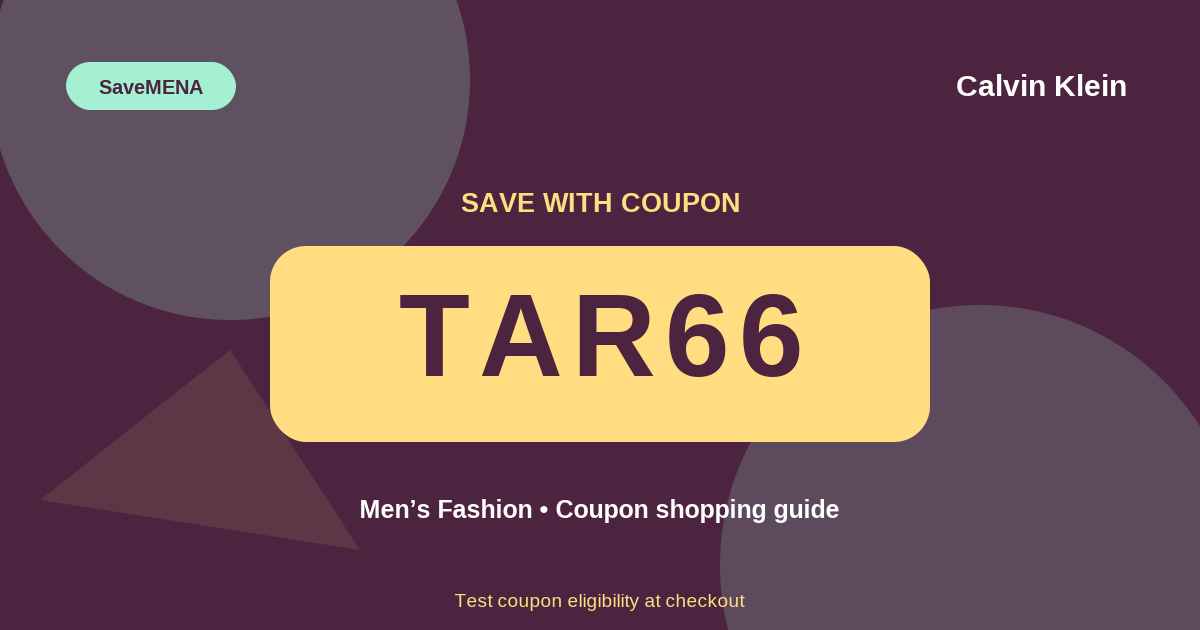
Codes available to try while comparing
These codes are not guaranteed for the article topic or listed brands; test them at checkout and use the live result.
Pinpointing the Current Price in Noon UAE
Every listing on Noon presents a snapshot of the item’s price, but that figure reflects only a single moment in time. When exploring a Calvin Klein suit or T‑shirt, first note the listed price on the product page. Then, before adding the product to your cart, double‑check the same number on the “price” badge that appears in the header. Because Noon dynamically adjusts prices to reflect real‑time demand, this second glance confirms the amount that will initially appear in your shopping bag. If the numbers diverge, you’re already a step ahead of a price alteration that could affect your payment.
Once in the cart, the product listing should reiterate the current price and any applied promotional labels. Use this in‑cart price as your baseline; it often differs from the page view if the item entered a flash sale or if its seller applied a new discount just before checkout. Take a screenshot or write down the figure as a quick reference before proceeding to the next stage of the purchase process. This initial price‑confirmation anchors your expectations for the final amount you will pay.
Revisiting the Cart: The First Check
After adding a Calvin Klein jacket to your cart, pause to review the cart page itself. Noon lists the “Subtotal” before any coupon is applied, but the listed price might shift if rates fluctuate. Compare that subtotal against the earlier noted product page price. If the cart shows a price that is slightly lower, you may already benefit from an instantaneous discount; if it’s higher, take note. This first check prevents the surprise of being charged more than intended when you click “Proceed to Checkout.”
If you notice a discrepancy, do not bypass the cart but rather back‑up and re‑add the item. Occasionally, errors can creep in during the addition process, especially if you multi‑tab or have a slow internet connection. Confirming that the same bundle of items—same size, color, and quantity—is reflected in both the page view and the cart will give you confidence that the final payment will match your expectations.
Leveraging Noon’s Price History Feature
Net‑based e‑commerce platforms like Noon often offer tools that let shoppers access price history reports for selected items. When inspecting a Calvin Klein polo, tap the “See price history” option if available. This visual timeline can reveal how often and by how much the price changed in the last 30 days. While you cannot guarantee the accuracy of every data point, the trend line usually indicates whether a price slide is part of a broader discount strategy or an isolated anomaly.
Observing this trend informs your decision about when to apply the TAR66 coupon. For instance, if the price is trending downward, the coupon might add little extra value, whereas a stable or rising price line suggests the coupon could produce a notable saving. Keep this historical context in mind when pausing in the cart to ensure a steady price before confirmation. Even if Noon does not headline this feature prominently, most shoppers find referencing the price history a wise step toward rechecking after a possible price shift.
Cross‑Referencing with Other UAE Retailers
Backing your Noon price against other local markets—such as Amazon UAE, Ounass, or the official Calvin Klein boutique—provides a sanity check. Visit a comparable site and search for the same Calvin Klein model, noting the listed price and any visible discounts. This comparative analysis can flag whether the Noon price is unusually high or low, making it easier to gauge if the price in the cart has genuinely changed during your session.
To strengthen your cross‑verification, use secondary search engines or price‑comparison apps that aggregate product listings across multiple arbitrated sellers. When you confirm that Noon’s price sits within the expected range, you are more confident that your cart reflects the correct amount. If a variance appears, you might want to revisit the cart or call Noon’s support for clarification before proceeding, thereby rechecking after a price change with informed confidence.
Timing Your Purchase Around Seasonal Drops
Men’s fashion is particularly sensitive to seasonal melting points—such as Ramadan, the UAE National Day, or the winter season. Keep an eye on Noon’s “Sale” or “Deals” tab for upcoming promotional windows that could lower the price of a Calvin Klein item. By planning your purchase around such events, you minimize the risk of a price rise or sudden price shift that could occur if the store moves to a different pricing tier after your initial interest.
When a sale window opens, Shopify‑style pop‑ups may apply a discount instantly, altering the cart’s subtotal. Use this opportunity to recheck the price immediately after the coupon or sale begins. The newer, lower figure should now appear in your cart; if it does not, you may be encountering a lag or a system update, at which point contacting Noon’s support or refreshing the page becomes essential.
Validating Coupon Compatibility Post‑Price Shift
The TAR66 coupon code can be a useful lever for additional savings, but its applicability depends on the final paid amount after any selected price changes. After you’ve confirmed the present cart total, enter the coupon code at the checkout discount field. If the application screen shows a “coupon applied” confirmation, the price displayed will adjust accordingly.
If the coupon fails to apply or the discount appears lower than anticipated, re‑check that the product’s final price still falls within the coupon’s allowed scope. Encourage a quick mouse‑over of the discount text or a glance at the coupon’s terms elsewhere on Noon. An inability to see a reduction confirms that, after the price shift, the coupon may not survive. In such a case, you can either accept the new amount or revisit earlier steps such as selecting a different size or returning to the cart to ensure consistency.
Understanding Dynamic Pricing in Men’s Fashion
Dynamic pricing models prioritize real‑time demand, inventory, and competitor rates. For a Calvin Klein shirt, this means Noon might adjust the price the moment your cart is loaded, especially if the item’s search popularity spikes. Recognizing that these changes can happen within seconds allows you to act swiftly—rechecking the price immediately after each click or refresh can catch the most recent rate before you commit.
When a dynamic shift occurs, the cart’s “Subtotal” may update without notification. If you do not notice the change, ask Noon’s chat support to provide the latest price or consult the “View Order Summary” link, which often displays the current rate before payment. Staying vigilant about dynamic pricing helps ensure you’re not surprised by escalated amounts at the payment stage.
Confirming the Final Amount at Checkout
Before you actually click “Pay,” the checkout page serves as your last checkpoint. The “Order Summary” should list the subtotal, any tax, delivery charges, and the final total. At this point, the price is locked in for the current session. Compare each line item against earlier records you captured—product price, coupon discount, and shipping fee—to verify no changes have slipped in since the cart stage.
If everything lines up, you may proceed with payment confidently. In the rare event that a line item shows a higher amount than recorded, it is advisable to halt and refresh the checkout page or contact customer support. A quick final sorting eliminates the risk of an unexpected increase due to a background price update, ensuring your Noor UAE deal remains authentic to what you intended.
Related SaveMENA pages
Related articles
Official sources to check
Frequently asked questions
What happens if the price changes after I apply the TAR66 coupon?
Price changes can occur after coupon application. If the final total increases, you’ll still see the coupon’s discount reflected but at the new price. To avoid surprises, always review the order summary before confirming payment. If a significant shift happens, consider canceling and re‑initiating the purchase.
Does Noon guarantee that the price I see in the cart will stay until checkout?
Noon does not guarantee price stability from cart to checkout. Dynamic pricing and ongoing promotions can alter amounts. Reviewing the total on the checkout page is the most reliable method to confirm your final cost before payment.
Can I use the TAR66 coupon on a Calvin Klein item after a price change?
The coupon can be applied at checkout regardless of price changes, but its effectiveness depends on the final price. If the price shifts significantly, the coupon’s impact may diminish. Check the discount line after entering the code to confirm applicability.
I noticed a discrepancy between the product page price and the cart total. What should I do?
If the cart total differs from the listed product page price, reconfirm by refreshing the cart page or re‑adding the item. Comparing with other retailers’ prices can help verify the accuracy. If uncertainty persists, reach out to Noon support for clarification before proceeding.