Anker Mobile Accessories on Noon UAE: price changes — buyer checklist
Start by deciding on the specific mobile accessory you need—whether it’s a power bank, earbuds, screen protector, or case.
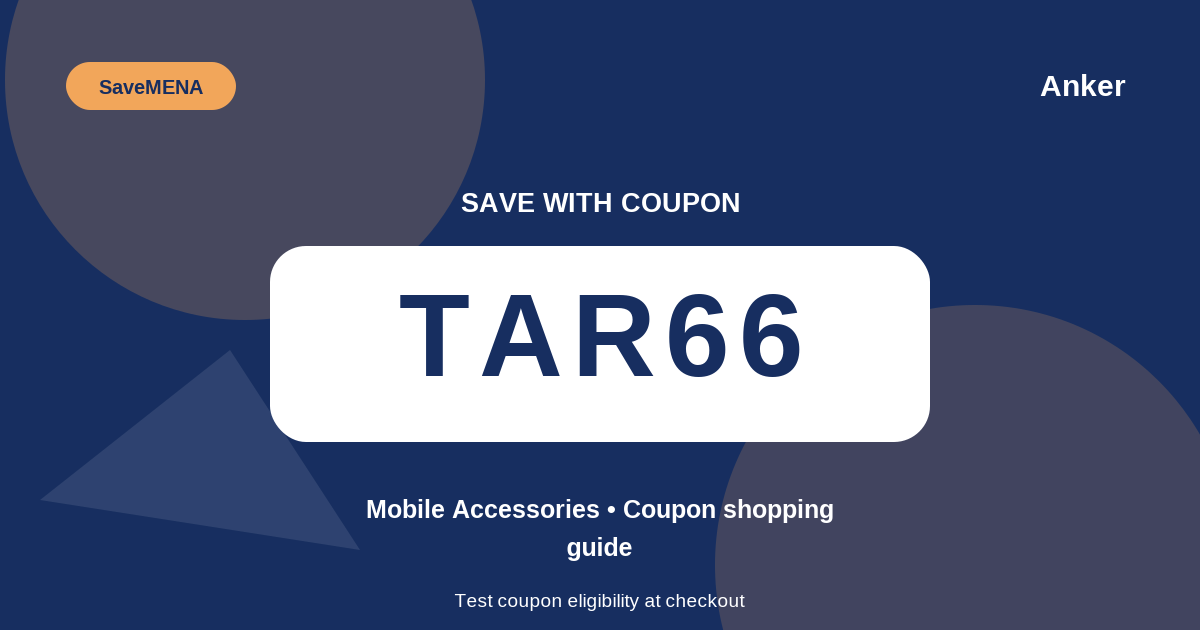
Codes available to try while comparing
These codes are not guaranteed for the article topic or listed brands; test them at checkout and use the live result.
1. Pinpoint Your Desired Accessories and Brand
Start by deciding on the specific mobile accessory you need—whether it’s a power bank, earbuds, screen protector, or case. Also note if you prefer a particular brand like Anker, which is well-known for its quality and is frequently found on Noon UAE. A clear goal narrows your search, making the subsequent price‑change comparisons quicker and reducing the risk of overlooking a more favorable offer.
Once you have a focused list, view the product page on Noon. Pay attention to the featured brand, model, and key specifications. This information will be essential when you later compare past listings or other sellers’ versions on the same platform, ensuring you’re tracking the exact item rather than a similar but separate variant.
2. Match Current Prices with Historical Listings
After locating your the coupon code product, check its current listed price on Noon. Use the “Price History” or “Past Offers” link if available to look at any recent price drops or increases. By cross‑referencing these figures, you can gauge how volatile the price is and decide whether to wait for a potential lower price or to purchase immediately.
When prices shift, record the timestamp or version number noted on the product page. Store this information in a quick note or spreadsheet; this helps you confirm later whether a coupon or a sale applies to the exact version you intend to buy.
3. Vet Seller Reputation and Product Authenticity
Check the seller’s rating and customer feedback directly on Noon’s product listing. Look for high rating percentages and recent customer reviews that discuss product authenticity and delivery timelines. This step helps mitigate the risk of counterfeit accessories or delayed shipments, especially important for pricey mobile components where trust matters.
Even if the seller’s profile appears reputable, examine listing details for any mismatch in product description, warranty information, or included accessories. An accurate description that matches your expectations increases confidence that the actual item delivered will match your purchase.
4. Lock In Prices with Noon’s Limited‑Time Offers
When you’re sure the price is right, use Noon’s “Add to Cart” and then the “Schedule Checkout” feature if you want to lock in the current price for a few hours. This prevents small price adjustments that may occur while you are reviewing coupon codes or calculating shipping fees.
Always double‑check that the “Scheduled Checkout” lock remains active before proceeding. Unexpected price changes can happen if the lock expires, so verify the final price appears at the checkout stage, especially after you apply a coupon code.
5. Apply the TAR66 Coupon – Timing and Verification
The coupon code TAR66 is available to try for a potential discount. To use it, navigate to the cart or checkout page and enter “TAR66” in the designated field. The site will then attempt to apply the coupon and show any discounted amount, if the coupon is indeed valid for the selected cart items.
Because the coupon’s validity isn’t guaranteed, watch the checkout page closely for confirmation that the code accepted the discount. If the code does not apply, proceed without it but keep the coupon in mind if you need to add more items later.
6. Assess Shipping Fees and Delivery Window
Shipping costs on Noon UAE vary by seller and product weight. After adding your accessory to the cart, review the calculated shipping fee. Compare it with any free shipping thresholds the seller might offer. If the fee is high, consider postponing the purchase until a promotion or bundle offer reduces costs.
Also ask yourself: When will the product arrive? Some sellers list an expected delivery date on the product page. Use this information to decide if the product’s arrival time matches your planning, especially if you need the accessory for a specific event.
7. Confirm Payment Options, Currency and Exchange Rates
Noon UAE accepts various payment methods, including credit cards and local digital wallets. If you pay using a foreign card, check the current AED to your card’s currency exchange rate. Fluctuations can change the final amount you pay once the purchase completes.
Because exchange rates are applied at the time of transaction, read the payment confirmation screen carefully. Verify that the total amount displayed matches your expectations before authorizing the payment.
8. Final Checkout Review and Purchase Confirmation
Before clicking “Place Order,” scroll through the checkout summary. Verify that the price, coupon application, shipping fee, and delivery estimate all align with the earlier steps. If any of the values differ, identify the cause and re‑apply the coupon or adjust your cart until the numbers match what you verified in earlier sections.
Once all items are confirmed, complete the payment. After the order processes, you’ll receive a confirmation email and a tracking number. Save these details for future reference in case the product is delayed or you need to file a return.
Related SaveMENA pages
Related articles
Official sources to check
Frequently asked questions
What if the TAR66 coupon does not apply at checkout?
The coupon may not be valid for that particular item or order. In such cases, continue with the purchase without it and consider using other promotions if available. Always double‑check the final amount in the checkout summary.
Can I re‑check the price after adding the item to my cart?
Yes, revisiting the product page will show the latest price. However, keep in mind that adding to the cart may lock the current price, protecting against minor changes before checkout.
Does Noon guarantee product authenticity for mobile accessories?
Noon itself does not verify authenticity; you should rely on seller ratings and reviewed product descriptions. Always verify the product details matched your needs before finalizing the purchase.
Will shipping fees change during checkout?
Shipping charges are recalculated at the final checkout stage based on your address and the seller’s policies. Confirm the displayed fee before completing payment to avoid surprises.