Samsung Mobile Accessories on Noon UAE: price changes — buyer checklist
Start by locating the Samsung mobile accessory you want on Noon UAE’s website or app. Pay close attention to the headline that indicates a special deal, such as
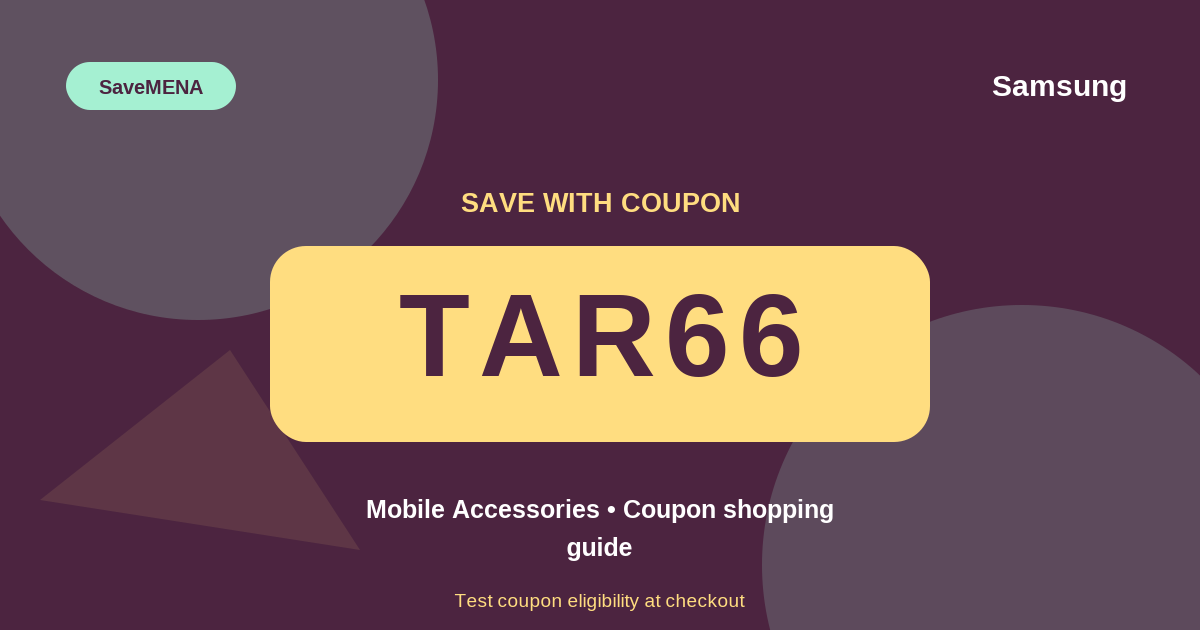
Codes available to try while comparing
These codes are not guaranteed for the article topic or listed brands; test them at checkout and use the live result.
Identify the Current Deal on Noon UAE
Start by locating the Samsung mobile accessory you want on Noon UAE’s website or app. Pay close attention to the headline that indicates a special deal, such as “Limited Time Offer” or “Discounted Price.” Some sellers display multiple offers; choose the one that includes the lowest price and the most comprehensive description of the included items. Make sure the product listing shows a clear current price, and not a “was” price without an explicit sale indicator.
After you’ve identified the deal, keep the product page open as you will use it for a quick recheck later. Before adding the accessory to your cart, note the exact price shown, the uploader or seller name, and any user rating or review count that may affect trust. This initial snapshot helps you confirm the price has not shifted when you revisit the page or during the checkout process.
Verify the Samsung Model and Accessories Details
Confirm that the accessory matches the Samsung model you own or plan to own. Check the listing for compatibility notes such as “Fits Samsung Galaxy S20 and S21” or “Compatible with Galaxy Note 20.” It’s common for sellers to list accessories that appear similar yet function only with certain device variants. Errors in model information can lead to wasted money or return hassles.
When you verify the correct model, recheck the price and product details again. A small typo in a product title can mislead you into viewing a discounted item that is actually unrelated. This double‑check safeguards you against accidental purchases of mismatched accessories at a new price point or a mis‑applied discount.
Compare Past Prices Before the Change
Many consumers check price histories when shopping for electronics accessories, and Noon UAE allows you to view past price ranges in the product description or through third‑party tools. By looking at previous price points you can see whether a recent drop is a genuine deal or a brief surge that might restart.
After noting the current price, revisit yesterday’s or last week's price if available. This comparison can highlight a price spike or drop that occurred after you first viewed the listing. By re‑checking now, you can decide whether to proceed immediately or wait for a favorable adjustment.
Recheck Price Just Before Checkout
Once you add the Samsung accessory to your cart, proceed to the cart summary page. Prices can sometimes adjust due to rounding, shipping, or dynamic pricing rules that only apply once an item is in the cart. Double‑check that the total matches the figure you saw on the product page.
If the price has changed after adding the item to the cart, consider moving the item back to the product page and re‑adding it. A recent price change may reset when you view the product again. This quick step helps you ensure that the final amount reflects the deal you expect before you pay the checkout.
Explore Additional Noon UAE Promotions
Many sellers offer bundle deals or special coupons that may stack with the listed discount. While Noon UAE sometimes displays a “Use code for additional the discount shown at checkout off” banner, it is considered a separate promotion. Check the coupon or promo section for any available codes that you can enter during checkout.
Enter the coupon code TAR66 in the promo code field only after you see the total price somewhere in the cart. If the code is not accepted, proceed without it. Remember, the coupon is available to try but its usability can vary by order and seller. Pushing the “Apply” button can confirm whether the code is active at that moment.
Factor in Delivery Fees and Handling Costs
Delivery charges in the UAE can be deducted, waived, or added depending on the seller’s policy and your order value. After confirming the list price of the Samsung accessory, check the shipping section to see applied fees if any. Some delivery costs add to the subtotal only after the payment method is selected.
Recheck the total by toggling between delivery options or after selecting a payment method. If the final payable amount changes at any point, note the new figure before committing to payment. This ensures you do not miss an unnoticed surcharge that could negate the benefit of a price drop.
Consider Seller Ratings and Return Policies
While price is paramount, the reliability of the seller matters too. Look for a robust rating or a high number of completed sales to gauge trustworthiness. Examine return policies that might affect your purchase if the accessory does not work with your Samsung device.
Because return policies can be subject to change, re‑verify them after you add the item to the cart. Sellers may update terms or limit return windows, especially during peak sale periods. Confirm the return conditions are still in effect before final payment to avoid surprises when the accessory arrives.
Final Payable Total Verification at Checkout
Proceed to the checkout page and review every line item carefully. The subtotal should match the price you saw on the product page, and any added shipping or handling fees must be visible. If a promo code is entered, the discount and new total should update instantly.
Before clicking the “Place Order” or equivalent button, recheck the final amount displayed. Ensure that no hidden tax, surcharges, or additional fees appear upon confirmation. If a price change occurred, the final amount should reflect the most recent price seen on the checkout screen, providing a safeguard against surprises after payment.
Related SaveMENA pages
Related articles
Official sources to check
Frequently asked questions
How do I recheck a price after a change on Noon UAE?
You can re‑check by going back to the product page or revisiting the cart summary. Make sure to refresh the page and verify the listed price matches the amount shown before you go to payment. If it has shifted, add the item again to capture the latest price.
Can I apply the TAR66 code to my Samsung accessory purchase?
You can enter TAR66 in the promo code section at checkout. The coupon is available to try, but its application depends on the seller and order conditions at that time. If it is accepted, you will see a discount applied to the total.
Does Noon UAE offer free delivery on mobile accessories?
Delivery fees vary by seller and order value. Some listings may include free shipping, while others charge a delivery fee. Check the shipping information during checkout to see if your order qualifies for a free or discounted delivery rate.
What should I do if the price changes during checkout?
Remove the item, revisit the product page, and add it again to see the current price. Then confirm the new total on the checkout screen. If the price remains higher than expected, you can choose to cancel the order or wait for a better deal.