Shoes on Noon UAE: price changes — buyer checklist
Noon UAE deals Shoes rechecking after a price change: If you’re eyeing a pair of shoes on Noon UAE and want to be sure you’re getting the best price, this guide
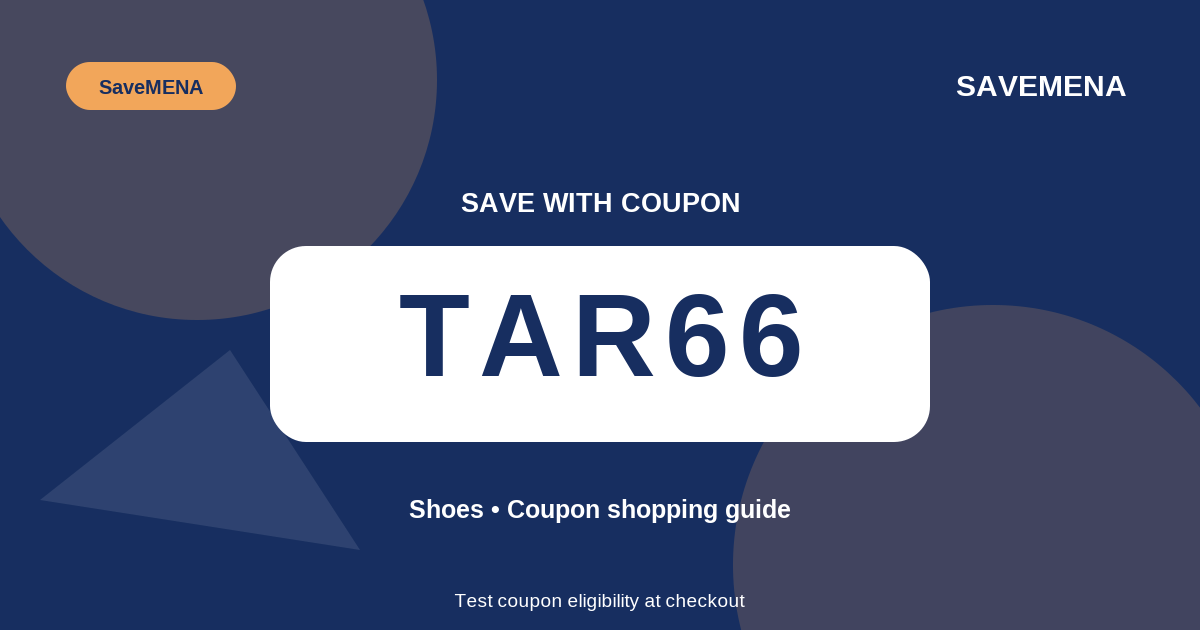
Codes available to try while comparing
These codes are not guaranteed for the article topic or listed brands; test them at checkout and use the live result.
Deciding Post-Purchase: How to adjust if price changes after checkout; contact support.
Need to avoid any claim that coupon will apply, mention it is available to try. Also no pricing specifics.
If you’re eyeing a pair of shoes on Noon UAE and want to be sure you’re getting the best price, this guide tells you how to refresh your deal after a price change and test the TAR66 coupon. By rechecking prices, tracking history, and validating the final total, you’ll avoid paying more than necessary. Even if the discount doesn’t apply, you’ll still understand the exact steps that give you the best chance to save. Follow the eight practical sections below to make a confidently informed purchase on Noon while watching for any post‑price‑change adjustments that could affect your checkout.
Grasp the Core of Noon UAE Shoe Deals
Every sale on Noon’s shoe section begins with a baseline price that may shift due to dynamic pricing or stock adjustments. Shopping under Noon UAE deals is essentially a move‑by‑move dance: you see a price, you add the item to your cart, then you watch for any drops that could happen before you finalize the purchase. When a price change occurs after you’ve chosen a size or a color, the system may automatically update the cart, but not always. That’s why a systematic review of the price after every tweak to your cart is critical for ensuring you’re not overpaying.
In the context of footwear, even small price variations can cost you a few dirhams. Rather than hoping the price will stay stable until checkout, you should adopt a habit of rechecking the listing each time you pause on an item, hit “add to bag,” or modify quantity. Keeping a short checklist—price, coupon availability, shipping cost, payment method—helps you reduce surprises when things finally tally at the end of the process.
Timing Your Purchase Around Price Fluctuations
Prices on Noon can fluctuate on the hourly or daily scale. Many shoppers prefer to wait until close to midnight or the weekend when clearance rounds often happen, but this strategy requires awareness of your own pace. When you spot a shoe that’s reduced in the last 24 hours, set a gentle reminder to revisit the page in a few hours rather than committing immediately. Prices can change again as more customers arrive, especially if the item was formerly a best‑seller.
Another timing tactic is to watch the general trend of the product’s price by keeping it saved in a wishlist. Noon’s wishlist feature lets you receive notifications when the price drops, but the notification does not guarantee that the same discount will be available when you’re ready to checkout. By planning to revisit the page after a potential drop, you give yourself a better chance to lock in the lower price before it moves again.
Tracking Price History Yourself</HEIGHTING>
Although Noon does not publish historical price charts, you can build your own by bookmarking the shoe listing and noting the displayed price at different times. Record the date, time, and exact amount before you add the item to your cart. If the price has changed, compare the new figure to your record to calculate how much you might have saved if you had paid earlier.
More sophisticated methods involve using browser extensions or third‑party tracking sites that flash price changes in real time. Even with these tools, however, the information is only updated for the page the extension is watching. Changes on the server side that affect your cart after the page has loaded may not appear in your records, so confirming the price during checkout remains essential.
Using a Savings Calculator for Recheck Decisions
Once you’re at the cart stage, you can calculate the potential savings from a price change by subtracting the final checkout price from what you would have paid before the change. This gives you a clear numeric benchmark. Remember to include any standard delivery fee that might apply; even if the product price drops, the shipping cost could stay the same and alter the net savings.
Incorporating the TAR66 coupon into this calculator adds another layer: you would apply the coupon amount to the subtotal, then add the delivery fee, and compare it to the pre‑coupon total. While the coupon’s action depends on its application at checkout, this preliminary check informs you whether attempting the coupon justifies the risk of not securing a lower listed price.
Applying TAR66 Coupon at Checkout
When you reach the payment page, locate the coupon input field typically situated under shipping fees. Enter “TAR66” in the space provided and submit. The site will recalculate the subtotal, revealing whether the coupon applied. At this point, you should note that the coupon’s effect is contingent on the final payment method and other undisclosed criteria. The system will still display the updated total regardless of the coupon’s success.
After the coupon is entered, rewind your eyes to the subtotal line once more. Cross‑verify the figure with the one you calculated in the dedicated savings calculator. If the numbers match and the animation icon signals success, you can be reasonably confident that the coupon attempt was accepted. Otherwise, proceed to the next step of confirming the final payable total.
Confirming the Final Payable Total
All information displayed in the final payment summary—including coupon outcome, shipping charges, and the total amount—must be reviewed one last time before confirming payment. Even if the subtotal seems unchanged after applying TAR66, you still have to reconcile it against your earlier estimates. Pay special attention to any additional levies or processing fees that might appear only at this last stage.
At this moment, you have the opportunity to spot if the price had a subtle adjustment since you added the item to your cart. If the final figure is higher than you expected, flag it for possible discussion with Noon support or consider altering the quantity. This step is a final checkpoint to avoid missing subtle price increases during the checkout flow.
Reviewing Shipping and Delivery Information
Shipping costs can eclipse small price differences if the chosen courier or delivery window changes. Verify that the selected shipping option remains the same as when you added the shoe to the cart. If dynamic delivery scheduling is active on Noon, confirm that the price you see for express, standard, or pickup remains consistent.
Additionally, watch for any free‑delivery thresholds tied to product categories. If the price dropped and brought the pair closer to a free‑delivery cutoff, you could gain an extra saving on the delivery fee itself. Conversely, if the shipping rate increased, the net benefit of the price drop would diminish.
Related SaveMENA pages
Related articles
Official sources to check
Frequently asked questions
How do I know if the TAR66 coupon applied after I enter it?
After submission, the checkout page will indicate the coupon’s result next to the discount line. If the code was accepted, the subtotal will reduce accordingly; if not, the original amount remains unchanged. Double‑check the final total to confirm the change.
What if the price of my selected shoe drops after I’ve done the checkout?
Eventual changes after payment do not affect the transaction that has already been processed. Keep a record of the confirmation email; if you suspect an error, contact Noon’s support quickly with proof of the lower price notice.
When should I use the “add to cart” versus “buy now” options to benefit from price changes?
Adding to cart keeps you in the checkout flow, allowing multiple rechecks before final payment. “Buy now” jumps straight to payment, so use it only when you’re confident the listed price won’t shift during the short checkout period.
Will placing my shoes on a wishlist help me catch price drops?
Wishlist alerts might notify you of price reductions, but they do not guarantee that the same discount will be available when you visit the product page later. You still need to recheck the price directly on the listing before adding to cart.