Huawei Smart Watches on Noon UAE: price changes — buyer checklist
Noon UAE deals Smart Watches Huawei rechecking after a price change: Here’s how to confidently buy a Huawei smart watch on Noon UAE by rechecking after a price
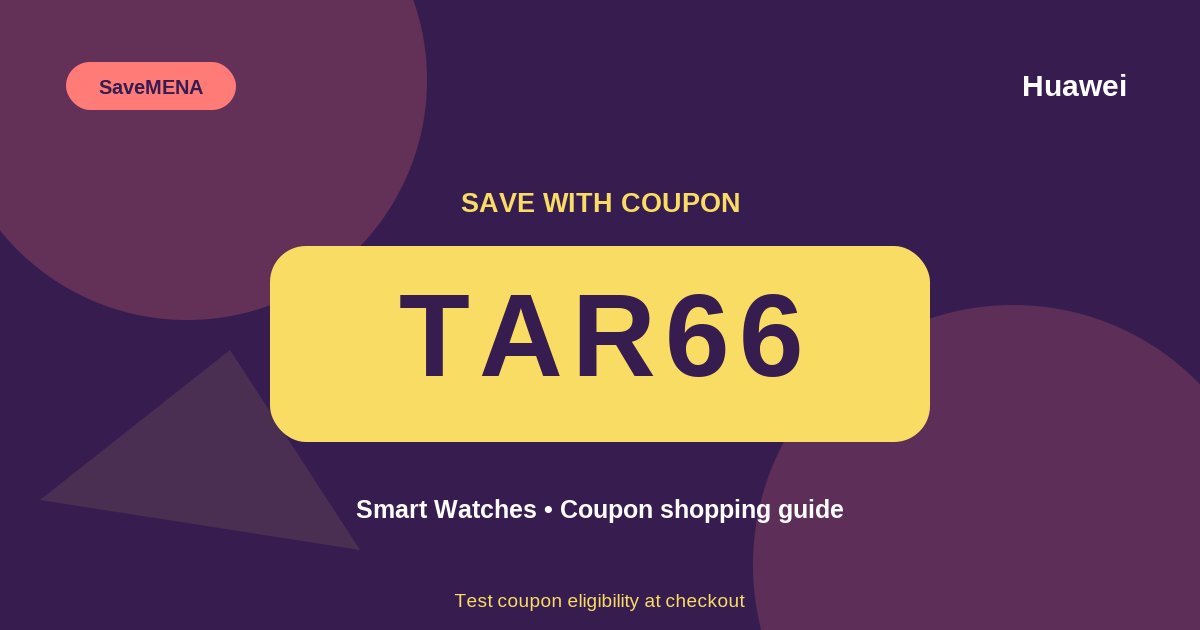
Codes available to try while comparing
These codes are not guaranteed for the article topic or listed brands; test them at checkout and use the live result.
Verify Current Price
When you first find a Huawei smart watch on Noon UAE, jot down the price shown in the product card. Mid‑session price changes are common due to high demand or special sales events. After a brief pause, refresh the page or revisit the listing to confirm the price remains unchanged. This simple step prevents you from adding a product to your cart only to discover it has risen before payment. The price you pay will match the last snapshot you verified right before checkout.
In addition to the listing price, double‑check the unit’s availability and shipping fees, which sometimes adjust independently of the base price. Keep an eye on any 'Deal of the Day' tags or temporary offers that could affect the final amount. A quick refresher avoids picking a higher‑priced variant that the original price reflected.
Track Historical Price Fluctuations
To be certain that the current price reflects the best available deal, compare it with recent price history. Noon UAE’s detail page often displays a price trend for popular items. If the trend shows a recent dip, it indicates a price drop that may not be permanent. Note that a future increase could occur, so this insight helps you decide how quickly to act.
For items that have a longer listing history, you can scroll through older price points or use third‑party price‑tracking tools that record hourly updates. By understanding when the price fell, you gauge how likely the current rate will stay. This knowledge turns rechecking into a data‑driven choice rather than a reaction.
Compare Shipping Options Across Sellers
On Noon UAE, one product can be offered by multiple sellers, each with distinct shipping fees or delivery windows. After confirming the price, open the seller comparison section to examine shipping costs and expected arrival dates. A higher initial price may be offset by free shipping from a particular vendor, saving you money overall.
Keep the delivery expectations in line with your schedule. If a cheaper shipping option arrives later, verify whether a faster alternative remains within your budget. Switching sellers can also affect return policies or warranty handling, which merits consideration before adding the smart watch to the cart.
Confirm Warranty Coverage Post Price Shift
Warranty terms sometimes vary by seller or if a promotional price applies. After the price read‑check, click on the warranty details link for the selected Huawei smart watch. Make sure the warranty does not change with a price variation, as that can affect repair and service coverage. A per‑minute price adjustment can sometimes alter the warranty clause offered.
Also review the return policy associated with the chosen seller. An extended return window remains a strong selling point if the product meets your expectations. Do not assume a warranty’s length or condition applies uniformly; revalidate it after confirming the final price.
Assess Flux in Availability and Stock Levels
A price change can be accompanied by shift in stock levels. Check the 'Availability' status instantly after the price confirms, as some smart watches sell out quickly. A changed price might reflect supply constraints, making a purchase less urgent if the stock is low.
If the item shows limited stock near you, confirm the SKU you intend to buy within that constraint. Some listings distinguish between colors or sizes; choosing the correct variant guarantees you receive what you paid for.
Align With User Ratings Over Time
Prices can fluctuate independently of product quality. While rechecking, scroll to the bottom of the smart watch page to view customer reviews and ratings. If the rating drops during a price dip, it may signal a change in product packaging or a newer batch with fewer features.
Consider reading recent reviews for any mention of inconsistencies with the listed specs. This helps you decide if a lower price justifies potential quality trade‑offs. Document the rating score and latest review date to compare with stock changes.
Leverage the TAR66 Coupon at Checkout
Once you have a confirmed price, seller, shipping plan, warranty, and stock level, proceed to the checkout page. Enter or select the TAR66 coupon code in the discount field if visible. The platform may prompt you to confirm a new available discount, and the session remains valid for that transaction.
Do not assume the coupon will apply automatically; verify whether the total reflects any coupon deduction. The checkout interface displays that final figure before payment. If the code does not apply, explore other potential discounts or skip it— the final price after rechecking remains valid.
Final Cart Review Before Payment
Before hitting pay, thoroughly inspect the cart overview. Confirm the product name, variant, quantity, and all associated fees, including shipping and any applied coupons. Compare the displayed total with the price you noted earlier; any discrepancy indicates a price change that may have slipped in the interim.
After confirming the totals are correct, verify your payment method and billing address. Ensure no hidden charges appear on the payment screen. This last step confirms that the smart watch arrives at your doorstep exactly as priced at the time of checkout.
Related SaveMENA pages
Related articles
Official sources to check
Frequently asked questions
What should I do if the price changes again after I’ve checked?
Use Noon’s price trend or browser refresh to double‑check before adding a product to the cart. If you notice a new price shift, proceed to checkout immediately or accept the updated rate.
Will the TAR66 coupon always apply to a Huawei smart watch?
The coupon can be tried during checkout; however, its use is not guaranteed for every product. Verify at the payment screen whether the coupon has been accepted and applied.
Can I skip the reviewer section if I trust the price?
Reviewing user ratings helps confirm product quality and consistency. Even with a stable price, reading current reviews provides insight into any new batch differences or user experiences.
How do I handle sellers with varying shipping fees?
Compare shipping options in the seller section before purchase. Choose the seller offering the best balance of price, shipping cost, and delivery time that matches your needs.